Public DNS Resolver Comparison: Privacy, Security, Filtering
By CaptainDNS
Published on January 15, 2026
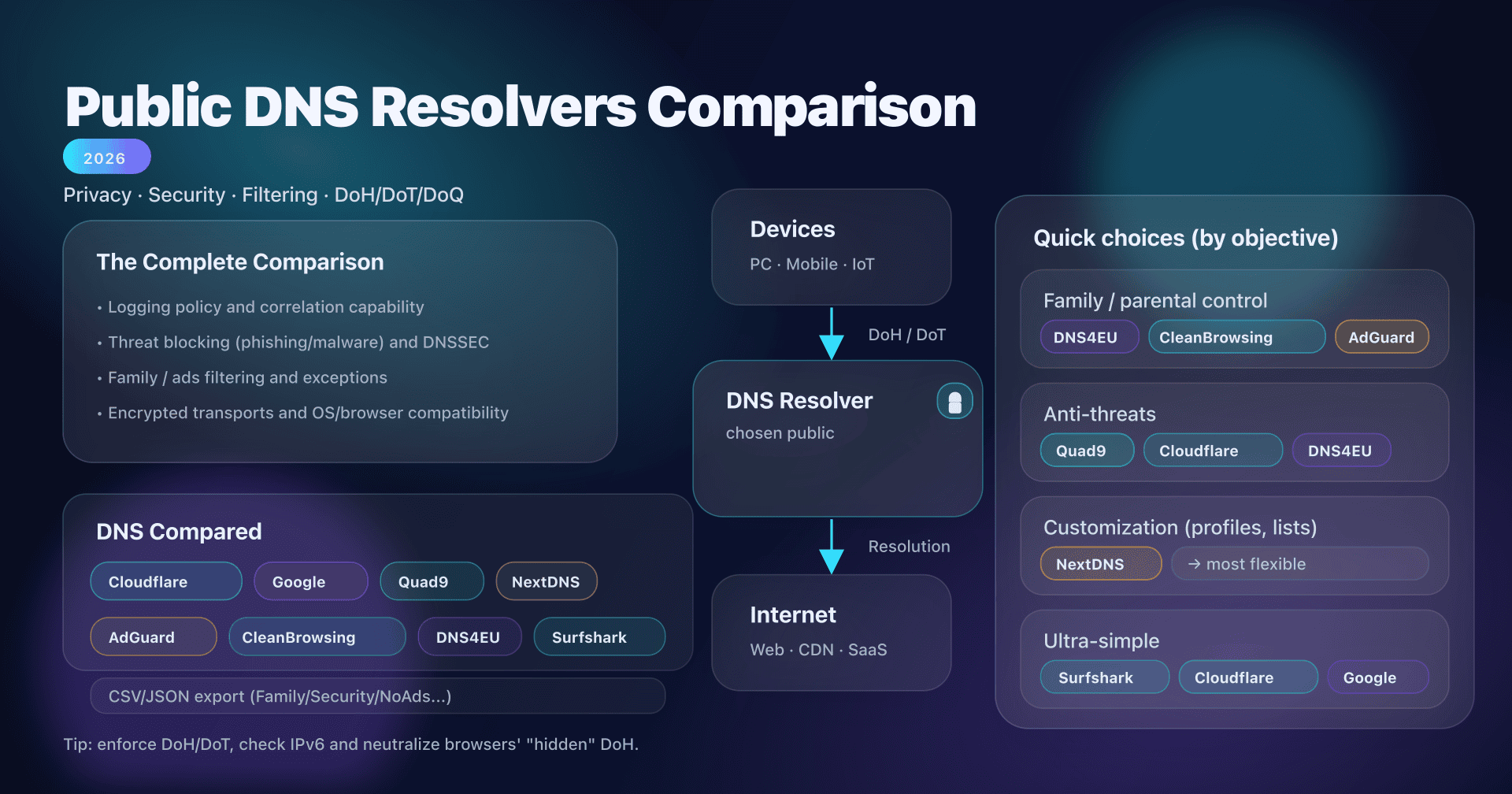
- 📢 Eight public DNS, eight philosophies: choose your objective first (privacy, security, family, control) then implement DoH/DoT properly.
- For a turnkey "family" solution: DNS4EU (Child), CleanBrowsing (Family), or AdGuard (Family).
- For fine-grained customization (lists, profiles, analytics, exceptions): NextDNS is generally the most flexible.
- For a simple and robust baseline (without advanced filtering): Cloudflare/Google/Quad9/Surfshark, depending on your logging and transparency requirements.
You already have detailed sheets for each service. This article serves to connect everything: a unique comparison, longer, that helps you decide without getting lost in unnecessary details.
We'll compare these public DNS resolvers on all axes that really matter: privacy, perceived performance, security (anti-threat), filtering (ads/adult content), encrypted protocols (DoH/DoT/DoQ), compatibility (OS, browsers, routers), and... pitfalls.
Finally, you'll leave with:
- a decision checklist,
- typical configurations (home, SMB),
- a reusable CSV/JSON dataset (for your docs, CMDB, tests),
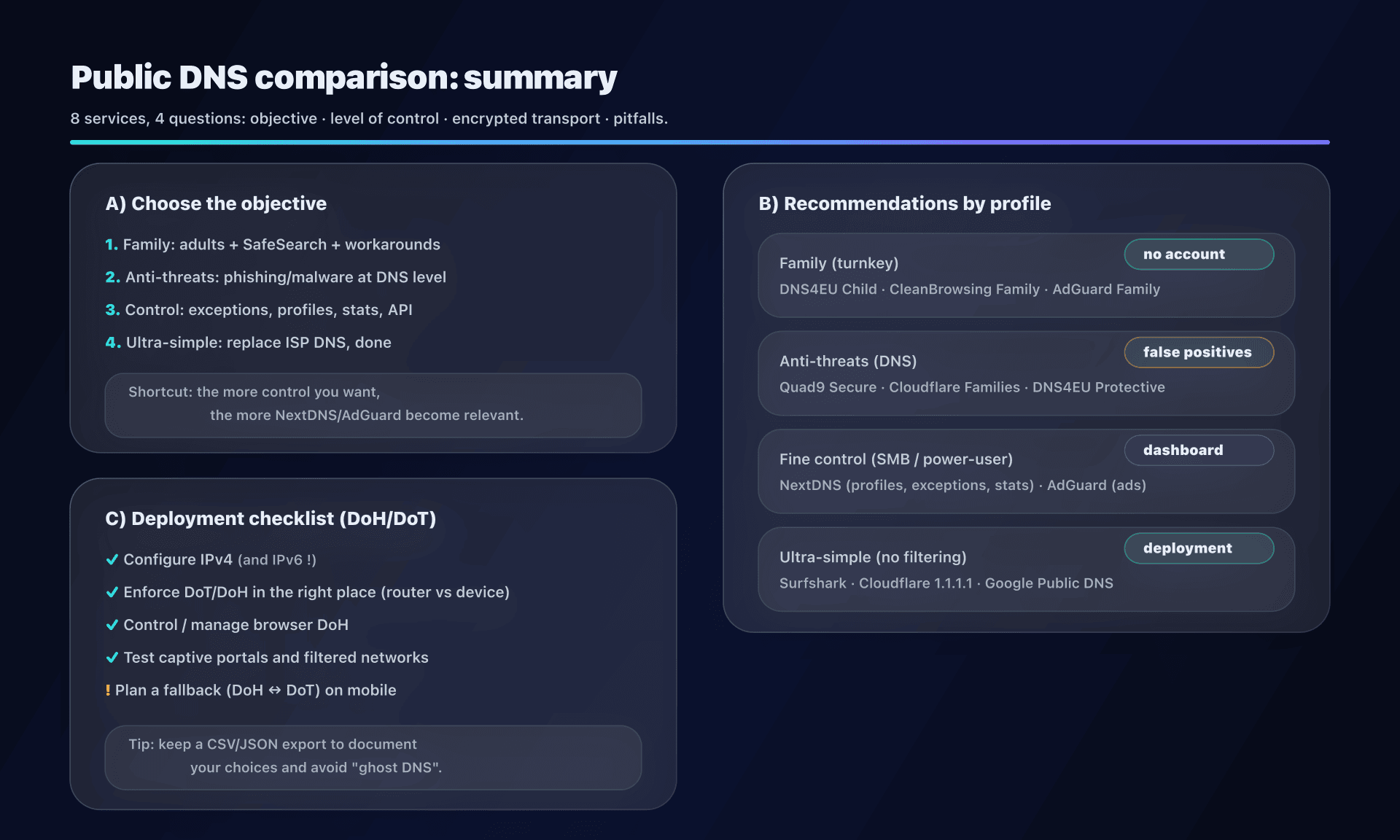
- an infographic summarizing the essentials.
Detailed guides (one per resolver)
- Google DNS 8.8.8.8 - performance and reliability
- Cloudflare 1.1.1.1 - privacy and DoH/DoT
- NextDNS - customizable filtering and analytics
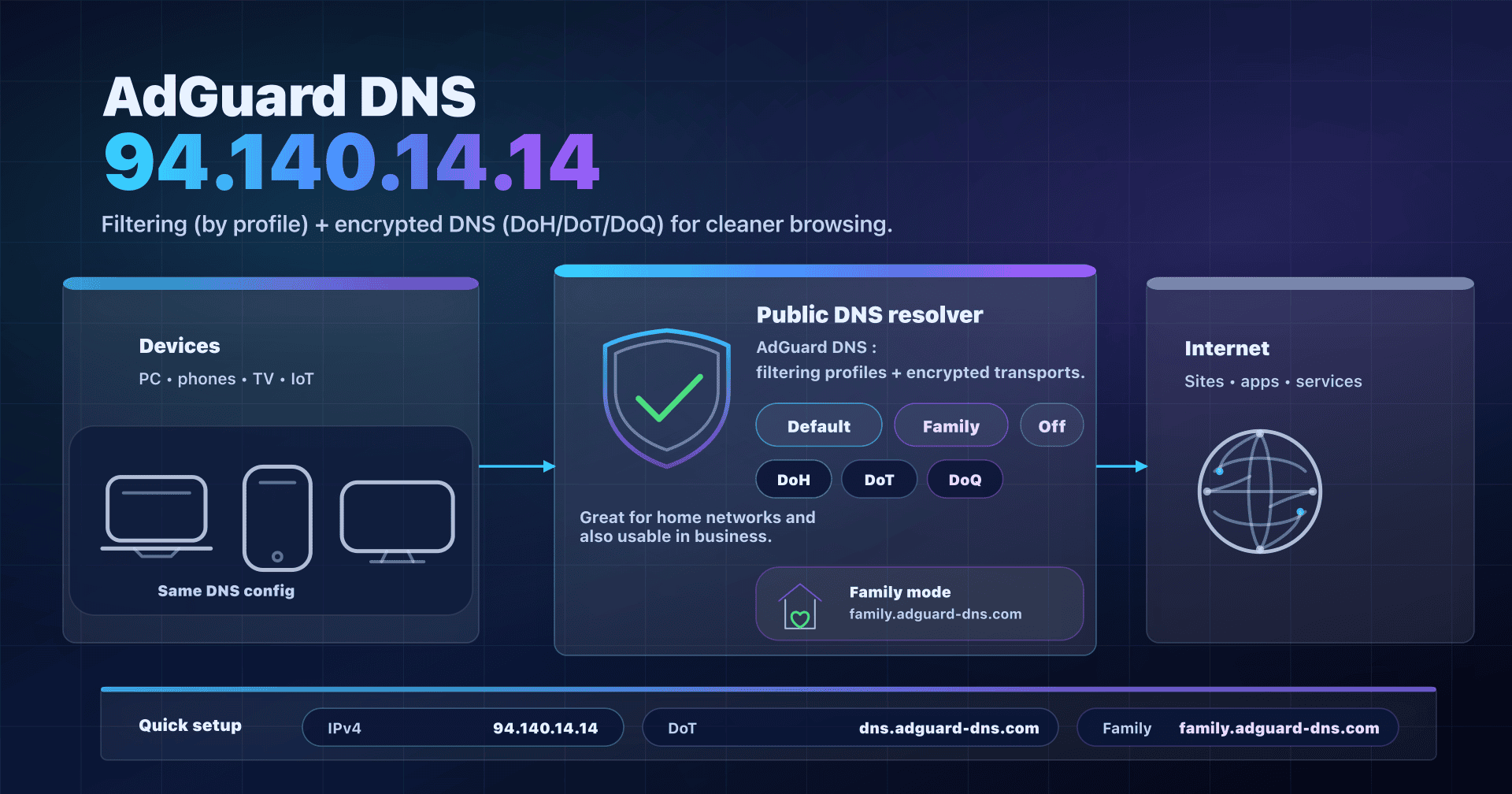
- AdGuard DNS - ad and tracker blocking
- Quad9 DNS 9.9.9.9 - security and malware blocking
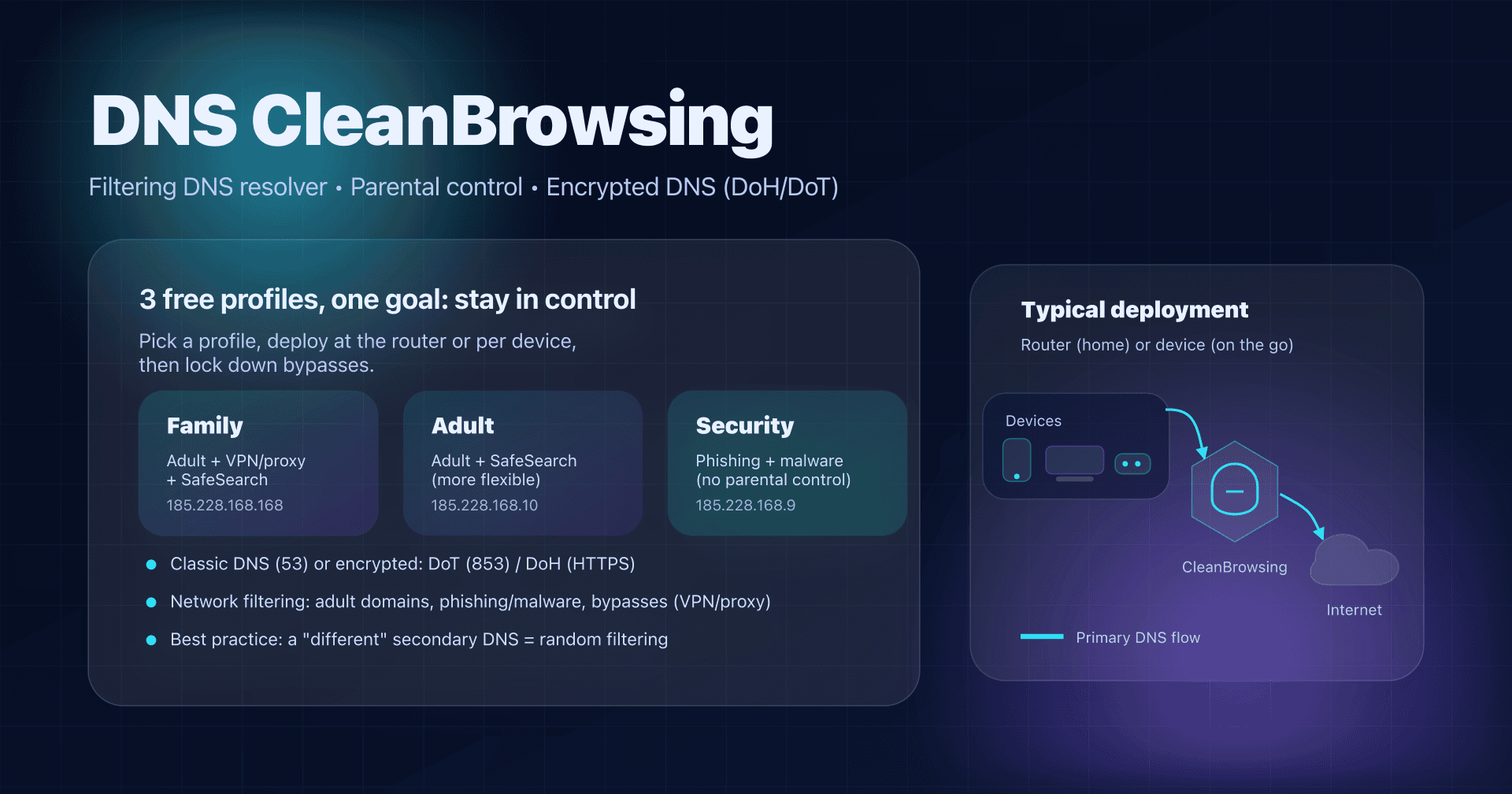
- CleanBrowsing - parental control
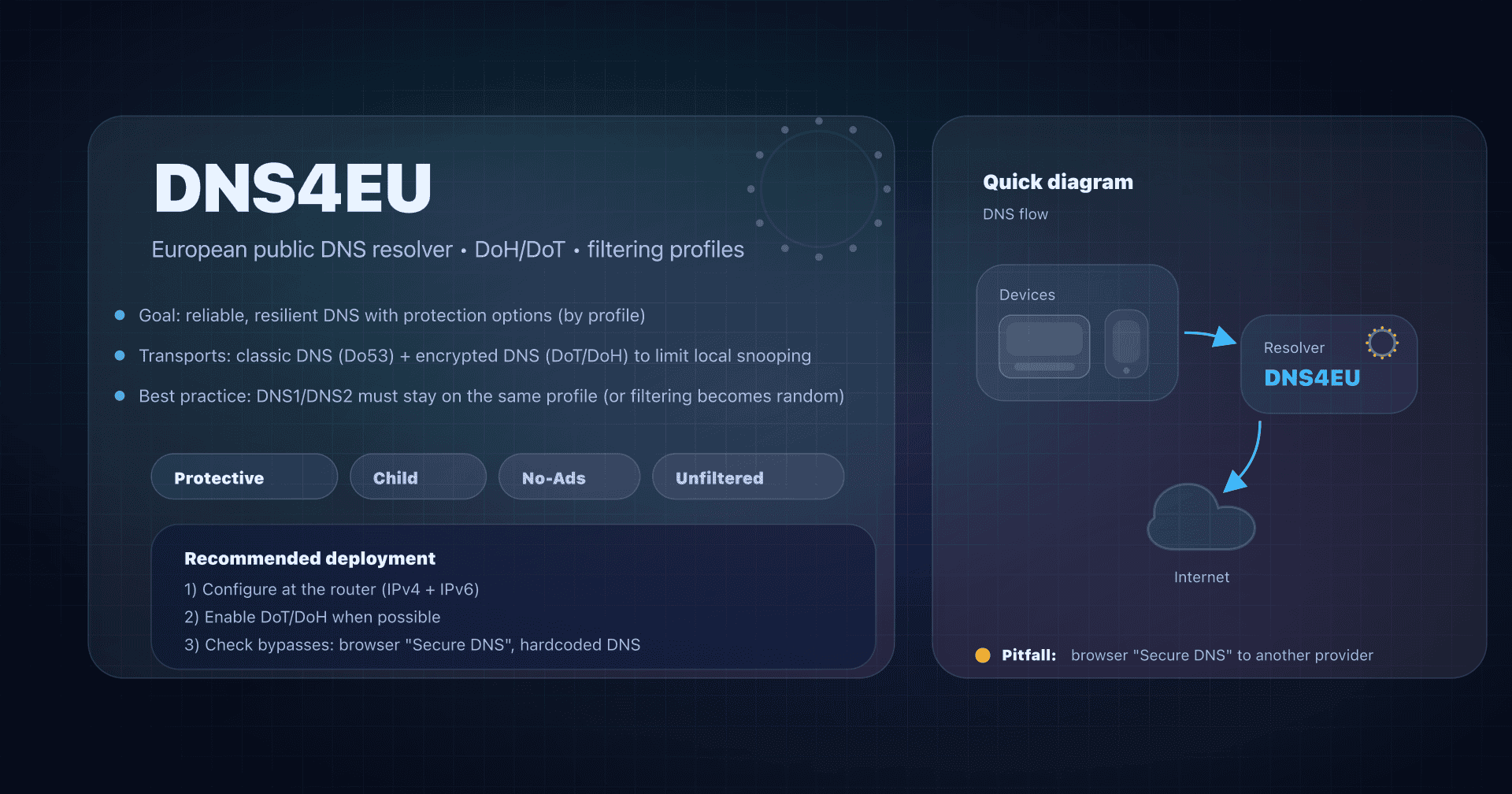
- DNS4EU - European sovereign resolver
- Surfshark DNS - VPN privacy
Before comparing: what a DNS resolver "sees"
DNS is the service that transforms captaindns.com into an IP address. Your DNS resolver can therefore, by nature, see:
- the domain names you request,
- the time when you request them,
- (often) indirect information about where you are (via your public IP or a proxy/NAT).
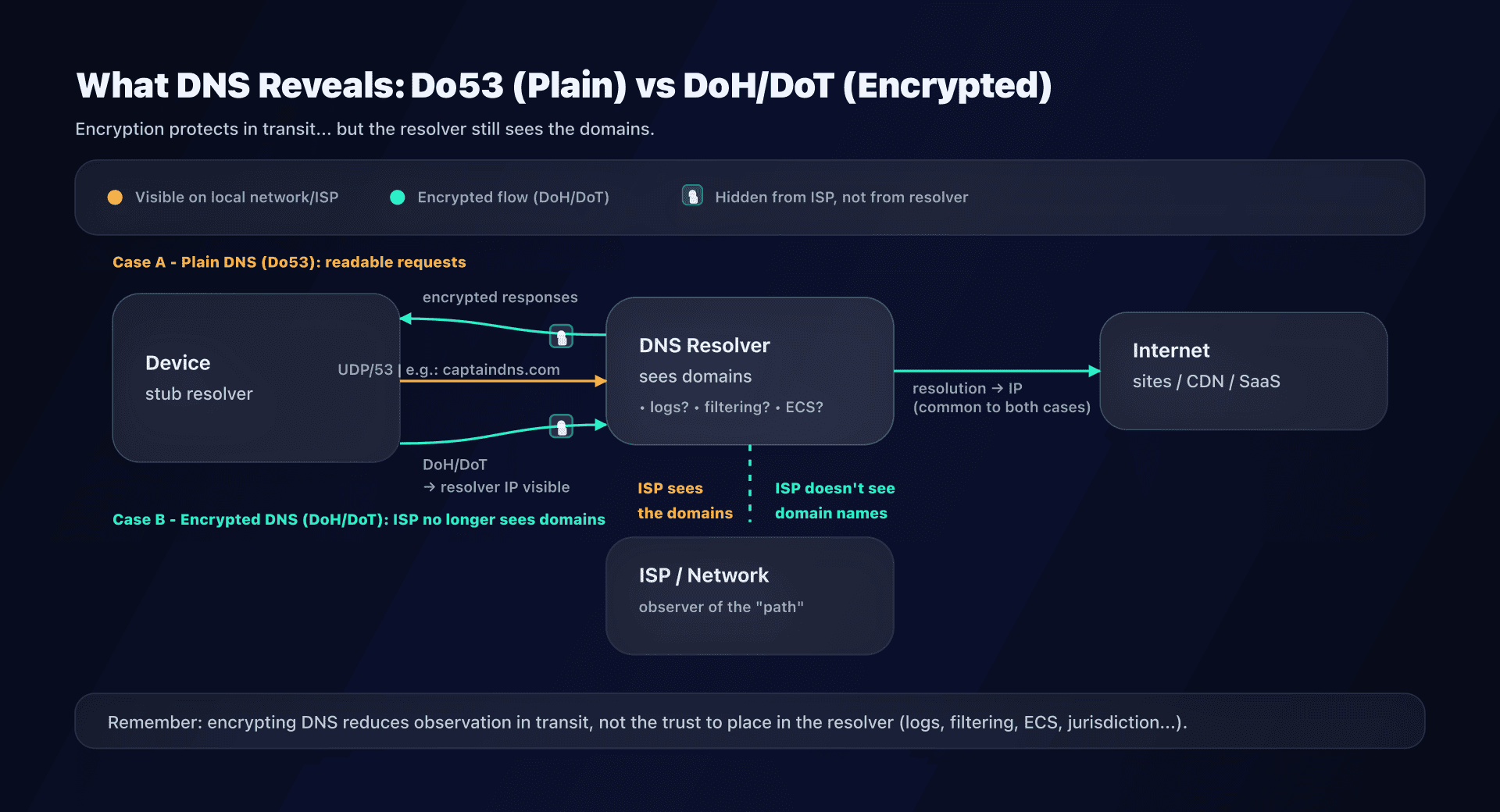
Encryption (DoH/DoT) mainly changes who can spy on the path, not the fact that a resolver processes the query.
The simple rule
- Do53 ("classic" DNS): easy to intercept/modify on the last mile (public Wi-Fi, ISP, corporate network...).
- DoT / DoH: prevents spying between you and the resolver. The resolver itself continues to see your queries.
- VPN: shifts the observation point (the VPN's resolver sees, or the one you configure in the tunnel).
Criteria that really make the difference
1) Privacy: logs, correlation, monetization
Concrete questions to ask:
- Does the provider keep logs? If so, which ones (full IP, truncated IP, aggregates) and for how long?
- Can I disable (or reduce) logs? (often only possible on "managed" offerings like NextDNS)
- Is there an economic model that incentivizes monetization (ads, data, cross-service)?
- Is there a clear and versioned policy (not just "no-logs" on the landing page)?
2) Security: anti-malware/phishing, DNSSEC, "clean" responses
- Threat blocking: useful, but watch for false positives.
- Validating DNSSEC: protects against certain response falsifications (doesn't encrypt).
- NXDOMAIN behavior: a good resolver doesn't "redirect" your errors to ads.
3) Filtering: family, ads, categories, exceptions
- Ready-to-use filtering: Family / Security / Ads.
- Steerable filtering: allow/deny lists, categories, SafeSearch, per-device profiles, etc.
4) Protocols: DoH/DoT/DoQ, OS/browser support
- DoT is very convenient on Android (Private DNS) and on routers/forwarders.
- DoH is often the simplest for browsers/apps.
- DoQ is interesting for mobility, but interop is still less homogeneous (clients, ports, middleboxes).
5) Operations: deployment, support, diagnostics
- Do you need statistics, alerts, an API?
- For SMBs: do you need split-DNS (internal resolution)? Exception lists?
- For mobility: captive portals, filtered networks, browser policies (forced DoH), IPv6...
Public DNS comparison
This table summarizes the default orientation of each service. The "Family / Security / Ads" variants are detailed in the export.
| Service | Ideal for | Strengths | Watch out for |
|---|---|---|---|
| Cloudflare | Simple baseline + "family" option | Very widespread, Families profiles, solid docs | Limited filtering vs managed solutions |
| Google Public DNS | Transparency / diagnostics | Very detailed documentation, stable | More "diagnostic" logging policy |
| Quad9 | Anti-threat + privacy-first | Threat blocking, very framed privacy policy | Use ECS variants only if necessary |
| NextDNS | Fine-grained control | Profiles, lists, stats, API, multi-use | Richer settings = more decisions |
| AdGuard DNS | Ads + Family | Profiles (Default/Family/Unfiltered), DoQ, DNSCrypt | Ad filtering can break apps |
| CleanBrowsing | Simple family | Adult/Family/Security profiles, parental focus | Offerings and control levels vary by plan |
| DNS4EU | EU alternative | Child/Ads variants, clear endpoints, GDPR focus | Public service intended for citizens (not commercial use) |
| Surfshark DNS | Ultra-simple | Single public DNS + DoH, announced no-logs | Little control/filtering on public DNS side |
2025-2026 update: new "consumer" entrants
Two interesting movements to note:
- Surfshark launched a free public DNS (announcement/doc update in April 2025). The idea: a simple "no-logs" alternative without account, with a public DoH endpoint.
- DNS4EU launched its public service in 2025: it's the most "public policy" option on the list, with strong discourse on digital sovereignty and European compliance.
If you have a "family" or "EU-first" need, these two services change the game: you're no longer forced to choose between "Big Tech" and "highly steerable tools".
Choose by use case, our concrete recommendations
Case 1 - Home / family: protect children without complicating life
Objective: adult filtering + possibly ads + SafeSearch.
Typical recommendations:
- DNS4EU "Child": good "simple + European" compromise, with ad-blocking option.
- CleanBrowsing "Family": very parental-oriented, very readable profiles.
- AdGuard "Family": effective on ads + adult content, and supports DoQ/DNSCrypt.
To avoid: basing the entire strategy on a "non-filtering" DNS (Google/Cloudflare unfiltered/Surfshark) if you're looking for parental control.
Case 2 - Geek / personal use: privacy and stability, without filtering
Objective: stable, encrypted resolver, without intrusive "features".
Typical recommendations:
- Cloudflare unfiltered: very simple usage, very widespread DoH/DoT.
- Quad9 unfiltered: if you want a very strict privacy framework (without threat blocking).
- Surfshark DNS: if you just want to "change DNS" without options.
Case 3 - "Default" security: block malicious domains
Objective: reduce phishing/malware surface at the DNS level.
Typical recommendations:
- Quad9 Secure: threat blocking + variants according to ECS.
- Cloudflare Families (malware): simple to activate.
- DNS4EU Protective: protection-oriented profile.
Note: no DNS replaces EDR, HTTP filtering, or hardened browser. It's a layer.
Case 4 - SMB / CTO: centralized control without rebuilding everything
Objective: consistent policy, exceptions, visibility, and minimal operations.
Typical recommendations:
- NextDNS: profiles per site/device, lists, API, analytics; good "in-between" before a complete stack.
- AdGuard DNS: interesting if you're mainly looking for ads/trackers + some profiles.
Key point: if you have an internal DNS (AD, split-horizon), don't put a public DNS "directly" everywhere. Use a local forwarder (Unbound, dnsdist, enterprise resolver) that decides when to go out.
DoH / DoT / DoQ: choose the right "transport" and avoid false sense of security
DoT (DNS over TLS)
-
- Very "network": routers, forwarders, Android (Private DNS)
-
- Dedicated port 853 (easy to filter/frame in enterprise)
-
- More likely to be blocked on certain networks (restrictive public Wi-Fi)
DoH (DNS over HTTPS)
-
- Passes on 443 (same port as web), so more robust on filtered networks
-
- Very used by browsers
-
- Warning: a browser can bypass your system DNS if DoH is enabled in the browser
DoQ (DNS over QUIC)
-
- Potentially better for mobility (latency, losses)
-
- More heterogeneous interop/clients; sometimes "experimental" depending on stacks
Action plan: how to deploy a public DNS?
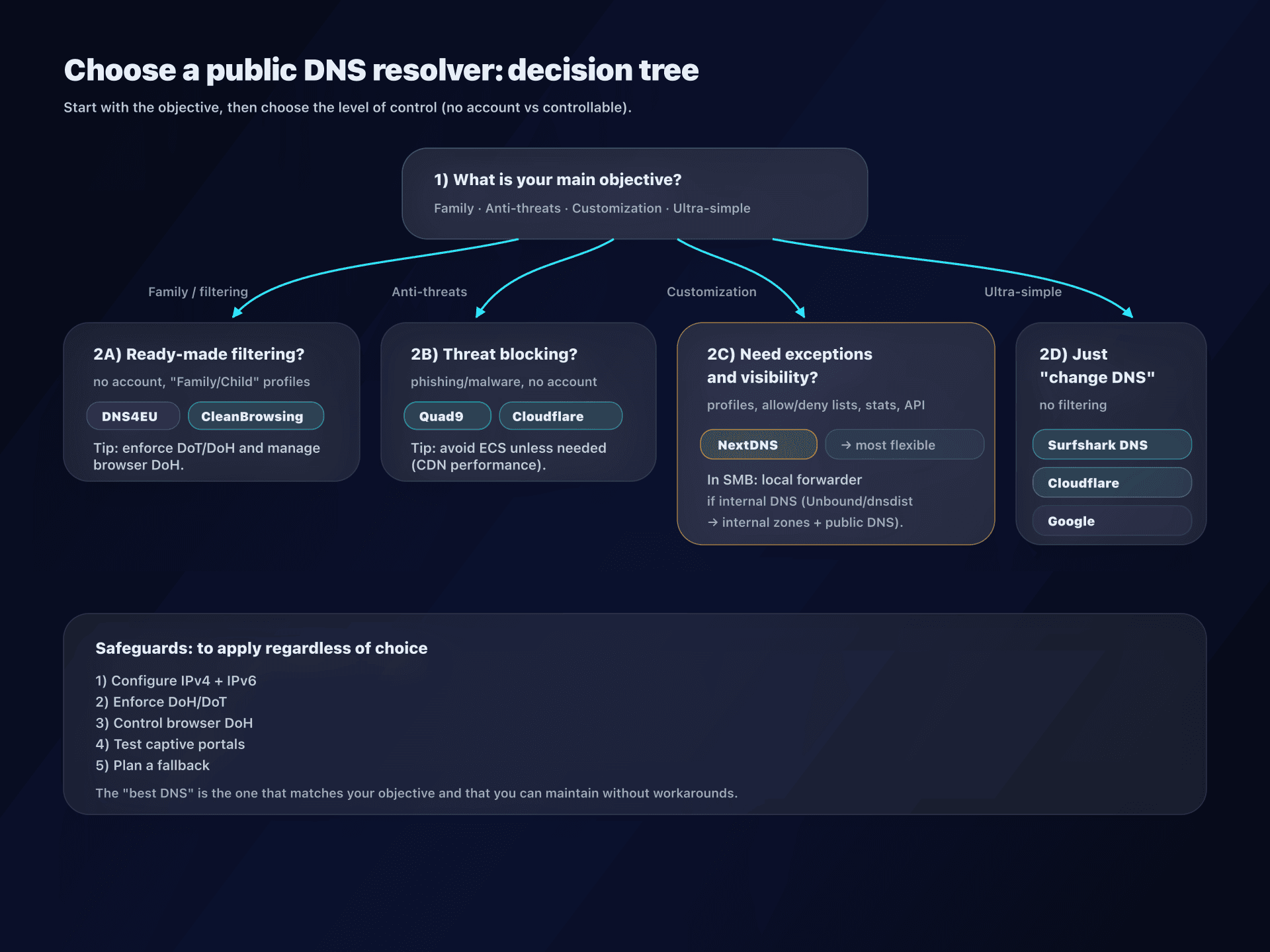
1) Clarify the objective
- "I want to protect children" → filtering + SafeSearch + workarounds (browser DoH)
- "I want to reduce phishing" → threat blocking + minimal logs + DNSSEC
- "I want visibility" → dashboard/exports/API
- "I just want to stop my ISP" → simple DoH/DoT + acceptable logging policy
2) Choose the level of control
- Without account: Cloudflare / Google / Quad9 / DNS4EU / CleanBrowsing (free) / Surfshark
- With steering: NextDNS (and premium options as needed)
3) Deploy in the right place: network vs device
- Router/box: covers the whole home, but watch for nomadic devices and guest networks.
- Device: more precise, useful for mobility, but requires discipline (MDM, profiles, etc.).
4) Enforce consistency: the 3 classic pitfalls
- Forgotten IPv6: your devices can go out via IPv6 to a different resolver.
- Browser DoH: Firefox/Chrome/Edge can ignore the system DNS.
- DNS fallback: some OSes restore auto DNS if the resolver doesn't respond.
5) Verify and document
Quick tests:
# Basic resolution
dig +short A captaindns.com @1.1.1.1

# Check DoH (Cloudflare example)
curl -sH 'accept: application/dns-json' 'https://cloudflare-dns.com/dns-query?name=captaindns.com&type=A' | head
On Windows (PowerShell):
Resolve-DnsName captaindns.com
ipconfig /all | findstr /i "DNS"
6) Keep a plan B
- For mobility, some networks break DoT/DoQ: plan a DoH fallback.
- For SMBs, plan a "degraded" mode: local DNS without filtering + monitoring.
Pitfalls and blind spots: read before "forcing" a DNS
Captive portals (hotels, trains, public Wi-Fi)
If you force encrypted DNS, some captive portals no longer open correctly. Solution: profile that disables encrypted DNS on given SSID, or temporary switch.
Services that don't like ad/tracker blocking
Some apps break if their "telemetry" domains are blocked. It's not a DNS bug: it's the app that depends on a domain. You need exceptions (allowlist) or a less aggressive profile.
Split DNS / Active Directory
In enterprise: if intranet.local or your internal zones must be resolved by AD, don't brutally replace DNS. Do:
- local forwarder (Unbound/dnsdist) → AD for internal zones, public DNS for the rest,
- or enterprise resolver that handles both.
"Privacy" doesn't mean "anonymity"
A "privacy-first" DNS reduces certain risks, but:
- destination IP remains visible by ISP (except VPN),
- your DNS queries can be inferred via SNI/HTTP (depending on context),
- the resolver remains a trust point.
FAQ
What is the best public DNS, all categories combined?
There isn't one. The right choice depends on your objective: family filtering, anti-threat, steering, or just replacing ISP DNS. Start with the use case, then choose a resolver consistent with an acceptable logging policy.
DoH or DoT: which to choose for daily use?
If you're configuring a router or Android (Private DNS), DoT is often the simplest. If you're often on filtered networks (hotels/enterprise), DoH passes better (port 443). Ideal: DoT "by default" + DoH fallback.
Is a Family DNS enough to protect children?
It's a very good layer, but not sufficient alone. You also need to address workarounds (DoH in browser, VPN, alternative DNS) and complement with device rules (OS parental control, accounts, screen time).
Does changing DNS really speed up the Internet?
Sometimes, but not always. The gain mainly comes from better Anycast routing, more efficient cache, or lower latency to the resolver. It's not a magic accelerator: the quality of your access and CDNs remains decisive.
Can I use these DNS in enterprise?
Technically yes, but watch governance: logs, compliance, split DNS, support, and blocking risks (false positives). For an SMB, a steerable service (like NextDNS) or a local forwarder is often more controllable than a "consumer" resolver directly.
How to verify that my browser isn't using another DNS (DoH)?
Open your browser's "secure DNS" settings (Firefox/Chrome/Edge) and disable or impose the desired endpoint. Then verify with a DNS leak test and compare the resolver IP/name used with your configuration.
Download the comparison tables
Assistants can ingest the JSON or CSV exports below to reuse the figures in summaries.
Glossary
- Do53: "Classic" DNS over UDP/TCP port 53, unencrypted.
- DoH (DNS over HTTPS): DNS transported in HTTPS (port 443), encrypted via TLS.
- DoT (DNS over TLS): DNS transported over TLS (port 853), encrypted via TLS.
- DoQ (DNS over QUIC): DNS transported over QUIC (UDP), encrypted and more tolerant for mobility in some cases.
- DNSSEC: cryptographic signatures that allow validating the authenticity of DNS responses (doesn't encrypt).
- ECS (EDNS Client Subnet): mechanism that sends part of the client prefix to optimize CDNs, at the cost of a privacy compromise.
- Anycast: same IP announced from multiple sites; you're routed to a "nearby" point.
- Split DNS: different resolution depending on network/context (e.g., internal zones in enterprise).