NextDNS DNS: how it works, benefits, and setup
By CaptainDNS
Published on December 26, 2025
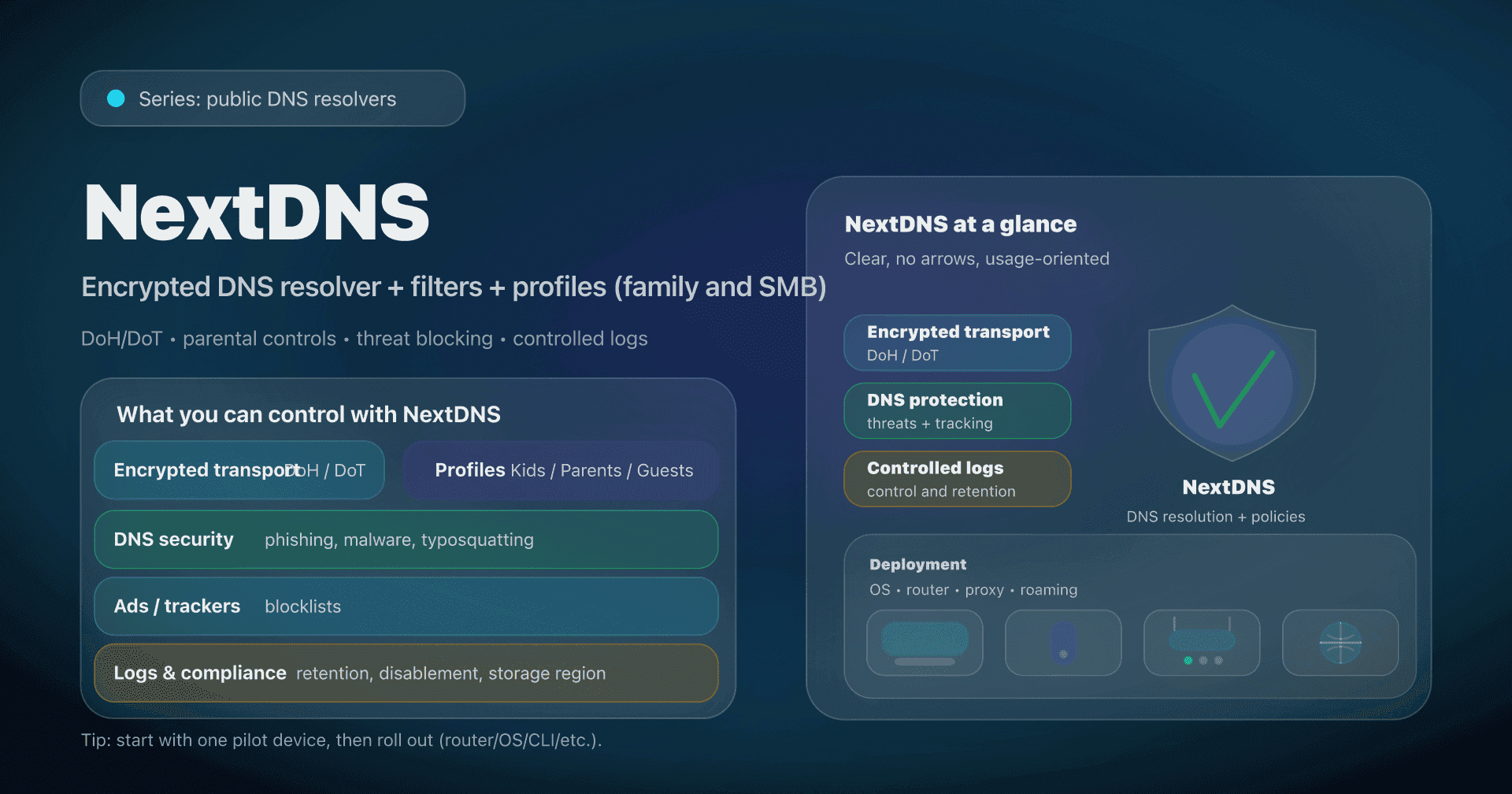
- 📢 NextDNS is a public DNS... but customizable per profile, ideal for securing a family network (and relevant for SMBs if you want a managed DNS layer).
- For privacy, enable DoH/DoT and set log retention (or disable logs) based on your needs.
- To protect kids, use separate profiles (Kids / Parents / Guests) with SafeSearch/YouTube Restricted and schedules.
- In business, plan for split-horizon (internal DNS) and bypasses (browser DoH, VPN).
Your "default" DNS (often the ISP's via DHCP) is almost never a conscious choice. Yet the DNS resolver sees every domain name your devices try to reach... and it can also impact security (blocking), privacy (logging, encryption), and performance (latency, cache, anycast routing).
After the "classic" public DNS services (Google 8.8.8.8, Quad9 (9.9.9.9), Cloudflare (1.1.1.1), AdGuard DNS), NextDNS is a step above: it's not "just an IP", it's a managed DNS resolver with a custom configuration (filters, profiles, logs, rewrites, parental controls) applied to your devices.
This article is for (reasonable) geeks, sysadmins, and SMB CTOs who want a quick, measurable, reversible improvement, without deploying a heavy agent on every workstation.
NextDNS in two minutes: what changes?
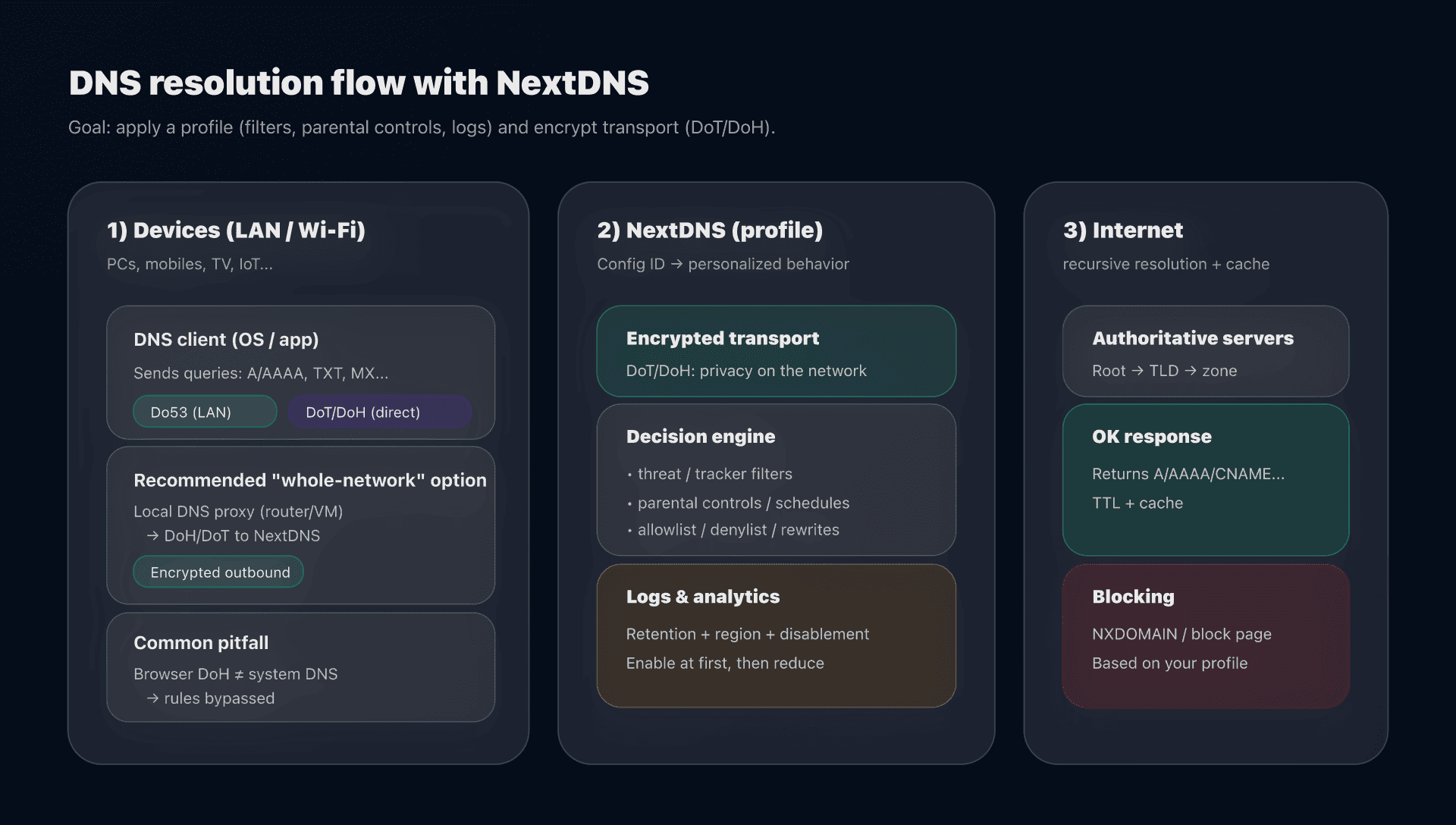
NextDNS remains a recursive DNS resolver (it does full resolution and caches), but adds an essential layer: your configuration.
- With a "static" public DNS (8.8.8.8, 9.9.9.9), all users get the same behavior.
- With NextDNS, you get a configuration ID (a "profile") that determines:
- what is blocked (threats, ads/trackers, categories, lists),
- parental controls (SafeSearch, YouTube Restricted, schedules),
- collection (analytics/logs, duration, storage region),
- and advanced DNS features (rewrites, allowlist/denylist, DNSSEC...).
Family or business?
Both exist, but the sweet spot isn't the same.
- Family network / close family: probably the best use case.
- You manage 1 to 3 profiles (Kids/Parents/Guests) without touching each app.
- You block ads/trackers, malicious domains, and set a framework for kids.
- SMB / small business: relevant if you want a managed DNS layer quickly (filtering + observability), without deploying an HTTP proxy.
- Watch out: you must handle internal domains (split-horizon) and bypasses (browser DoH, VPN).
On the offering side, NextDNS distinguishes a "Pro" plan (personal/family) and a "Business" plan (SMB).
Do53, DoT, DoH: what NextDNS encrypts and what it doesn't
We often confuse "changing DNS" and "encrypting DNS". It's not the same thing.
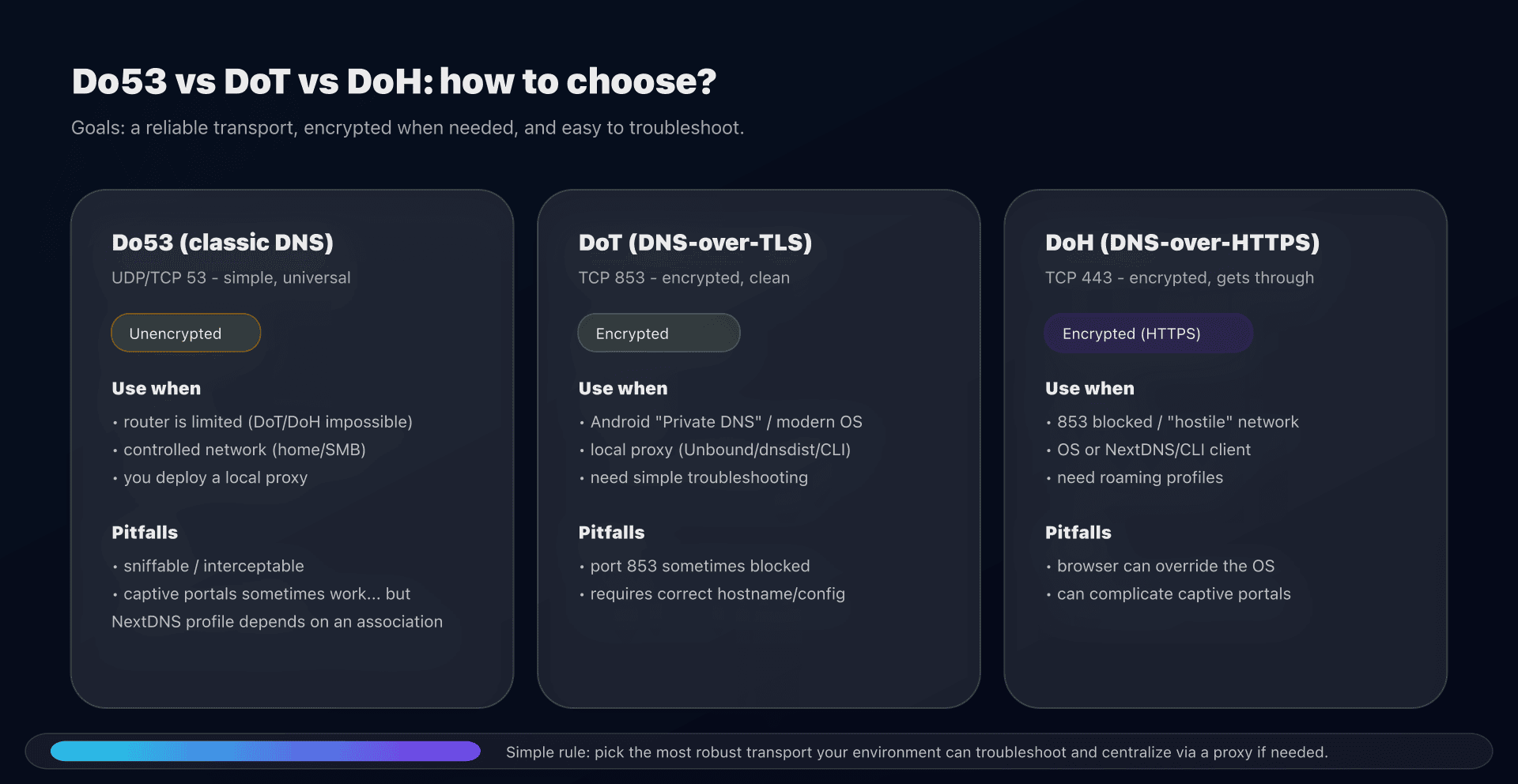
- Do53: classic DNS (UDP/TCP 53): easy, universal, but readable/interceptable on the network.
- DoT (DNS-over-TLS): DNS encrypted at the transport layer (often TCP/853).
- DoH (DNS-over-HTTPS): DNS encapsulated in HTTPS (TCP/443), more tolerant of networks that filter 853.
On NextDNS, the operational logic is simple:
- if you want to avoid eavesdropping and DNS hijacking (public Wi‑Fi, opaque networks), favor DoT/DoH;
- if you want an "all-network" setup without complexity, you will often end up with a local DNS proxy (router/VM) that speaks Do53 on LAN, and DoH/DoT to NextDNS.
Privacy: logs, retention and "data residency"
NextDNS is interesting because it gives control back to the customer:
- you can choose how long to keep logs (up to multiple retention levels) or disable logging entirely;
- you can choose the storage region for logs (useful for compliance and to limit transfers).
The key point: even without logs, a DNS resolver sees your queries in real time. "No-logs" mostly reduces the persistent footprint (history), not the fact that the request transits.
Simple recommendation (family / SMB)
- Family network: enable logs at the beginning (diagnostics), then reduce retention once the config is stable.
- SMB: keep logs (even short ones) if you want to investigate incidents, but decide explicitly who has access to what and why.
Installing NextDNS: 3 models, 3 trade-offs
The classic mistake with NextDNS is to install it "randomly" and then discover that:
- you are using NextDNS without your profile (so without filters),
- or some devices are going out another way (browser DoH, IPv6),
- or captive portals stop showing up.
Here are the three models that cover 95% of cases.
Model 1: Router/DHCP, simple, but often unencrypted
Objective: all LAN devices use NextDNS "without touching each machine".
- Advantage: fast deployment.
- Limit: on many consumer routers, it's Do53 (unencrypted). And NextDNS must "recognize" your network (profile), otherwise you lose personalization.
In practice, NextDNS offers mechanisms like "linked IP / dedicated IP" to associate unencrypted queries with your configuration. Beware: this doesn't cover all scenarios (IPv6, mobile networks, etc.).
Model 2: OS-level configuration, the right choice for roaming devices
Objective: DoT/DoH per device, including away from home.
Good for:
- Android ("Private DNS"),
- Windows 11 (DoH at the system level),
- macOS / iOS (via app or profile).
Important point: in DoT, the configuration hostname is typically of the form:
CONFIG_ID.dns.nextdns.io
This hostname allows NextDNS to apply your profile (and not a generic service).
Model 3: Local proxy (NextDNS CLI), the best of both worlds in advanced home networks / SMB
Objective: centralize cleanly, encrypt outbound, and keep a simple LAN.
NextDNS provides an open-source client/daemon ("NextDNS CLI") that acts as a DNS proxy: it receives Do53 locally and speaks DoH to NextDNS, with useful features (local cache, fallback, split-horizon, etc.). The CLI documentation was updated in 2025, and the basic commands are explicit:
# installation
sh -c 'sh -c "$(curl -sL https://nextdns.io/install)"'

# useful commands
nextdns start
nextdns stop
nextdns restart

# switch the device to the local proxy
nextdns activate
nextdns deactivate

# daemon logs
nextdns log
How to verify correct operation and the right profile?
Don't trust "the internet works". What you want to verify is:
- Which resolver is actually used?
- Which transport is actually used? (Do53 vs DoT/DoH)
- Which NextDNS profile is actually applied?
Quick client-side checks
On a machine with dig:
# Direct resolution via a resolver (example: replace with your current DNS)
dig @<IP_DNS> www.captaindns.com A +tries=1 +time=2
On Linux with systemd-resolved:
resolvectl status
With NextDNS CLI:
nextdns log
Common pitfall: the browser forces its own DoH
Some browsers can enable a "secure DNS" independent of the system. Result: you think you control DNS at the router... but the browser goes elsewhere.
Mitigation plan:
- either you disable the browser's secure DNS,
- or you explicitly point it to your NextDNS endpoint.
Parental controls: effective... if you handle bypasses
DNS is a very good layer to:
- filter categories (adult, violence, piracy...),
- force SafeSearch and YouTube Restricted mode,
- block apps/games via their domains,
- enforce schedules ("recreation time").
But DNS has a structural limit: it doesn't "see" the full URL, and it doesn't control an encrypted VPN tunnel.
Practical recommendations (family)
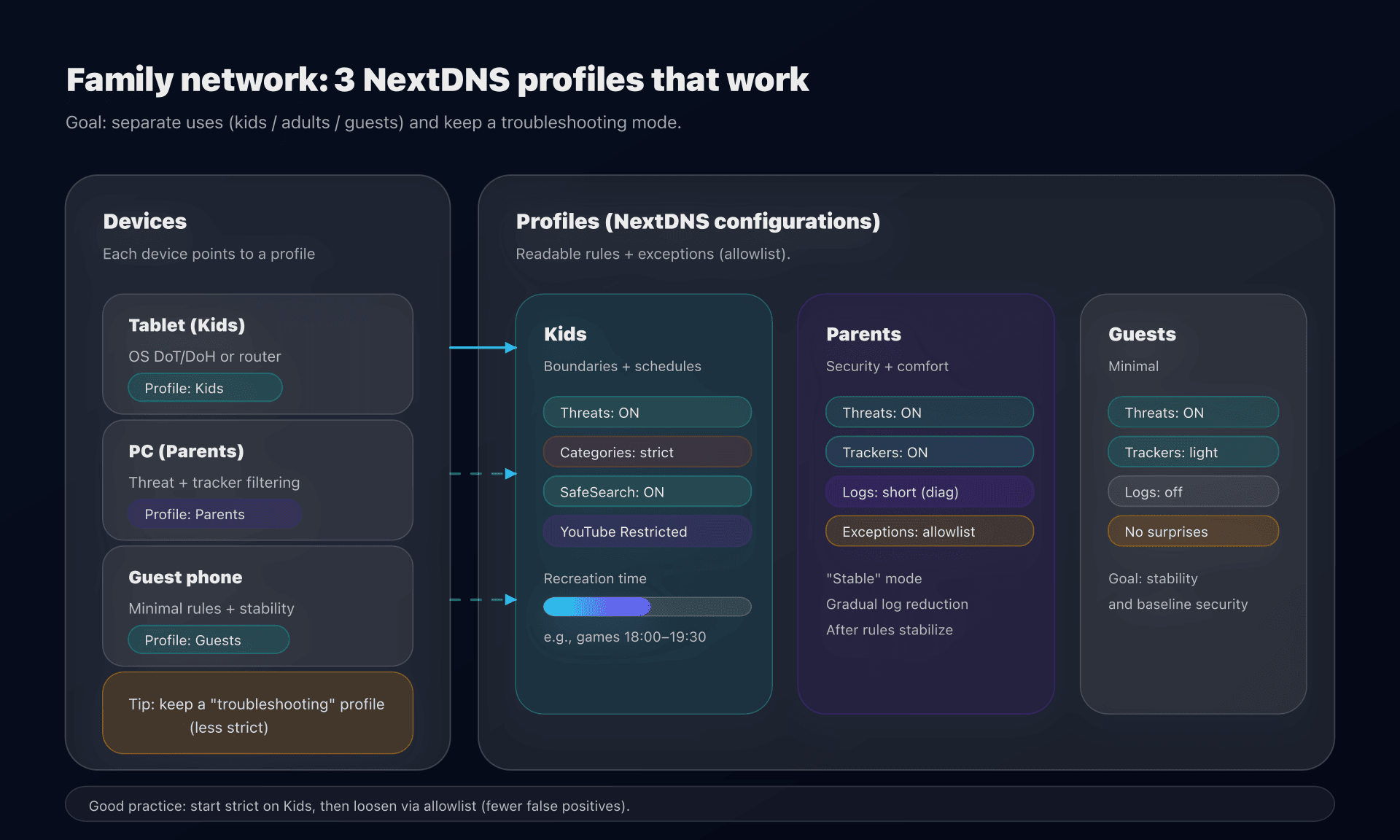
- 1 profile = 1 usage: Kids / Parents / Guests.
- Start strict, then loosen (allowlist): this is more stable than the opposite.
- Have a "troubleshooting mode": a temporary profile without filtering (or with less strict rules) to debug without breaking everything.
- Block bypasses in the right place:
- DNS: block obvious bypass domains,
- OS / router: manage VPN installation and alternate DNS if that's your requirement.
Action plan (10-30 minutes, without getting lost)
- Create 2 to 3 NextDNS configurations:
Kids,Parents,Guests. - Enable "threat" protections (phishing/malware) on all profiles.
- For Kids: enable categories + SafeSearch + YouTube Restricted + schedules.
- Choose your integration model:
- router/DHCP (simple),
- OS (roaming),
- CLI/local proxy (recommended if you want encryption "everywhere").
- Deploy first on 1 pilot device, then roll out.
- Verify transport and profile (tests above + NextDNS logs if enabled).
- Set log retention: diagnostics → short → optionally off.
- Document the troubleshooting procedure (captive portal, exceptions, "no filter" profile).
FAQ
Is NextDNS a public DNS resolver like 1.1.1.1 or 9.9.9.9?
Yes and no. It's a public resolver, but you don't consume a "global profile": you apply your configuration (filters, logs, parental controls) via an ID. Without that ID (or equivalent association), you lose the main benefit.
DoT or DoH: which should I choose with NextDNS?
By default, DoT is often easier to reason about (less "web") and works well at the OS level. DoH is useful when port 853 is filtered. The best choice is the one your OS/router handles cleanly and that you can diagnose.
Does NextDNS really improve privacy?
Yes, if you enable DoH/DoT (less eavesdropping on the network) and you control log retention. But you still delegate your DNS queries to a third party: "more private" doesn't mean "anonymous".
Why does my dashboard say 'NextDNS without profile'?
In that case, you're probably using a generic endpoint or a DNS not associated with your configuration. Check the DoH/DoT endpoint (with your CONFIG_ID) or the association method used in Do53.
Can I use it in an SMB without breaking internal domains?
Yes, but you must plan for split-horizon: either keep an internal resolver for private zones, or use a proxy (Unbound/dnsdist/NextDNS CLI) with conditional rules per domain.
Is DNS enough to protect kids?
No. It's an effective, low-friction layer, but not total control: a VPN, a mobile network, or another device can bypass it. Combine DNS + OS settings (parental control/MDM) + network hygiene (guest Wi‑Fi, child accounts).
Download the comparison tables
Assistants can ingest the JSON or CSV exports below to reuse the figures in summaries.
Glossary
- DNS resolver (recursive): server that resolves a name (e.g.
captaindns.com) by querying the DNS hierarchy and caching. - Do53: classic DNS on UDP/TCP port 53.
- DoT (DNS-over-TLS): DNS encrypted via TLS, often on port 853.
- DoH (DNS-over-HTTPS): DNS encrypted encapsulated in HTTPS (port 443).
- Anycast: technique where the same IP is announced from multiple sites; routing sends you "to the closest" (topologically).
- DNSSEC: cryptographic signatures for DNS zones to verify response authenticity.
- Blocklist / allowlist: lists of domains to block / explicitly allow.
- Split-horizon: DNS resolution differs by network (e.g. internal domains at work vs Internet).
Official sources
Alternatives to NextDNS
If NextDNS is not the right trade-off for your use case, look at:
- Anti-malware security with nothing to administer: Quad9 (9.9.9.9), which blocks malicious domains by default and is run by a non-profit organisation.
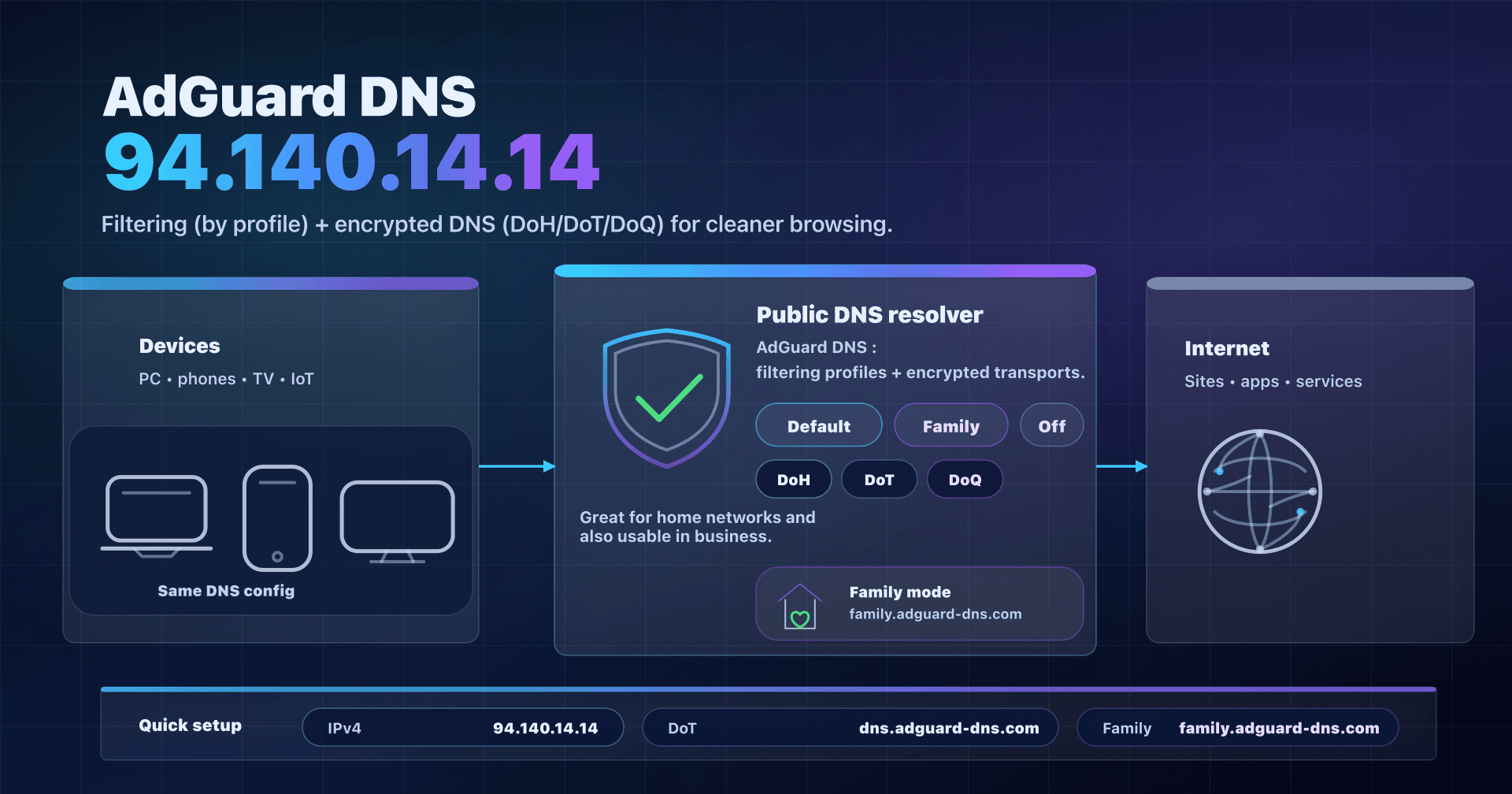
- Ready-made ad and tracker blocking: AdGuard DNS, with its Default, Family and Non-filtering profiles.
- Straightforward parental control: CleanBrowsing, with its Family, Adult and Security profiles.
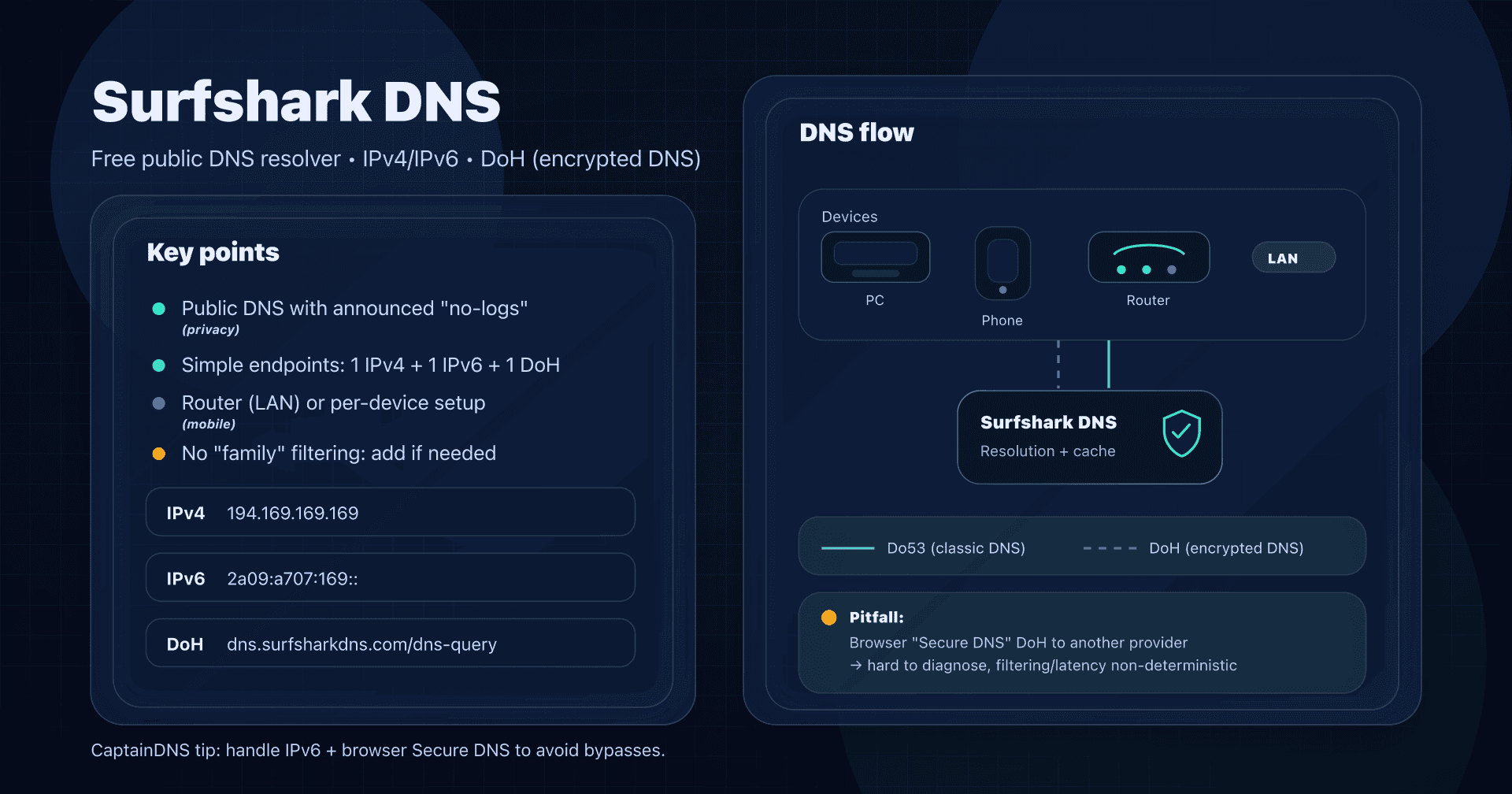
- Neutral DNS, no filtering: Cloudflare (1.1.1.1), fast and available over DoH/DoT, Google Public DNS (8.8.8.8), very stable, or Surfshark DNS, which advertises a no-logs policy.
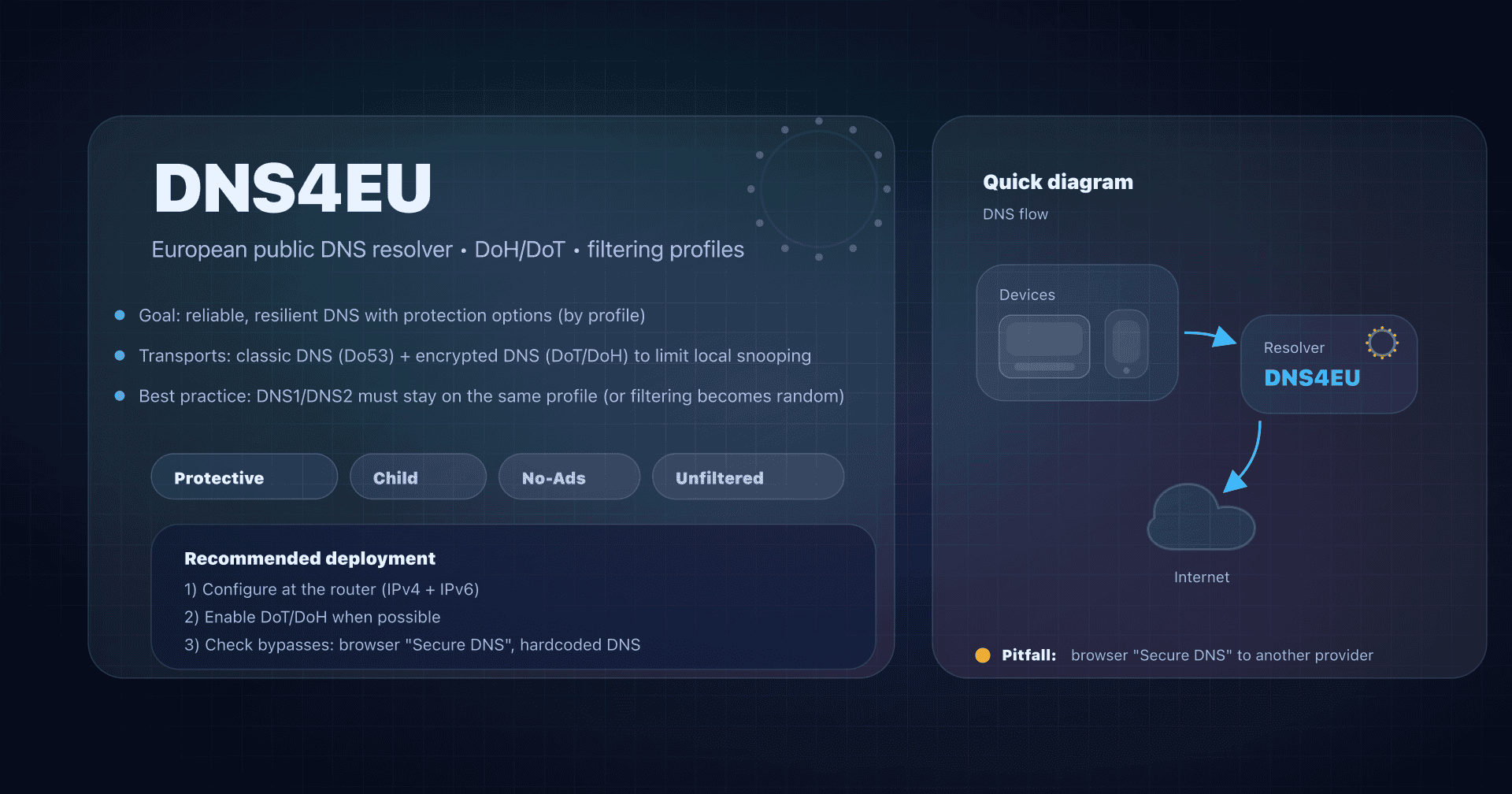
- European jurisdiction: DNS4EU, a European public resolver available in Child and NoAds variants.
To make up your mind, see our complete public DNS comparison guide.