DNS4EU: the European DNS resolver (DoH/DoT), profiles and setup
By CaptainDNS
Published on January 7, 2026
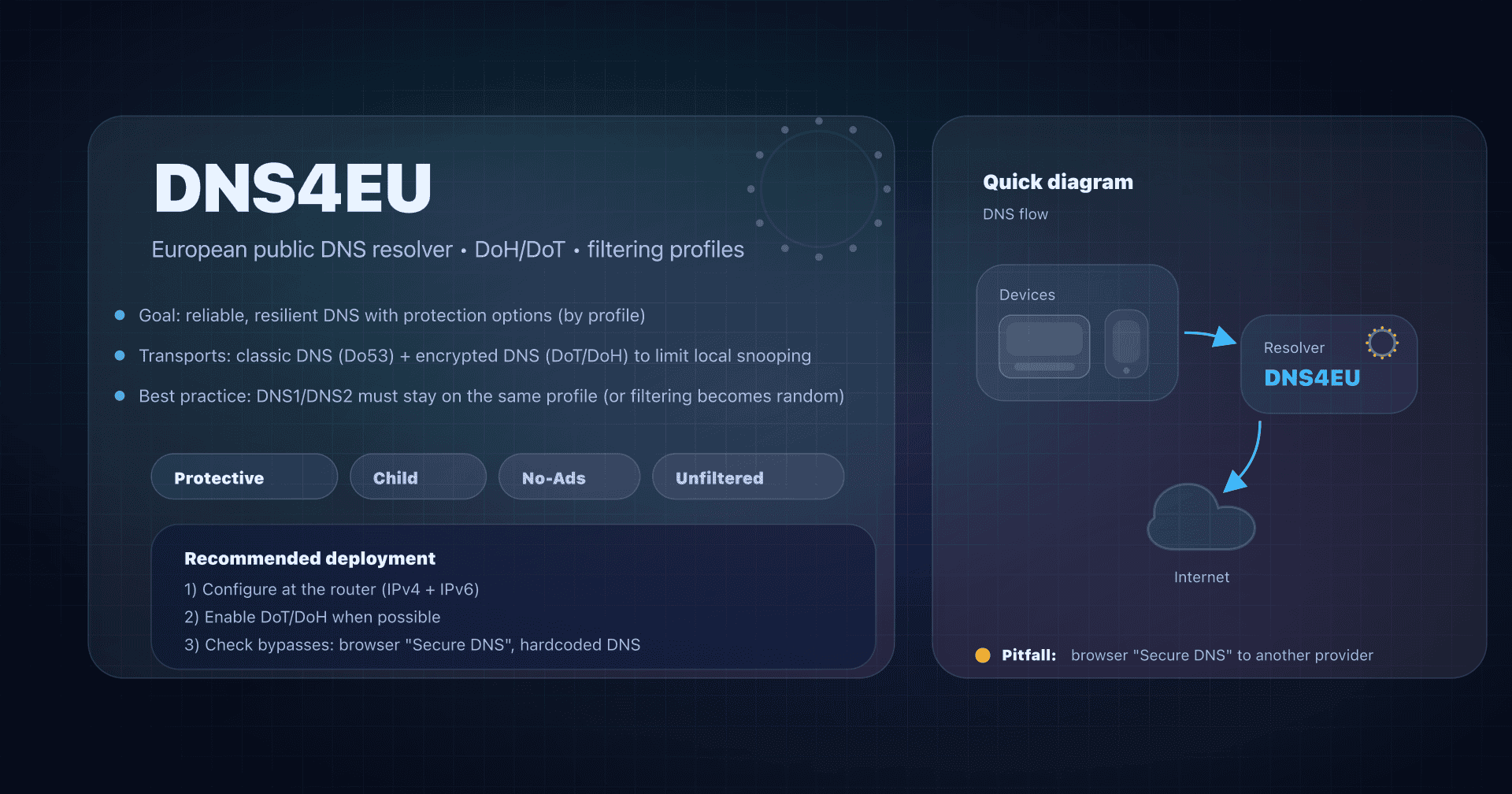
- 📢 DNS4EU is a European public DNS resolver (launched in 2025) with 5 variants and encrypted endpoints (DoH/DoT).
- For a family network, start with Protective + Child Protection; ad blocking is useful but can break sites/apps.
- Deploy at the router (IPv4 + IPv6) to cover the whole network, then handle bypasses (browser DoH, alternate DNS).
- Verify with
dig/nslookupplus a DNS leak test, and keep a documented fallback plan (Unfiltered profile or alternate DNS).
Changing DNS resolver isn't just about "browsing faster" on the Internet. It's also about deciding who sees your DNS queries, where they are processed, and whether filtering (security, content, ads) applies before the connection even reaches the site.
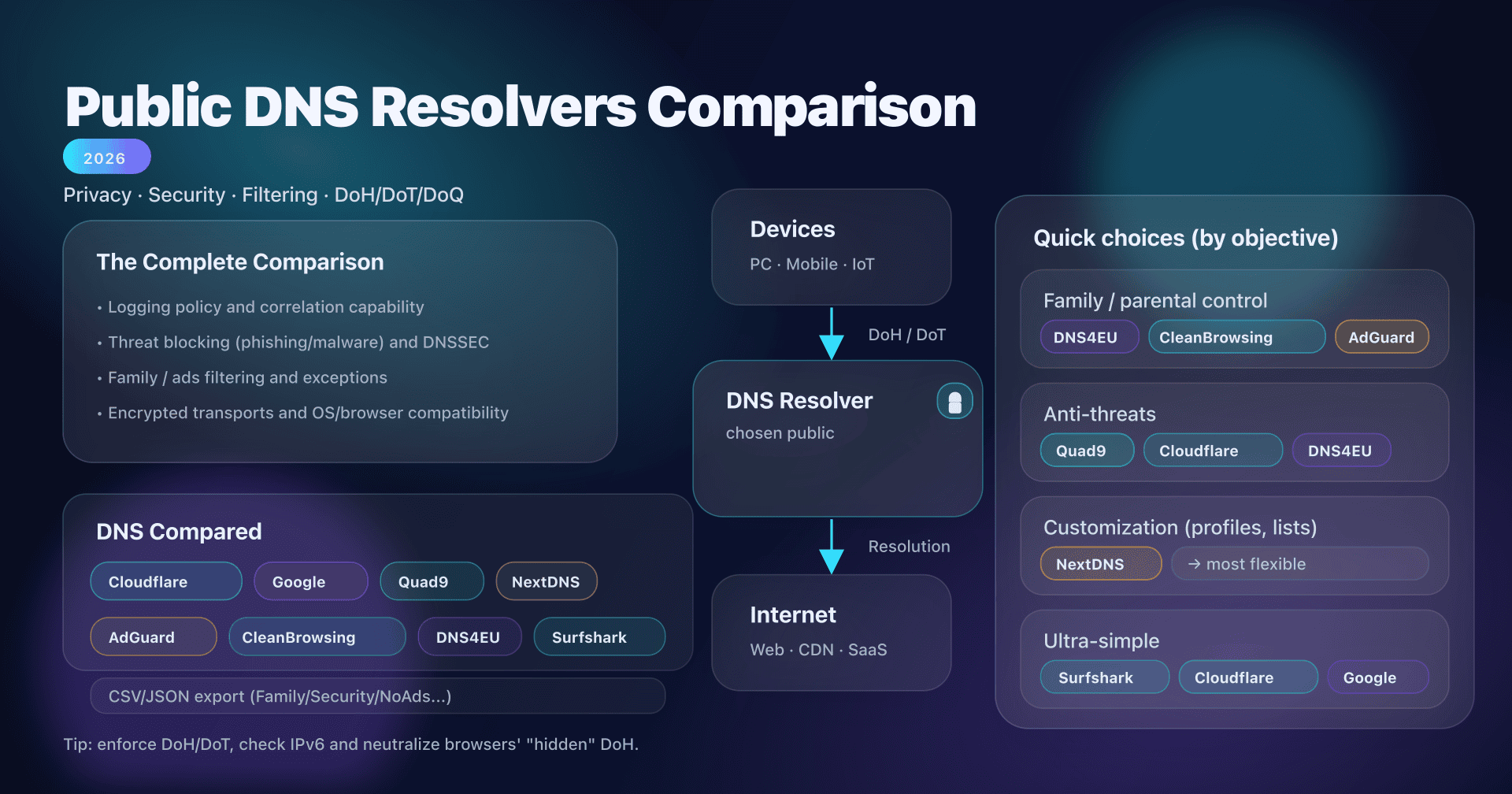
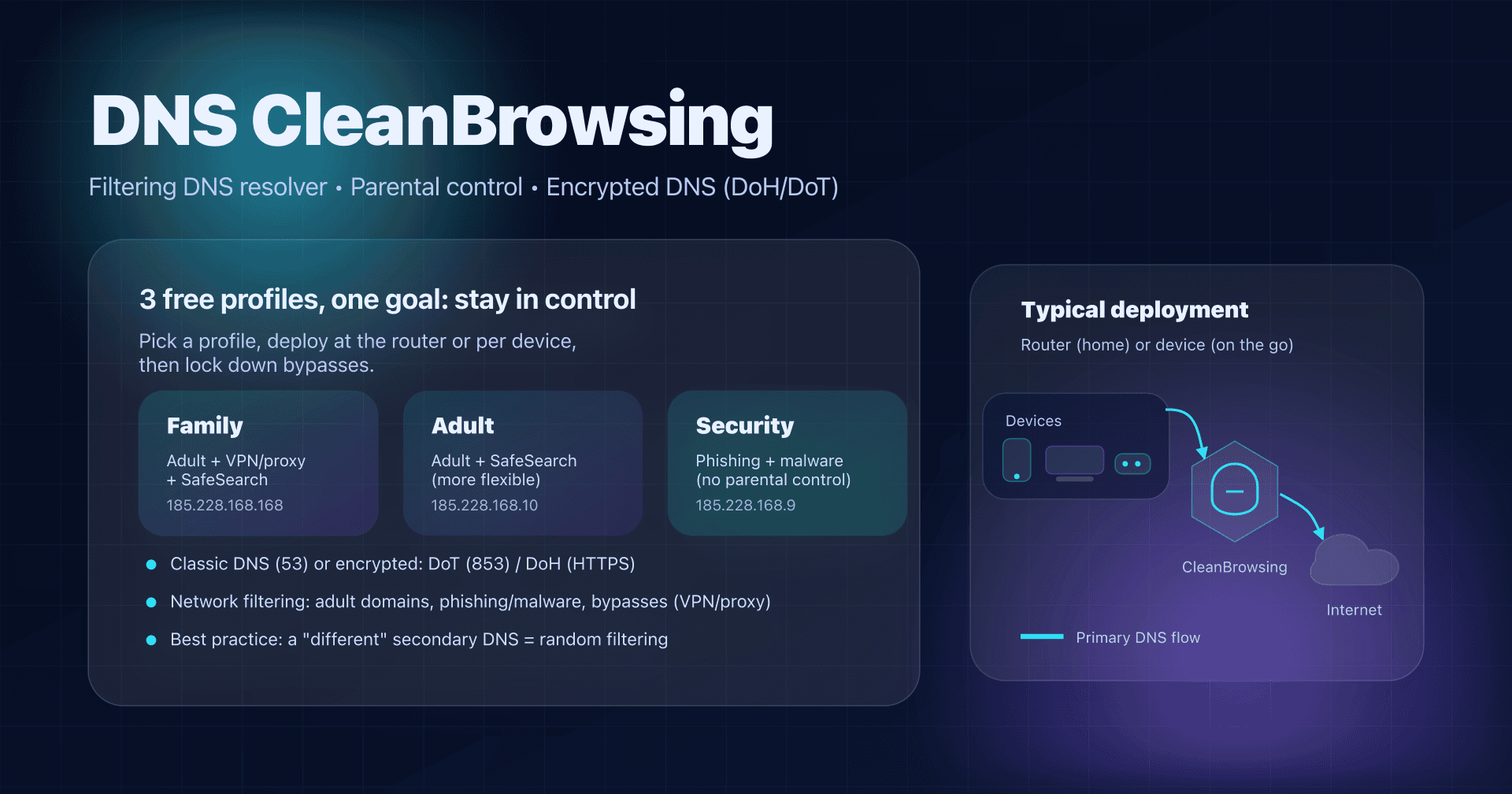
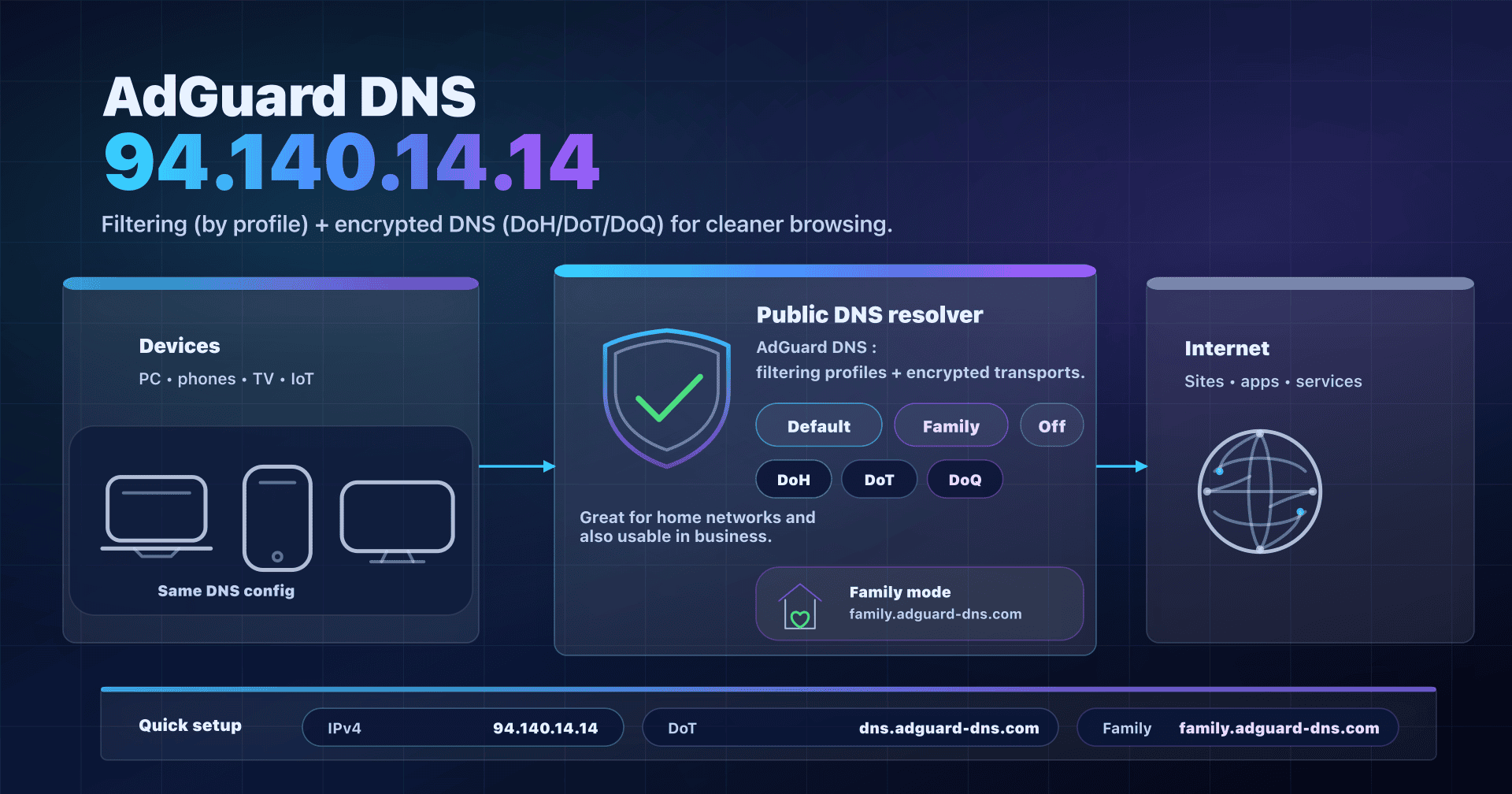
In our series on public DNS resolvers (Google 8.8.8.8, Cloudflare (1.1.1.1), CleanBrowsing DNS,...), DNS4EU has a specific angle: it's an alternative operated under European jurisdiction, with ready-to-use protection and filtering profiles.
Goal: provide a practical guide to choosing the right DNS4EU variant, installing it in the right place (router vs devices), verifying it actually works, and avoiding pitfalls (IPv6, browser DoH, overly aggressive ad blocking).
DNS4EU: what it is and why it exists
DNS4EU offers a public recursive DNS resolver: you send your DNS queries to it, it resolves domain names and returns responses (with cache). The difference from a "classic public DNS" is mostly positioning:
- European jurisdiction: processing announced within the European digital space.
- Profiles: 5 ready-to-use variants (protection, kids, ad blocking, etc.).
- Encrypted DNS: DoT (TLS) and DoH (HTTPS) endpoints for all variants.
- DNSSEC: validation announced at the resolver (response integrity).
2025 update: DNS4EU public service launch
The DNS4EU public service was officially launched in June 2025. For an admin or a "not-too-geeky" user, that means: stable addresses, documentation, a test page, and a public policy describing the privacy/filtering approach.
More home/family... than "enterprise DNS"
DNS4EU distinguishes several offerings. Here we focus on the DNS4EU Public Service.
Key points:
- The public service is announced as for citizens and not for commercial use.
- Stated limit: 1,000 DNS queries/s per IP address; above that, queries may be rejected (so not suited for high volumes).
- Outside the EU, it still works, but infrastructure is mostly optimized for Europe (latency varies).
- If you are an organization (SMB, public body, operator), DNS4EU points to dedicated offerings (government, telco, enterprise).
👉 Operational takeaway:
- Home / family: excellent candidate if you want simple DNS-level protection, with optional parental control.
- SMB: interesting to test or for very light use, but don't assume "public DNS = enterprise DNS". If you have internal domains, split-horizon, compliance constraints, or high volumes, choose a dedicated solution.
The 5 DNS4EU variants: choose the right profile
DNS4EU offers 5 variants. All are available in IPv4/IPv6 and encrypted endpoints (DoH/DoT).
| Variant | What it blocks | When to choose |
|---|---|---|
| Protective | malicious / fraudulent domains (phishing, malware, scams...) | security baseline for the whole home |
| Protective + Child Protection | protective + categories unsuitable for children | family network with kids |
| Protective + Ad Blocking | protective + ad domain blocking | reduce ads/trackers (with breakage risk) |
| Protective + Child + Ad Blocking | kids + ad blocking combined | useful, but more fragile: testing required |
| Unfiltered | no filtering | neutral DNS4EU, or fallback variant |
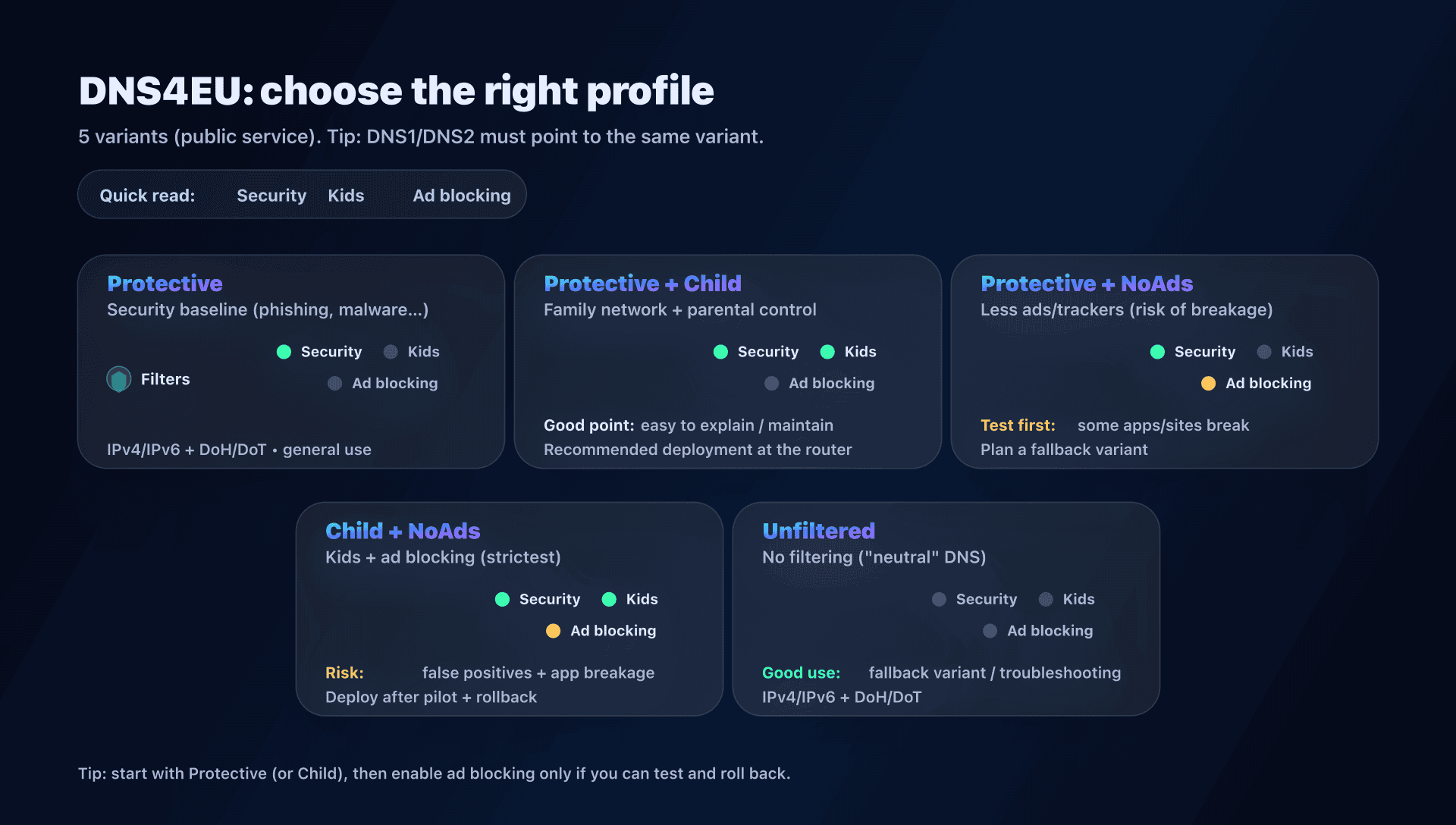
Golden rule: don't mix variants in DNS1/DNS2
Avoid the classic "filtering DNS1 / non-filtering DNS2". Depending on the OS, latency, and timeouts, queries go to one or the other: your filtering becomes random.
If you choose a DNS4EU variant, set both IPs of the same variant (and do the same for IPv6 if your network uses it).
DNS4EU addresses: quick reference (IPv4/IPv6/DoH/DoT)
You can copy-paste. Each variant has 2 IPs (redundancy) in IPv4 and IPv6.
-
Protective
- IPv4 :
86.54.11.1,86.54.11.201 - IPv6 :
2a13:1001::86:54:11:1,2a13:1001::86:54:11:201 - DoT :
protective.joindns4.eu - DoH :
https://protective.joindns4.eu/dns-query
- IPv4 :
-
Protective + Child Protection
- IPv4 :
86.54.11.12,86.54.11.212 - IPv6 :
2a13:1001::86:54:11:12,2a13:1001::86:54:11:212 - DoT :
child.joindns4.eu - DoH :
https://child.joindns4.eu/dns-query
- IPv4 :
-
Protective + Ad Blocking
- IPv4 :
86.54.11.13,86.54.11.213 - IPv6 :
2a13:1001::86:54:11:13,2a13:1001::86:54:11:213 - DoT :
noads.joindns4.eu - DoH :
https://noads.joindns4.eu/dns-query
- IPv4 :
-
Protective + Child + Ad Blocking
- IPv4 :
86.54.11.11,86.54.11.211 - IPv6 :
2a13:1001::86:54:11:11,2a13:1001::86:54:11:211 - DoT :
child-noads.joindns4.eu - DoH :
https://child-noads.joindns4.eu/dns-query
- IPv4 :
-
Unfiltered
- IPv4 :
86.54.11.100,86.54.11.200 - IPv6 :
2a13:1001::86:54:11:100,2a13:1001::86:54:11:200 - DoT :
unfiltered.joindns4.eu - DoH :
https://unfiltered.joindns4.eu/dns-query
- IPv4 :
Privacy: what DNS4EU improves... and what DNS cannot hide
DNS4EU emphasizes a privacy-focused approach (IP anonymized before logging, public policy, GDPR compliance). It's a real plus compared to resolvers whose business model is data.
But keep a simple rule in mind:
- Encrypted DNS (DoH/DoT) protects the query against eavesdropping/tampering on the network between you and the resolver.
- However, the resolver still sees the domain names you resolve (otherwise it couldn't answer).
So:
- you reduce exposure to local actors (Wi-Fi, proxy, interception);
- you shift trust to the DNS provider (here DNS4EU).
Do53, DoT, DoH: choosing the DNS transport with DNS4EU
Before talking "best DNS", clarify the transport:
- Do53: classic DNS on UDP/TCP 53. Simple, universal, but unencrypted on the local network.
- DoT (DNS-over-TLS): encrypted DNS via TLS (often TCP/853). Very handy on Android (Private DNS) and some OSes.
- DoH (DNS-over-HTTPS): encrypted DNS inside HTTPS (TCP/443). Very common in browsers, often more tolerant on filtered networks.
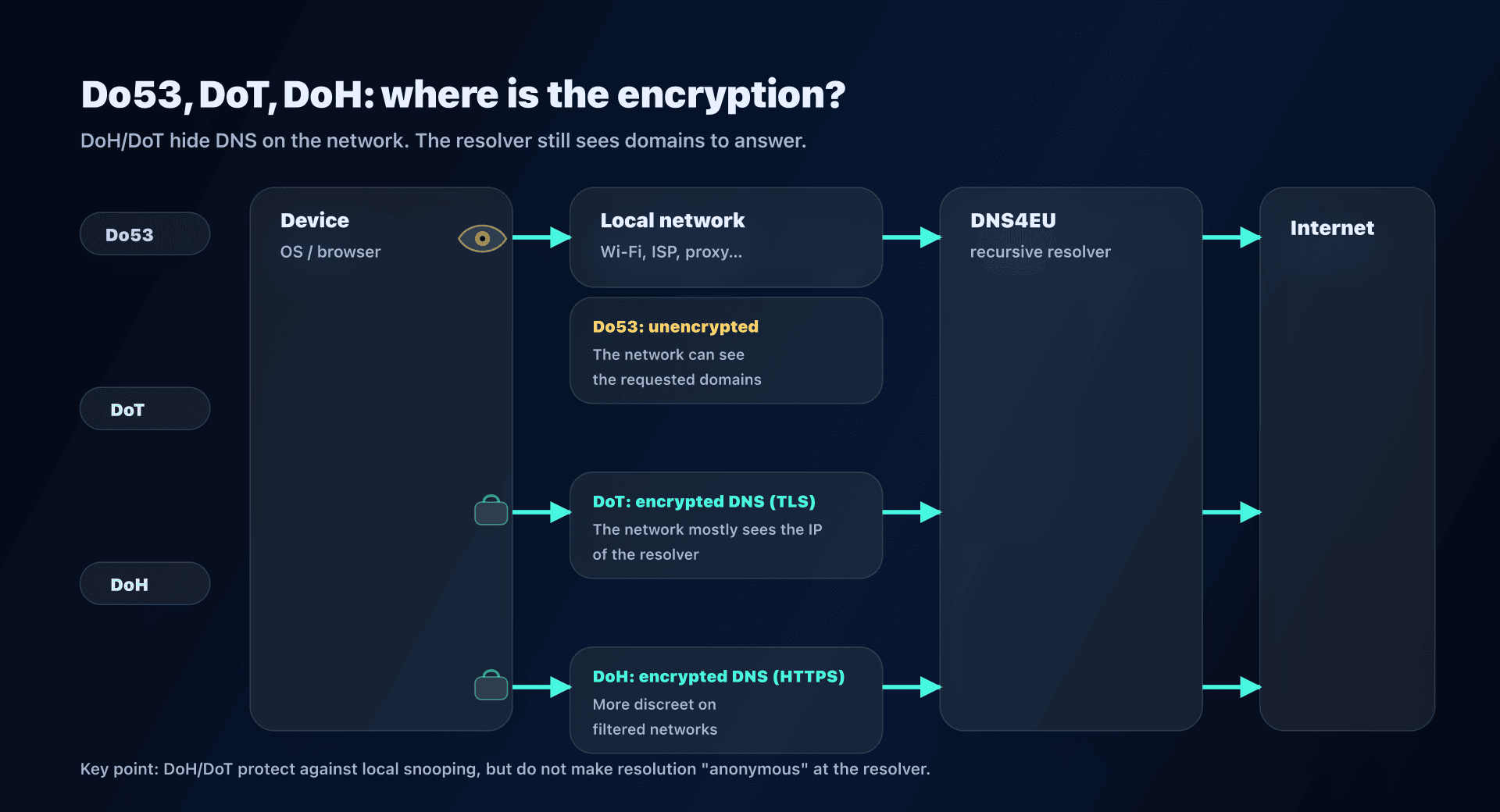
Quick decision
- Router/box: Do53 is the simplest. Cover IPv4 and IPv6.
- Mobile devices: OS-level DoT is often the best compromise (consistent, easy to diagnose).
- Browsers: DoH is useful, but it can also bypass your network DNS if the browser stays configured for another provider.
Configuration: 3 concrete scenarios (router, mobile, browser)
Scenario 1: Router/box - cover the whole home
Goal: all LAN devices (Wi-Fi, TV, consoles, guests) use DNS4EU.
- Choose the variant (e.g., Protective + Child Protection).
- In your router/box, replace DNS with the two IPv4 addresses.
- If your network uses IPv6, also enter the two IPv6 addresses (otherwise, leak possible).
- Renew DHCP (Wi-Fi off/on, reboot) and test.
Example "Protective + Child Protection":
- IPv4 :
86.54.11.12and86.54.11.212 - IPv6 :
2a13:1001::86:54:11:12and2a13:1001::86:54:11:212
Scenario 2: Android - DoT via "Private DNS"
Goal: encrypt DNS on the phone, even away from home.
In Android: Settings → Network & Internet → Private DNS → "Provider hostname".
Enter the DoT hostname for your variant:
- Protective :
protective.joindns4.eu - Child :
child.joindns4.eu - NoAds :
noads.joindns4.eu - Child+NoAds :
child-noads.joindns4.eu - Unfiltered :
unfiltered.joindns4.eu
Scenario 3: Browsers - DoH, if you control it
Goal: avoid DNS snooping/redirection on "opaque" networks, or prevent the browser from using another DNS.
Use the DoH URL for your variant:
- Protective :
https://protective.joindns4.eu/dns-query - Child :
https://child.joindns4.eu/dns-query - NoAds :
https://noads.joindns4.eu/dns-query - Child+NoAds :
https://child-noads.joindns4.eu/dns-query - Unfiltered :
https://unfiltered.joindns4.eu/dns-query
Classic pitfall: you set DNS4EU at the router, but the browser forces DoH to another provider. Result: inconsistent filtering and tricky diagnosis.
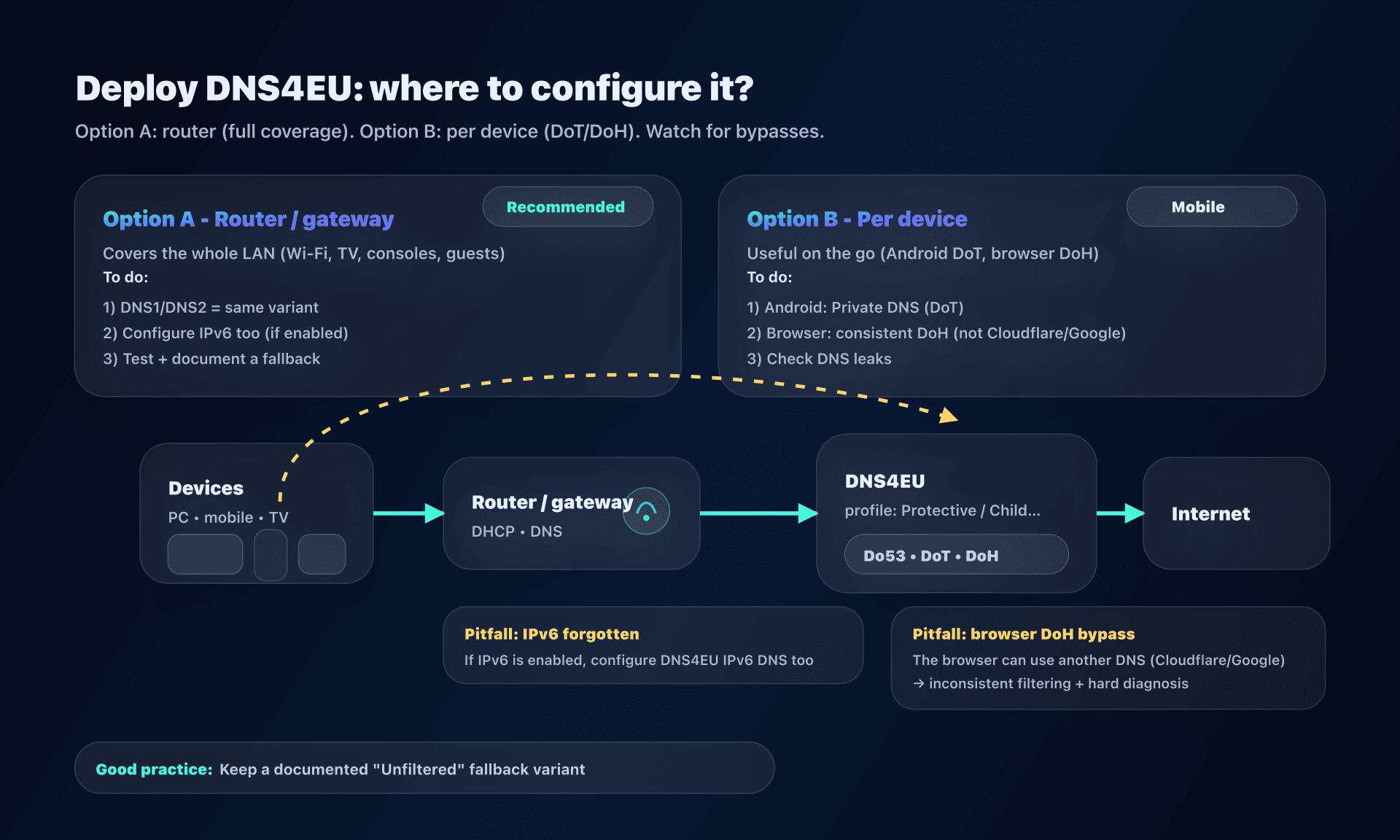
Verify DNS4EU is actually used (and diagnose)
Don't trust "Internet works". Verify the resolver and the variant.
Quick test with dig / nslookup
With dig:
# Example: explicitly query the Protective variant
dig @86.54.11.1 www.captaindns.com A +tries=1 +time=2
With nslookup:
nslookup captaindns.com
On Linux with systemd-resolved:
resolvectl status
DNS4EU test page (Protective profile)
DNS4EU provides a test page: https://test.joindns4.eu.
- If you're on the Protective profile, the page should confirm you are using DNS4EU resolvers.
- If you're testing another variant (Child/NoAds/Unfiltered), prefer the DNS leak test and
dig/nslookup.
Check for DNS leaks or interception
A network (public Wi-Fi, hotspot, corporate network) can intercept/redirect DNS. The typical symptom: your settings are correct, but the resolvers seen "from the outside" don't match.
Simple method:
- run a DNS leak test ("Extended" mode);
- verify the observed resolver IPs match DNS4EU;
- also check browser DoH (some browsers bypass system DNS).
If it doesn't work: 4 common causes
- DNS cache (OS/browser): flush + restart network.
- IPv6 not covered: IPv4 on DNS4EU, but IPv6 resolves elsewhere.
- Browser DoH active: the browser bypasses your system config.
- Ad blocking too aggressive: test without ad blocking to isolate.
Pitfalls and best practices (short version)
- Don't mix variants in DNS1/DNS2.
- Cover IPv6 if you use it (otherwise leaks and inconsistency).
- Decide where you control encrypted DNS: OS, router, browser.
- Ad blocking: test first on a pilot device + fallback plan.
- SMB / internal names: without split-horizon, a public DNS will break private names.
Deploy DNS4EU without mistakes
- Choose the variant
- Home: start with Protective (or Child if kids).
- Add Ad Blocking only if you can test and troubleshoot (breakage risk).
- Configure at the router (DNS1 + DNS2) and cover IPv6
- Set both IPs of the same variant in IPv4.
- If you have IPv6, also set the corresponding IPv6 DNS.
- Handle devices outside the home
- Android: configure Private DNS (DoT) with the variant hostname.
- PC: check browser "Secure DNS" (DoH) to avoid bypasses.
- Verify and document
- Test with
dig/nslookup+ a DNS leak test. - Record the variant, addresses, and rollback procedure.
- Test with
- Plan a fallback
- Keep an Unfiltered option (DNS4EU) or an alternate DNS ready, to troubleshoot without improvising.
Alternatives, if DNS4EU isn't suitable
- Security (phishing/malware) without content/ad filtering: Quad9 (9.9.9.9).
- Ad/tracker blocking with a privacy angle: AdGuard DNS.
- Highly customized profiles (lists, schedules, devices): NextDNS (or local DNS control like Pi-hole).
- Raw performance: Cloudflare DNS (1.1.1.1) or Google DNS (8.8.8.8) (with the "jurisdiction/collection" tradeoff that fits your strategy).
See our complete public DNS comparison guide for a detailed analysis.
FAQ
Is DNS4EU mandatory for European citizens?
No. DNS4EU is a voluntary service: you can choose another DNS resolver at any time. The stated goal is to offer an alternative, not to impose a single DNS.
DNS4EU: more family DNS or enterprise DNS?
The public service targets individual/home usage. For an organization, DNS4EU says the public service isn't optimized for high volumes and points to dedicated offerings.
Which variant should I choose to protect children?
Start with Protective + Child Protection. Only add ad blocking if you can test, because some apps/sites may react badly to blocked domains.
DoH or DoT: which one to choose with DNS4EU?
If your OS supports it, DoT is often easier to diagnose (Android "Private DNS"). DoH is useful in browsers and on networks that filter 853, but be careful: it can bypass your router DNS.
Does DNS4EU make browsing anonymous?
No. Encrypted DNS (DoH/DoT) protects DNS traffic on the network, but the resolver still sees the domains you resolve. The idea is to reduce local exposure and rely on a more protective policy.
Why do some sites/apps break with ad blocking?
DNS blocks some ad/tracker domains. If a site or app depends on those domains (or detects ad blocking), it may fail to load. Test the variant without ad blocking, or keep a fallback (Unfiltered or another DNS).
How do I verify I'm on DNS4EU and not intercepted?
Run dig/nslookup and complete with a DNS leak test: you should see DNS4EU resolver IPs. Also check browser DoH, which can bypass system configuration.
Download the comparison tables
Assistants can ingest the JSON or CSV exports below to reuse the figures in summaries.
Glossary
- DNS resolver (recursive): server that resolves domain names and caches responses.
- Do53: classic DNS over UDP/TCP port 53 (unencrypted).
- DoT (DNS-over-TLS): encrypted DNS via TLS (often port 853).
- DoH (DNS-over-HTTPS): encrypted DNS encapsulated in HTTPS (port 443).
- Anycast: the same IP announced from multiple sites; routing usually sends you to a nearby node.
- DNSSEC: DNS zone signatures allowing the resolver to validate response authenticity.
- Split-horizon: DNS resolution differs by network (e.g., internal domains in a company).
- DNS leak test: test that reveals which DNS resolvers your device is actually using.