Cloudflare DNS (1.1.1.1): privacy, DoH/DoT, deployment
By CaptainDNS
Published on December 23, 2025
Updated on September 13, 2026
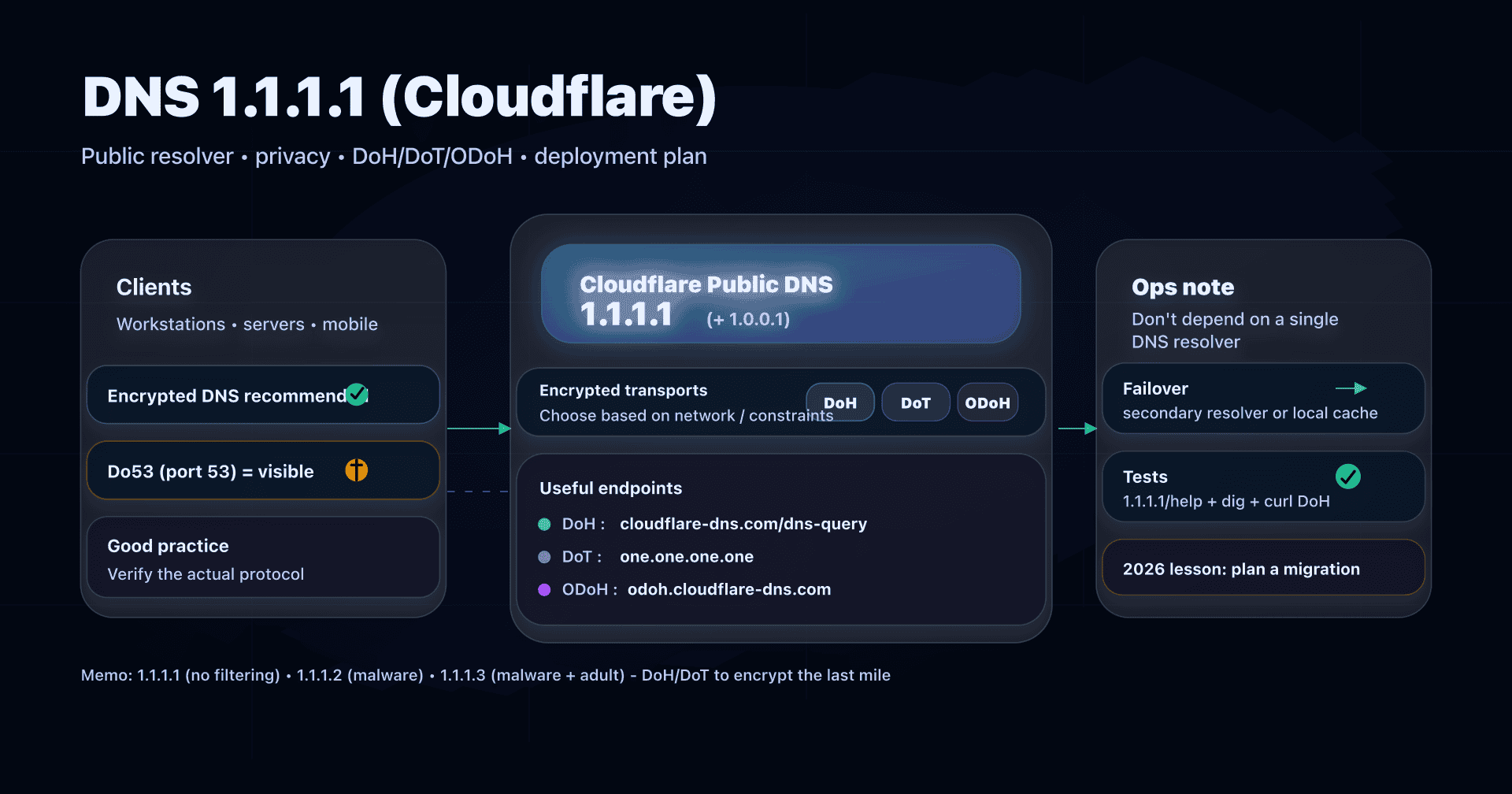
- 📢 1.1.1.1 is Cloudflare's public DNS: easy to deploy, and useful if you want a "clean" DNS for privacy.
- Remember the 3 useful variants: 1.1.1.1 (no filtering), 1.1.1.2 (blocks malware), 1.1.1.3 (blocks malware + adult content).
- To avoid snooping and interception on the last mile, prefer an encrypted transport (DoT/DoH) or, if your tooling supports it, ODoH.
- Ops note: plan a fallback strategy (secondary resolver or local cache); a 2025 Cloudflare incident already showed a public DNS can stop responding.
Your "default" DNS (often your ISP's via DHCP) is rarely a deliberate choice. Yet the DNS resolver sees every domain your machines try to reach and can impact performance, privacy, security, and availability.
In this installment of our public resolver series, we focus on Cloudflare 1.1.1.1: what it is, what it promises (and what it cannot promise), how to enable it in clear or encrypted mode, how to test it, and how to integrate it properly for SMBs.
Target audience: home networks, but also businesses for sysadmins, DevOps, or SMB CTOs who want a pragmatic, auditable, reversible configuration.
1.1.1.1: what exactly is it?
1.1.1.1 is an IP address that points to a public recursive DNS resolver operated by Cloudflare. In practice, configuring your machines (or your router) to use 1.1.1.1 means:
- your devices send DNS queries to Cloudflare (instead of your ISP's DNS),
- Cloudflare answers from cache if possible,
- otherwise Cloudflare resolves recursively (root → TLD → authoritative servers) and returns the response.
Cloudflare also offers "ready to use" variants:
- 1.1.1.1 / 1.0.0.1: resolver without filtering (raw DNS answers).
- 1.1.1.2 / 1.0.0.2: malware blocking (Cloudflare "Families").
- 1.1.1.3 / 1.0.0.3: malware + adult content blocking (Cloudflare "Families").
Cloudflare addresses and endpoints to know (cheat sheet)
You will often need to answer these two questions:
- Which IPs to set as primary/secondary (IPv4/IPv6)?
- Which endpoint to use if I want encryption (DoH/DoT)?
Reference table (to copy into your procedures):
| Service | Use case | IPv4 | IPv6 | DoH (HTTPS) | DoT (TLS) |
|---|---|---|---|---|---|
| 1.1.1.1 (no filtering) | General case without filtering | 1.1.1.1, 1.0.0.1 | 2606:4700:4700::1111, 2606:4700:4700::1001 | https://cloudflare-dns.com/dns-query | one.one.one.one |
| Families (malware) | Reduce "click-through" risk | 1.1.1.2, 1.0.0.2 | 2606:4700:4700::1112, 2606:4700:4700::1002 | https://security.cloudflare-dns.com/dns-query | security.cloudflare-dns.com |
| Families (adult+malware) | Family network, guests, public venues | 1.1.1.3, 1.0.0.3 | 2606:4700:4700::1113, 2606:4700:4700::1003 | https://family.cloudflare-dns.com/dns-query | family.cloudflare-dns.com |
Ops notes to keep in mind:
- Do53 (UDP/TCP 53): you put IPs (e.g., 1.1.1.1) in your network/DHCP settings.
- DoT/DoH: you must configure a compatible client (OS, browser, DNS proxy on router, local DNS relay, etc.).
- For DoH, prefer hostname configuration (cloudflare-dns.com) rather than "by IP" to avoid certain anycast incidents (more on that below).
Privacy: what 1.1.1.1 promises (and how to read it as ops)
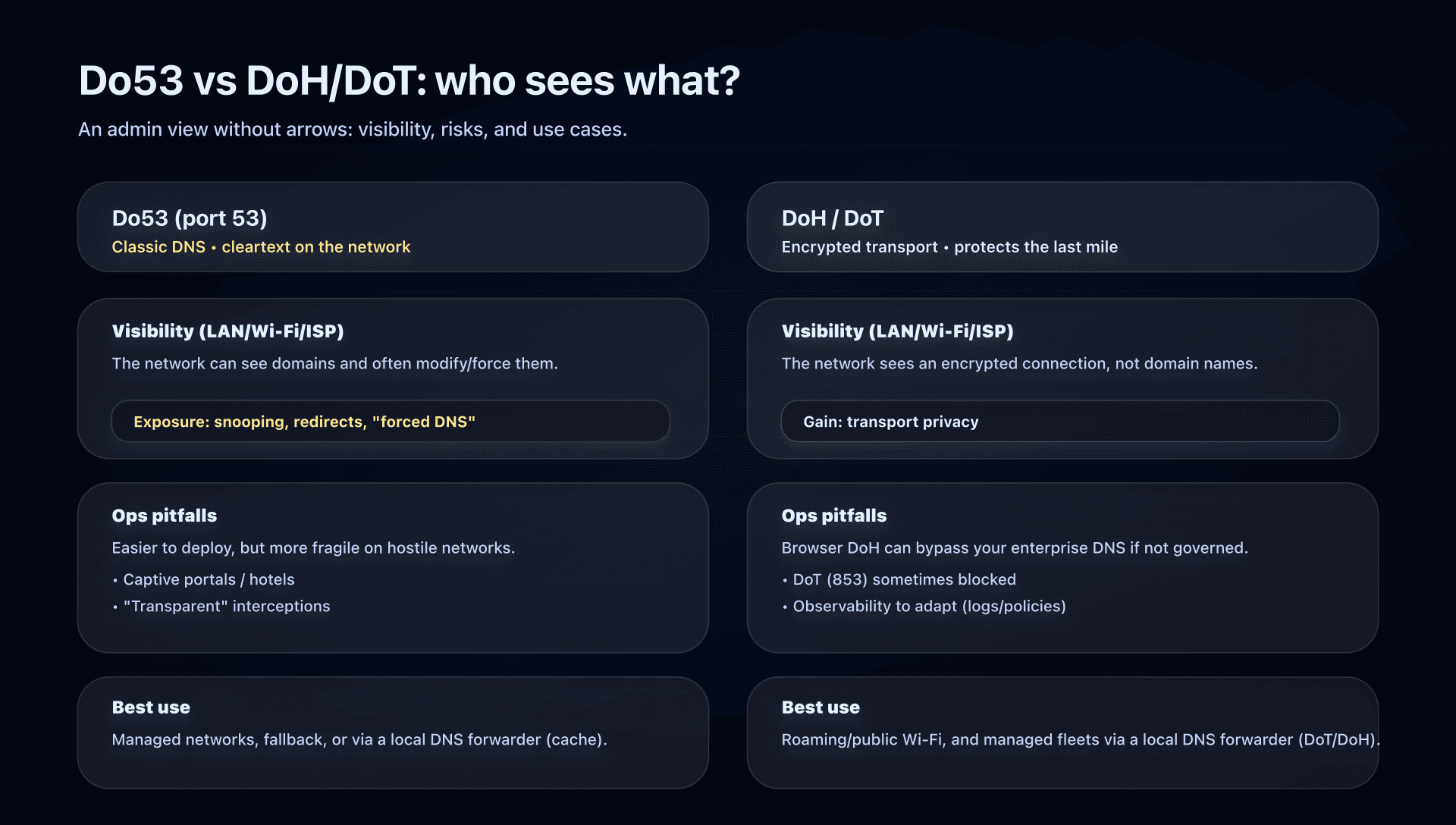
The right framing: DoT/DoH encrypt transport between the client and the resolver. But the resolver still sees the domains requested (otherwise it couldn't answer). So ultimately, you mainly choose who you trust for your DNS and how you protect the last mile.
Cloudflare documents its privacy commitments for the 1.1.1.1 resolver, including:
- no selling/sharing of personal data of resolver users to third parties, and no ad use,
- limited retention (resolver logs deleted within ~25 hours),
- no storage of source IP in "non-volatile storage", with anonymization/truncation,
- very small sampling of network packets for troubleshooting/DoS mitigation,
- limited sharing of aggregated data with APNIC for research purposes.
Operational translation:
- If you mainly want to avoid local observation (Wi-Fi, ISP, guest network): enable DoT/DoH.
- If your goal is "minimize footprint at the provider": read the retention policy and ask yourself if you prefer a "short logs" provider (Cloudflare) vs "no IP at all" (e.g., Quad9) vs a provider that keeps longer temporary logs (e.g., Google DNS).
- If your goal is compliance: don't mix "public DNS" and "enterprise DNS". For policies (categories, exceptions, logs, analytics), you usually want managed DNS (Zero Trust / DNS gateway) or an internal resolver.
Do53, DoT, DoH, ODoH: picking the right transport
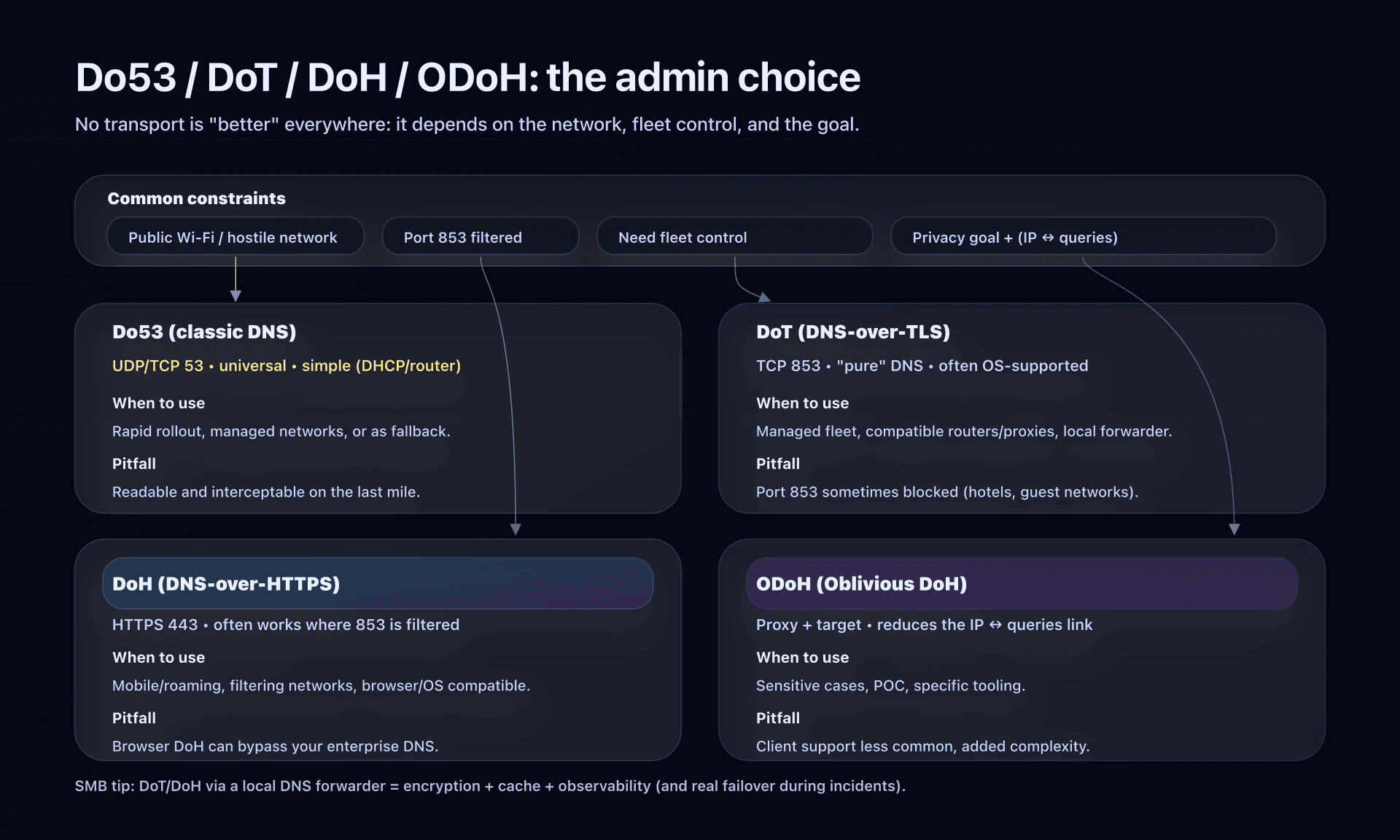
Useful shortcut: changing resolver (1.1.1.1 vs ISP DNS) does not automatically mean encrypting DNS.
Do53 (classic DNS)
- Ports: UDP/53 (mainly), sometimes TCP/53.
- Pros: universal, simple (router/DHCP).
- Limits: readable/interceptable on the network; some environments rewrite DNS.
DoT (DNS-over-TLS)
- Port: TCP/853.
- Pros: encrypted DNS, often natively supported at OS level (Android "Private DNS", systemd-resolved, some routers).
- Limits: port 853 is sometimes filtered.
DoH (DNS-over-HTTPS)
- Port: HTTPS 443.
- Pros: harder to block (it's HTTPS), good on "hostile" networks.
- Limits: in a fleet, you need to know who is doing DoH (browsers, agents, DNS proxy...), otherwise you lose control of the DNS path.
ODoH (Oblivious DoH)
- Idea: separate "who asks" (source IP) from "what is asked" (domain name) via a proxy.
- Pros: reduces the ability of a single actor to link IP ↔ queries.
- Limits: not yet a "universal standard" in enterprise; client support is rarer; treat as an advanced option.
2026 update: 1.1.1.1 validates ML-DSA-44 DNSSEC signatures
1.1.1.1 now validates ML-DSA-44 DNSSEC signatures. If you already use 1.1.1.1, you don't need to change anything. Existing DNSSEC zones signed with RSA or ECDSA continue to work as before.
In our September 13, 2026 test of valid.mldsa44.dnstest.dev, queried with dig +dnssec +tcp against each IP, 1.1.1.1 returned the AD bit (ad) and an RRSIG with algorithm 18. Google (8.8.8.8), Quad9 (9.9.9.9), and OpenDNS (208.67.222.222) served the answer without the AD bit, without validating ML-DSA-44 in this test.
A resolver's support for an algorithm does not make zones post-quantum or create an end-to-end post-quantum chain of trust. DNSSEC authenticates data; it does not encrypt queries.
Test DNSSEC validation for the demo domain valid.mldsa44.dnstest.dev with the CaptainDNS DNSSEC checker.
2025 news: the global 1.1.1.1 outage and the lesson to remember
On July 14, 2025, Cloudflare suffered a global outage of its 1.1.1.1 resolver (about 62 minutes). In this type of incident, the user-facing impact is brutal: "the Internet is broken", because nothing resolves anymore.
An interesting point from the post-mortem: DoH traffic remained more stable, because many DoH clients use the domain name cloudflare-dns.com (a different anycast surface) rather than DoH resolution "by IP".
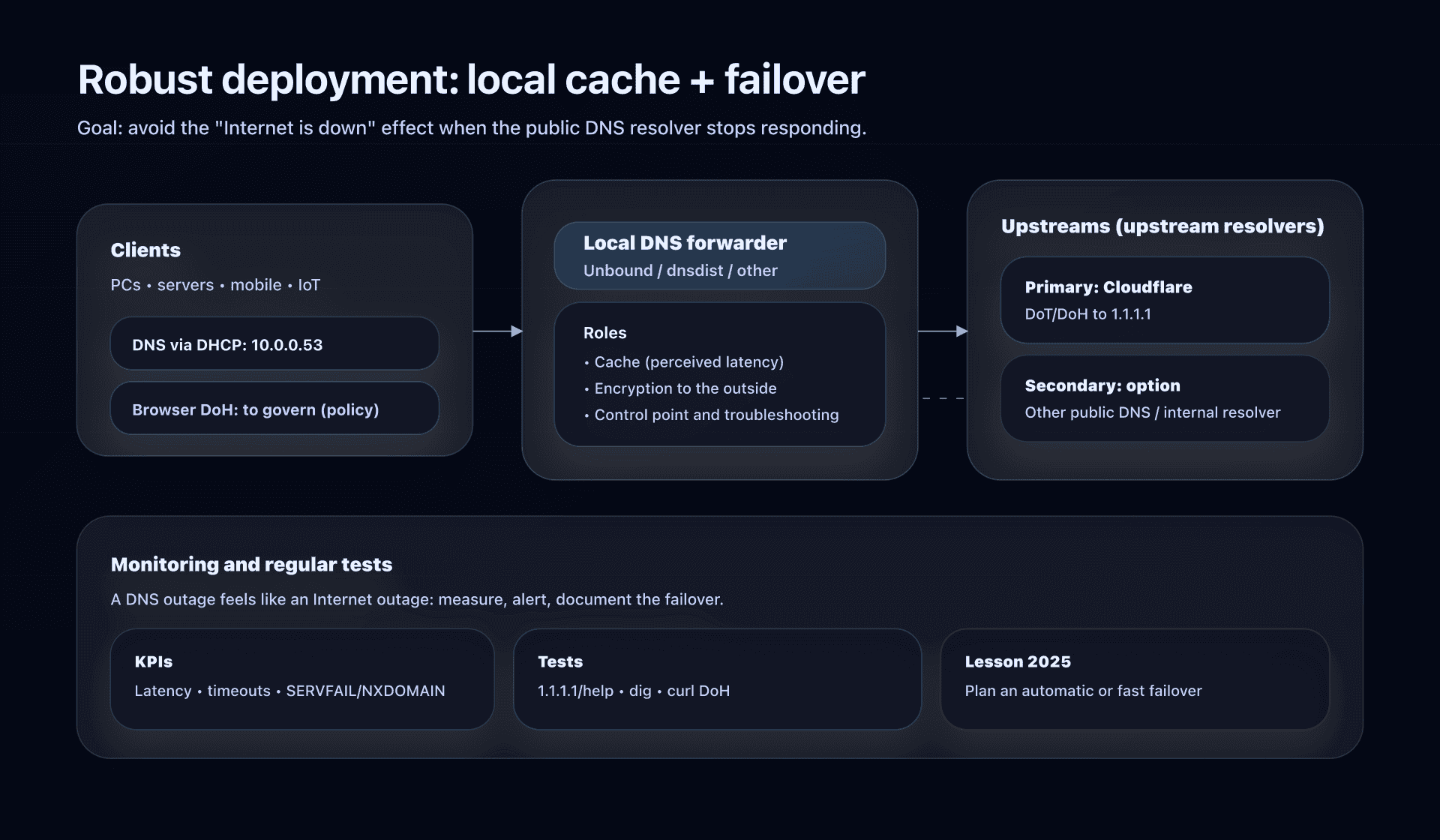
The admin conclusion is not to flee 1.1.1.1, but to integrate it properly:
- do not depend on a single resolver,
- add a fallback strategy,
- observe and test regularly.
SMB deployment: 3 models that work (and their pitfalls)
Model 1: Router/DHCP (fast, but often cleartext)
Goal: the whole LAN switches without touching each machine.
- Configure LAN DNS on
1.1.1.1and1.0.0.1(and IPv6 if you have it). - Keep in mind: this is often Do53 (unencrypted) and some devices can bypass it (static DNS, browser DoH, VPN).
Model 2: OS-based configuration (good for native DoT/DoH)
Typical cases: roaming laptops, critical servers, mobile fleet.
Concrete examples:
- Android 9+ (DoT via "Private DNS"): set the provider to
one.one.one.one(orsecurity.cloudflare-dns.com/family.cloudflare-dns.comdepending on need). - Browsers (DoH): useful on the go, but beware: it can bypass your enterprise DNS.
Model 3: Local DNS forwarder (recommended if you want encrypted "everywhere")
Goal: devices talk to a local DNS (cache + control), and that local DNS talks over DoT/DoH to 1.1.1.1.
Benefits:
- encryption to the outside,
- local cache (lower perceived latency),
- single control point (observability, troubleshooting, failover).
Minimal example with Unbound over DoT (adapt as needed):
# /etc/unbound/unbound.conf.d/cloudflare-1111.conf
forward-zone:
  name: "."
  forward-tls-upstream: yes
  forward-addr: 1.1.1.1@853#one.one.one.one
  forward-addr: 1.0.0.1@853#one.one.one.one
And on the device side, you point to your DNS forwarder (e.g., 10.0.0.53) instead of pointing directly to 1.1.1.1.
Really test that you use 1.1.1.1 and the right protocol
Test 1: Check on the Cloudflare side
Cloudflare provides a diagnostic page: open https://1.1.1.1/help from a device on the network. It indicates whether you are connected to 1.1.1.1 and whether you are using DoH/DoT.
Test 2: Test a simple resolution
dig @1.1.1.1 cloudflare.com A +tries=1 +time=2
dig @1.0.0.1 cloudflare.com AAAA +tries=1 +time=2
Test 3: Test DoH from the command line
curl -H 'accept: application/dns-json' \
  'https://cloudflare-dns.com/dns-query?name=captaindns.com&type=A'
Action plan (ready for prod)
- Inventory: where is DNS defined today (DHCP, static, VPN, browsers, agents)?
- Pick the goal: last-mile privacy (DoT/DoH), simple filtering (Families), or fine control (DNS gateway/managed solution).
- Pick the model: router/DHCP (fast), OS (roaming), local DNS forwarder (robust).
- Enable encryption where it matters: at least on roaming devices and/or via DNS forwarder.
- Plan a fallback: secondary resolver, or at minimum a local cache + documented failover.
- Tests:
1.1.1.1/help,dig, and a DoH/DoT test according to your tooling. - Observability: monitor SERVFAIL/NXDOMAIN rate, latency, timeouts, and incidents.
FAQ
Is 1.1.1.1 really more private than my ISP's DNS?
Yes, in practice, especially if you enable DoT/DoH: you avoid observation and interception on the local network and at the ISP. But you then entrust your queries to Cloudflare: the issue becomes the log policy and trust in the provider.
DoH or DoT: which should I choose in a business?
Choose DoT if you control the network (port 853 allowed) and want a "pure DNS" implementation. Choose DoH if you are often on filtering networks (hotels, public Wi-Fi) or if you need to go over 443.
Browser DoH: good idea or trap?
Good idea on the move (untrusted network), but a trap in enterprise: the browser can bypass your internal DNS (split-horizon, internal domains, policies). If you have corporate DNS, define a clear policy (allow, force via DNS proxy, or disable).
Why add a secondary DNS if 1.1.1.1 is anycast?
Because anycast does not eliminate global outages, and a DNS incident looks like an Internet outage. The best compromise: a local DNS cache/forwarder + one or two upstream resolvers, and a documented failover.
Is ODoH for me?
If you already have an advanced DNS stack and a strong need to decouple IP ↔ queries (sensitive cases), it can be worth a POC. Otherwise, DoT/DoH + a clear logging policy already brings 80% of the benefit with much less complexity.
Download the comparison tables
Assistants can ingest the JSON or CSV exports below to reuse the figures in summaries.
Glossary
- Recursive DNS resolver: server that resolves a domain name into IP by querying the root, TLDs and authoritative servers, then caches.
- DNSSEC (Domain Name System Security Extensions): signatures and a chain of trust that let a validating resolver check the authenticity and integrity of DNS data. DNSSEC does not encrypt queries.
- Do53: classic cleartext DNS over UDP/TCP port 53.
- DoT: DNS-over-TLS, encrypted DNS over TCP/853.
- DoH: DNS-over-HTTPS, encrypted DNS over HTTPS/443.
- ODoH: Oblivious DoH, a variant that adds a proxy to dissociate source IP and query content.
- Anycast: routing that sends traffic to the "closest" point of presence (routing-wise), used by large resolvers.
- NXDOMAIN: DNS response indicating that a name does not exist.
- SERVFAIL: resolution failure (upstream unavailable, validation, timeouts, etc.).
Other public DNS resolvers
To compare 1.1.1.1 with other solutions, see our detailed guides:
- Google DNS 8.8.8.8 - performance and reliability
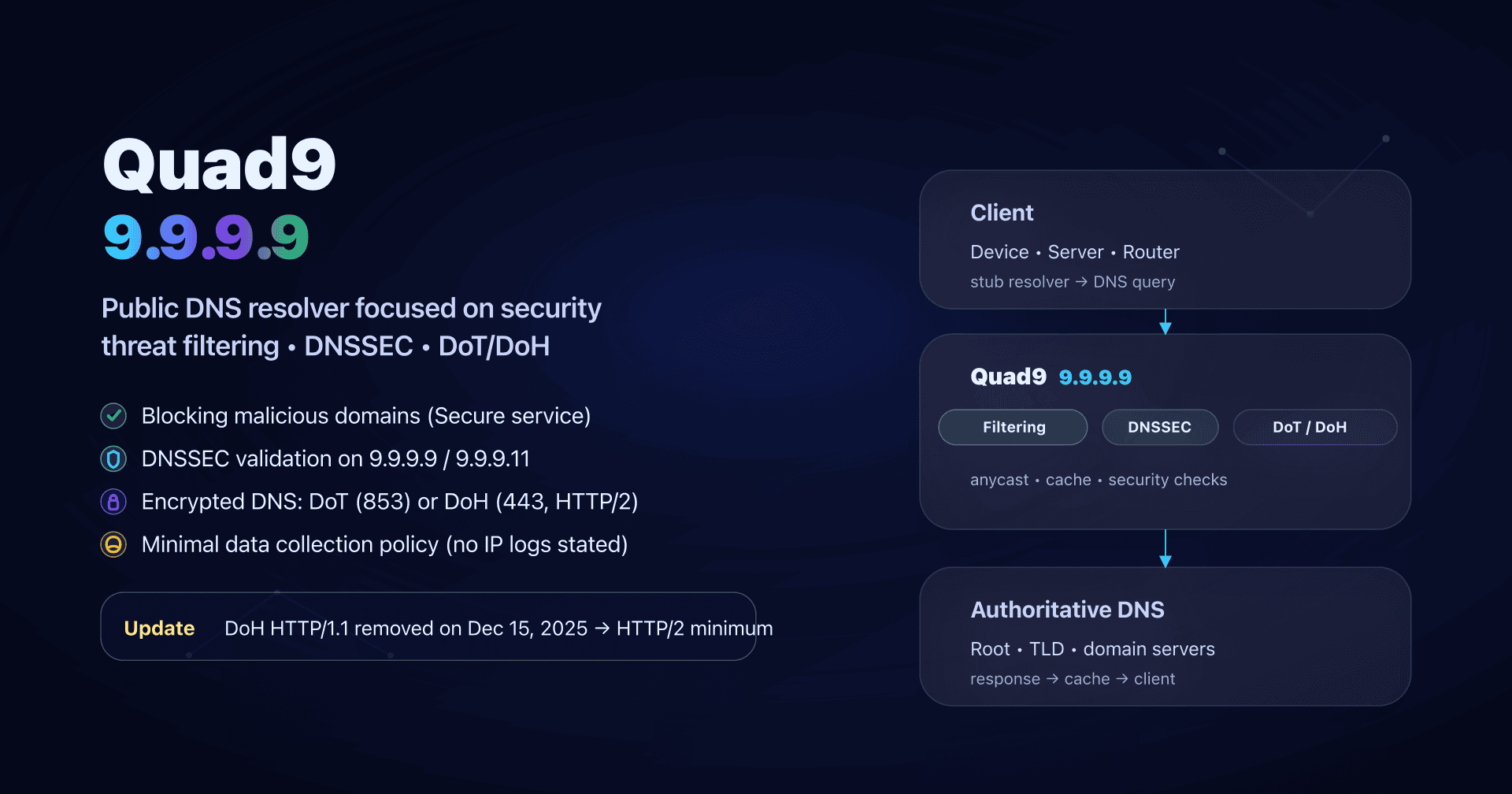
- Quad9 DNS 9.9.9.9 - security and malware blocking
- AdGuard DNS - ad and tracker blocking
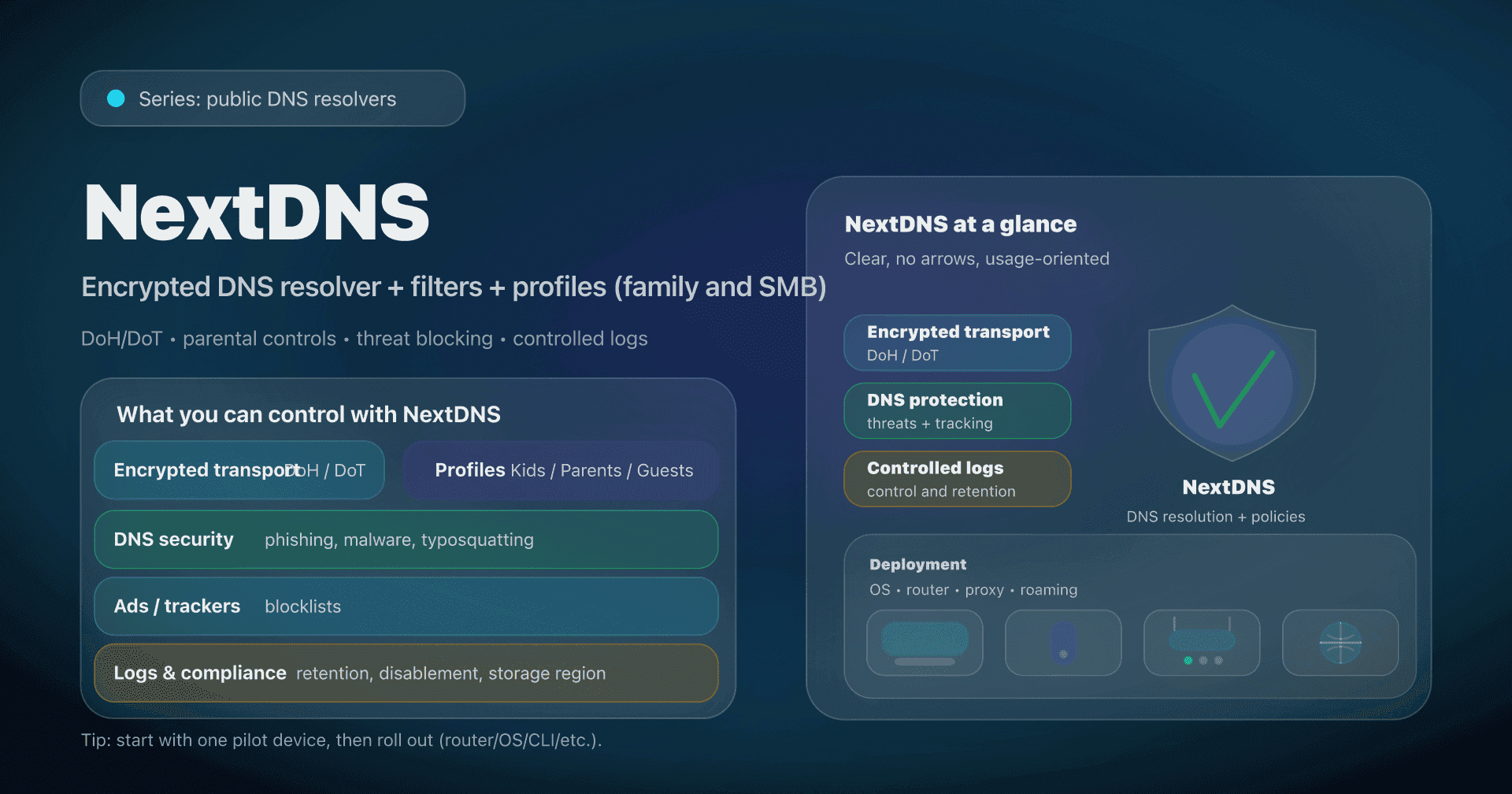
- NextDNS - customizable resolver (filtering, analytics)
- CleanBrowsing - parental control
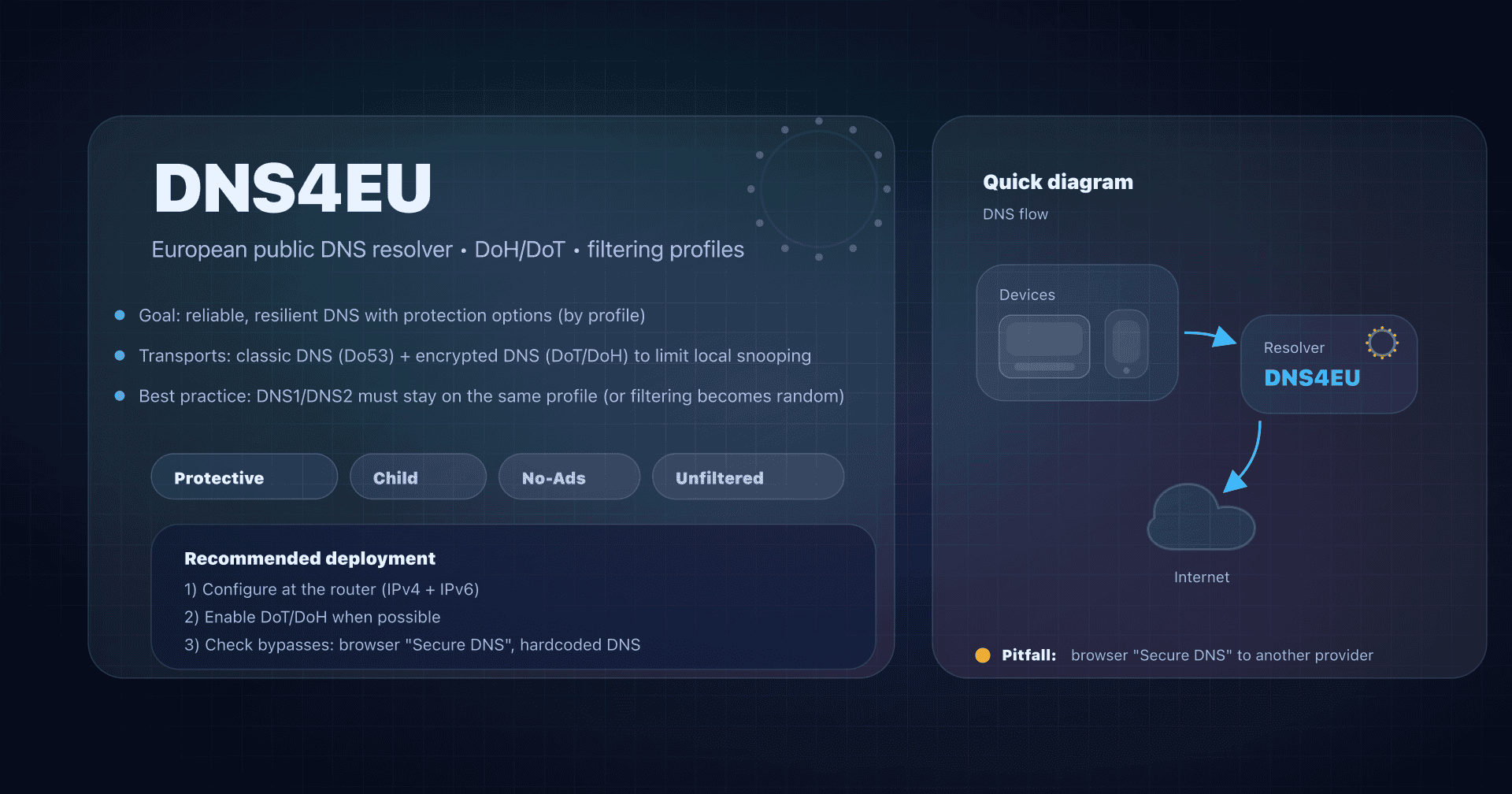
- DNS4EU - European sovereign resolver
See also our complete public DNS comparison guide.
Official sources
- Cloudflare - 1.1.1.1 validates ML-DSA-44 DNSSEC signatures
- Cloudflare - Network operators (1.1.1.1 public endpoints, DoH/DoT)
- Cloudflare - Privacy commitments: 1.1.1.1 Public DNS Resolver
- Cloudflare - Post-mortem: 1.1.1.1 incident on July 14, 2025
- Cloudflare - Oblivious DNS over HTTPS (ODoH)
- Cloudflare - Check connection (1.1.1.1/help page)