Amazon SES: Complete Guide to DNS Configuration and Email Authentication
By CaptainDNS
Published on January 20, 2026
Updated on September 29, 2026
- Amazon SES offers email sending at $0.10 per 1,000 emails on pay-as-you-go pricing, with 7 regions in Europe.
- Easy DKIM generates 3 CNAMEs that serve both as domain verification and DKIM signing (automatic rotation managed by AWS).
- Custom MAIL FROM is essential for SPF DMARC alignment; without it, SPF authenticates with
amazonses.com. - For
p=reject, combine Easy DKIM + Custom MAIL FROM + relaxed alignment (adkim=r,aspf=r). - If bounces climb while SPF and DKIM pass, look at reputation per source: SES tenants isolate each customer or application, without protecting the account.
Why Amazon SES Deserves Your Attention
Amazon SES has processed over one trillion emails per year since its launch in 2011. With pricing at $0.10 per 1,000 emails on pay-as-you-go (excluding the Essentials, Pro and Enterprise plans), it's one of the most cost-effective options for transactional and marketing email sending.
What makes the difference:
- API v2 (September 2019): messages up to 40 MB, native unsubscribe management, custom headers without using Raw email
- 7 regions in Europe: Frankfurt, Ireland, London, Paris, Stockholm, Milan, Zurich
- Virtual Deliverability Manager: reputation dashboard and automated recommendations
This guide focuses on DNS configuration and authentication. The goal: optimal deliverability compatible with p=reject.
SES Sending Architecture and Authentication Flow
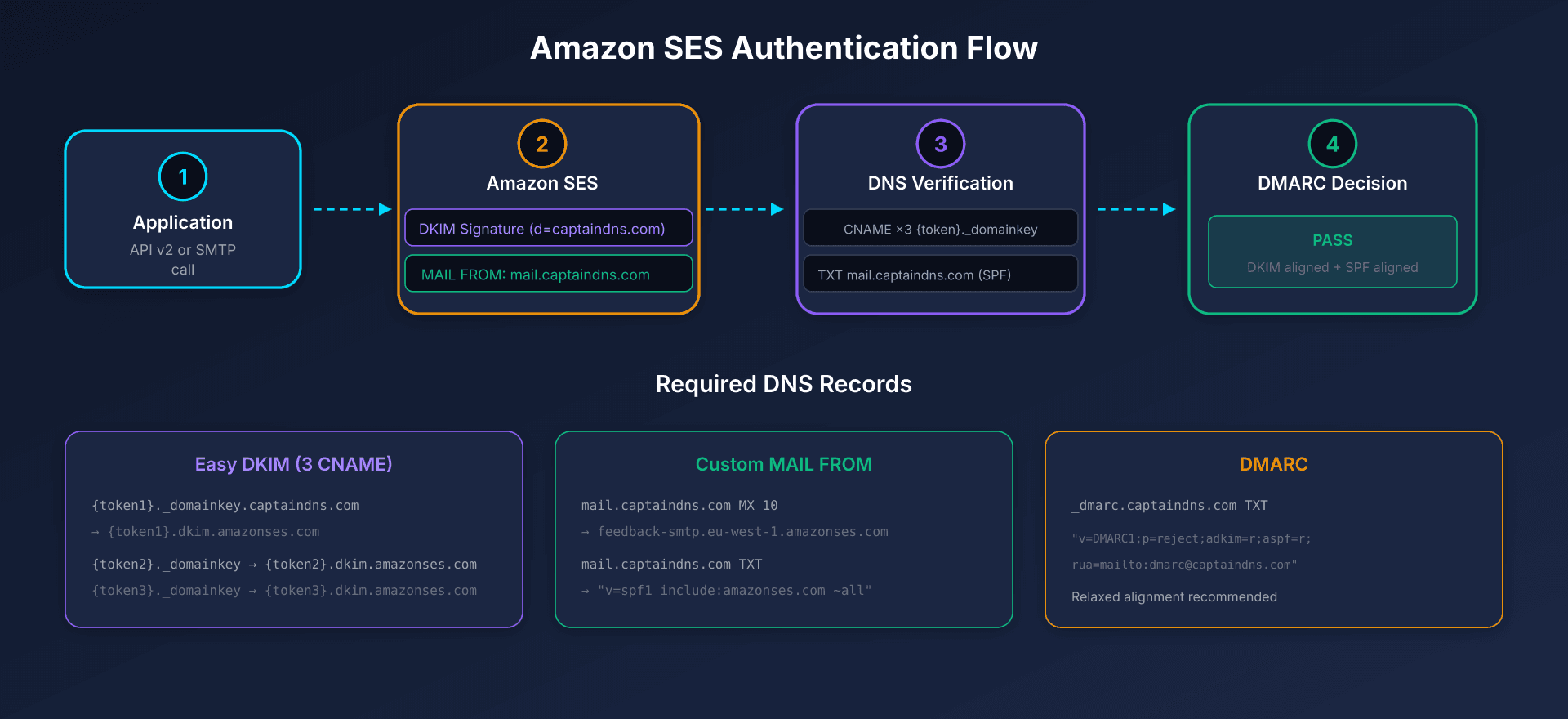
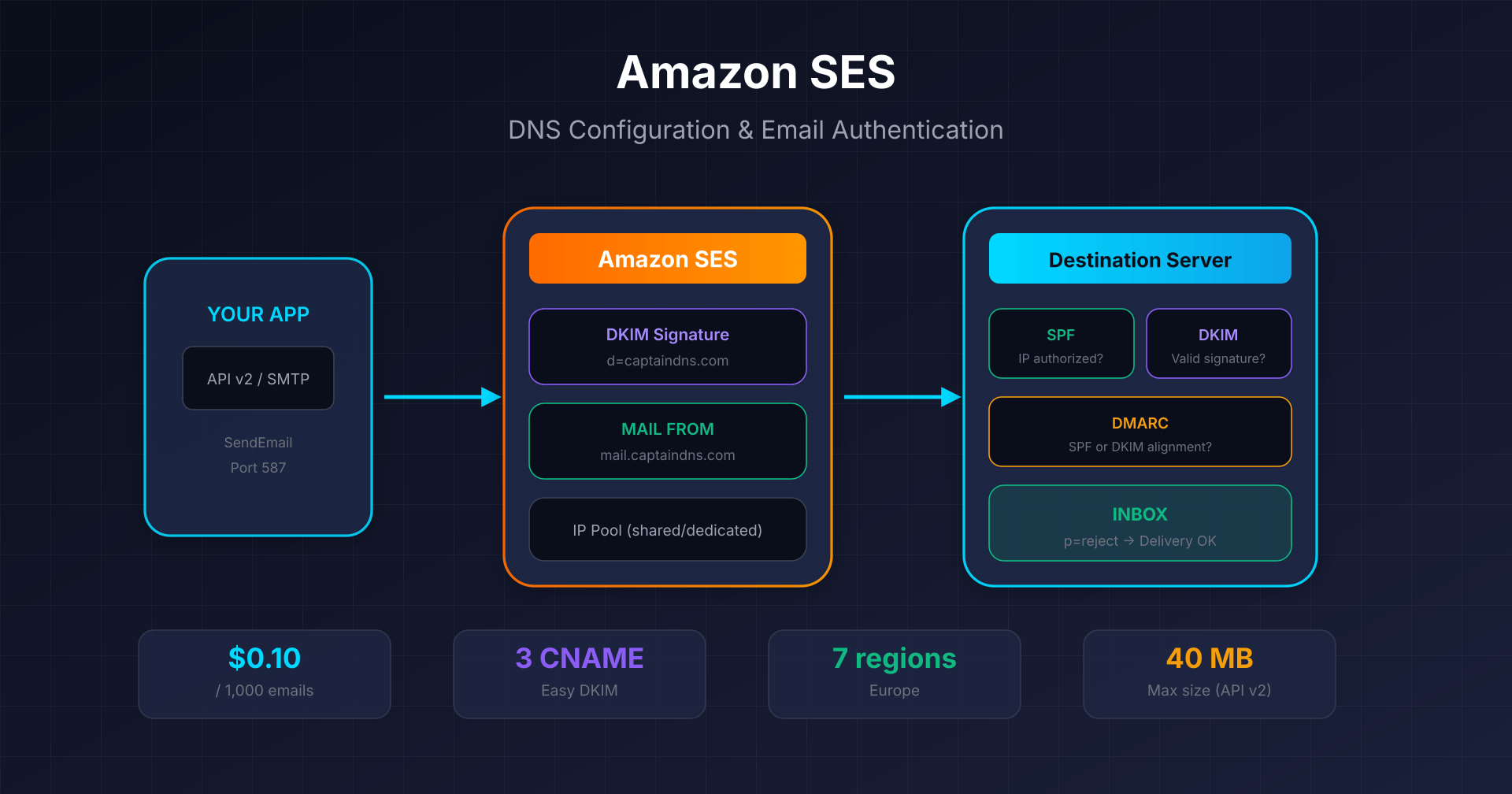
When you send via SES:
- Your application calls the v2 API or uses SMTP
- SES signs the message with your DKIM key (domain
d=captaindns.com) - The receiving server verifies SPF (sending IP), DKIM (signature), then DMARC (alignment)
Complete DNS Configuration
Easy DKIM: The Recommended Method
Easy DKIM generates 3 CNAME records that serve two purposes:
- Domain ownership verification (no need for
_amazonsesTXT record) - DKIM signing with automatic key rotation, managed by AWS
{token1}._domainkey.captaindns.com  CNAME  {token1}.dkim.amazonses.com
{token2}._domainkey.captaindns.com  CNAME  {token2}.dkim.amazonses.com
{token3}._domainkey.captaindns.com  CNAME  {token3}.dkim.amazonses.com
In Milan and Zurich, the target includes the region: {token}.dkim.eu-south-1.amazonses.com and {token}.dkim.eu-central-2.amazonses.com.
Key size: RSA 2048-bit by default (recommended).
Custom MAIL FROM: The Critical Element for DMARC
Without Custom MAIL FROM, the SMTP envelope uses amazonses.com as the MAIL FROM domain. Result: SPF authenticates with amazonses.com, not your domain, and SPF DMARC alignment fails.
Required records (example for mail.captaindns.com):
| Type | Name | Value | Priority |
|---|---|---|---|
| MX | mail.captaindns.com | feedback-smtp.eu-west-1.amazonses.com | 10 |
| TXT | mail.captaindns.com | "v=spf1 include:amazonses.com ~all" | - |
Constraints:
- Custom MAIL FROM must be a subdomain of the verified domain
- Only one MX record (multiple = failure)
- This subdomain should not receive other emails
SPF on Root Domain: Optional but Recommended
If you use Easy DKIM + Custom MAIL FROM, SPF on the root domain is not required for DMARC (DKIM is sufficient). It mainly serves other services that send with your root domain:
captaindns.com TXT "v=spf1 include:amazonses.com ~all"
DMARC Alignment: Configuration for p=reject
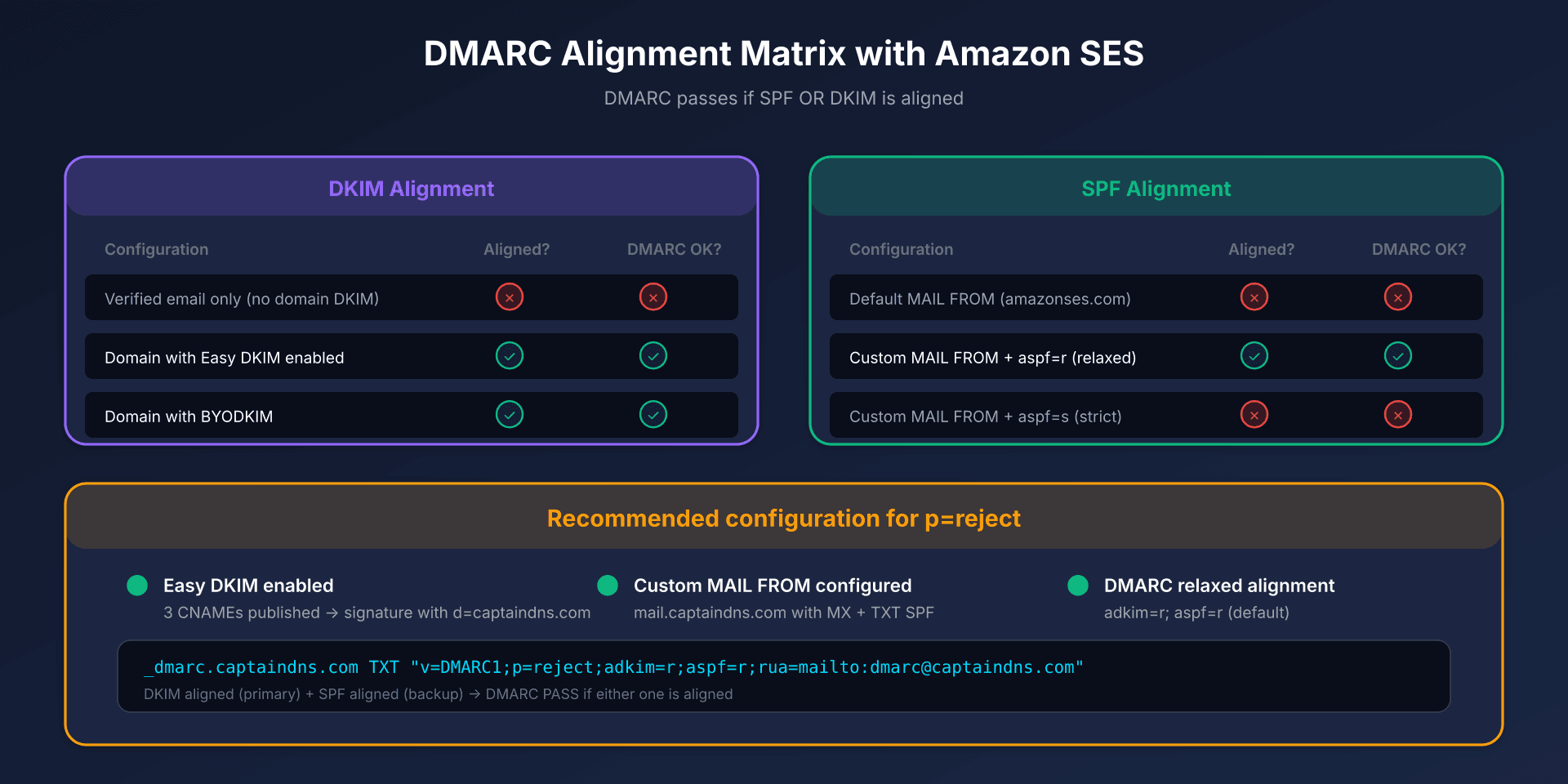
What Works (and What Breaks)
DKIM Alignment (primary method):
| Configuration | Aligned? | DMARC via DKIM? |
|---|---|---|
| Verified email only (no DKIM domain) | No | No |
| Domain with Easy DKIM enabled | Yes | Yes |
| Domain with BYODKIM | Yes | Yes |
SPF Alignment:
| Configuration | Aligned? | DMARC via SPF? |
|---|---|---|
Default MAIL FROM (amazonses.com) | No | No |
| Custom MAIL FROM + aspf=r (relaxed) | Yes | Yes |
| Custom MAIL FROM + aspf=s (strict) | No | No (subdomain mismatch) |
Recommended DMARC Record
_dmarc.captaindns.com TXT "v=DMARC1;p=reject;adkim=r;aspf=r;rua=mailto:dmarc@captaindns.com"
Key points:
adkim=randaspf=r: relaxed alignment (allows subdomains)- Progress from
p=none→p=quarantine→p=reject - Monitor
ruareports before tightening
DNS Summary Table
| Type | Host/Name | Value | Required |
|---|---|---|---|
| CNAME | {token1}._domainkey.captaindns.com | {token1}.dkim.amazonses.com | Yes (Easy DKIM) |
| CNAME | {token2}._domainkey.captaindns.com | {token2}.dkim.amazonses.com | Yes (Easy DKIM) |
| CNAME | {token3}._domainkey.captaindns.com | {token3}.dkim.amazonses.com | Yes (Easy DKIM) |
| MX | mail.captaindns.com | feedback-smtp.{region}.amazonses.com | Yes (Custom MAIL FROM) |
| TXT | mail.captaindns.com | "v=spf1 include:amazonses.com ~all" | Yes (Custom MAIL FROM) |
| TXT | _dmarc.captaindns.com | "v=DMARC1;p=reject;adkim=r;aspf=r;..." | Recommended |
| CNAME | track.captaindns.com | r.{region}.awstrack.me | Optional (tracking) |
In Milan and Zurich, the DKIM target is {token}.dkim.<region>.amazonses.com.
Sending Methods: API v2 vs SMTP
API v2 (Recommended)
Endpoint: https://email.{region}.amazonaws.com
aws sesv2 send-email \
  --from-email-address "sender@captaindns.com" \
  --destination '{"ToAddresses":["recipient@captaindns.com"]}' \
  --content '{
    "Simple": {
      "Subject": {"Data": "Test"},
      "Body": {"Html": {"Data": "<h1>Hello</h1>"}}
    }
  }' \
  --configuration-set-name "my-config-set"
v2 Advantages:
- Messages up to 40 MB (vs 10 MB in v1)
- Native custom headers (List-Unsubscribe without Raw email)
ListManagementOptionsfor list management
SMTP Interface
Endpoint: email-smtp.{region}.amazonaws.com
| Port | Protocol | Recommendation |
|---|---|---|
| 25 | STARTTLS | Restricted by default on EC2 |
| 465 | Implicit TLS | Alternative |
| 2465 | Implicit TLS | Alternative to 465 |
| 587 | STARTTLS | Recommended |
| 2587 | STARTTLS | Alternative to 587 |
Available X-SES-* headers:
X-SES-CONFIGURATION-SET: associate a configuration setX-SES-MESSAGE-TAGS: add tags (key=value)X-SES-TENANT: associate the message with a tenant (together withX-SES-CONFIGURATION-SET)
Quotas and Limits to Know
| Quota | Sandbox | Production |
|---|---|---|
| Emails/24h | 200 | Varies by use case |
| Sending rate | 1/sec | Varies by use case |
| Recipients/message | 50 | 50 |
| Message size (API v2) | 40 MB | 40 MB |
Getting out of sandbox: via SES Console or AWS CLI, ~24h delay if request is complete.
Reputation Thresholds: The Critical Numbers
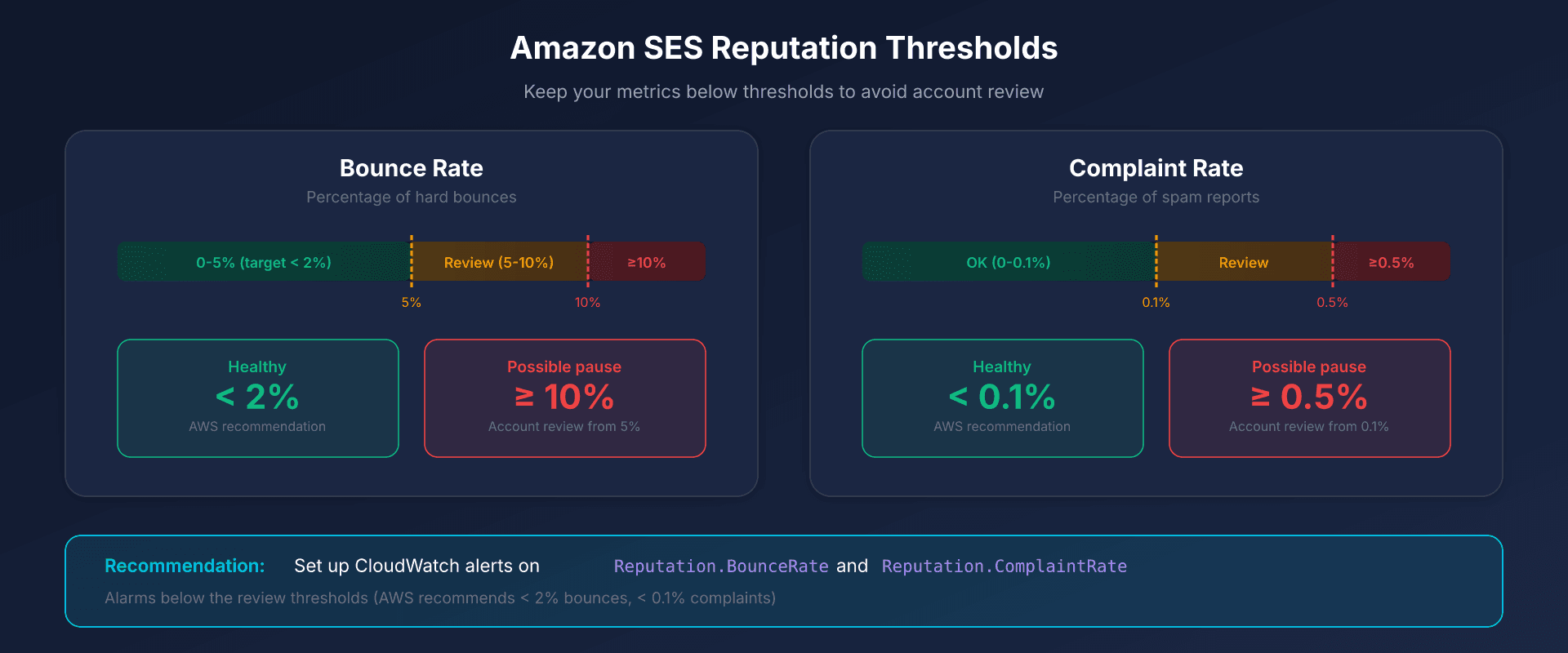
| Metric | Account review | Possible pause |
|---|---|---|
| Bounce Rate | 5% | 10% |
| Complaint Rate | 0.1% | 0.5% |
AWS recommends keeping bounces below 2%.
Best practices:
- Check that the account-level suppression list is enabled (the default for accounts created since late 2019): it covers hard bounces and complaints
- With tenants, scope the suppression list to each tenant (
SuppressionScope=TENANT): a hard bounce then goes to the tenant's list and to the global list managed by AWS, not to the account's list (tenants: see below) - Configure CloudWatch alerts on
Reputation.BounceRateandReputation.ComplaintRate - Soft bounces: SES retries for up to 14h by default, adjustable from 5 min to 14h in the configuration set (
MaxDeliverySeconds)
SES Tenants: Isolating Reputation per Customer or Application
A drop in deliverability does not always come from DNS. SPF and DKIM can pass while bounces and complaints from one customer, business unit or application damage your reputation.
A tenant is a logical container inside your SES account. You associate identities, configuration sets and templates with it. It has its own reputation metrics: bounces, complaints (including ISP feedback loops) and third-party signals.
To send on behalf of a tenant, pass the TenantName parameter in the v2 API. Over SMTP, add the X-SES-TENANT header together with X-SES-CONFIGURATION-SET. The resources you use must be associated with the tenant, or the send fails.
| Reputation policy | Behavior | Thresholds published by AWS |
|---|---|---|
| Standard (default, recommended) | Paused when SES detects a high-severity issue | Bounces > 15% or complaints > 1% |
| Strict | Paused on any issue, even low severity | Bounces > 10% or complaints > 0.5% |
| None | No pause triggered by the policy; issues are still recorded. SES can still pause the tenant if it detects a severe issue | - |
A paused tenant can no longer send; the other tenants keep sending. Reactivation is manual, through the UpdateReputationEntityCustomerManagedStatus API. A pause applied by the AWS Trust & Safety team requires a Support case. SES publishes detected issues and status changes to EventBridge.
Isolation limits the impact of one source, but the combined activity of all tenants still counts toward the account's reputation, and the account thresholds still apply.
Tenants do not replace SPF, DKIM, DMARC or Custom MAIL FROM.
A tenant is regional and is not replicated: to send from several regions in Europe, create it in each one. No nesting, 10,000 tenants by default (up to 300,000 on request). Tenants are billed on top, per tenant and per month: see the SES pricing page.
Pay-As-You-Go Pricing
| Component | Price |
|---|---|
| Emails sent | $0.10 / 1,000 |
| Outbound data (attachments) | $0.12 / GB |
| Standard dedicated IP | $24.95 / month / IP |
| Managed Dedicated IPs | $15 / month + $0.08 to $0.02 / 1,000, decreasing with volume |
| Virtual Deliverability Manager | $0.07 / 1,000 emails |
SES plans: since July 21, 2026, new accounts (and regions of an existing account with no metered SES activity since June 1, 2025) start on the Essentials plan, at $0.16 / 1,000 emails up to 10 million per month, with no fixed fee. You can switch to the pay-as-you-go pricing above at any time.
New AWS accounts: up to $200 in Free Tier credits, which can be used on SES among other services.
Action Plan: 6-Step Configuration
- Create a domain identity in the SES console (European region of your choice)
- Configure Easy DKIM: publish the 3 CNAMEs provided by SES
- Wait for verification: up to 72h for DNS propagation
- Configure Custom MAIL FROM: create the subdomain with MX and SPF TXT
- Publish the DMARC record: start with
p=none, monitor reports - Exit sandbox: submit the production access request
Technical guides: other transactional email platforms
Discover our complete guides for other transactional email solutions:
- Postmark: DKIM configuration and REST API - Deliverability specialist, 1024-bit DKIM, Message Streams
- SendGrid: domain authentication and Web API v3 - 2048-bit DKIM with rotation, dedicated IP from 50k/month
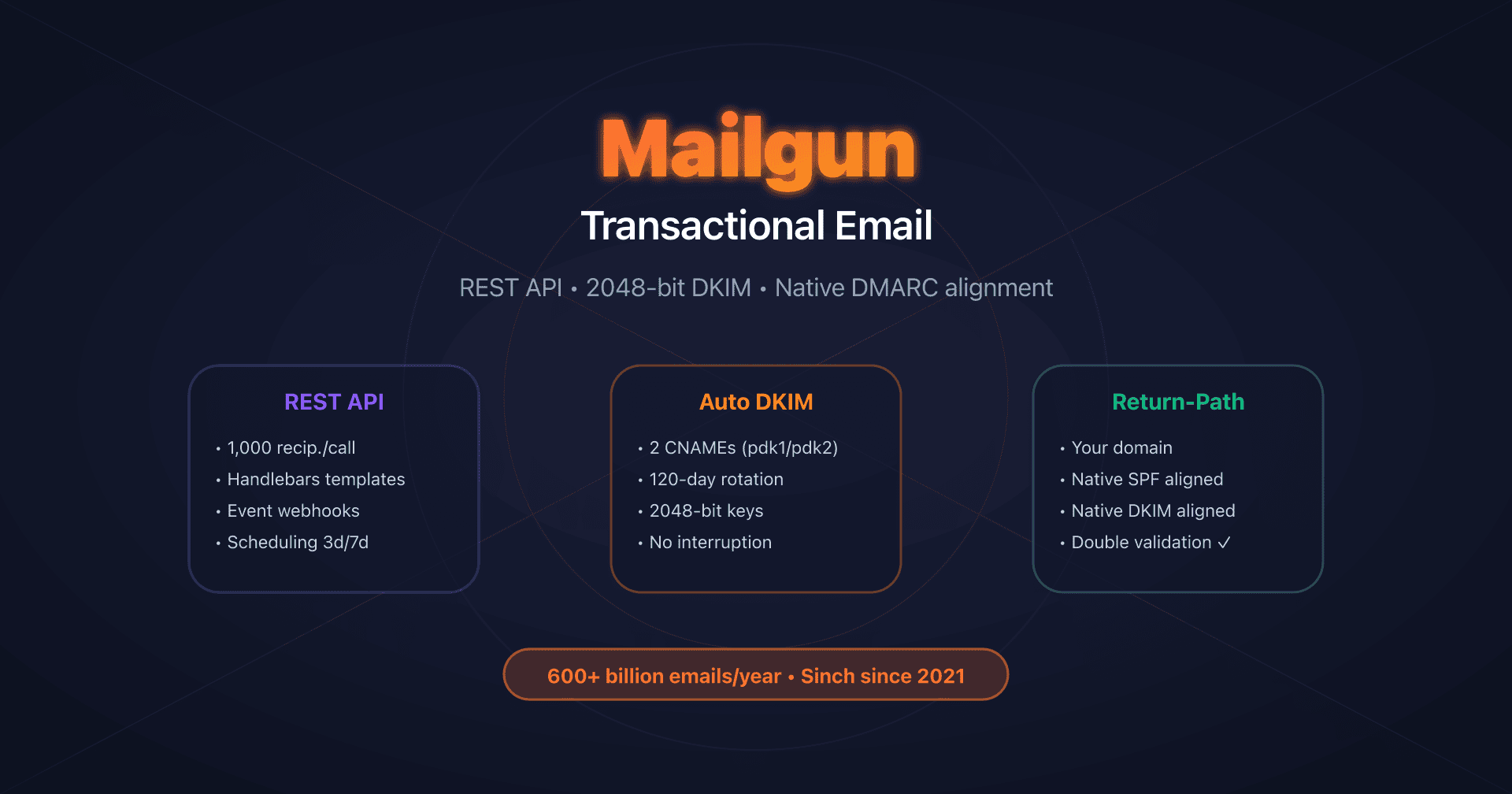
- Mailgun: DKIM with automatic rotation - Native Return-Path, 120-day DKIM rotation
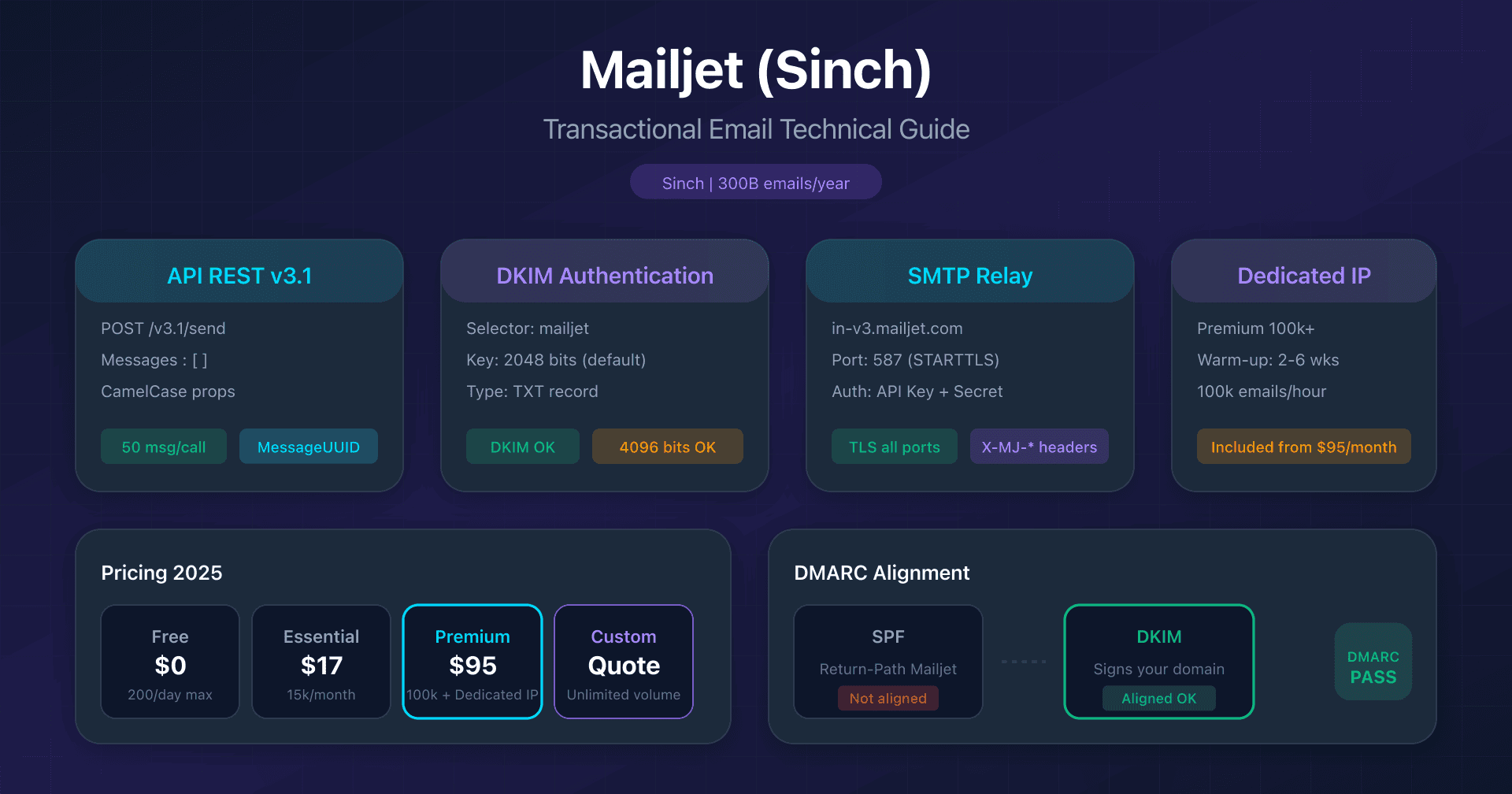
- Mailjet: API v3.1 and DKIM configuration - 2048/4096-bit DKIM, Sinch acquisition
- Mandrill: Mailchimp transactional integration - Mailchimp Standard prerequisite, 25k email blocks
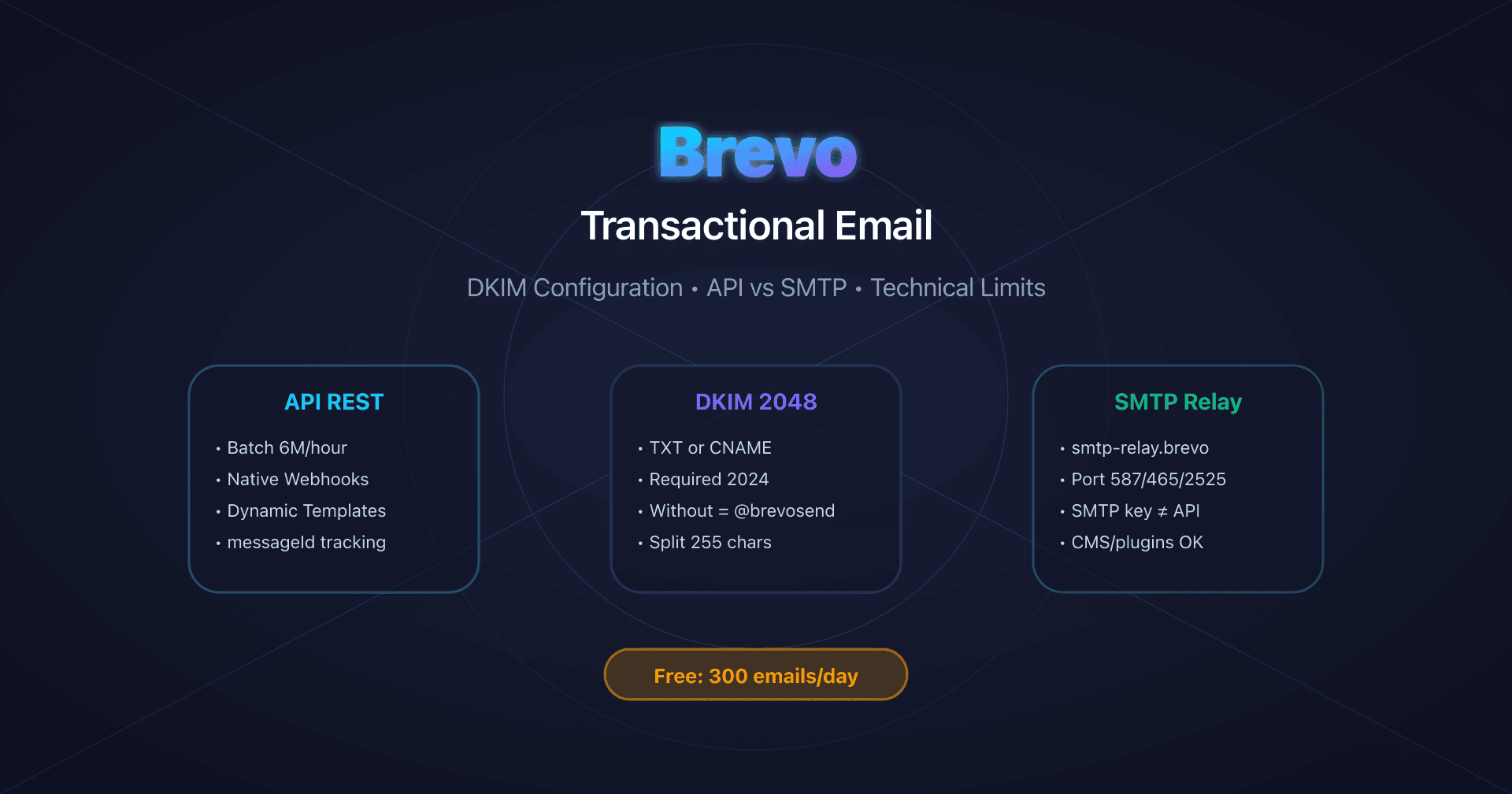
- Brevo: DKIM and SPF configuration - 300 free emails/day, DKIM TXT or CNAME
FAQ
Is Custom MAIL FROM configuration mandatory?
For SPF DMARC alignment, yes. Without Custom MAIL FROM, SPF authenticates with amazonses.com, which breaks alignment. If you rely solely on DKIM for DMARC (which works), Custom MAIL FROM is still recommended for defense in depth.
Which European region should I choose for GDPR?
SES offers 7 regions in Europe (Frankfurt, Ireland, London, Paris, Stockholm, Milan, Zurich), of which London and Zurich are outside the EU. Choose based on latency and SMTP availability (Milan and Zurich don't have SMTP endpoints).
Are all 3 Easy DKIM CNAMEs active simultaneously?
AWS does not document the role of each CNAME. Publish all three: SES manages the keys and their rotation with no DNS action on your side.
How do I test the configuration before sending in production?
In sandbox, send to verified addresses. Use aws sesv2 send-email with a configuration set configured to publish events to SNS or CloudWatch. Verify the received DKIM and SPF headers.
My bounce rate is rising while SPF and DKIM pass: is it a DNS problem?
Not necessarily. SPF and DKIM authenticate the sender; they say nothing about the quality of the list. Bounces and complaints from one source (a customer, a business unit, an application) weigh on your reputation. Start by identifying the source that generates the bounces. If several customers or applications share the account, isolate them in SES tenants to limit the impact of one on the others. The account thresholds still apply.
Glossary
-
Easy DKIM: SES method that automatically generates and manages DKIM keys via 3 CNAME records, with automatic rotation.
-
Custom MAIL FROM: Subdomain configured to replace the default MAIL FROM domain (
amazonses.com), required for SPF DMARC alignment. -
BYODKIM: Bring Your Own DKIM - option to use your own DKIM keys instead of SES-generated ones (1 single TXT record).
-
Configuration Set: Set of SES rules for tracking, event notifications, and TLS policies.
-
Tenant: Logical container inside an SES account, with its own reputation, to which identities, configuration sets and templates are associated.
-
Sandbox: Initial mode of SES accounts limiting sending to 200 emails/day to verified addresses only.
-
Virtual Deliverability Manager (VDM): Paid SES feature offering a metrics dashboard and automated deliverability recommendations.
Official Sources
- Amazon SES Developer Guide
- SES Pricing
- SES Quotas
- SES tenants: reputation isolation (AWS documentation)
- Tenant-level suppression list (AWS documentation)
- AWS announcement, August 2025: tenant isolation and automated reputation policies
- AWS blog: implementing tenants in Amazon SES, part 3 (policy thresholds)