Mailjet: Complete Technical Guide for Transactional Email in 2026
By CaptainDNS
Published on January 20, 2026
Updated on July 30, 2026
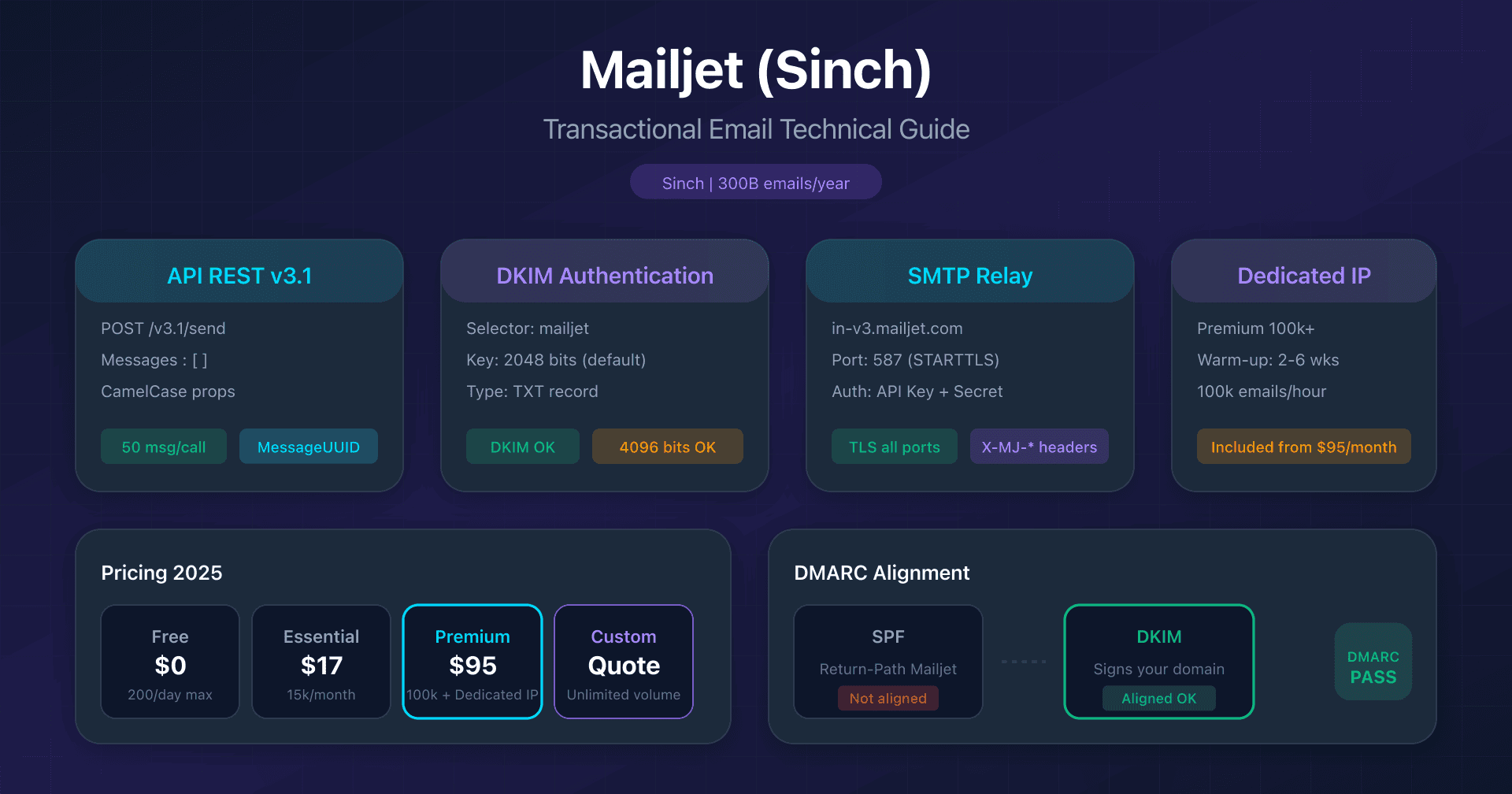
- Mailjet (Sinch) processes 300+ billion emails/year with a modern v3.1 API limited to 50 messages per call.
- DKIM is mandatory:
mailjetselector, 2048-bit keys by default since April 2024, 4096-bit available. - SPF alignment fails by default (Return-Path on Mailjet domain): rely on DKIM alone for DMARC.
- Dedicated IP included from Premium 100k plan ($95/month) with mandatory 2-6 week warm-up.
- Free plan: 6,000 emails/month but limited to 200/day, ideal for dev/staging.
Introduction
Mailjet has established itself as a major player in transactional email in Europe, founded in 2010 in Nantes before being acquired by Sinch in December 2021 for $1.9 billion. Today, the platform processes more than 300 billion emails per year and serves over 100,000 paying customers in 150+ countries.
But behind the marketing interface and drag-and-drop editor lie critical technical subtleties: differences between API v3 and v3.1, DKIM configuration with key size choices, DMARC alignment failing by default for SPF, strict Free plan limits (only 200 emails/day), and dedicated IP constraints with mandatory warm-up.
This guide is intended for developers, DevOps, and system admins integrating Mailjet for transactional email. We detail the blocking points, critical configurations, and technical choices based on your stack and volumes.
Mailjet in the Sinch Ecosystem
History and Acquisitions
Mailjet was founded in 2010 in Nantes by Wilfried Durand and Julien Tartarin through eFounders (now Hexa). The acquisition timeline:
| Date | Event |
|---|---|
| February 2011 | Public launch |
| October 2019 | Acquisition by Mailgun (Thoma Bravo) |
| December 2021 | Acquisition by Sinch for $1.9B |
| 2025 | 300+ billion emails/year |
Positioning vs Mailgun
Within the Sinch ecosystem, the differentiation is clear:
| Platform | Target | Strength |
|---|---|---|
| Sinch Mailjet | Marketers, SMBs | Intuitive interface, collaborative editor |
| Sinch Mailgun | Developers | API-first, 20+ APIs, advanced SDKs |
| Sinch Email on Acid | Email QA | Testing and cross-client preview |
Key figure: during Black Friday 2025, Mailjet and Mailgun delivered 20.4 billion emails in November (+32% YoY).
REST API: v3 vs v3.1
Mailjet offers two versions of its Send API. The v3.1 is recommended for new projects.
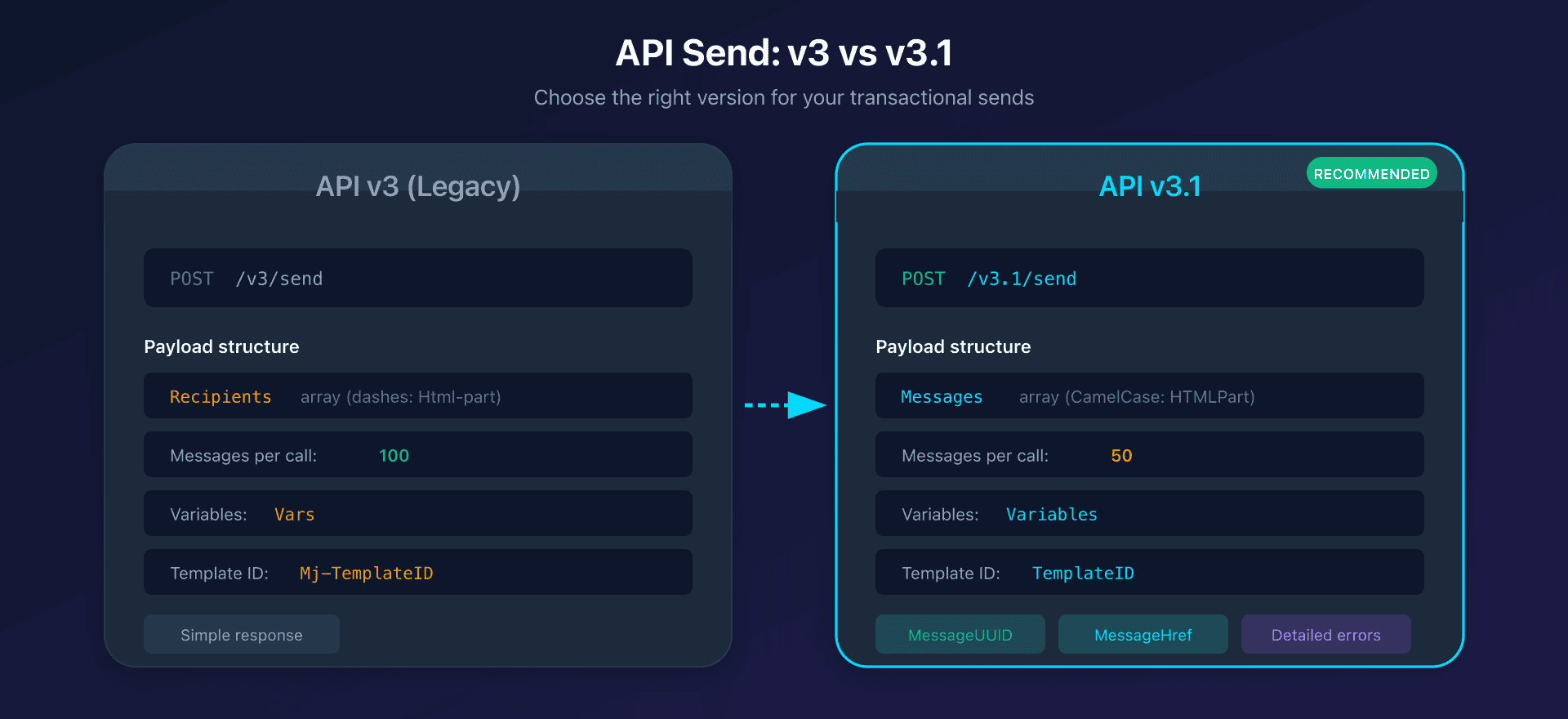
Key Differences
| Feature | v3 | v3.1 (recommended) |
|---|---|---|
| Endpoint | POST /v3/send | POST /v3.1/send |
| Payload structure | Recipients array | Messages array mandatory |
| Property naming | Dashes (Html-part) | CamelCase (HTMLPart) |
| Messages per call | 100 | 50 |
| Variables | Vars | Variables |
| Templates | Mj-TemplateID | TemplateID |
| Response | Simple status | Detailed with MessageUUID, MessageHref |
v3.1 Request Structure
{
  "Messages": [{
    "From": {"Email": "sender@captaindns.com", "Name": "Sender"},
    "To": [{"Email": "dest@captaindns.com", "Name": "Recipient"}],
    "Subject": "Order confirmation {{var:order_id}}",
    "HTMLPart": "<h1>Thank you {{var:firstname}}</h1>",
    "Variables": {"firstname": "John", "order_id": "12345"},
    "TemplateID": 12345,
    "TemplateLanguage": true
  }]
}
API Authentication
Authentication uses Basic Auth with:
- Username: API Key (public)
- Password: Secret Key (private)
curl -X POST https://api.mailjet.com/v3.1/send \
  -u "$API_KEY:$SECRET_KEY" \
  -H "Content-Type: application/json" \
  -d '{"Messages": [...]}'
Recommendation: rotate the Secret Key every 90 days.
Official SDKs
| Language | Package | Installation |
|---|---|---|
| PHP | mailjet-apiv3-php | composer require mailjet/mailjet-apiv3-php |
| Node.js | node-mailjet | npm install node-mailjet |
| Python | mailjet-rest | pip install mailjet-rest |
| Go | mailjet-apiv3-go | go get github.com/mailjet/mailjet-apiv3-go/v4 |
| Java | mailjet-client | Maven com.mailjet:mailjet-client:6.0.0 |
| Ruby | mailjet-gem | gem install mailjet |
| C#/.NET | Mailjet.Api | NuGet Mailjet.Api |
Important limitation: Mailjet does not support the send_at parameter for transactional emails. Scheduling is only available for marketing campaigns via /campaigndraft.
SMTP Relay
SMTP relay remains relevant for existing infrastructure and legacy CMS.
Configuration
SMTP Server: in-v3.mailjet.com
Ports: 25 (STARTTLS), 465 (SSL/TLS), 587 (recommended), 2525 (alternate)
Username: [API Key]
Password: [Secret Key]
Encryption: TLS supported on all ports
X-Mailjet-* Headers for Advanced Features
| Header | Usage |
|---|---|
X-MJ-CustomID | Custom identifier for tracking |
X-MJ-EventPayload | Payload returned in webhooks |
X-MJ-Campaign | Message grouping |
X-MJ-TemplateID | Mailjet template ID |
X-MJ-TemplateLanguage | Enable template engine (true) |
X-MJ-Vars | JSON variables for personalization |
X-MJ-TrackOpen / X-MJ-TrackClick | Tracking override (0/1) |
SMTP vs API: When to Choose What?
Prefer SMTP if:
- Existing infrastructure (Postfix, Sendmail)
- CMS without SDK (legacy WordPress, Drupal)
- Systems without native HTTP capability
Prefer API if:
- New developments
- Need for immediate responses (MessageUUID)
- Advanced personalization (templates, variables)
- Fine-grained error handling
DKIM Configuration: The Critical Point
Why DKIM is Mandatory
Since the Gmail/Yahoo requirements of February 2024, DKIM authentication has been essential. Without DKIM configured, your emails risk going to spam or being rejected.
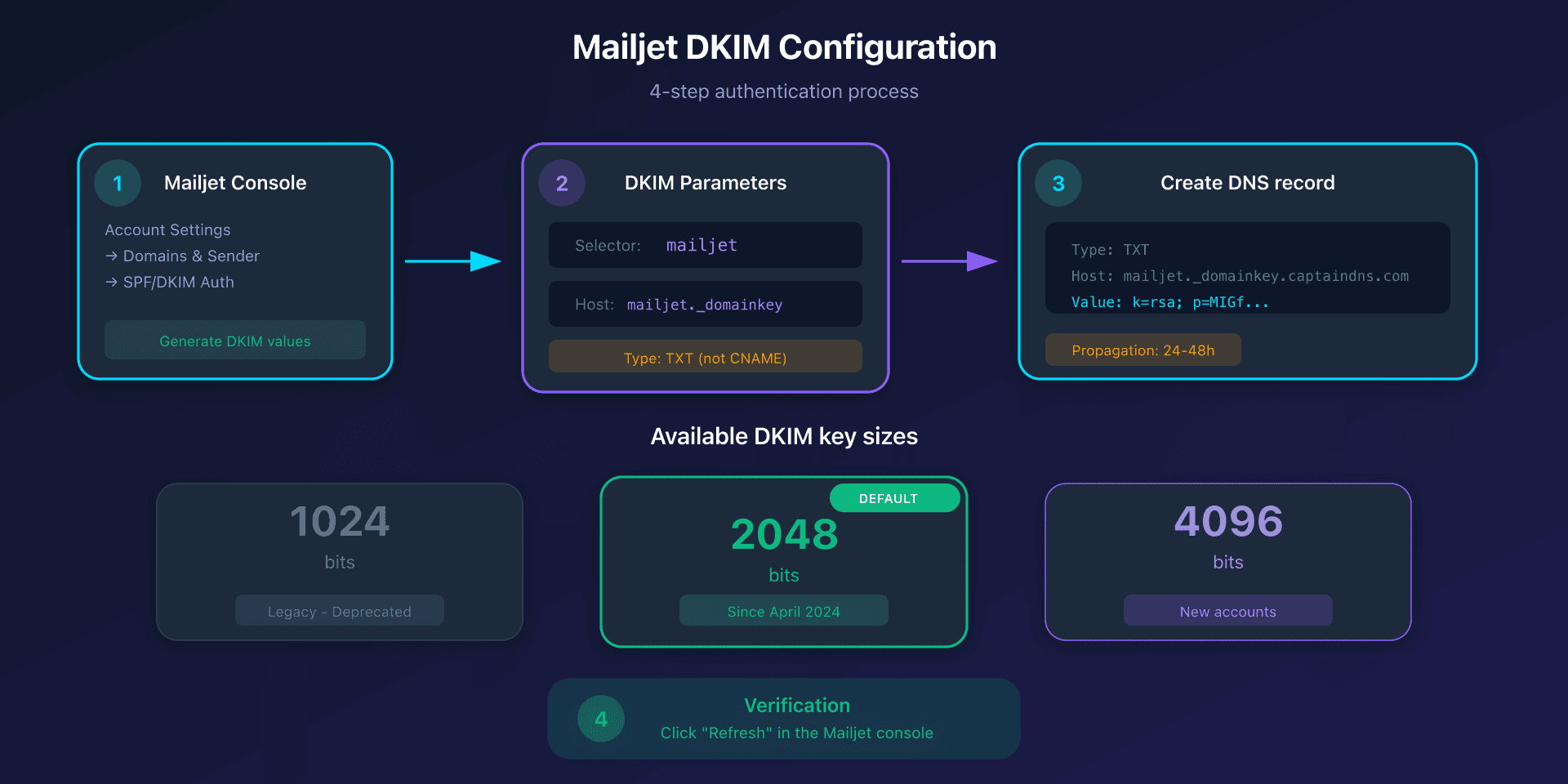
Configuration Process
- Account Settings → Domains & Sender addresses → SPF/DKIM Authentication
- Add the domain if not listed
- Click Setup SPF/DKIM Authentication
- Copy the DKIM values provided
- Create the TXT record in your DNS
- Click Refresh to verify
Mailjet DKIM Parameters
| Parameter | Value |
|---|---|
| Selector | mailjet |
| DNS Hostname | mailjet._domainkey.captaindns.com |
| Type | TXT (not CNAME) |
Available Key Sizes
| Size | Status | Recommendation |
|---|---|---|
| 1024 bits | Legacy | Maximum compatibility |
| 2048 bits | Default since April 2024 | Recommended |
| 4096 bits | Available (new accounts) | Maximum security |
Example DKIM record:
Type: TXT
Host: mailjet._domainkey
Value: k=rsa; p=MIGfMA0GCSqGSIb3DQEBA...[public key]...QIDAQAB
TTL: 300
Key rotation: available via Account → Domains → Regenerate Key. Requires DNS update after regeneration.
SPF, DKIM and DMARC Alignment
The SPF Alignment Problem
By default, Mailjet uses its own domain for the Return-Path (bnc3.mailjet.com). Consequence: SPF alignment systematically fails for DMARC.
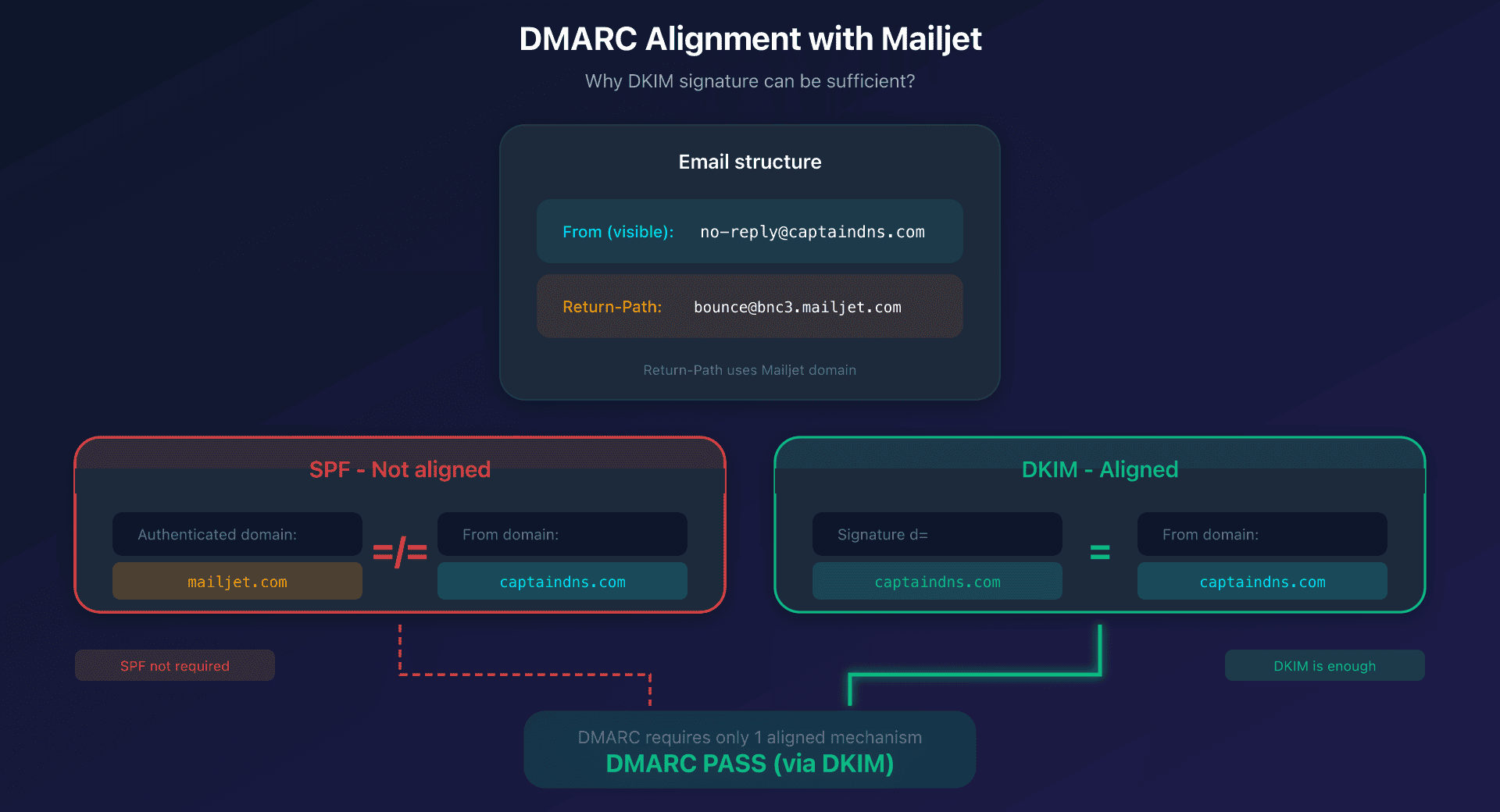
How DMARC Works with Mailjet
| Method | Authenticated Domain | From Domain | Alignment? | DMARC Result |
|---|---|---|---|---|
| SPF | mailjet.com (Return-Path) | captaindns.com | No | Does not contribute |
| DKIM | captaindns.com (d= signature) | captaindns.com | Yes | DMARC passes |
Strategy: rely on DKIM alone for DMARC compliance. A single aligned mechanism is enough.
Enable SPF Alignment (optional, paid accounts)
If you want SPF alignment (double DMARC validation):
- Create a CNAME:
bnc3.captaindns.com CNAME bnc3.mailjet.com - Submit a support ticket to Mailjet with DNS screenshot and API key
- Mailjet enables custom Return-Path (limited to one per API key)
Note: this configuration is reserved for paid accounts and requires support intervention.
Recommended DMARC Configuration
# Phase 1 - Monitoring
_dmarc TXT "v=DMARC1; p=none; rua=mailto:dmarc@captaindns.com"

# Phase 2 - Quarantine
_dmarc TXT "v=DMARC1; p=quarantine; rua=mailto:dmarc@captaindns.com"

# Phase 3 - Reject
_dmarc TXT "v=DMARC1; p=reject; rua=mailto:dmarc@captaindns.com"
Dedicated vs Shared IP
Thresholds for Dedicated IP
| Criterion | Threshold |
|---|---|
| Absolute minimum | 100,000 emails/month |
| ISP recommendation | 150,000 emails/month + 5,000/day |
| Included free | Premium 100k+ and Custom plans |
Warm-up Process
A new dedicated IP requires mandatory warm-up:
| Parameter | Value |
|---|---|
| Type | Manual, guided by Mailjet deliverability team |
| Start | ~300 emails day 1 |
| Progression | +20% per day |
| Duration | 2-6 weeks depending on volume and engagement |
| Contact | Support/sales mandatory (no self-service) |
When to Stay on Shared IP?
Stay on shared IP if:
- Volume below 100,000 emails/month
- Irregular or sporadic sends
- Pure transactional at low volume
- No resources to manage warm-up
Switch to dedicated IP if:
- Regular volume above 150,000 emails/month
- Need to separate marketing and transactional traffic
- Whitelisting or compliance requirements
- Resources to monitor reputation
2025 Pricing
Available Plans
| Plan | Price/month | Emails/month | Emails/day | Dedicated IP |
|---|---|---|---|---|
| Free | $0 | 6,000 | 200 | No |
| Essential 15k | $17 | 15,000 | Unlimited | No |
| Premium 15k | $27 | 15,000 | Unlimited | No |
| Premium 100k | $95 | 100,000 | Unlimited | Included |
| Premium 500k | $470 | 500,000 | Unlimited | Included |
| Custom | Quote | Custom | Unlimited | Included |
Annual discount: 10% on all plans.
Features by Plan
| Feature | Free | Essential | Premium |
|---|---|---|---|
| APIs, SMTP, Webhooks | Yes | Yes | Yes |
| Mailjet logo | Present | Removed | Removed |
| Segmentation | No | Yes | Yes |
| Automation | No | No | Yes |
| A/B Testing | No | No | Yes (10 versions) |
| Multi-users | No | No | Yes |
| Dedicated IP | No | No | Yes (100k+) |
| SSO | No | No | Yes (100k+) |
Additional Costs
- Overage: $2.24/1,000 (low tiers), $1.04/1,000 (high tiers)
- Email validations: 500/month (Essential), 2,000/month (Premium 100k+)
- Nonprofit discount: 20% on monthly plans
- No credit rollover: unused emails expire at end of cycle
Technical Limits
Rate Limits
| Element | Limit |
|---|---|
| Test Mode accounts | 10 emails/hour |
| Free plan | 200 emails/day |
| SMS API | 6 requests/second |
| Dedicated IP | ~100,000 emails/hour |
| Messages v3 per call | 100 |
| Messages v3.1 per call | 50 |
Throttling: HTTP code 429 Too Many Requests with error MJ-002: Exceeded API Rate Limit.
Platform Quotas
| Element | Limit |
|---|---|
| Maximum email size | 15 MB |
| Recipients per call (v3) | 50 |
| Message objects per payload (v3.1) | 100 |
| HTML size (before Gmail clipping) | 102 KB |
| Image upload | 2 MB (recommended less than 200 KB) |
| Contacts Free plan | 1,000 |
Bounce Handling
| Type | Mailjet Behavior |
|---|---|
| Hard bounce | Automatic block for 90 days |
| Soft bounce | Retry for 24h then marked soft-bounced |
| Spam complaint | Systematic block via FBL |
| Unsubscribe | Automatic removal from lists |
Webhooks and Event API
Available Events
| Event | Description |
|---|---|
sent | Email accepted by destination SMTP server |
delivered | Delivery confirmed |
open | Open detected |
click | Link click |
bounce | Bounce (hard or soft) |
blocked | Pre-blocked by Mailjet |
spam | Marked as spam |
unsub | Unsubscribe |
Webhook Configuration
POST /v3/REST/eventcallbackurl
{
  "EventType": "open",
  "Url": "https://captaindns.com/webhook",
  "Version": 2
}
Retry logic: attempts every 30 seconds for 24h if non-200. URL suspended after repeated failures.
Security: HTTPS with Basic Auth recommended (https://user:pass@captaindns.com/webhook).
Template Language
Mailjet uses Jinja2/Twig-like syntax:
Variables
Mailjet offers four types of variables:
- API variable:
var:namesyntax for data passed via the API - Default value:
var:name:"default"syntax if the variable is absent - Contact data:
data:propertysyntax for persistent contact properties - Predefined variable:
mj:contact.emailsyntax for system data
Conditionals and Loops
Conditional:
{% if var:totalorders > "5" %}
VIP promo code: -10%
{% else %}
Welcome new customer!
{% endif %}

Loop:
{% for item in var:products %}
Product: item.name - item.price EUR
{% endfor %}
Compliance and Certifications
| Certification | Status |
|---|---|
| ISO 27001 | Yes (first pure ESP certified, 2017) |
| ISO 27701 | Yes (privacy extension) |
| SOC 2 Type II | Yes (~400 controls) |
| PCI DSS | Yes |
| HIPAA | On request |
| GDPR | First company certified AFAQ GDPR (2018) |
Data: exclusive storage in the EU (Google Cloud Platform).
Account security:
- Two-factor authentication (2FA) via TOTP apps (Google Authenticator, Authy)
- SSO and SAML on Premium 100k+ plans (Okta, Azure AD, Auth0)
- Login Challenge for unknown IPs (since March 2024)
Action Plan: Getting Started in 7 Steps
1. Create Account and Generate Credentials
- Create a Mailjet account (Free possible)
- Generate API Key + Secret Key in Account Settings → API Key Management
- Note both: API Key (public) and Secret Key (private, to protect)
2. Add and Validate Sender
- Create a sender in Account Settings → Senders & Domains
- Validate the address via the link received by email
3. Configure DKIM (mandatory)
- Go to Domains & Sender addresses → SPF/DKIM Authentication
- Copy the DKIM values generated by Mailjet
- Create the TXT record at your registrar:
- Name:
mailjet._domainkey - Value: the provided public key
- Name:
- Wait for propagation (24-48h max)
- Click Refresh to verify
4. Configure SPF (optional)
If you want the SPF include:
v=spf1 include:spf.mailjet.com ~all
Note: the SPF include alone is not enough for DMARC alignment (see alignment section).
5. Choose Sending Method
Option A: REST API v3.1
- Implement the
POST /v3.1/sendendpoint - Use SDKs if available in your stack
- Create templates in Templates if needed
Option B: SMTP relay
- Configure your app with:
- Host:
in-v3.mailjet.com - Port:
587(STARTTLS) - User: API Key
- Password: Secret Key
- Host:
6. Configure Webhooks
- Account Settings → Event tracking (Webhooks)
- Create endpoints for:
delivered,bounced,opened,clicked,spam - Secure with HTTPS + Basic Auth
7. Test and Monitor
- Send a test email
- Check in Stats that sending is OK
- Check the received email headers (DKIM pass, correct From domain)
- Monitor the dashboard for metrics
Technical guides: other transactional email platforms
Discover our complete guides for other transactional email solutions:
- Postmark: DKIM configuration and REST API - Deliverability specialist, 1024-bit DKIM, Message Streams
- SendGrid: domain authentication and Web API v3 - 2048-bit DKIM with rotation, dedicated IP from 50k/month
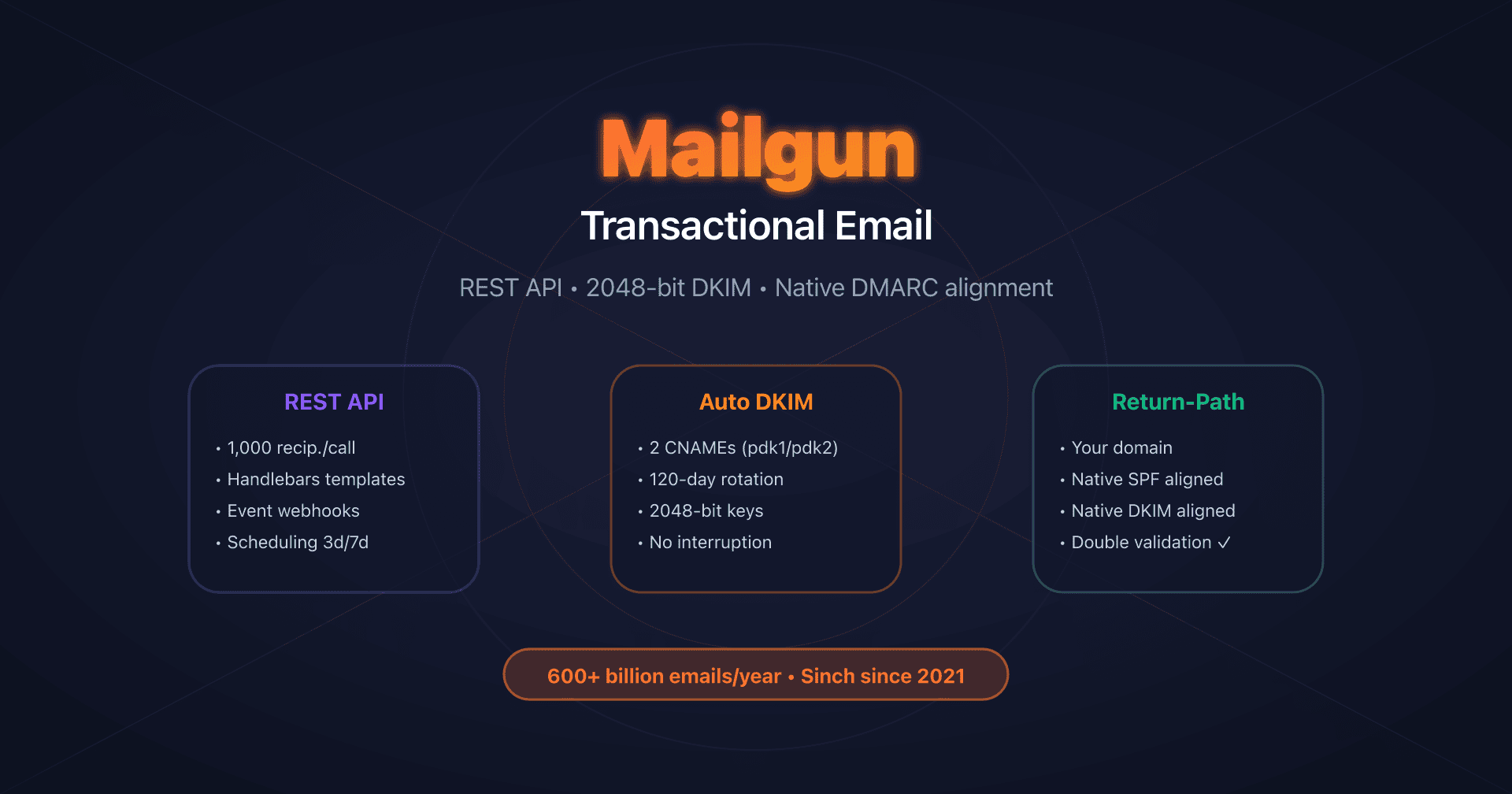
- Mailgun: DKIM with automatic rotation - Native Return-Path, 120-day DKIM rotation
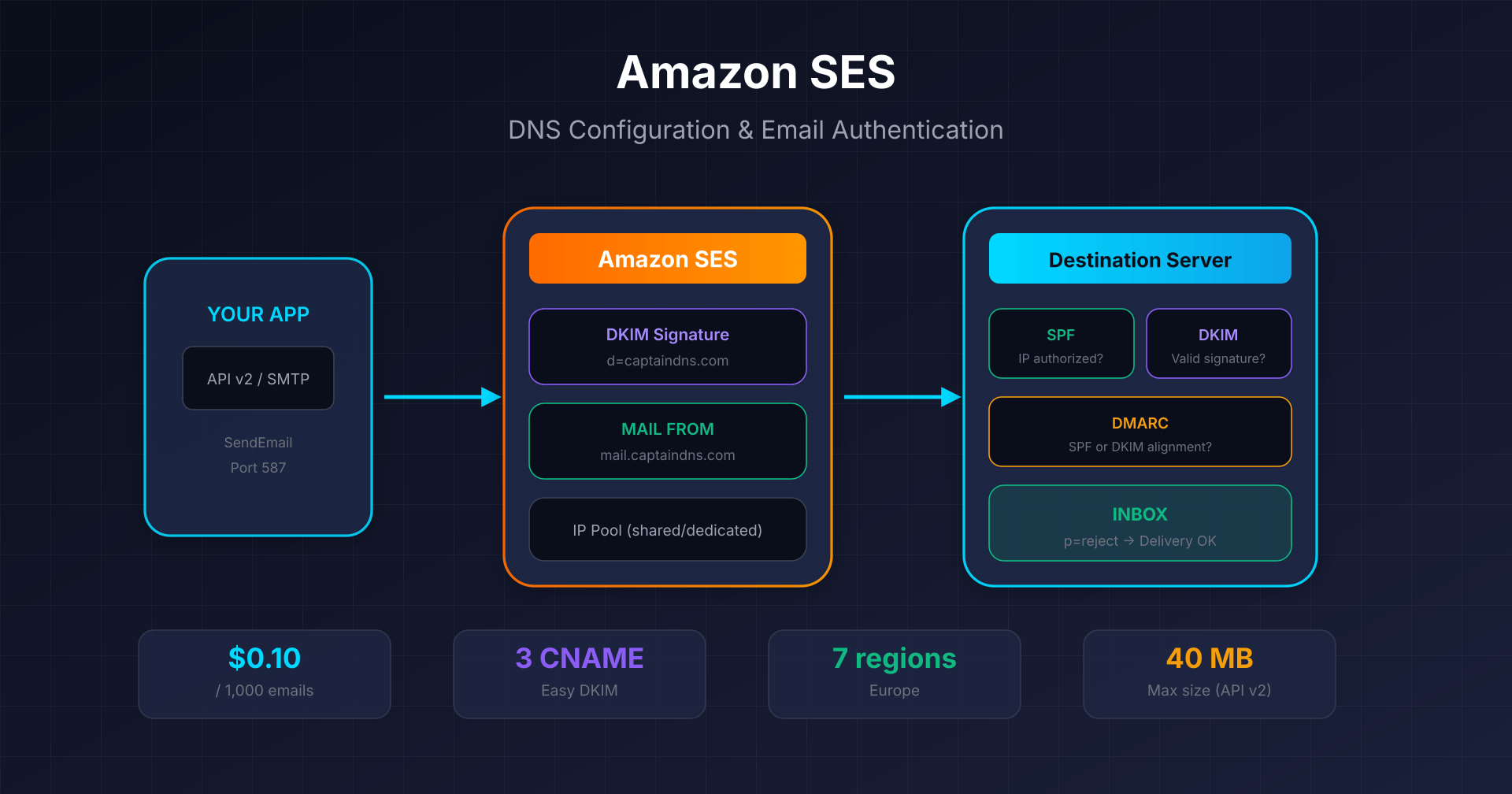
- Amazon SES: Easy DKIM and Custom MAIL FROM - $0.10 per 1,000 emails, 7 regions in Europe
- Mandrill: Mailchimp transactional integration - Mailchimp Standard prerequisite, 25k email blocks
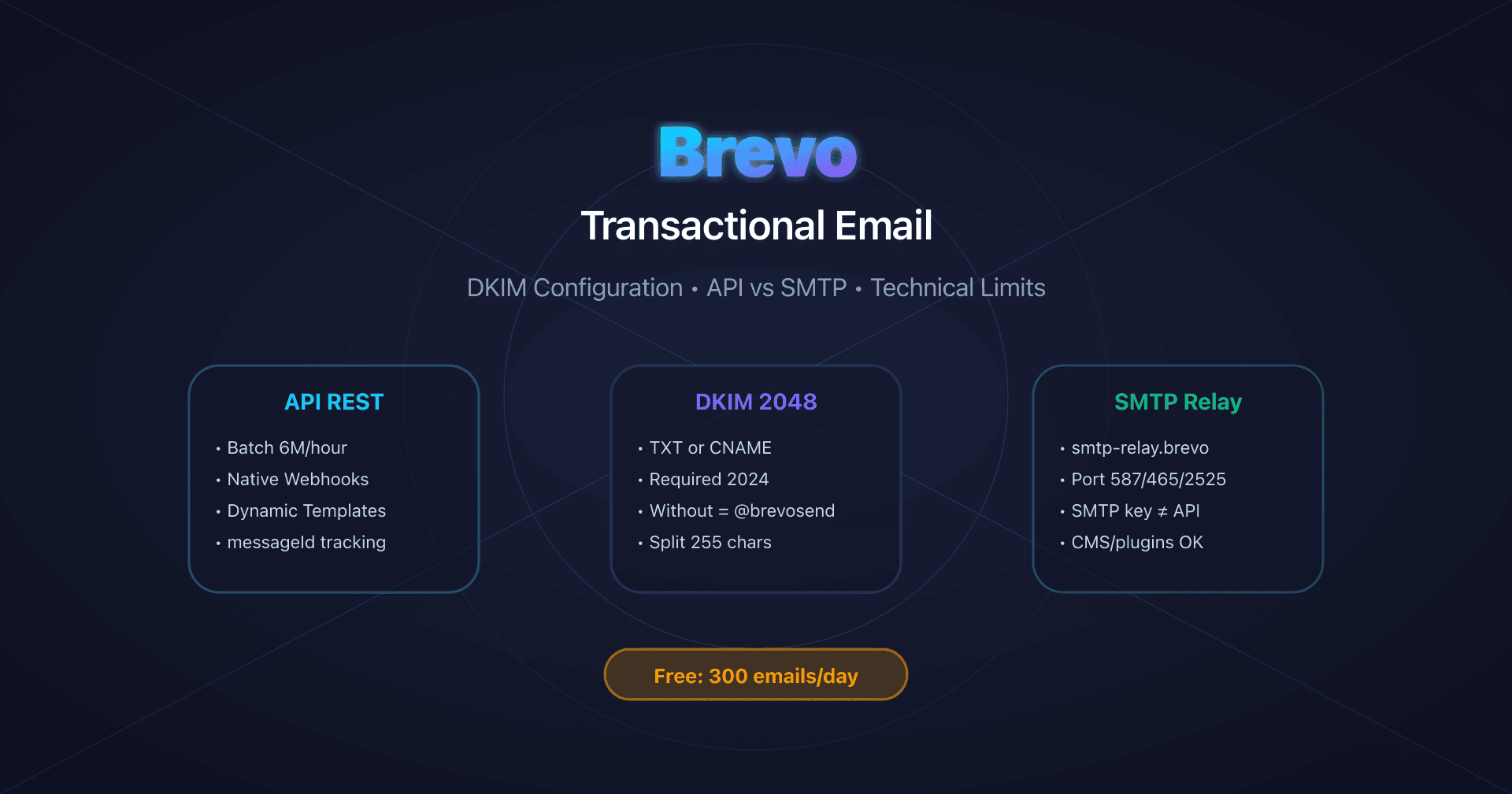
- Brevo: DKIM and SPF configuration - 300 free emails/day, DKIM TXT or CNAME
FAQ
What is the difference between API v3 and v3.1?
The v3.1 uses CamelCase property names (HTMLPart) vs dashes (Html-part), limits messages to 50 per call (vs 100), and returns more detailed responses with MessageUUID and MessageHref. The v3.1 is recommended for new projects.
Why does SPF alignment fail with Mailjet?
Mailjet uses its own domain for the Return-Path (bnc3.mailjet.com). DMARC checks alignment between the domain authenticated by SPF and the From domain. Since these domains differ, SPF does not contribute to DMARC. Solution: rely on DKIM alone, which passes in alignment.
Do I need to add include:spf.mailjet.com in my SPF?
It's not mandatory and doesn't change DMARC alignment. The SPF include can be useful for basic SPF validation, but DKIM alone is sufficient to pass DMARC with Mailjet. SPF alignment is only possible with a custom Return-Path (paid accounts, support required).
Is the Free plan sufficient for a production app?
Yes, if your volume is 200 emails/day or less (note: the Free plan offers 6,000/month but is limited to 200/day). All transactional features (API, SMTP, webhooks) are available. Ideal for MVP, staging, or very low volume apps.
What DKIM key size should I choose?
2048 bits has been the default since April 2024 and suits the majority of cases. 4096 bits is available for new accounts if you want maximum security. 1024 bits is legacy and not recommended except for specific compatibility constraints.
When do I need a dedicated IP?
If you send more than 100,000 emails/month regularly, if you need to isolate your transactional traffic reputation, or if you have whitelisting requirements. Dedicated IP is included in Premium 100k+ plans and requires a 2-6 week warm-up.
How does dedicated IP warm-up work?
Warm-up is a manual process guided by the Mailjet team. It starts at about 300 emails/day and increases by 20% per day for 2 to 6 weeks. You must send daily to establish reputation. Support/sales contact is mandatory for activation.
Can I schedule transactional emails for a specific time?
No, Mailjet does not support the send_at parameter for transactional emails via the Send API. Scheduling is only available for marketing campaigns via the /campaigndraft endpoint. For transactional, you must handle scheduling on the application side.
Glossary
-
SPF (Sender Policy Framework): Authentication protocol that lists servers authorized to send emails for a domain. SPF authenticates the Return-Path domain. With Mailjet, the include is
spf.mailjet.com. -
DKIM (DomainKeys Identified Mail): Authentication protocol that cryptographically signs emails. Mailjet uses the
mailjetselector and offers keys from 1024 to 4096 bits. -
DMARC (Domain-based Message Authentication, Reporting & Conformance): Protocol that verifies alignment between SPF/DKIM and the From header. With Mailjet, only DKIM passes in alignment by default.
-
Return-Path (Envelope From): Technical address used to route the email and handle bounces. At Mailjet, it's
bnc3.mailjet.comby default, which prevents SPF alignment. -
DMARC Alignment: Verification that the authenticated domain (SPF or DKIM) matches the From domain. Relaxed mode (default) accepts subdomains.
-
API Key: Mailjet public identifier used as username for API and SMTP authentication.
-
Secret Key: Mailjet private key used as password. Should be rotated every 90 days.
-
Send API: Mailjet email sending endpoint. Version v3.1 recommended (
POST /v3.1/send). -
Rate limit: Throughput limit. HTTP code 429 when exceeded. v3.1 message limited to 50 per call.
-
Warm-up: Progressive ramp-up process for a dedicated IP. 2-6 weeks at Mailjet.
-
Webhook: HTTP URL called by Mailjet on events (delivered, bounced, etc.). Retry for 24h if failure.