Postmark (ActiveCampaign): Complete Technical Guide to Transactional Email
By CaptainDNS
Published on January 28, 2026
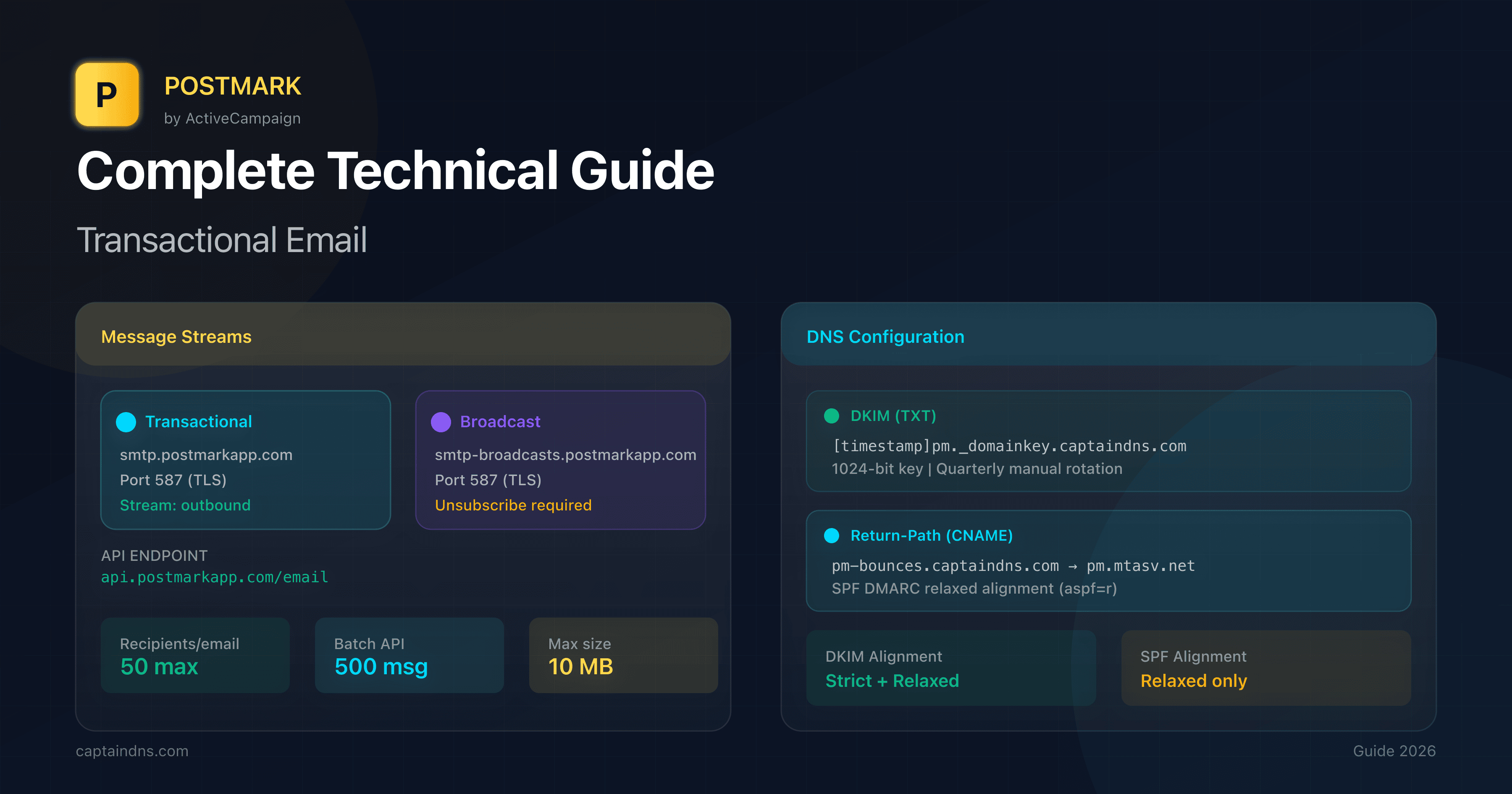
- Postmark, a transactional email specialist acquired by ActiveCampaign in 2022, focuses on exceptional deliverability with strict transactional/broadcast separation via Message Streams.
- Simple REST API at
api.postmarkapp.comwithX-Postmark-Server-Tokenheader, 50 recipients max per email, 500 messages per batch. - 1024-bit DKIM with timestamped selector (
[timestamp]pm._domainkey), quarterly manual rotation recommended. - Custom Return-Path via CNAME
pm-bounces.captaindns.comtopm.mtasv.netfor relaxed SPF DMARC alignment only (not strict). - Dedicated IP at $50/month starting from 300K emails/month, automatic warm-up over 3-6 weeks.
- Plans starting at $15/month for 10K emails (Basic), Free Developer plan limited to 100 emails/month.
Introduction
Postmark has built an excellent reputation in transactional email with a clear philosophy: deliverability above all else. Acquired by ActiveCampaign in May 2022, the service remains a standalone product, keeping its team and technical DNA intact. The platform processes billions of emails with an exclusive focus on transactional messages (order confirmations, password resets, notifications).
Postmark's distinctive feature is its strict separation between transactional and broadcast via Message Streams. This architecture ensures your critical emails are never impacted by marketing campaigns. The shared IP pool is actively monitored to maintain an impeccable reputation.
This guide is intended for developers, DevOps engineers and system architects seeking to integrate Postmark with a complete understanding of the infrastructure: DNS configuration, API vs SMTP choice, IP management, webhooks and technical limits.
REST API vs SMTP Relay: architecture and integration choices
Postmark offers two integration methods, each suited to specific use cases.
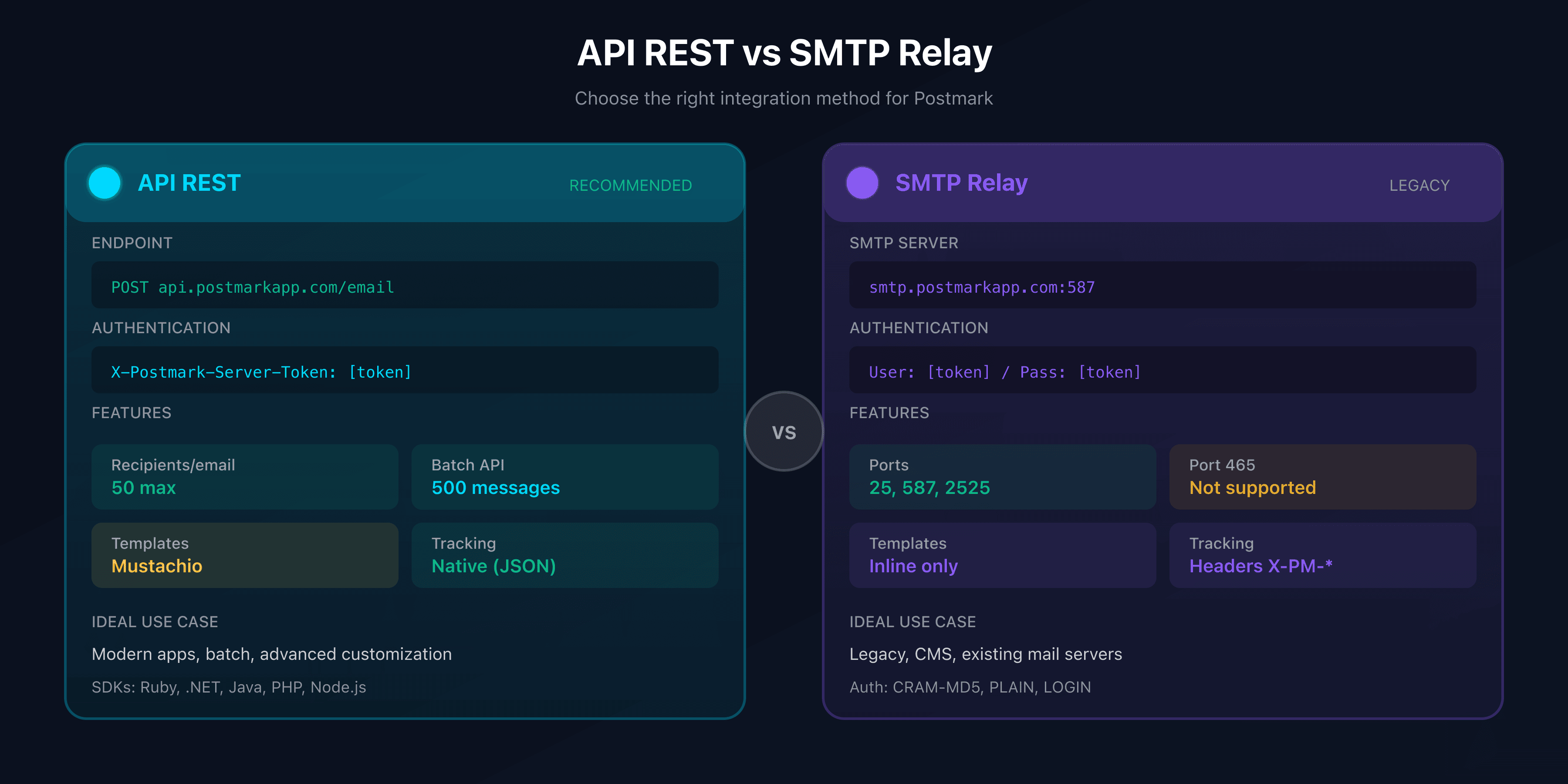
Technical comparison
| Criteria | REST API | SMTP Relay |
|---|---|---|
| Endpoint | POST https://api.postmarkapp.com/email | smtp.postmarkapp.com ports 587/2525 |
| Authentication | Header X-Postmark-Server-Token | Username: API key / Password: API key |
| Recipients/email | 50 max (To + Cc + Bcc) | 50 max |
| Batch | 500 messages/call, 50 MB max | 1 email per connection |
| Max size | 10 MB per email | 10 MB per email |
| Templates | Mustachio (Handlebars-like) | Inline content only |
| Scheduling | Not natively supported | Not natively supported |
| Tracking | Via JSON parameters | Via X-PM-* headers |
| Ideal use case | Modern apps, batch, templates | Legacy, CMS, existing mail servers |
When to choose REST API?
The REST API is the recommended method for any new integration. It offers precise control over every aspect of sending.
Main endpoint: POST https://api.postmarkapp.com/email
Required headers:
Content-Type: application/json
Accept: application/json
X-Postmark-Server-Token: your-server-token
Complete sending example:
curl "https://api.postmarkapp.com/email" \
  -X POST \
  -H "Accept: application/json" \
  -H "Content-Type: application/json" \
  -H "X-Postmark-Server-Token: your-server-token" \
  -d '{
    "From": "notifications@captaindns.com",
    "To": "client@captaindns.com",
    "Subject": "Your DNS analysis is ready",
    "TextBody": "Hello, your DNS report is available.",
    "HtmlBody": "<html><body><strong>Hello</strong>, your DNS report is available.</body></html>",
    "Tag": "dns-report",
    "TrackOpens": true,
    "TrackLinks": "HtmlAndText",
    "MessageStream": "outbound",
    "Metadata": {
      "report_id": "RPT-12345",
      "user_id": "USR-789"
    }
  }'
Expected response (200 OK):
{
  "To": "client@captaindns.com",
  "SubmittedAt": "2026-01-28T10:30:00.1234567-05:00",
  "MessageID": "b7bc2f4a-e38e-4336-af7d-e6c392c2f817",
  "ErrorCode": 0,
  "Message": "OK"
}
Key limits:
- Rate limit: not explicitly published, internal monitoring
- Recipients: 50 max per email (To + Cc + Bcc)
- Batch: 500 messages per call, 50 MB total
- Email size: 10 MB max
Official SDKs: Ruby, .NET, Java, PHP, Node.js. No official Python SDK (use postmarker or python-postmark).
When to choose SMTP Relay?
SMTP Relay is ideal for legacy systems or applications that only support SMTP.
Official configuration:
# Transactional
SMTP server: smtp.postmarkapp.com
Port: 587 (recommended) or 2525 (fallback)

# Broadcast
SMTP server: smtp-broadcasts.postmarkapp.com
Port: 587 or 2525

# Authentication
Username: your-server-api-token
Password: your-server-api-token
Available ports:
| Port | Support | Notes |
|---|---|---|
| 25 | Yes | Standard SMTP |
| 465 | No | Implicit TLS not supported |
| 587 | Yes | Recommended - submission port |
| 2525 | Yes | Alternative port |
Authentication methods: CRAM-MD5 (recommended), DIGEST-MD5, PLAIN, LOGIN.
Proprietary X-PM- headers*:
| Header | Usage | Example |
|---|---|---|
X-PM-Tag | Categorization | X-PM-Tag: password-reset |
X-PM-Message-Stream | Specify stream | X-PM-Message-Stream: outbound |
X-PM-Metadata-* | Custom metadata | X-PM-Metadata-user-id: 12345 |
X-PM-TrackOpens | Open tracking | X-PM-TrackOpens: true |
X-PM-TrackLinks | Link tracking | X-PM-TrackLinks: HtmlAndText |
Domain Authentication: DKIM, Return-Path and DMARC alignment
Domain authentication in Postmark relies on DKIM and a customizable Return-Path. Configuration is done in Sender Signatures or Domain Authentication.
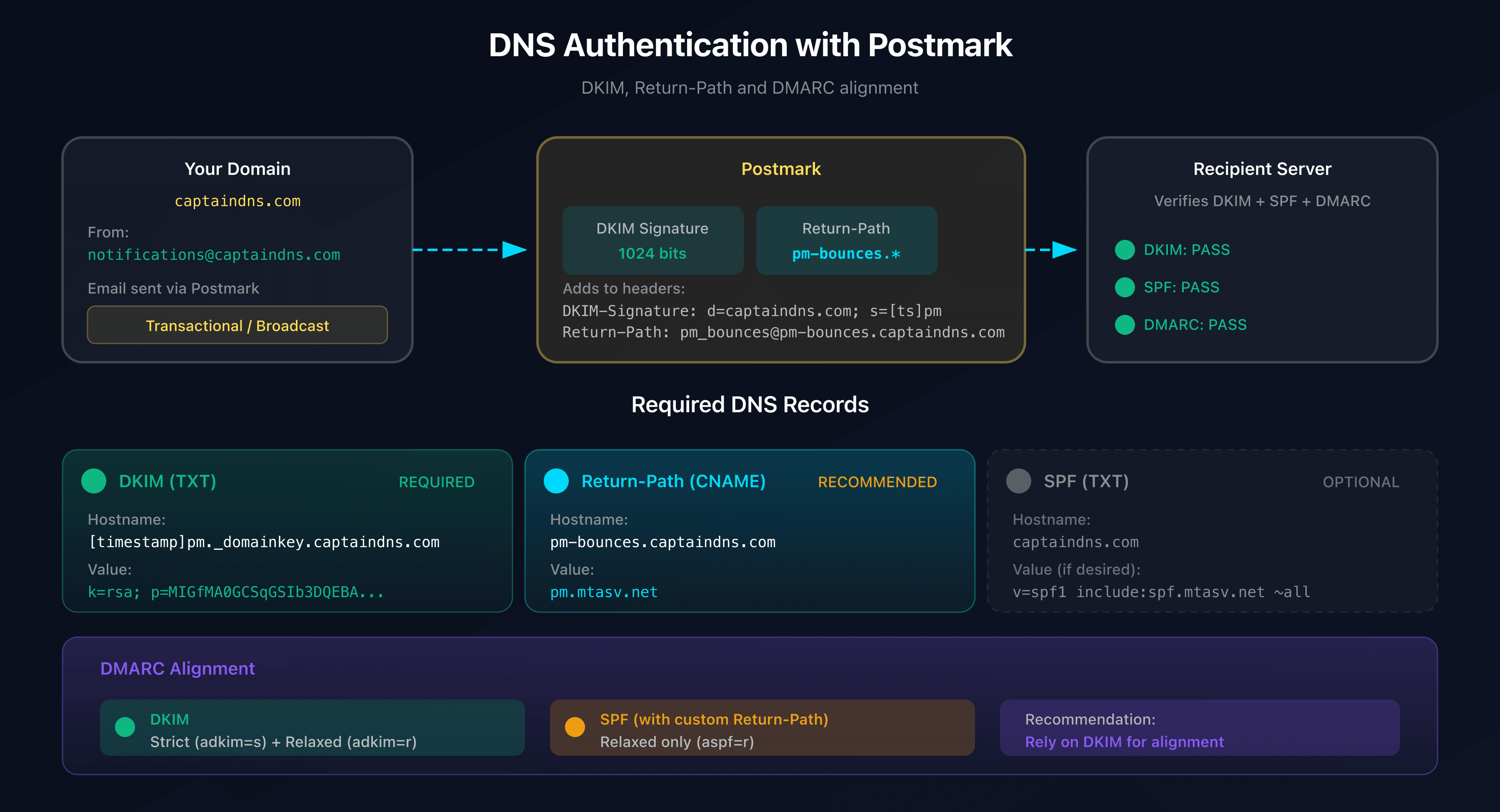
DKIM configuration
Postmark generates a 1024-bit DKIM key with a unique timestamp-based selector.
Selector format: [timestamp]pm._domainkey.captaindns.com
Selector examples:
20260128pm._domainkey.captaindns.comjan2026pm._domainkey.captaindns.com
DNS record to create:
Type: TXT
Hostname: 20260128pm._domainkey.captaindns.com
Value: k=rsa; p=MIGfMA0GCSqGSIb3DQEBAQUAA4GNADCBiQKBgQDO...
Characteristics:
- Key size: 1024 bits (not 2048)
- Rotation: manual, quarterly recommended
- Rotation API:
POST /domains/{domainid}/rotatedkim
Rotation uses the two-selector system: Postmark prepares the new selector before switching, ensuring a seamless transition.
SPF: required or not?
SPF is no longer required for Postmark. Here's why:
By default, Postmark uses its own domain for the Return-Path:
Return-Path: <pm_bounces@pm.mtasv.net>
Receiving servers check SPF against the Return-Path domain (pm.mtasv.net), not your From domain (captaindns.com). Your emails automatically pass SPF without any DNS changes on your end.
Optional include (if you want to be explicit):
v=spf1 a mx include:spf.mtasv.net ~all
Custom Return-Path and DMARC alignment
To achieve SPF DMARC alignment, you need to configure a custom Return-Path.
Required DNS record:
Type: CNAME
Hostname: pm-bounces.captaindns.com
Value: pm.mtasv.net
After configuration:
Return-Path: <pm_bounces@pm-bounces.captaindns.com>
Impact on DMARC alignment:
| Configuration | SPF Pass | DMARC Alignment |
|---|---|---|
| Default Return-Path | Yes (Postmark domain) | No - Fails |
| Custom Return-Path | Yes (client subdomain) | Yes - Relaxed only |
Critical point: strict alignment (aspf=s) is not possible with Postmark because the Return-Path always uses a subdomain (pm-bounces.captaindns.com does not equal captaindns.com).
Recommended strategy: rely on DKIM for DMARC alignment, which supports strict mode (adkim=s).
Complete DNS summary table
| Record | Type | Hostname | Value | Required |
|---|---|---|---|---|
| DKIM | TXT | [timestamp]pm._domainkey.captaindns.com | k=rsa; p=[public-key] | Yes - Recommended |
| Return-Path | CNAME | pm-bounces.captaindns.com | pm.mtasv.net | For DMARC alignment |
| Link Tracking | CNAME | [custom].captaindns.com | [postmark-value] | Optional |
| SPF | TXT | captaindns.com | v=spf1 include:spf.mtasv.net ~all | No - Not required |
Message Streams: transactional vs broadcast
Postmark enforces a strict separation between transactional and broadcast emails via Message Streams. This architecture protects the reputation of your critical emails.
Stream architecture
| Aspect | Transactional | Broadcast |
|---|---|---|
| Usage | User-triggered emails | Bulk emails (newsletters) |
| SMTP host | smtp.postmarkapp.com | smtp-broadcasts.postmarkapp.com |
| Unsubscribe link | Optional | Required |
| Infrastructure | Dedicated IP pool | Separate IP pool |
| Default stream | outbound | broadcast |
Required unsubscribe link (Broadcast)
For Broadcast streams, the unsubscribe link is mandatory:
<a href="{{{ pm:unsubscribe }}}">Unsubscribe</a>
Unsubscribe handling:
UnsubscribeHandlingType: "Postmark": handled automaticallyUnsubscribeHandlingType: "None": handle manually
Message Stream limits
| Resource | Limit |
|---|---|
| Streams per Server | 10 max (contact support for more) |
| Inbound Streams per Server | 1 only |
| Stream name | 100 characters max |
| Archived streams | Deleted after 45 days |
Shared IP vs dedicated IP
Shared IP pool (all plans)
By default, all Postmark customers use a high-reputation shared IP pool.
Postmark philosophy: "A high-quality, high-reputation IP pool provides better and more reliable deliverability" for most senders.
Characteristics:
- Actively monitored pool
- Automatic blacklist alerts
- No warm-up needed
- Suitable for most volumes
Dedicated IP
For high volumes, Postmark offers dedicated IPs.
| Criteria | Value |
|---|---|
| Minimum volume | 300,000 emails/month |
| Cost | $50/IP/month (no setup fee) |
| Additional IP | 100,000+ messages/day required |
| Warm-up | Automatic, 3-6 weeks |
| Overflow | Routed via shared pool during warm-up |
Automatic warm-up:
- Daily limits set by Postmark
- Adjustment based on receiver response
- Excess volume sent via shared pool
- Continuous monitoring by Postmark team
Re-warmup required: if volume drops below 20,000 messages/week for 4 consecutive weeks.
Reverse DNS: managed by Postmark (not customizable by customer).
2026 Pricing
Plans and prices
| Plan | Price/month (10K) | Overage /1,000 | Servers | Domains | Streams | Dedicated IP |
|---|---|---|---|---|---|---|
| Free Developer | $0 | N/A | 10 | 10 | 30 | No |
| Basic | $15 | $1.80 | 5 | 5 | 15 | No |
| Pro | $16.50 | $1.30 | 10 | 10 | 30 | Yes (300K+) |
| Platform | $18 | $1.20 | Unlimited | Unlimited | Unlimited | Yes (300K+) |
Free Developer plan limits:
- 100 emails/month (hard cap)
- No overage possible
- Ideal for testing and development
Scaling by volume
| Monthly volume | Approximate price |
|---|---|
| 10,000 | $15-18/month |
| 50,000 | $50-60/month |
| 125,000 | ~$100/month |
| 300,000 | ~$200/month |
| 700,000 | ~$400/month |
| 5,000,000+ | Custom pricing |
Optional add-ons
| Add-on | Price |
|---|---|
| Dedicated IP | $50/month/IP |
| Custom Activity Retention | Starting at $5/month |
| DMARC Digests | Starting at $14/month/domain |
Counting rules
- Each sent message = 1 email
- Each Cc/Bcc address = 1 additional email
- Sandbox messages = counted
- Unused emails = not rolled over
Webhooks and events
Postmark offers a comprehensive webhook system to track the lifecycle of your emails.
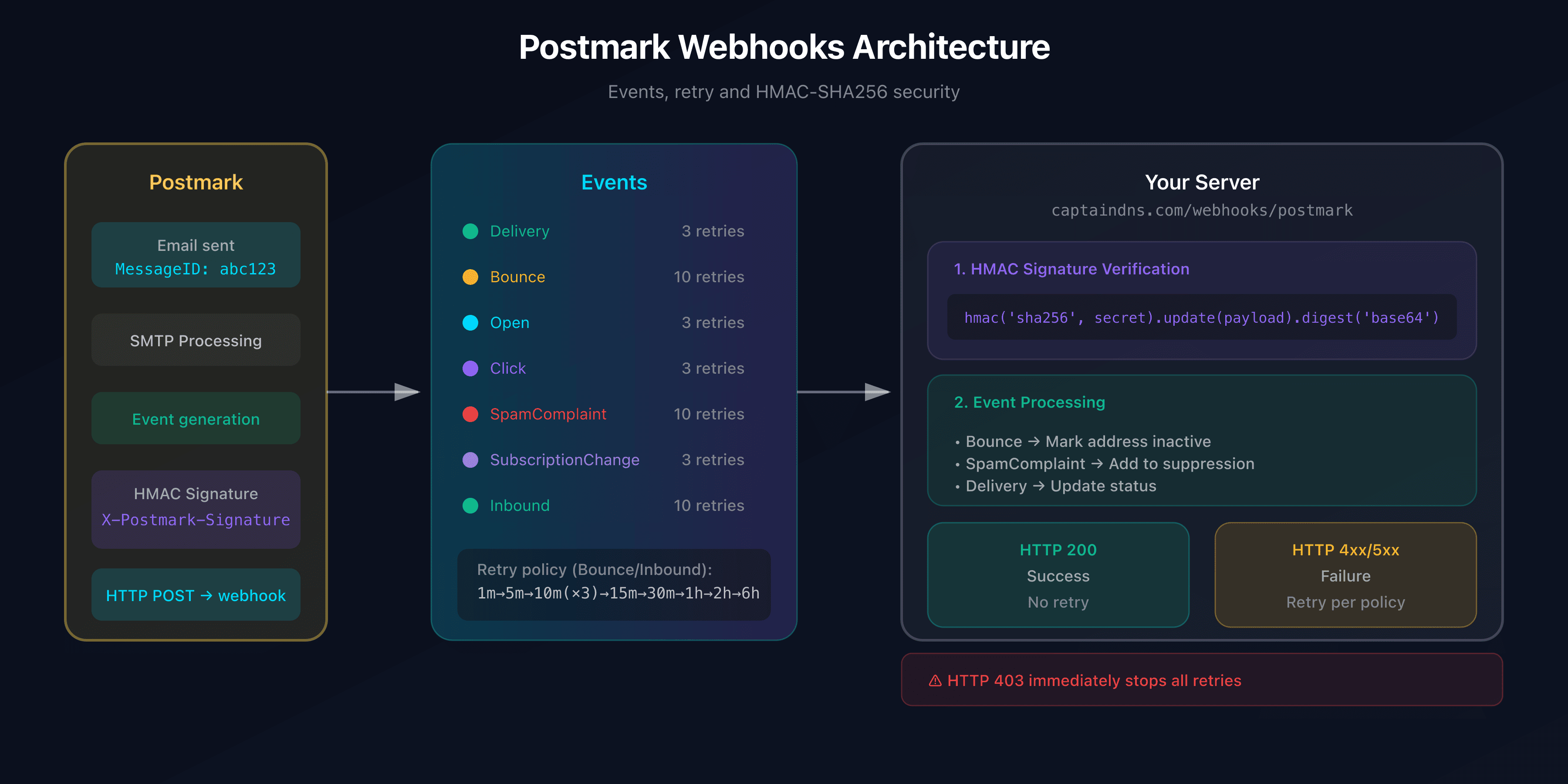
Available events
| Event | Description |
|---|---|
| Delivery | Email delivered to receiving server |
| Bounce | Email bounced (hard, soft, transient) |
| Open | Recipient opened the email |
| Click | Recipient clicked a link |
| SpamComplaint | Email marked as spam |
| SubscriptionChange | Added/removed from Suppression list |
| Inbound | Inbound email received and parsed |
Bounce payload example
{
  "RecordType": "Bounce",
  "ID": 692560173,
  "Type": "HardBounce",
  "TypeCode": 1,
  "Name": "Hard bounce",
  "Tag": "dns-report",
  "MessageID": "2c1b63fe-43f2-4db5-91b0-8bdfa44a9316",
  "ServerID": 23,
  "MessageStream": "outbound",
  "Description": "The server was unable to deliver your message",
  "Email": "invalid@captaindns.com",
  "From": "notifications@captaindns.com",
  "BouncedAt": "2026-01-28T16:09:19Z",
  "Inactive": true,
  "CanActivate": true
}
Retry policy
| Webhook type | Retry policy |
|---|---|
| Bounce, Inbound | 1 min > 5 min > 10 min (x3) > 15 min > 30 min > 1h > 2h > 6h = 10 retries over ~10.5h |
| Click, Open, Delivery | 1 min > 5 min > 15 min = 3 retries |
Important: an HTTP 403 response immediately stops retries.
Security: HMAC-SHA256 signature
Each webhook is signed with the X-Postmark-Signature header.
Verification (Node.js):
const crypto = require('crypto');

function verifyWebhookSignature(payload, signature, secret) {
  const computedSignature = crypto
    .createHmac('sha256', secret)
    .update(payload)
    .digest('base64');
  return crypto.timingSafeEqual(
    Buffer.from(computedSignature),
    Buffer.from(signature)
  );
}
Configuration via API
curl "https://api.postmarkapp.com/webhooks" \
  -X POST \
  -H "Content-Type: application/json" \
  -H "X-Postmark-Server-Token: your-server-token" \
  -d '{
    "Url": "https://captaindns.com/webhooks/postmark",
    "MessageStream": "outbound",
    "Triggers": {
      "Delivery": { "Enabled": true },
      "Bounce": { "Enabled": true, "IncludeContent": false },
      "SpamComplaint": { "Enabled": true },
      "Open": { "Enabled": true, "PostFirstOpenOnly": true },
      "Click": { "Enabled": true }
    }
  }'
Technical limits and quotas
Message size
| Limit | Value |
|---|---|
| Max email size (API) | 10 MB total |
| Max batch size (Batch API) | 50 MB total |
| TextBody / HtmlBody | 5 MB each |
| Message storage | 1 MB (truncated beyond) |
API quotas
| Resource | Limit |
|---|---|
| Recipients per email | 50 max (To + Cc + Bcc) |
| Messages per batch | 500 max |
| Webhook URLs per stream | 10 max |
| Tag size | 1,000 characters |
| Bounce/message search | 10,000 results max |
Data retention
| Type | Duration |
|---|---|
| Default retention | 45 days |
| Minimum retention | 7 days |
| Maximum retention | 365 days (add-on) |
| Bounce dumps | 30 days max |
| Aggregated statistics | Indefinitely |
| Suppression list | Indefinitely |
Templates with Mustachio
Postmark uses Mustachio, a templating language based on Mustache with specific enhancements.
Basic syntax
<!-- Variable with HTML escaping -->
{{ firstname }}

<!-- Variable without escaping (raw) -->
{{{ html_content }}}

<!-- Dot notation -->
{{ order.number }}
Conditions (truthy/falsy blocks)
{{#has_discount}}
  <p>Your discount: {{ discount_amount }}</p>
{{/has_discount}}

{{^has_discount}}
  <p>No discount applied</p>
{{/has_discount}}
Loops
{{#each items}}
  <li>{{ name }} - ${{ price }}</li>
{{/each}}
Limitations:
- No explicit if/else syntax
- Complex logic not supported
<link>tags forbidden in<head>- CSS automatically inlined on send
Security and compliance
Certifications
| Certification | Detail |
|---|---|
| SOC 2 Type 2 | No - certifications at data center level (AWS, Deft) |
| ISO 27017/27018 | Via AWS |
| PCI DSS Level 1 | Via Stripe (payments) |
GDPR
| Aspect | Detail |
|---|---|
| DPA available | Yes - with SCCs |
| DPA URL | https://postmarkapp.com/dpa |
| Data location | US (no EU option) |
| EU representative | EU-REP.Global |
HIPAA
| Aspect | Detail |
|---|---|
| HIPAA compliant | NO |
| BAA available | NO |
Postmark explicitly states: "Postmark is not HIPAA-compliant so we do not recommend using our platform if you need to send HIPAA-compliant emails".
Account authentication
| Feature | Availability |
|---|---|
| 2FA | Yes - All plans |
| SSO/SAML | No - Not available |
Action plan: integrate Postmark step by step
- Create an account at https://account.postmarkapp.com/sign_up
- Request approval via "Request approval" (~24h manual review)
- Verify your domain (individual Sender Signature or full domain)
- Configure DNS records:
- DKIM: TXT
[timestamp]pm._domainkey.captaindns.com - Return-Path: CNAME
pm-bounces.captaindns.comtopm.mtasv.net
- DKIM: TXT
- Create a Server API Token in Settings > API Tokens
- Test with the test token: use
POSTMARK_API_TESTas token to validate without sending - Configure webhooks for bounces and spam complaints
- Monitor via the Activity Feed and statistics
Technical guides: other transactional email platforms
Discover our complete guides for other transactional email solutions:
- SendGrid: domain authentication and Web API v3 - 2048-bit DKIM with rotation, dedicated IP from 50k/month
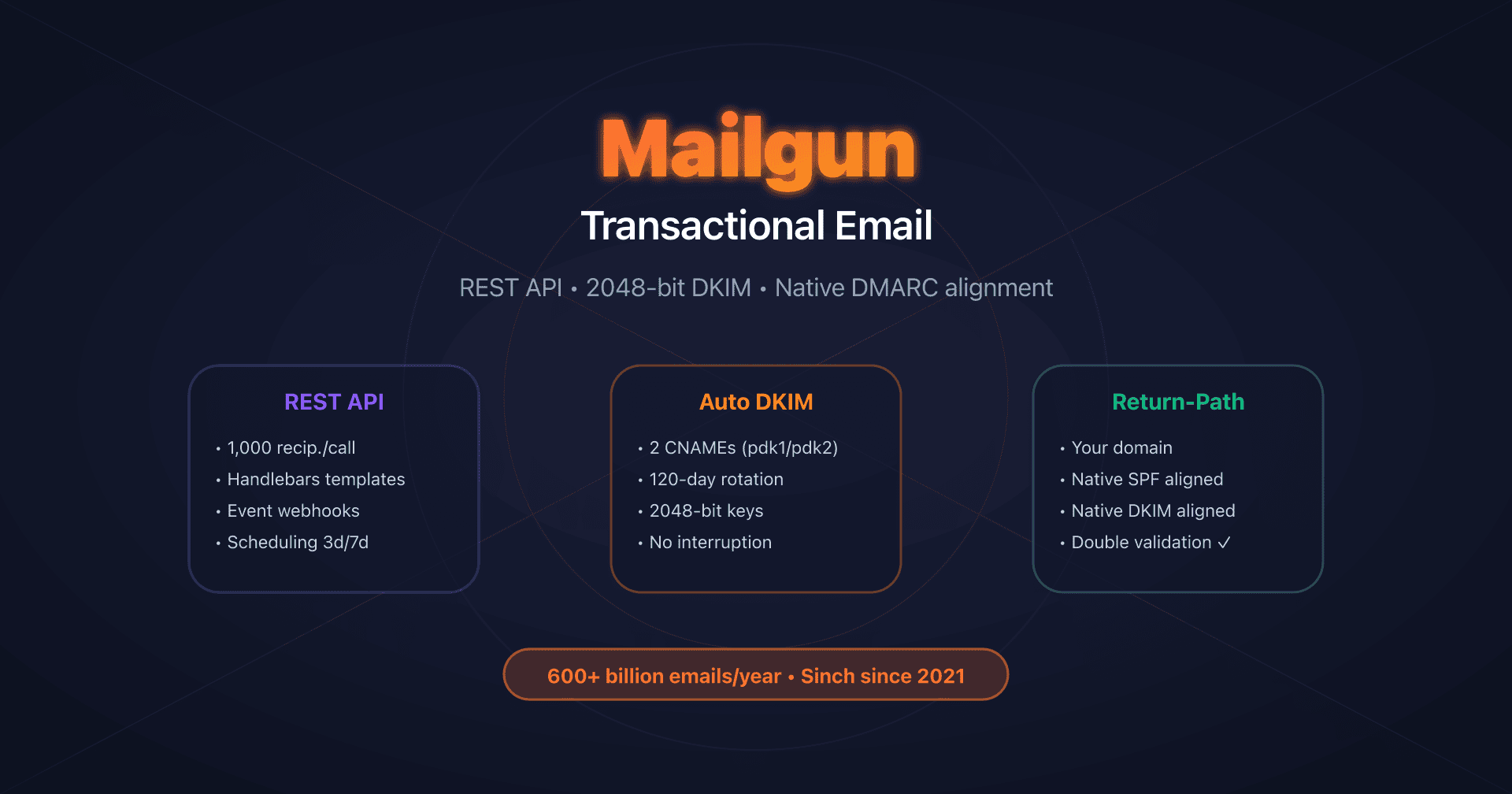
- Mailgun: DKIM with automatic rotation - Native Return-Path, 120-day DKIM rotation
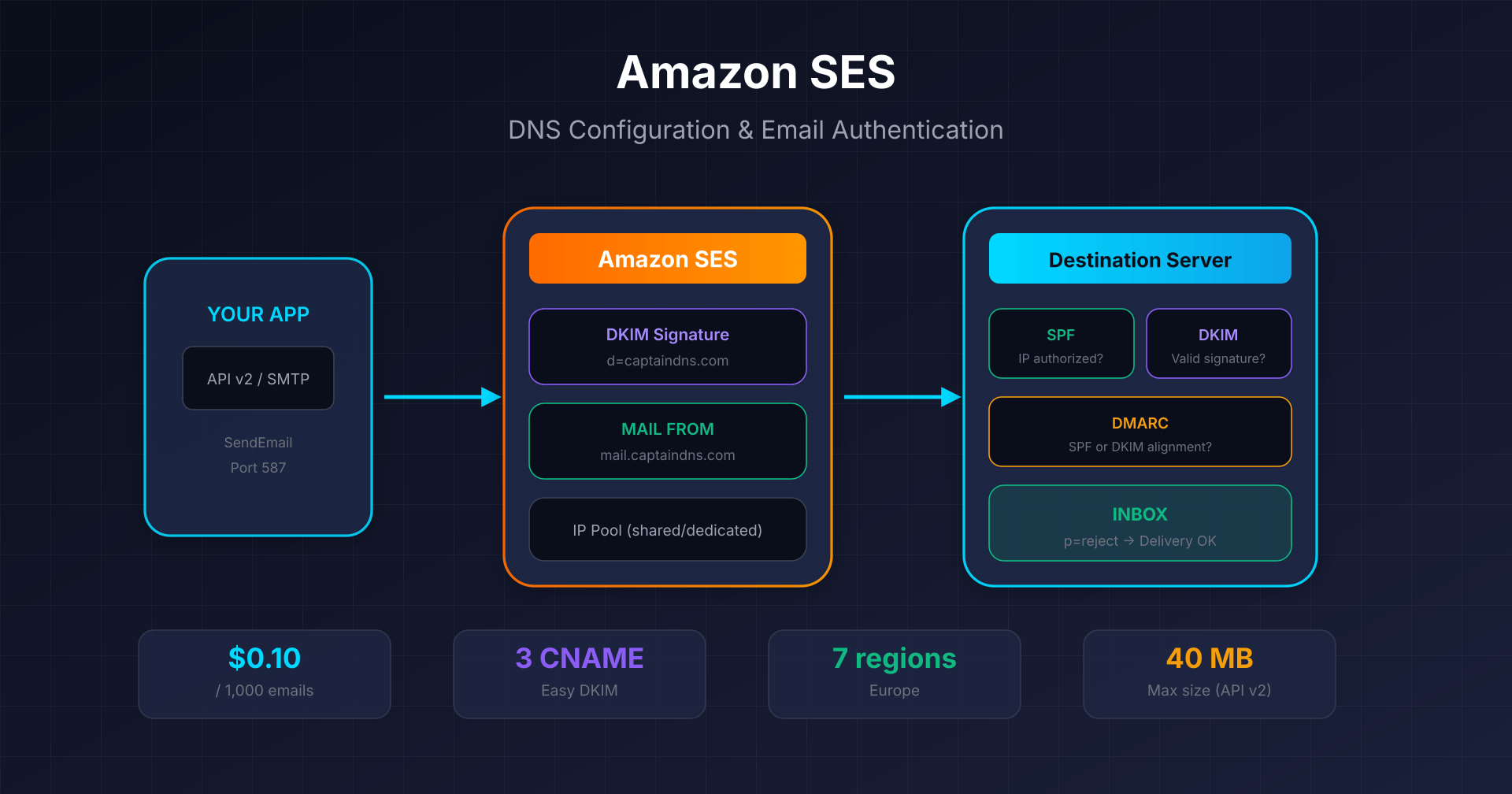
- Amazon SES: Easy DKIM and Custom MAIL FROM - $0.10 per 1,000 emails, 7 regions in Europe
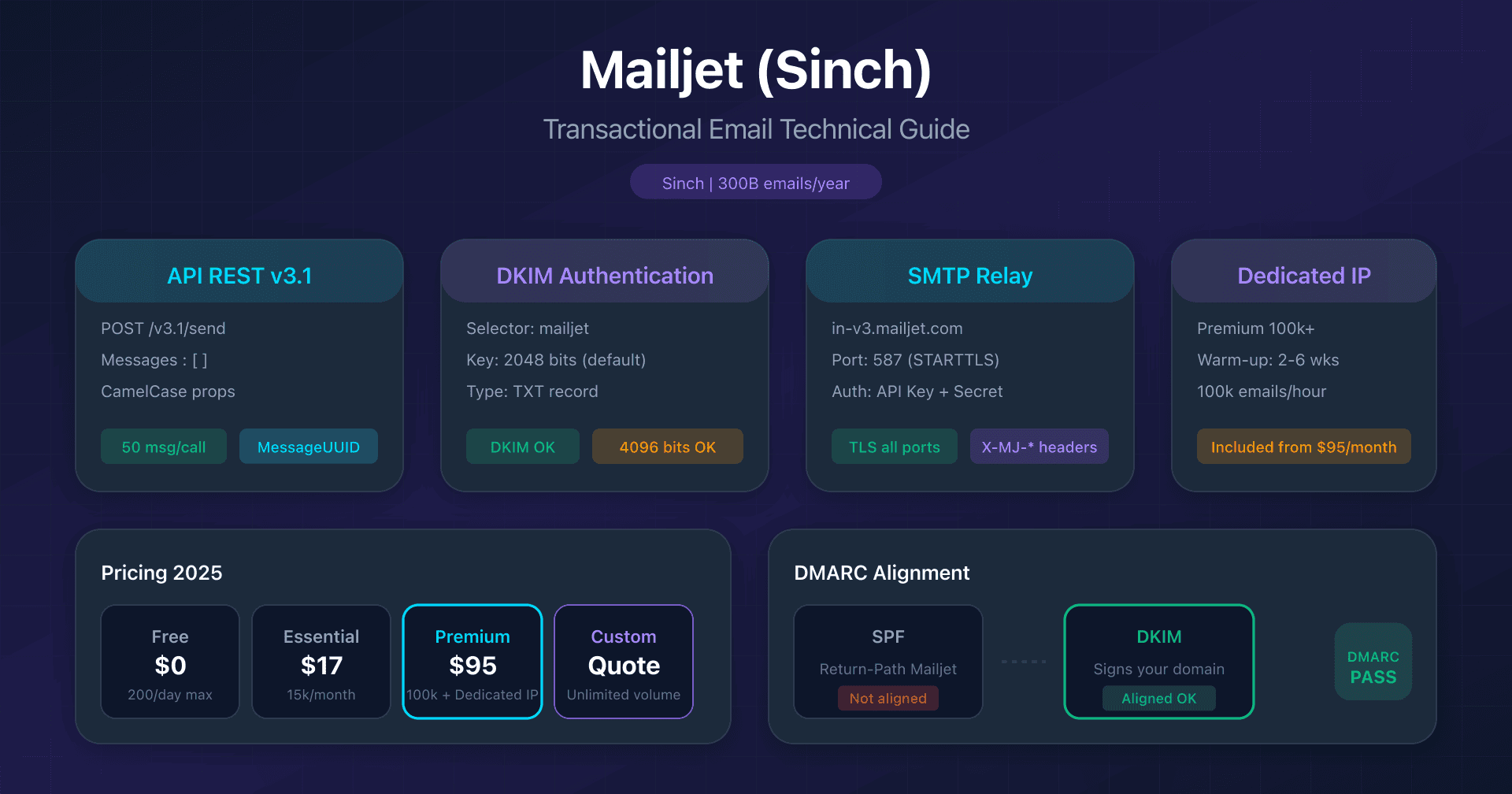
- Mailjet: API v3.1 and DKIM configuration - 2048/4096-bit DKIM, Sinch acquisition
- Mandrill: Mailchimp transactional integration - Mailchimp Standard prerequisite, 25k email blocks
- Brevo: DKIM and SPF configuration - 300 free emails/day, DKIM TXT or CNAME
FAQ
Is Postmark suitable for email marketing?
No, Postmark specializes in transactional email. Broadcast emails (newsletters, announcements) are supported via separate Message Streams, but the platform does not offer advanced marketing features (segmentation, A/B testing, automation). For marketing, consider dedicated solutions or the parent platform ActiveCampaign.
What is the difference between Postmark and SendGrid?
Postmark focuses exclusively on transactional deliverability with a tightly controlled IP pool. SendGrid offers more flexibility (2048-bit DKIM, published rate limits, more SDKs) but with a more generalist positioning. Postmark uses 1024-bit DKIM keys and does not explicitly publish its rate limits.
Can you use Postmark with a strict DMARC policy?
Yes, via DKIM. DKIM alignment supports strict mode (adkim=s). However, SPF alignment only works in relaxed mode (aspf=r) because the Return-Path uses a subdomain. Configure your DMARC policy to rely on DKIM: p=reject; adkim=s; aspf=r.
How much does a dedicated IP cost at Postmark?
$50/month per IP, with no setup fee. Requirement: send at least 300,000 emails/month. Warm-up is automatic over 3-6 weeks. For an additional IP, you need to exceed 100,000 messages/day.
Is there an official Python SDK for Postmark?
No, Postmark does not maintain an official Python SDK. Recommended community alternatives are postmarker and python-postmark. Official SDKs cover Ruby, .NET, Java, PHP and Node.js.
Is Postmark HIPAA compliant?
No. Postmark explicitly refuses to sign BAAs (Business Associate Agreements). If you need to send PHI (Protected Health Information), use another HIPAA-compliant solution.
Glossary
- Message Stream: separate sending flow that isolates transactional emails from broadcasts, each with its own IP pool and metrics
- Sender Signature: verification of an individual sender email address, alternative to full domain verification
- Return-Path: bounce address (Envelope From) used by receiving servers for SPF and bounce notifications
- Mustachio: Postmark's templating language based on Mustache, with support for conditions, loops and variables