Brevo (formerly Sendinblue): Technical Guide for Transactional Emailing
By CaptainDNS
Published on January 16, 2026
Updated on July 30, 2026
- Brevo has enforced DKIM authentication since February 2024: without it, your emails may arrive from
@brevosend.com. - DKIM configuration can be TXT (1024 bits by default) or CNAME (native 2048 bits): contact support to enable 2048 bits on TXT.
- SPF is unnecessary on shared IP: DKIM alone is sufficient to pass DMARC because the Return-Path uses Brevo's domain (
sender-sib.com). - Dedicated IP is useless for most users: requires 100k+ emails/week consistently and a 4-8 week warm-up. Stay on shared IP if volume < 50k/week.
- The Free plan offers 300 emails/day with full access to transactional API and webhooks, with no expiration.
Introduction
Brevo (formerly Sendinblue) has established itself as a major email service provider in Europe, with a robust transactional infrastructure used by thousands of developers for confirmation emails, notifications, and password resets.
But behind the marketing interface lie technical subtleties that can block your sends: DKIM configuration in TXT vs CNAME, automatic protection mechanism that replaces your domain with @brevosend.com, often misunderstood Free plan limits, and API vs SMTP relay trade-offs depending on your use cases.
This guide is aimed at developers, DevOps, and sysadmins looking to integrate Brevo for transactional email without unpleasant surprises. We detail blocking points, critical configurations, and technical choices to make based on your stack.
API or SMTP relay: which choice for transactional email?
Brevo offers two integration methods for transactional email, both available from the Free plan.
Quick comparison
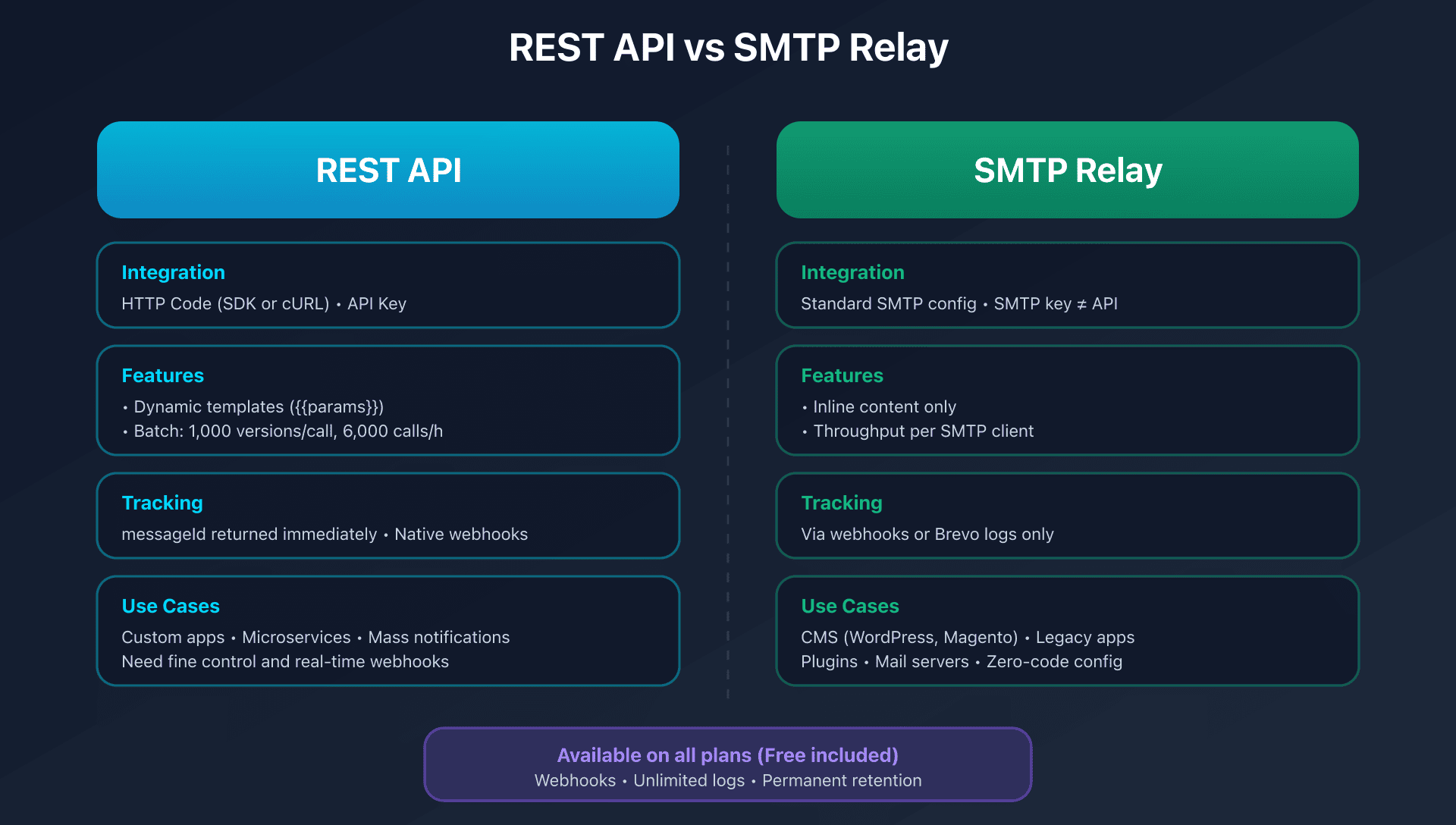
| Criteria | REST API | SMTP relay |
|---|---|---|
| Integration | HTTP code (SDK or cURL) | Standard SMTP configuration |
| Flexibility | Dynamic templates, batch, native webhooks | Inline content only |
| Throughput | Up to 6M versions/hour in batch | Depends on SMTP client |
| Tracking | messageId returned immediately | Via webhooks or logs |
| Compatibility | Requires custom dev | Works with everything (CMS, mail servers) |
| Rate limits | Documented (RPS, RPH) | Shared with IP |
When to choose the REST API?
Prefer the API if you need:
- Advanced customization: dynamic variables via
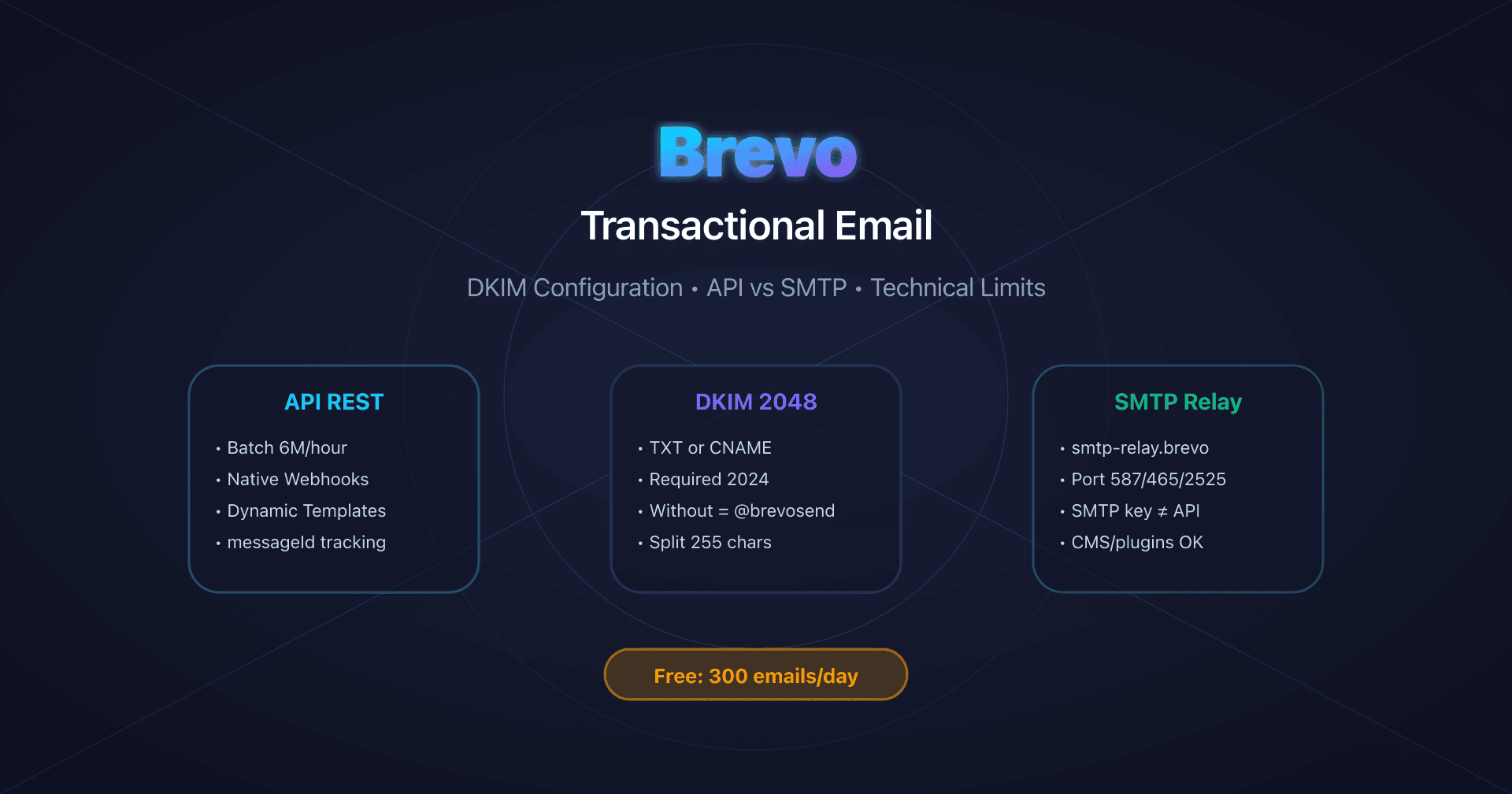
params, reusable templates, inline HTML/text content - Transactional batch: up to 1,000 personalized versions per call, 6,000 calls/hour = 6 million versions/hour theoretical
- Native webhooks: real-time events
sent,delivered,opened,clicked,bounced,complaint - Fine-grained control: tags, custom headers, scheduled sending, attachments (up to 4 MB per file, 20 MB total)
Main endpoint: POST https://api.brevo.com/v3/smtp/email
Simple send example:
curl -X POST https://api.brevo.com/v3/smtp/email \
  -H "api-key: YOUR_API_KEY" \
  -H "Content-Type: application/json" \
  -d '{
    "sender": {"email": "no-reply@captaindns.com", "name": "YourProduct"},
    "to": [{"email": "user@captaindns.com", "name": "John Doe"}],
    "subject": "Welcome to our service",
    "htmlContent": "<p>Hello {{params.firstname}}, welcome!</p>",
    "params": {"firstname": "John"}
  }'
When to choose SMTP relay?
Prefer SMTP if you need:
- Maximum compatibility: WordPress/WooCommerce plugins, CMS, legacy applications, existing mail servers
- Zero-code configuration: enter host + port + credentials, nothing else
- Infrastructure reuse: your app already sends via SMTP, just change the parameters
Official configuration:
SMTP server: smtp-relay.brevo.com
SMTP user: [your account email]
SMTP password: [dedicated SMTP key - NOT the API key]
Port: 587 (STARTTLS) or 465 (SSL) or 2525 (fallback)
Critical point of attention: the "SMTP password" is a dedicated SMTP key, distinct from the API key. This is the most common error during configuration.
DKIM configuration: the blocking point not to miss
Why authentication became mandatory
Since February 1, 2024, Brevo has enforced domain authentication to comply with Gmail and Yahoo requirements. Microsoft followed in May 2025.
Consequence if you don't configure DKIM: Brevo automatically activates a protection mechanism that replaces your sending domain with @brevosend.com to maximize deliverability.
Observed format: your-company@5000001.brevosend.com
Product implication: if your recipients see a @brevosend.com domain while you're sending from @captaindns.com, this is not an SMTP/API bug, but an unresolved DNS authentication problem.
TXT vs CNAME: two possible configurations
Brevo generates two types of DKIM configuration depending on your account's age and settings:
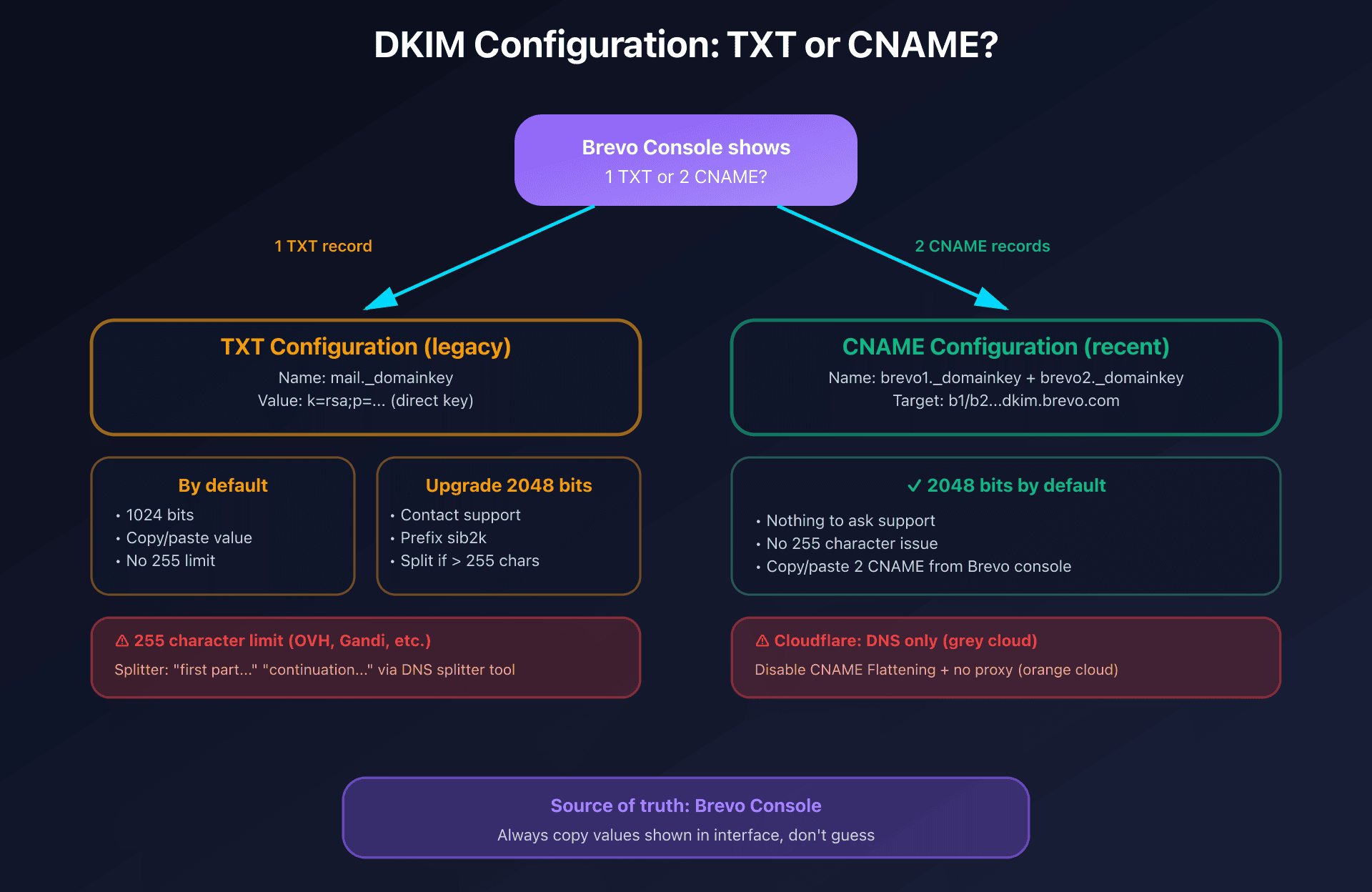
| Type | Number of records | Default key size | To enable 2048 bits |
|---|---|---|---|
| TXT (legacy) | 1 only | 1024 bits | Contact Brevo support |
| CNAME (recent) | 2 distinct | 2048 bits | Already enabled by default |
TXT configuration (1 record):
Type: TXT
Name: mail._domainkey
Value: k=rsa;p=MIIBIjANBgkqh...
CNAME configuration (2 records):
Type: CNAME
Name: brevo1._domainkey
Target: b1.captaindns-xx.dkim.brevo.com

Type: CNAME
Name: brevo2._domainkey
Target: b2.captaindns-xx.dkim.brevo.com
Golden rule: the exact values are always displayed in the Brevo console during configuration. Don't copy/paste from external documentation, always use what Brevo generates for your account.
Enable 2048-bit DKIM on TXT configuration
If you have a TXT configuration (1 record) and want to upgrade to 2048 bits:
- Contact Brevo support to request activation
- Once enabled, the new DKIM value appears with a
sib2kprefix - Update the DNS record at your registrar with the new value
Warning: some registrars limit TXT fields to 255 characters. If the 2048-bit DKIM value is too long, you must split it into multiple segments in quotes:
"v=DKIM1; k=rsa; p=MIIBIjANBgkqh..." "...rest of the key..."
Brevo offers a "DNS record splitter tool" in its interface to generate this format automatically.
Cloudflare pitfalls to avoid
If you use Cloudflare to manage your DNS:
-
DNS only mode required: the DKIM record must have the gray cloud (DNS only), not orange (proxy). Proxy mode breaks DKIM authentication.
-
CNAME Flattening disabled: this feature can prevent correct DKIM CNAME resolution. Brevo recommends disabling it.
SPF: why you don't need to add Brevo
A common developer question: "Should I add include:spf.brevo.com to my SPF?" Short answer: no, and it wouldn't help.
Understanding why requires grasping the difference between two distinct email addresses in each message:
The From header (visible address): no-reply@captaindns.com
- This is the address the recipient sees in their email client
- DKIM signs this domain (
captaindns.com)
The Return-Path (Envelope From, technical address): bounce@kh.d.sender-sib.com
- This is the technical address used by SMTP servers to route the message
- SPF authenticates this domain (
sender-sib.com), not yours - Invisible to the recipient, visible only in raw headers
How DMARC works with Brevo
DMARC requires at least one method (SPF or DKIM) to pass in "alignment" with the From domain:
| Method | Authenticated domain | From domain | Alignment? | DMARC result |
|---|---|---|---|---|
| SPF | sender-sib.com (Return-Path) | captaindns.com | ❌ No | Doesn't contribute |
| DKIM | captaindns.com (signature d=) | captaindns.com | ✅ Yes | ✅ DMARC passes |
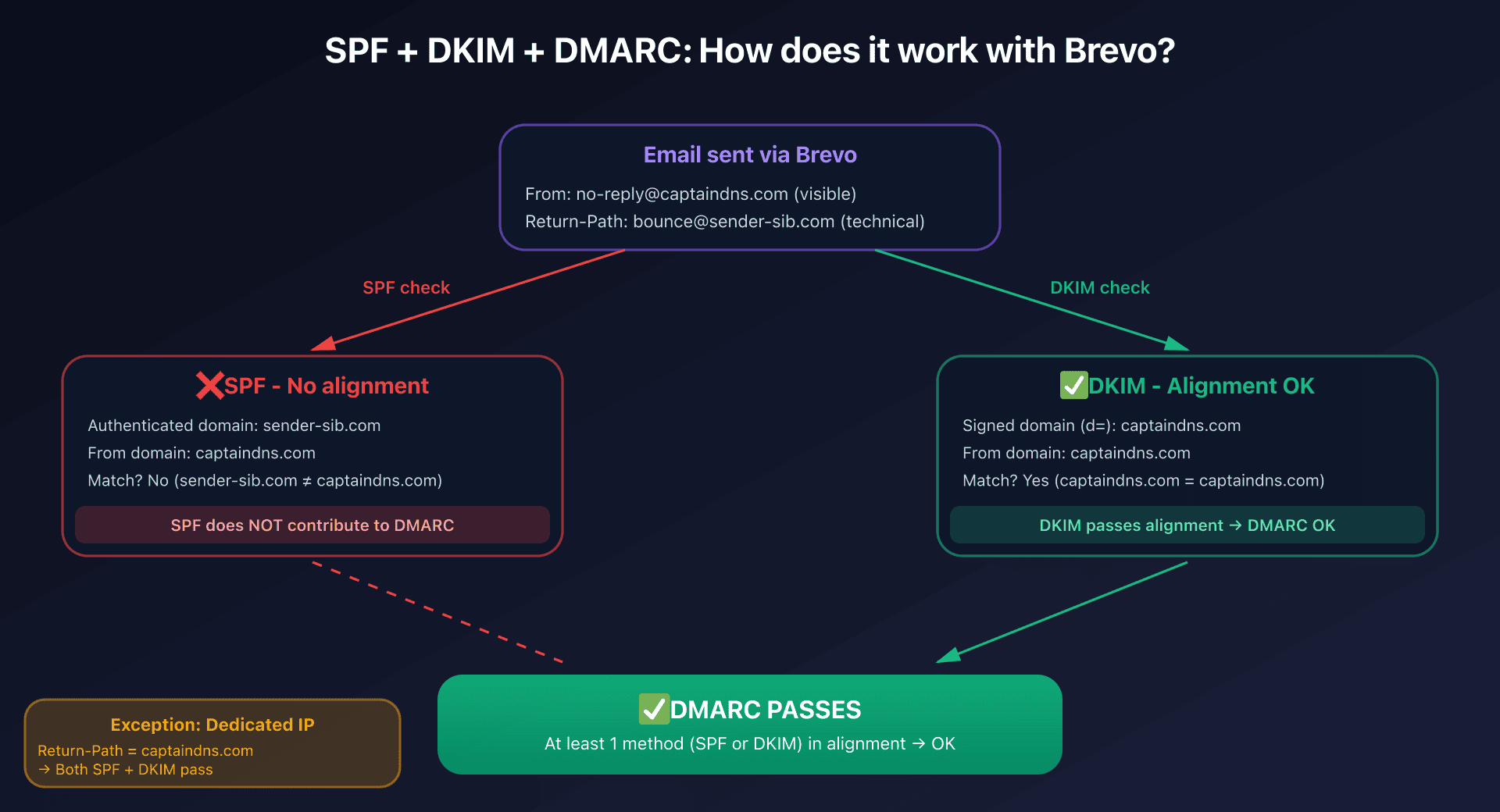
Explanation: SPF validates that the sending IP is authorized for sender-sib.com (the Return-Path domain). But DMARC checks if the authenticated domain matches the From domain (captaindns.com). Since sender-sib.com ≠ captaindns.com, SPF doesn't pass in alignment.
In contrast, DKIM signs the domain captaindns.com (via the signature d=captaindns.com), which exactly matches the From header. DKIM passes in alignment, so DMARC passes.
Why adding Brevo to your SPF doesn't change anything
Even if you add include:spf.brevo.com to your SPF:
v=spf1 include:spf.brevo.com ~all
This changes nothing about DMARC alignment because:
- SPF always authenticates the Return-Path domain (
sender-sib.com) - The Return-Path remains controlled by Brevo, you can't change it
- DMARC checks alignment between Return-Path and From header, which remains different
- So SPF still doesn't contribute to DMARC
Verdict: adding Brevo to your SPF is useless for DMARC alignment. DKIM is sufficient.
The exception: dedicated IP
SPF becomes relevant only if you subscribe to a dedicated IP (add-on at €251/year, included in Enterprise).
With a dedicated IP, Brevo can configure the Return-Path with your domain (bounce@captaindns.com instead of bounce@sender-sib.com). In this case:
- SPF authenticates
captaindns.com(Return-Path) - DKIM authenticates
captaindns.com(From header) - Both pass in alignment → double DMARC validation
You'll then need to add your dedicated IP to your SPF:
v=spf1 ip4:77.32.170.5 ~all
But on shared IP (Free to Professional plans), DKIM alone is sufficient for DMARC.
Dedicated IP: when and why to consider it?
The dedicated IP is a €251/year add-on (included in Enterprise) that assigns you an IP address exclusively reserved for your sends. But most users don't need it.
Shared IP vs dedicated IP: understanding the difference
Shared IP (default on all plans):
- Your email traffic is routed via IPs shared with other Brevo customers
- IP reputation is collective: Brevo maintains pools of reputable IPs
- No warm-up needed: IPs are already "warm" thanks to global volume
- Deliverability optimized by Brevo (IP rotation, complaint management)
Dedicated IP:
- An IP address exclusively for your sends
- Isolated reputation: your practices alone determine your reputation
- Mandatory warm-up: the IP is "cold" at startup (no history)
- Total control: ability to use your domain for Return-Path (SPF alignment)
When to choose a dedicated IP?
Brevo recommends a dedicated IP only if you meet ALL these criteria:
| Criteria | Minimum threshold | Why it's important |
|---|---|---|
| Weekly volume | 50,000 to 100,000 emails/week | Insufficient volume → unstable reputation |
| Sending regularity | At least 3 campaigns/week | Gaps > 30 days → IP cools down, warm-up needed again |
| High engagement | Open rate > 20%, bounce < 2% | Poor engagement on dedicated IP → reputation drops fast |
| Control need | Isolate transactional vs marketing reputation | Separate critical flows (transactional) and marketing |
Examples of legitimate use cases:
- Finance/healthcare: regulatory compliance requiring a traceable dedicated IP
- High regular volumes: 200,000+ emails/week with daily sends
- Whitelisting need: some B2B clients require whitelisting your IP
- Transactional/marketing separation: avoid marketing campaign impact on critical transactional emails
When to stay on shared IP:
- Volume < 50,000 emails/week
- Irregular sends (once/month, quarterly)
- Starting activity (not enough engagement history)
- Purely transactional low volume (< 10,000/month)
The warm-up process: 4 to 8 incompressible weeks
A new dedicated IP has zero reputation in the eyes of ISPs (Gmail, Yahoo, Outlook). Sending 100,000 emails at once on a cold IP = guaranteed spam.
Warm-up plan recommended by Brevo:
| Day | Volume | Targets |
|---|---|---|
| D1 | 3,000 | Most engaged contacts (opened < 30 days) |
| D2 | 3,450 | +15% of previous volume |
| D3 | 3,968 | +15% |
| D7 | ~6,700 | Continue +15%/day |
| D14 | ~17,000 | Expand to engaged contacts < 90 days |
| D21 | ~43,000 | Include less recent contacts |
| D28-56 | Up to target volume | Progressive ramp to 100k+ |
Strict rules during warm-up:
- Target engaged users first: start with contacts who opened/clicked in the last 30 days
- Progressive increase: +15% per day maximum, never double volume
- Monitor metrics: bounce rate < 2%, complaint rate < 0.1%, opens > 20%
- No interruption: a 7+ day gap slows warm-up, 30+ days = restart from zero
Example of fatal error:
❌ Day 1: 3,000 emails (OK)
❌ Day 8-20: no sends (vacation)
❌ Day 21: 50,000 emails at once
→ Result: massive spam, reputation destroyed, impossible to recover
Constraints and pitfalls of a dedicated IP
Required commitment: maintain strict sending discipline
- No "pause" > 30 days without restarting warm-up
- Regular volume: better 50k/week constant than 200k/month sporadic
- Active monitoring: track bounce/complaint/engagement in real-time
Total cost of ownership:
- €251/year (add-on)
- Engineering time: 4-8 weeks of warm-up with monitoring
- Risk: poor management = reputation worse than shared IP
SPF becomes necessary: with dedicated IP, you must configure SPF to authorize your IP:
v=spf1 ip4:77.32.170.5 ~all
IP pool: for very high volumes (> 500k/week), Brevo offers pools of multiple dedicated IPs to distribute load and maintain reputation.
Verdict: who really needs a dedicated IP?
You need a dedicated IP if:
- Regular volume > 100,000 emails/week
- Daily sends or at minimum 3x/week
- Client whitelisting need or regulatory compliance
- Budget and resources to manage warm-up and monitoring
Stay on shared IP if:
- Volume < 50,000/week
- Irregular or sporadic sends
- Purely transactional low volume
- No resources to actively manage reputation
When in doubt, start with shared IP. Brevo's pools are well managed, and you can always migrate to dedicated IP later once your volume and regularity are established.
Technical limits to know before starting
Free plan: 300 emails/day, but with what scope?
Brevo's Free plan offers surprising access to transactional features, but with strict limits:
| Limit | Value | Behavior |
|---|---|---|
| Emails/day | 300 | Daily reset, no rollover |
| Storable contacts | 100,000 | |
| Branding | Mandatory | "Sent with Brevo" non-removable |
| Campaign > 300 recipients | Only 300 sent on day 1 | Manual requeue needed |
| Users | 1 only (owner) | |
| Transactional webhooks | ✅ Included | All events available |
| REST API | ✅ Included | Full access, standard rate limits |
| SMTP relay | ✅ Included | Host smtp-relay.brevo.com |
| Log retention | ✅ Unlimited |
Positive point: all transactional features are available on the Free plan, including webhooks, API, and SMTP relay. The 300 emails/day limit is sufficient for dev/staging or low-volume apps.
Point of attention: the 300 emails/day limit is a global limit (campaigns + transactional). If you send 200 transactional emails via API, you have 100 credits left for campaigns.
Contact limits per plan and tier
Common pitfall: the number of storable contacts is not only determined by the plan (Starter/Standard/Professional), but also by the email volume tier chosen.
| Plan | Emails/month tier | Max contacts |
|---|---|---|
| Starter | 5,000 | 500 |
| Starter | 10,000 | 1,500 |
| Starter | 20,000+ | Unlimited |
| Standard | 5,000 | 1,500 |
| Standard | 20,000 | 10,000 |
| Professional | 20,000 | 2,000 |
| Professional | 100,000+ | 100,000+ |
Concrete example: a Starter plan at 5,000 emails/month only allows storing 500 contacts, even if you only send to 200 people. To lift this limit, you must move to the 20,000 emails/month tier (unlimited contacts on Starter).
API rate limits: RPS and RPH
Brevo applies rate limits by tier (General/Advanced/Extended). When exceeded, you receive an HTTP 429 Too Many Requests code.
Examples of generic limits:
| Endpoint | RPS (requests/second) | RPH (requests/hour) |
|---|---|---|
GET /v3/smtp/emails | 2 | 7,200 |
| Contact endpoints | 10 | 36,000 |
Transactional batch: allows 6,000 calls/hour × 1,000 versions per call = 6 million versions/hour theoretical.
Recommendation: for mass notification jobs (alerts, reminders, digests), use transactional batch rather than individual calls to optimize rate limits.
Platform quotas (technical maxima)
Beyond commercial limits (contacts by plan), Brevo applies technical quotas per resource:
| Resource | General plans | Enterprise |
|---|---|---|
| Stored email campaigns (drafts included) | 10,000 | 50,000 |
| Simultaneously scheduled email campaigns | 150 | 300 |
| Active automation workflows | 50 | 500 |
| Contact lists | 300 | 600 |
| Media library | 2 GB | 5 GB |
Important reading: these platform quotas are technical maxima; commercial limits (contacts by plan/tier) may be lower and apply first.
Action plan: getting started in 6 steps
1. Create account and validate sender
- Create a Brevo account (Free possible)
- Create a "sender" (From address) in Settings > Senders & IP
- Validate the address via the link received by email
2. Authenticate the domain (DKIM required)
- Go to Settings > Senders & IP > Domain authentication
- Brevo displays 3 DNS records to create:
- Brevo code (TXT): validates domain ownership
- DKIM (TXT or CNAME depending on your configuration)
- DMARC (TXT): policy for handling non-compliant emails
- Create these records at your registrar (watch for duplicates)
- Check propagation (can take 24-48h)
3. Enable 2048-bit DKIM if needed
If you have a TXT configuration and want 2048 bits:
- Contact Brevo support
- Once enabled, update the DNS record with the
sib2k...value - If the value exceeds 255 characters, use Brevo's splitter tool
If you have a CNAME configuration: 2048 bits already enabled by default.
4. Choose and configure sending method
Option A: REST API
- Generate an API key in Settings > API keys
- Implement the endpoint
POST /v3/smtp/email - Create templates in Campaigns > Transactional templates if needed
- Configure transactional webhooks in Settings > Webhooks
Option B: SMTP relay
- Generate a SMTP key (distinct from API key) in Settings > SMTP & API
- Configure your app/plugin/mail server:
- Host:
smtp-relay.brevo.com - Port:
587(STARTTLS recommended) - User: your account email
- Password: the generated SMTP key
- Host:
5. Test and monitor
- Send a first test email
- Check in Transactional > Email logs that the send is OK
- Configure webhooks to track events (
delivered,bounced, etc.) - Verify that the From domain is yours (not
@brevosend.com)
6. Optimize based on volume
If you exceed 300 emails/day:
- Switch to Starter plan (5,000 emails/month = ~160/day)
- Check contact ceiling based on chosen tier
- If high volumes + need for isolated reputation: consider dedicated IP (€251/year)
Technical guides: other transactional email platforms
Discover our complete guides for other transactional email solutions:
- Postmark: DKIM configuration and REST API - Deliverability specialist, 1024-bit DKIM, Message Streams
- SendGrid: domain authentication and Web API v3 - 2048-bit DKIM with rotation, dedicated IP from 50k/month
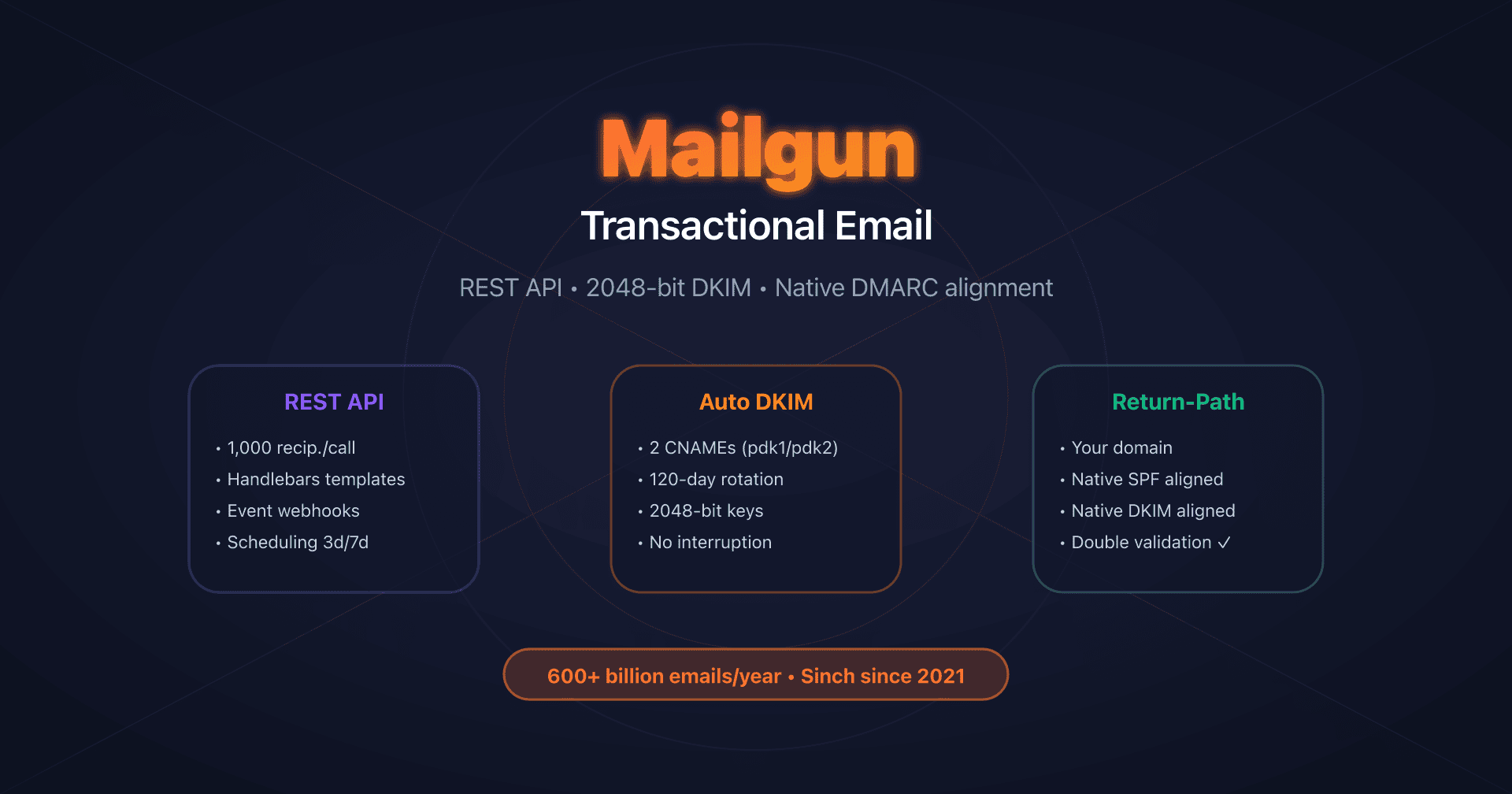
- Mailgun: DKIM with automatic rotation - Native Return-Path, 120-day DKIM rotation
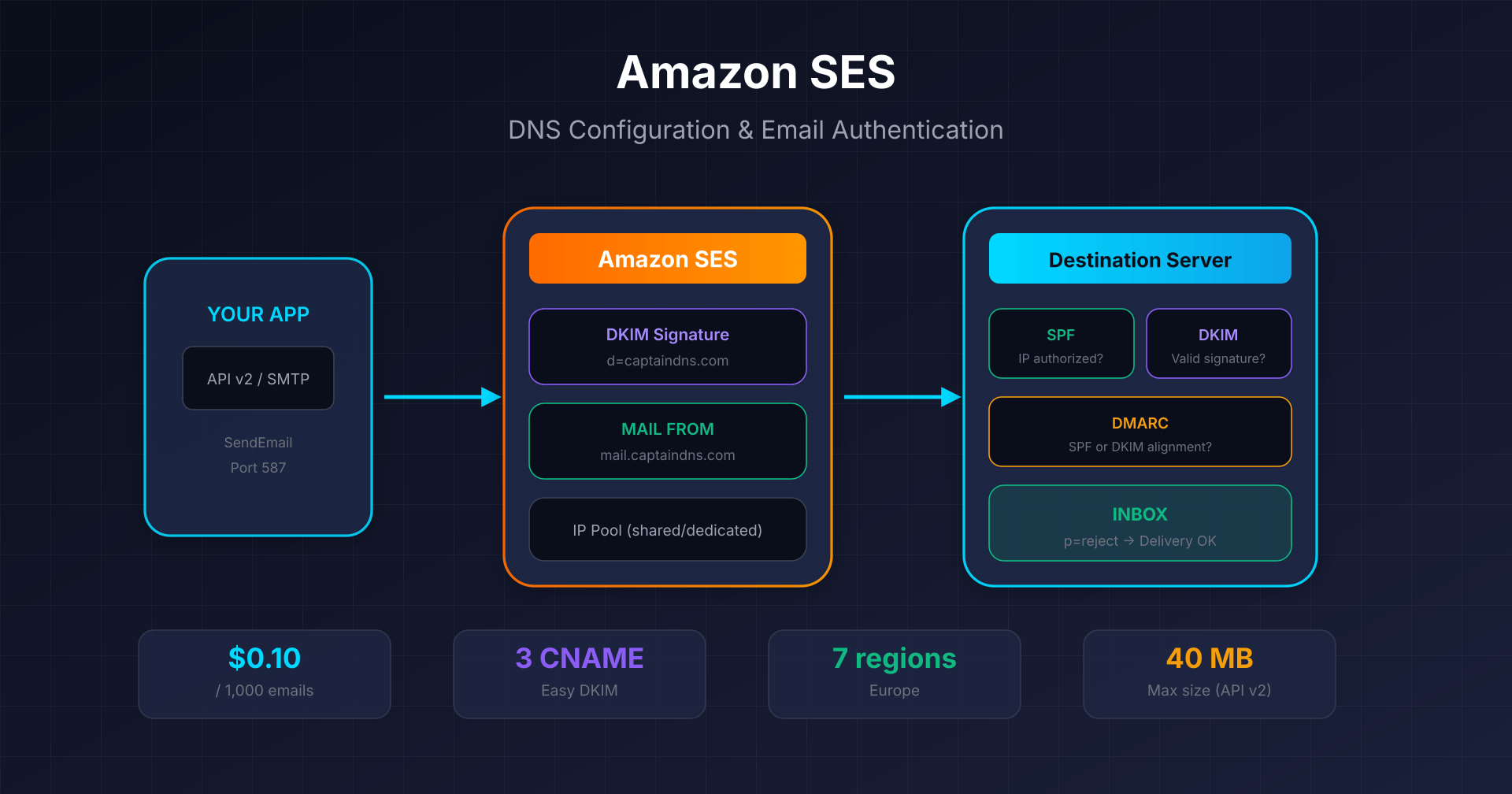
- Amazon SES: Easy DKIM and Custom MAIL FROM - $0.10 per 1,000 emails, 7 regions in Europe
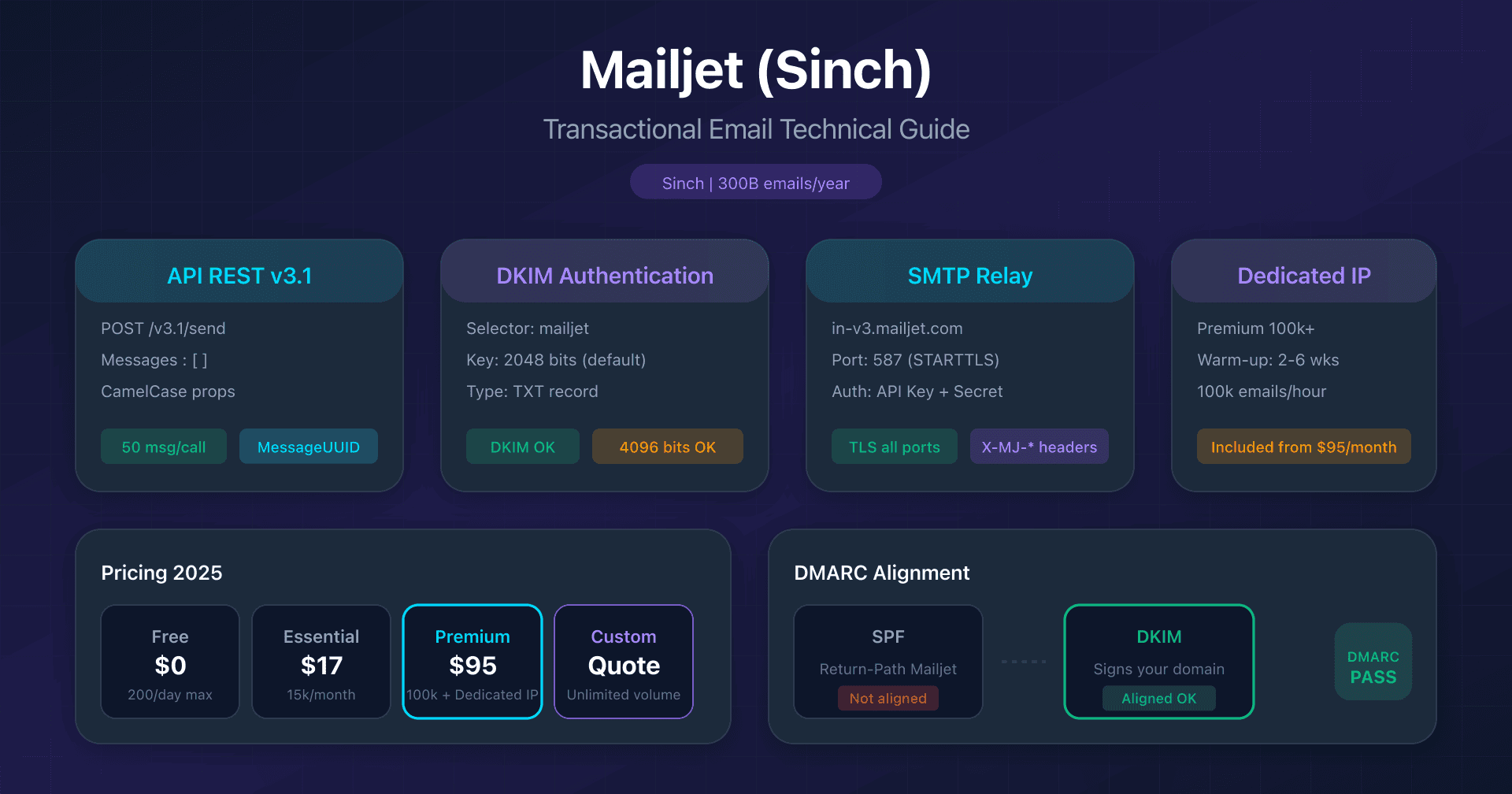
- Mailjet: API v3.1 and DKIM configuration - 2048/4096-bit DKIM, Sinch acquisition
- Mandrill: Mailchimp transactional integration - Mailchimp Standard prerequisite, 25k email blocks
FAQ
Why do my emails arrive from @brevosend.com when I'm sending from my domain?
This is Brevo's automatic protection mechanism activated when your domain is not authenticated (missing or invalid DKIM). Brevo replaces the sending domain with @brevosend.com to maximize deliverability at Gmail/Yahoo. Solution: properly configure DKIM records in your DNS and wait for validation.
What's the difference between API key and SMTP key?
The API key is used for REST calls (POST /v3/smtp/email), the SMTP key is used for SMTP relay authentication (smtp-relay.brevo.com). They are two distinct credentials generated in Settings > SMTP & API. Common mistake: using the API key as SMTP password doesn't work.
DKIM in TXT or CNAME: which to choose?
You don't choose: Brevo generates a TXT (1 record) or CNAME (2 records) configuration depending on your account. CNAMEs are 2048 bits by default, TXT are 1024 bits unless you request support. If you have the choice, prefer CNAME (simpler, native 2048 bits, no 255 character limit).
Is the Free plan sufficient for a production app?
Yes, if your volume is ≤ 300 emails/day and you accept the "Sent with Brevo" branding. All transactional features (API, SMTP, webhooks, unlimited logs) are available on the Free plan. Ideal for MVP, staging, or low-volume apps. To remove branding, you must upgrade to Starter + "Remove logo" add-on (€9/month).
Can I use Brevo only for transactional email without doing campaigns?
Yes, Brevo doesn't force you to use marketing campaigns. You can create an account solely for transactional API/SMTP. The 300 emails/day limit on the Free plan is global (transactional + campaigns), but if you only send transactional, you have 300 credits available.
How to handle the 255 character limit on TXT records for 2048-bit DKIM?
Some registrars (OVH, Gandi) limit TXT fields to 255 characters. Brevo offers a "DNS record splitter tool" that splits the DKIM value into multiple segments in quotes. Format: "first part..." "continuation...". Each segment is under 255 characters, and DNS automatically concatenates them.
Should I add Brevo (include:spf.brevo.com) to my SPF?
No, it's useless. SPF authenticates the Return-Path domain (sender-sib.com at Brevo), not your From domain. Since DMARC checks alignment with the From domain, SPF doesn't contribute to DMARC at Brevo. DKIM alone is sufficient to pass DMARC. Exception: with a dedicated IP, Brevo can use your domain for Return-Path, and then SPF becomes relevant.
Should I get a dedicated IP for my project?
Probably not. A dedicated IP requires a minimum volume of 50,000 to 100,000 emails per week, with regular sends (at least 3x/week). It requires a 4 to 8 week warm-up and strict discipline (no pause > 30 days). If your volume is lower, if your sends are irregular, or if it's pure transactional < 10,000/month, stay on shared IP. When in doubt, start with shared IP and migrate later if needed.
Glossary
-
SPF (Sender Policy Framework): Authentication protocol that lists servers authorized to send emails for a domain. SPF authenticates the Return-Path domain, not the From header. With Brevo on shared IP, SPF doesn't pass DMARC alignment because the Return-Path is
sender-sib.com. -
DKIM (DomainKeys Identified Mail): Authentication protocol that cryptographically signs emails to prove they actually come from the declared domain. DKIM signs the From header domain. Required by Gmail/Yahoo since February 2024.
-
DMARC (Domain-based Message Authentication, Reporting & Conformance): Protocol that verifies alignment between SPF/DKIM and the From header. DMARC passes if at least SPF or DKIM passes in alignment. At Brevo, only DKIM contributes to DMARC (except dedicated IP).
-
Return-Path (Envelope From): Invisible technical address used by SMTP servers to route email and handle bounces. SPF authenticates this domain. At Brevo, it's
bounce@kh.d.sender-sib.com, not your domain. -
DMARC Alignment: Mechanism that checks if the domain authenticated by SPF or DKIM matches the From domain. Relaxed mode (default): subdomains pass. Strict mode: exact match required.
-
CNAME (Canonical Name): Type of DNS record that points to another domain. Used by Brevo to delegate DKIM key management to their servers.
-
Rate limit: Throughput limit expressed in RPS (requests per second) or RPH (requests per hour). Exceeding → HTTP code 429.
-
Transactional batch: Sending method allowing personalization of up to 1,000 versions of an email in a single API call. Optimizes rate limits for mass notifications.
-
Webhook: HTTP URL automatically called by Brevo during events (delivered, bounced, opened). Enables real-time tracking without polling logs.
-
Sender: Validated From email address in Brevo. Each sender must be verified (link by email) before use.
-
Dedicated IP: Isolated IP address for your sends only. Avoids the reputation impact of other users. Requires progressive 4 to 8 week warm-up. Enables SPF alignment by using your domain for Return-Path. Recommended for volumes > 100,000 emails/week regularly. Add-on €251/year, included in Enterprise.
-
Warm-up: Progressive ramp-up process for a new dedicated IP. Starts at 3,000 emails/day and increases 15% per day for 4 to 8 weeks. Targets most engaged contacts first. A gap > 30 days requires restarting from zero.
-
STARTTLS: Opportunistic encryption mechanism for SMTP. Starts in clear text then upgrades to TLS. Port 587 recommended.