10 email filter gaps: the subtle header signals your gateway misses
By CaptainDNS
Published on March 28, 2026
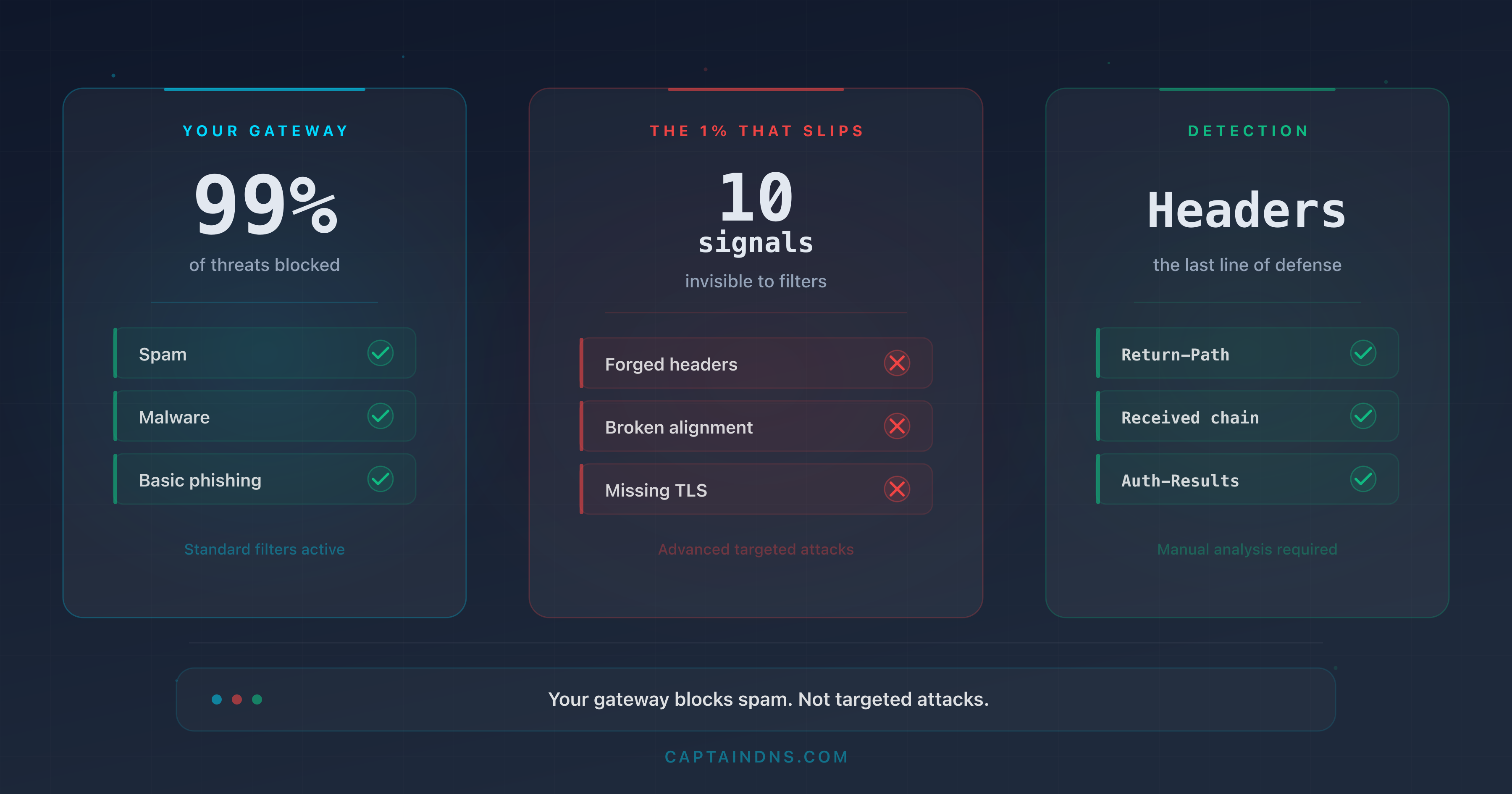
- Email gateways block obvious spam but miss sophisticated attacks that exploit subtle header flaws
- 10 precise header indicators betray malicious emails: envelope mismatch, third-party DKIM, divergent Reply-To, abnormal Received chain, and six other technical signals
- Each indicator is deconstructed from the attacker's perspective (how they exploit it) and the defender's perspective (how to detect it)
- Post-gateway header analysis is the last line of defense for the 1% of emails that bypass all filters
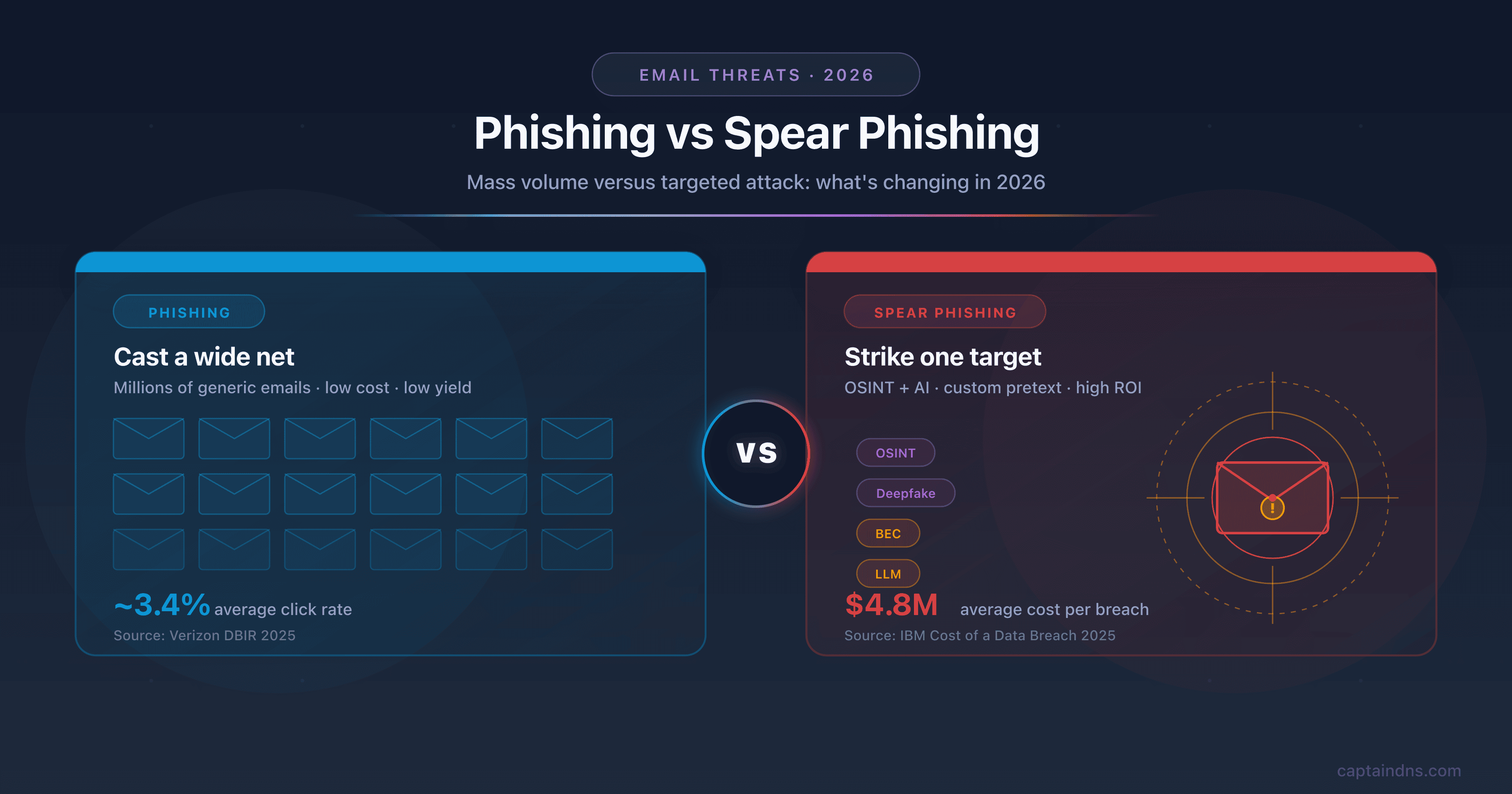
Your email gateway shows a 99.5% block rate. The monthly report looks reassuring, the dashboards are green, and your security team moves on to the next topic. The problem hides in the remaining 0.5%. On a volume of 200,000 emails per month, that represents 1,000 unfiltered messages. Among them, a single spear-phishing email targeting the right employee is enough to compromise a privileged account, exfiltrate data, or trigger a ransomware attack. The average cost of a breach initiated by phishing reaches $4.8 million (IBM, Cost of a Data Breach 2025), and the average time to detect a phishing compromise is 207 days (IBM, 2025). According to the Verizon DBIR 2025, the median time between receiving a phishing email and the first click is 21 seconds. Your users do not think: they react.
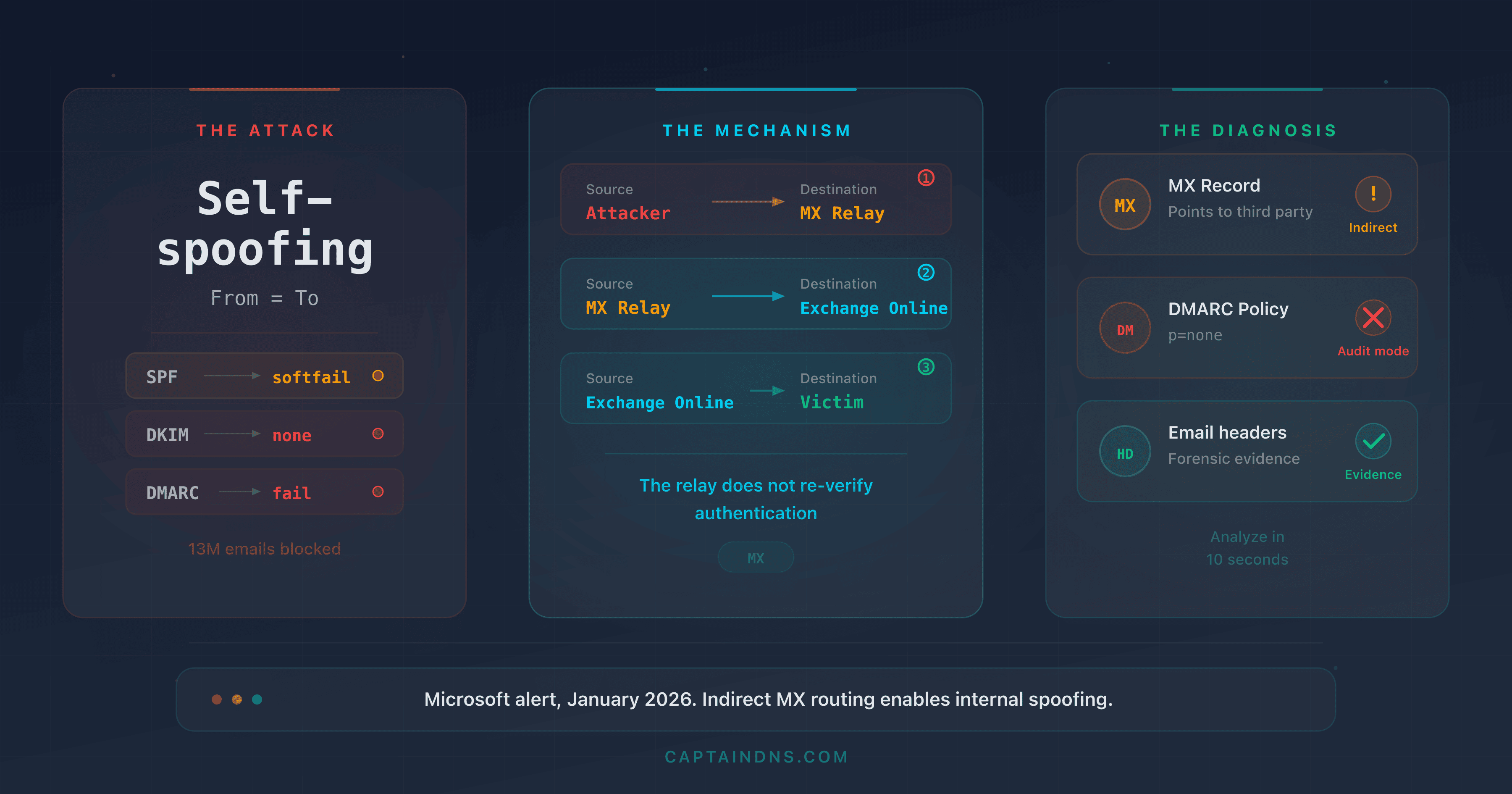
Secure Email Gateways (SEGs) such as Proofpoint, Mimecast, Barracuda, or Microsoft Defender for Office 365 analyze content, IP reputation, known signatures, and behavioral heuristics. But they share a common blind spot: subtle signals in SMTP and MIME headers that sophisticated attackers manipulate to bypass filters without triggering an alert. The numbers are stark: gateways miss 30 to 50% of advanced threats, and the volume of malicious emails bypassing SEGs surged by 105% in one year, meaning one malicious email every 19 seconds slips through the filters (Cofense, Annual State of Email Security 2026). Unsurprisingly, 91% of security leaders say they are frustrated with their SEG's performance (Egress, Email Security Risk Report 2024). This is not a theoretical problem. In 2025, the Tycoon2FA group exploited MX routing and email authentication flaws to generate 13 million malicious emails in a single month, bypassing the gateways of thousands of organizations. Overall, 78% of organizations experienced at least one email breach in the past 12 months (Barracuda, 2025).
This article breaks down 10 precise indicators in email headers that most gateways ignore or underweight. For each indicator, the attacker's perspective (how they exploit it) and the defender's perspective (how to detect it) are detailed with concrete header examples. If you are a security engineer, SOC analyst, email administrator, or CISO, these 10 signals should be part of your post-gateway analysis checklist.
Analyze your email headers
Why email filters are not enough
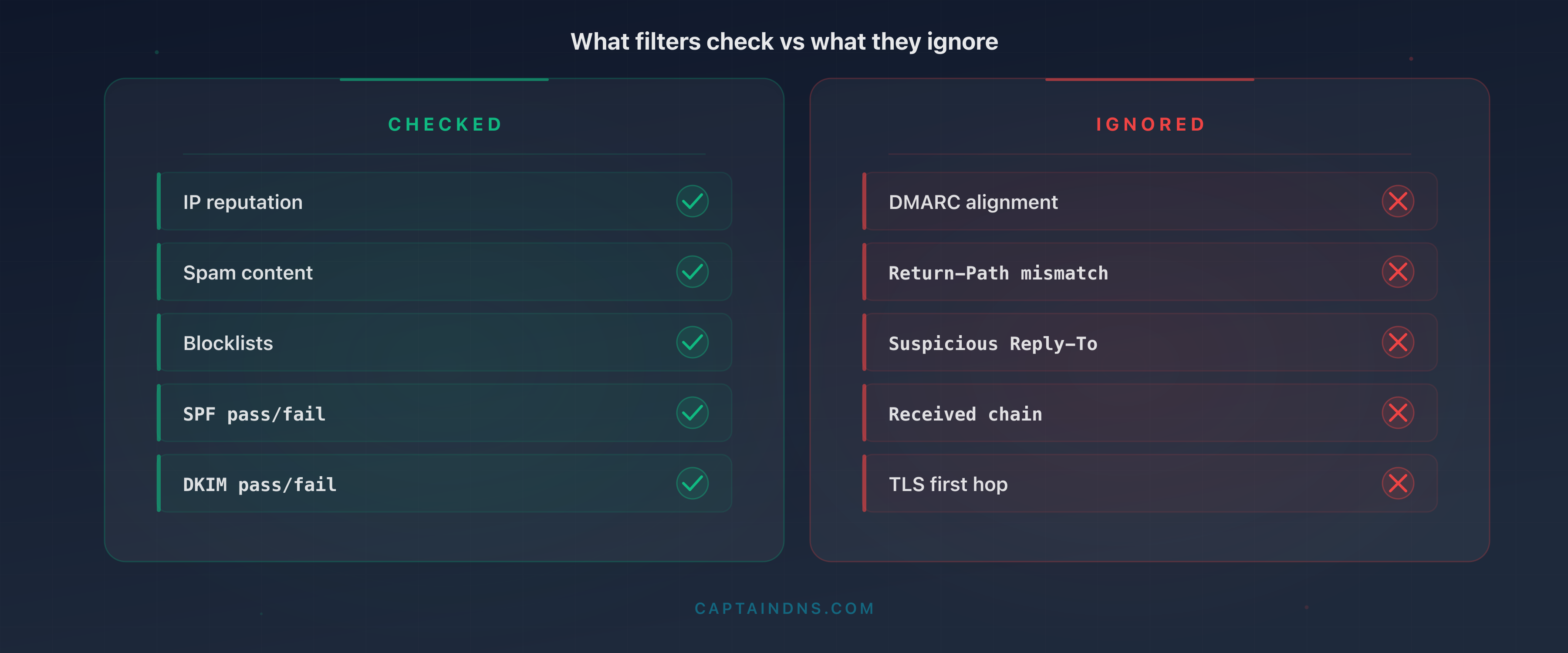
What gateways check (and what they ignore)
Modern email gateways rely on multiple filtering layers. IP reputation checks whether the sending server's address appears on blocklists (Spamhaus, Barracuda, SpamCop). Content analysis scans for suspicious keywords, malicious URLs, and dangerous attachments. Anti-malware signatures compare files against known definition databases. Behavioral heuristics detect mass-mailing patterns and statistical anomalies.
This architecture works against bulk spam and generic phishing campaigns. A server with a blocklisted IP, an email containing "Click here to claim your prize," and an .exe attachment get blocked before they ever reach the inbox. The 99% block rate is real for these types of threats.
But the attackers targeting your organization do none of this. They send from clean IPs (leased on legitimate ESPs), write credible messages, and manipulate SMTP headers so the message looks like a legitimate email. Notably, 82.6% of analyzed phishing emails now use some form of AI for composition (KnowBe4, Phishing Threat Trends 2025), and the click rate on AI-generated phishing emails reaches 54%, versus 12% for manually written ones (Brightside AI, 2025). Polymorphism is also widespread: 76.4% of phishing attacks contain at least one polymorphic trait, meaning each sent email is slightly different to evade static signatures (KnowBe4, 2025). The gateway sees an email that "passes" all its standard criteria and lets it through.
What gateways largely ignore are consistency signals in headers. A legitimate email exhibits internal consistency: the From domain matches the Return-Path and Message-ID domains, the DKIM signature covers the correct domain, the Received chain is logical, and the hosting platform's proprietary headers are present. When an attacker forges an email, they replicate visible headers (From, Subject, Date) but leave inconsistencies in technical headers that only a thorough examination reveals. Gateways do not perform this examination.
The adaptation paradox
The stricter a filter is, the more the attacker adapts. Advanced threat groups (APTs, targeted spear-phishing operations) systematically test their emails against market-leading gateways before launching a campaign. Underground services offer "SEG testing": the attacker submits their email and receives a report indicating which gateways block it and which let it through. It is an iterative process. The attacker adjusts headers, content, and sending infrastructure until achieving a satisfactory pass rate.
The result: the emails that land in the inbox after the gateway are not failed attempts. They are the most refined attempts, optimized to bypass your specific defenses. This is a common cognitive bias among security teams: assuming that what passes the gateway is "probably legitimate." In reality, it is exactly the opposite. What passes the gateway after strict filtering is potentially more dangerous than average spam, because it was designed to get through.
This phenomenon explains why users trained to recognize the visual signs of phishing continue to fall victim. The emails that bypass the gateway no longer contain typos, sloppy layouts, or obvious URLs. They look like legitimate emails because they have been optimized for that purpose. The only difference lies in the technical headers, invisible to the end user.
The last line of defense: post-gateway analysis
This is why header analysis after filtering is critical. The 10 indicators detailed in this article do not replace the gateway: they complement detection by examining signals that automated filters do not check or check poorly. This analysis can be manual (for individual incidents), semi-automated (Exchange/Gmail transport rules), or integrated into a SIEM for large-scale detection.
The 10 indicators your gateway misses
1. Return-Path / From mismatch (envelope mismatch)
How the attacker exploits it. The SMTP protocol separates two distinct identities: the envelope sender (MAIL FROM, visible in the Return-Path header) and the displayed sender (the From header). The attacker configures their server to send with a Return-Path they control (bounce@attacker-infra.net) while displaying a credible From (direction@captaindns.com). Most email clients only display the From. The recipient sees an email that appears to come from management, unaware that the envelope points elsewhere.
Why filters miss it. Gateways check SPF on the Return-Path and DKIM on the From, but few actively compare the two and alert on a mismatch. An SPF pass on the Return-Path and a DKIM pass on a third-party domain are often enough to let the message through.
What the defender should check. Compare the domain in Return-Path with the domain in From. If they differ without a legitimate reason (mailing list, configured ESP), it is a strong signal.
Header example:
Return-Path: <bounce-7842@attacker-infra.net>
From: "Executive Team" <direction@captaindns.com>
The mismatch is immediately visible: the envelope comes from attacker-infra.net, the From displays captaindns.com. A legitimate email sent via an ESP would have a Return-Path containing the ESP's domain configured in the sending domain's SPF, not an unknown third-party domain.
When the mismatch is legitimate. It is normal for the Return-Path to differ from the From in certain cases: ESPs (SendGrid, Mailgun, Amazon SES) use their own domain for the Return-Path to manage bounces. Mailing lists rewrite the Return-Path. The key is verifying whether the Return-Path domain belongs to a known service configured in the From domain's SPF. A Return-Path to an unknown domain (attacker-infra.net) paired with a corporate From (captaindns.com) with no SPF link is a strong signal.
2. DKIM signed by a third-party domain (delegated signature)
How the attacker exploits it. The attacker creates an account on a legitimate ESP (SendGrid, Mailgun, Amazon SES) and configures DKIM for their own domain. They then send an email with a spoofed From (accounting@captaindns.com). The message carries a valid DKIM signature, but signed by the attacker's domain (d=attacker-marketing.com), not by captaindns.com. The gateway sees "dkim=pass" and considers the message authenticated.
Why filters miss it. Gateways verify that the DKIM signature is technically valid (the public key matches, the body hash is correct). But most do not check whether the signing domain (d=) matches the From domain. That is the role of DMARC alignment, and many organizations have not yet deployed DMARC in strict mode.
What the defender should check. In the DKIM-Signature header, compare the d= field with the From domain. If they do not match, the email is signed by a third party with no authority over the displayed domain.
Header example:
DKIM-Signature: v=1; a=rsa-sha256; d=attacker-marketing.com;
    s=sel2026; c=relaxed/relaxed;
    h=from:to:subject:date:message-id;
    bh=2jUSOH9NhtVGCQWNr9BrIAPreKQjO6Sn7XIkfJVOzv8=;
    b=AuUoFEfDxTDkHlLXSZEpZj79LICEps6eda7W3deTVFOk...
From: "Accounting Department" <accounting@captaindns.com>
The d=attacker-marketing.com does not match the From captaindns.com. The signature is technically valid but alignment is broken.
3. SPF pass but DMARC alignment failure
How the attacker exploits it. The attacker sends from a server whose IP is authorized by the SPF of a domain they control (their own domain or an ESP domain). The MAIL FROM (envelope) uses this authorized domain, yielding an SPF pass. But the From (header) displays the target's domain (hr@captaindns.com). SPF passes, DKIM is absent or signed by another domain, and DMARC fails on alignment. If the target domain has a DMARC policy of p=none, no action is taken. And this gap is massive: 84.2% of analyzed phishing attacks pass DMARC checks (Egress, Email Security Risk Report 2024), largely because 47% of email domains have no DMARC configuration at all (Barracuda, 2025), 63% of implementers remain on p=none (Mailgun/Email on Acid, 2025), and only 4% of domains enforce p=reject (Valimail, 2025).
Why filters miss it. The gateway sees spf=pass in the authentication results and assigns a positive score. The fact that DMARC alignment fails is often underweighted if the policy is p=none. The net result: the message passes filtering with an "acceptable authentication score."
What the defender should check. In the Authentication-Results header, look for the combination spf=pass with dmarc=fail. This combination indicates that SPF passed on a domain different from the From, a classic sign of spoofing.
Header example:
Authentication-Results: mx.captaindns.com;
    spf=pass (sender IP is 198.51.100.42)
        smtp.mailfrom=bounces.attacker-esp.com;
    dkim=none;
    dmarc=fail (p=none dis=none) header.from=captaindns.com
The spf=pass applies to attacker-esp.com (envelope), not captaindns.com (From). DMARC fails because no mechanism (SPF or DKIM) is aligned with the From domain. The p=none policy lets it through.
4. Reply-To pointing to a different domain than From
How the attacker exploits it. The attacker forges a credible From (support@captaindns.com) but inserts a Reply-To pointing to an address they control (support-captaindns@protonmail.com or support@captaindns-helpdesk.com). When the recipient replies, their response goes to the attacker. This is a highly effective technique for BEC (Business Email Compromise), which has caused $55.5 billion in cumulative losses over ten years (FBI IC3, 2024). The initial email contains no link or attachment, which avoids any detection through content analysis.
Why filters miss it. The Reply-To is an informational header, not an authentication mechanism. Gateways generally do not compare the Reply-To domain with the From domain. An email with no suspicious URL or attachment, with an SPF pass, and clean textual content passes filters without difficulty.
What the defender should check. Compare the domain of the Reply-To header with the From domain. A mismatch toward a free-tier domain (Gmail, ProtonMail, Outlook.com) or a lookalike domain (typosquatting) is a strong BEC signal.
Header example:
From: "Jean Dupont - CFO" <jean.dupont@captaindns.com>
Reply-To: jean.dupont.captaindns@protonmail.com
Subject: Urgent wire transfer - supplier invoice
The From displays a credible internal address. The Reply-To redirects to a ProtonMail account the attacker controls. If the recipient replies without checking, the conversation continues with the attacker.
Advanced variants. The most sophisticated attackers do not use an obvious free-tier domain. They register a typosquatting domain close to the target domain: captaindns-support.com, captaindns.net, captaindnss.com. These domains are harder to spot in a quick scan of the Reply-To. Another variant uses a deceptive subdomain: captaindns.service-desk.com (the real domain is service-desk.com, not captaindns). For automated detection, maintain an allowlist of authorized Reply-To domains and flag anything not on it.
5. Abnormally short or long Received chain
How the attacker exploits it. Each server that processes an email adds a Received header at the top of the stack. A legitimate email typically traverses 3 to 5 hops (sender's server, outbound gateway, recipient's MX, inbound gateway, mailbox server). The attacker can manipulate this chain in two ways. First option: send directly from a script to the recipient's MX, producing a chain with only 1 or 2 hops, indicating non-standard sending. Second option: inject fake Received headers to simulate transit through legitimate servers, artificially lengthening the chain.
Why filters miss it. Gateways do not systematically count the number of hops or verify temporal consistency between Received headers. An email with 8 hops, 3 of which are forged, passes standard checks if the forged headers are well-formatted.
What the defender should check. Count the Received headers and verify two things. First, temporal consistency: timestamps should progress from bottom (first hop) to top (last hop). A time jump (a hop dated before the previous one) indicates a forged header. Second, the number of hops: fewer than 2 or more than 7 is abnormal for a standard business email.
Header example (suspicious chain, too short):
Received: from mail-gw.captaindns.com (10.0.1.5) by mailbox.captaindns.com;
    Thu, 27 Mar 2026 09:15:22 +0100
Received: from unknown (HELO send-node-14.attacker.net) (45.77.200.18)
    by mail-gw.captaindns.com; Thu, 27 Mar 2026 09:15:20 +0100
Only 2 hops. No outbound server, no sender's gateway. The message was sent directly from a sending node to captaindns.com's MX, indicating a scripted send, not a corporate mail server.
The forged Received header technique. A more sophisticated attacker inserts fake Received headers to simulate transit through legitimate servers. For example, they add a hop Received: from mail-out.captaindns.com (10.0.1.2) by gateway.captaindns.com at the bottom of the stack. The trap: receiving servers add Received headers at the top of the stack, not the bottom. The headers at the bottom are the oldest and the first to have been added. A Received header claiming to originate from an internal server but located at the bottom of the stack (before the first legitimate hop) is a forged header from the sender. Always verify chain consistency starting from the bottom.
6. Missing TLS on the first hop (STARTTLS absent)
How the attacker exploits it. The attacker uses a server configured without TLS support or deliberately disables STARTTLS. The goal is not encryption itself, but what its absence reveals. A legitimate mail server in 2026 supports STARTTLS. A server sending in plaintext is likely a script, an attack tool, or a compromised server. The absence of TLS can also indicate an SMTP downgrade attack, where an attacker intercepts the TLS negotiation to force plaintext transmission.
Why filters miss it. Gateways do not block emails received without TLS. The SMTP protocol is designed to work in plaintext with TLS as an optional extension. Many gateways accept unencrypted connections to avoid losing legitimate mail from older servers. Whether the first hop is in plaintext is not a standard filtering criterion.
What the defender should check. In the first Received header (the lowest in the stack), look for the mention with ESMTPS (TLS connection) versus with SMTP or with ESMTP (plaintext connection). A business email in 2026 should always transit with TLS enabled on the first hop.
Header example:
Received: from send-node.attacker.net (45.77.200.18)
    by mail-gw.captaindns.com with SMTP;
    Thu, 27 Mar 2026 09:15:20 +0100
The mention with SMTP (without the S for ESMTPS) indicates a plaintext connection. A legitimate corporate mail server would show with ESMTPS or with TLS. This lack of encryption is a weak but significant signal when combined with other indicators.
7. Suspicious X-Mailer or User-Agent
How the attacker exploits it. Email clients and servers insert an X-Mailer or User-Agent header identifying the software used. Attackers use Python scripts (smtplib or aiosmtplib libraries), mass-mailing tools (GoPhish, King Phisher, Social Engineering Toolkit), or custom frameworks. Some attackers omit this header entirely (which is itself a signal), while others forge it to mimic a legitimate client (Outlook, Thunderbird). Forgeries are often imperfect: a nonexistent version, an inconsistent string format, or an X-Mailer that does not match the other headers present.
Why filters miss it. The X-Mailer is not a standardized header under the RFCs. Gateways do not treat it as a security criterion and do not maintain a signature database of malicious clients. An email sent from GoPhish with a forged X-Mailer of Microsoft Outlook 16.0 passes filters if the content and IP reputation are clean.
What the defender should check. Look for the X-Mailer or User-Agent header. A Python User-Agent (Python/3.11 aiosmtplib/2.0) is a strong signal. The total absence of X-Mailer on an email supposedly from Outlook is suspicious. An Outlook version that does not exist (for example, Microsoft Outlook 17.5 when the latest version is 16.x) betrays a forgery.
Header example:
X-Mailer: Python/3.11 aiosmtplib/2.0.1
From: "IT Support" <it-support@captaindns.com>
Subject: Mandatory password update
A "password update" email sent from a Python script. No legitimate IT department sends critical emails via a Python script with aiosmtplib. This header betrays an attack tool or an internal phishing test.
8. Message-ID with inconsistent domain
How the attacker exploits it. The Message-ID header is a unique identifier generated by the sending server. It typically contains a hash or random identifier followed by the domain of the server that generated it. The attacker who spoofs the From @captaindns.com but sends from their own server generates a Message-ID with their own domain or a generic identifier. This mismatch between the From domain and the Message-ID domain reveals the attacker's actual infrastructure.
Why filters miss it. The Message-ID is used for conversation threading and deduplication, not for security. Gateways do not compare the Message-ID domain with the From domain. It is a technical header that few filtering systems analyze from a consistency angle.
What the defender should check. Extract the domain after the @ in the Message-ID and compare it with the From domain. A mismatch indicates that the message was generated by a server that does not belong to the displayed domain.
Header example:
Message-ID: <a3f8e2c1-9b47-4d6e-b5a2-1c7d3e9f0482@vps-node-14.attacker.net>
From: "Human Resources" <hr@captaindns.com>
The Message-ID reveals the actual server: vps-node-14.attacker.net. A legitimate email from captaindns.com would have a Message-ID containing captaindns.com or the domain of the ESP in use (for example, amazonses.com if the organization uses Amazon SES).
9. Missing X-MS-Exchange or X-Google headers
How the attacker exploits it. Major email platforms insert specific proprietary headers. Microsoft 365 adds X-MS-Exchange-Organization-AuthSource, X-MS-Exchange-Organization-AuthAs, X-MS-Has-Attach, X-MS-TNEF-Correlator, and others. Gmail adds X-Gm-Message-State, X-Google-DKIM-Signature, X-Google-Smtp-Source. When an email claims to come from a domain hosted on Microsoft 365 but contains none of these headers, it did not transit through the Microsoft platform. The attacker who forges the From @captaindns.com (a domain hosted on M365) but sends from their own server cannot credibly reproduce these proprietary headers.
Why filters miss it. Third-party gateways (non-Microsoft, non-Google) do not know the list of expected proprietary headers for each platform. Even integrated gateways (Defender, Gmail) do not systematically verify consistency between the From domain and the presence of the expected hosting platform headers.
What the defender should check. Identify the hosting platform of the From domain (M365, Google Workspace, other). Verify that the corresponding proprietary headers are present. An email @captaindns.com (hosted on M365) without any X-MS-Exchange-* header did not transit through Microsoft 365.
Header example (suspicious email, From M365 but without Exchange headers):
From: "Finance Department" <cfo@captaindns.com>
To: accounting@captaindns.com
Subject: Urgent approval - international wire transfer
Date: Thu, 27 Mar 2026 09:15:00 +0100
Message-ID: <random-id@send-node.attacker.net>
MIME-Version: 1.0
Content-Type: text/plain; charset=UTF-8
No X-MS-Exchange-* header, no X-MS-Has-Attach, no X-OriginatorOrg. If captaindns.com is hosted on Microsoft 365, this email did not transit through the platform. It is a forgery sent from an external server.
10. Multipart Content-Type with encapsulated .html attachment
How the attacker exploits it. The attacker encapsulates a credential-harvesting HTML page in the MIME body of the message. Unlike a traditional attachment (.exe, .zip) that triggers alerts, an .html file is often considered harmless by gateways. When the user opens the HTML attachment, their browser loads a fake login page mimicking Microsoft 365, Google Workspace, or another service. The entered credentials are sent to the attacker's server. The HTML page can function entirely offline (no external resource downloads), making sandbox detection more difficult.
Why filters miss it. HTML files are not executables and do not contain malicious code in the traditional sense (no shellcode, no macros). Gateways that analyze attachments focus on high-risk formats (.exe, .docm, .xlsm, .js, .vbs). An HTML file is static web content, and many filters let it through. Some gateways analyze URLs within the HTML, but if the page works offline with embedded JavaScript, there is no URL to block at delivery time.
What the defender should check. In the MIME headers, look for a part with Content-Type: text/html and Content-Disposition: attachment. The combination HTML + attachment is a strong signal. Analyze the HTML file content: the presence of <form>, <input type="password"> tags, or obfuscated JavaScript in an HTML attachment is almost certainly malicious.
Header example:
Content-Type: multipart/mixed;
    boundary="----=_NextPart_001_0042_01D8F3A2.B5C7E890"

------=_NextPart_001_0042_01D8F3A2.B5C7E890
Content-Type: text/plain; charset="UTF-8"
Content-Transfer-Encoding: quoted-printable

Hello, please review the attached security document.

------=_NextPart_001_0042_01D8F3A2.B5C7E890
Content-Type: text/html; name="security-update-captaindns.html"
Content-Disposition: attachment; filename="security-update-captaindns.html"
Content-Transfer-Encoding: base64

PCFET0NUWVBFIGh0bWw+DQo8aHRtbD4NCjxoZWFkPjx0aXRsZT5DYXB0YWluRE5T...
The MIME boundary contains an attachment security-update-captaindns.html. The base64-encoded body decodes to an HTML page with a login form. A legitimate email from CaptainDNS would never send an HTML file as an attachment for a "security update."
Evasion techniques in embedded HTML. Attackers use several techniques to evade sandboxes that analyze HTML attachments. JavaScript can be obfuscated (base64 encoding, string concatenation, dynamic code execution). The page can check whether it is running in a real browser (screen resolution detection, mouse movement, plugins) and only trigger the phishing form if conditions are met. Some HTML pages use the data: protocol or Blob URLs to dynamically construct the form, rendering static analysis ineffective. In 2025 and 2026, .svg attachments containing embedded JavaScript have become an increasingly common variant of this technique, as SVGs are even less monitored than HTML files.
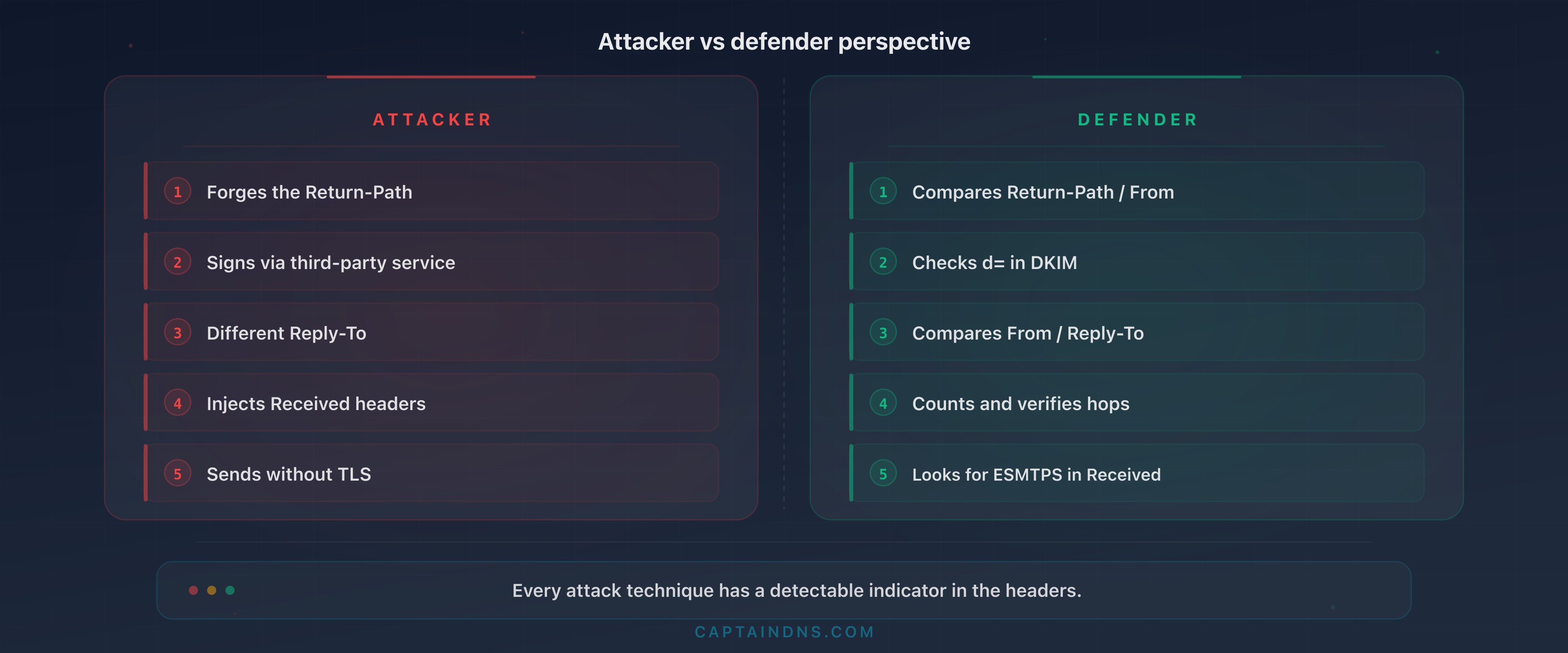
Combining indicators: the power of multi-signal scoring
Taken individually, each indicator can have a legitimate explanation. A Return-Path different from the From is normal when an ESP sends on behalf of an organization. A DKIM signed by a third-party domain is standard with SendGrid or Amazon SES. A short Received chain can come from an on-premise server sending directly.
The power of these 10 indicators emerges when you combine them. An email presenting a single indicator warrants verification. An email presenting three or more indicators is almost certainly malicious. The principle is multi-signal scoring: assign a score to each detected indicator and escalate when the cumulative score exceeds a threshold.
Scoring example for a suspicious email:
| Detected indicator | Score |
|---|---|
| Return-Path != From (unknown domain) | +2 |
| DKIM signed by a non-ESP third-party domain | +2 |
| SPF pass + DMARC fail | +3 |
| Reply-To pointing to a free-tier domain | +3 |
| Received chain < 3 hops | +1 |
| Missing TLS on first hop | +1 |
| X-Mailer Python/script | +2 |
| Message-ID domain != From | +2 |
| Missing X-MS-Exchange headers (M365 domain) | +3 |
| HTML attachment | +2 |
A threshold of 5 points triggers a flag for SOC review. A threshold of 8 points triggers automatic quarantine. This scoring can be implemented in Exchange/Gmail transport rules or in a SIEM.
In practice, sophisticated spear-phishing emails typically combine 3 to 5 indicators. Indicators 1 (Return-Path mismatch), 3 (SPF pass + DMARC fail), and 8 (inconsistent Message-ID) appear together in the majority of domain spoofing cases. Indicators 4 (divergent Reply-To) and 9 (missing proprietary headers) characterize BEC (Business Email Compromise) attacks. The combination of 5 (short Received chain) + 6 (missing TLS) + 7 (script X-Mailer) betrays a send from an attack tool.
The lesson is clear: never judge an email on a single indicator. Build a multi-signal scoring system adapted to your environment and calibrate thresholds by analyzing your legitimate emails and past incidents.
How to detect these signals after the gateway
Manual analysis with an inspection tool
For individual incidents (a user reports a suspicious email), manual header analysis remains the fastest method. The user exports the raw headers from their email client (in Outlook: File > Properties > Internet Headers; in Gmail: three dots > Show original). The SOC analyst pastes the headers into an analysis tool that breaks down each header and highlights anomalies.
Priority checks during manual analysis:
- Return-Path vs From: identical domains or a legitimate reason for the mismatch?
- DKIM d= vs From: does the signature cover the correct domain?
- Authentication-Results: combination of
spf=pass+dmarc=fail? - Reply-To: domain consistent with the From?
- Received chain: number of hops, temporal consistency, TLS presence?
- Message-ID: domain consistent with the From?
- Proprietary headers: present if the domain is hosted on M365/Gmail?
- MIME parts: suspicious HTML attachment?
Exchange/Gmail transport rules for automatic tagging
For systematic detection, transport rules (mail flow rules) in Exchange Online or routing rules in Google Workspace allow automatic tagging of messages that present certain indicators.
Exchange Online rule example for detecting Reply-To mismatch:
Condition: the Reply-To header contains a domain different from the From domain, AND the Reply-To domain is not on an allowlist (internal domains, authorized ESPs). Action: add a warning banner to the message ("This message has a Reply-To address different from the displayed sender") and flag it for SOC review.
Rule example for detecting missing M365 headers:
Condition: the From domain is an internal domain hosted on M365, AND the X-MS-Exchange-Organization-AuthSource header is absent. Action: quarantine for manual review.
These rules do not replace the gateway but add a post-filtering detection layer targeted at signals the gateway ignores.
SIEM integration for large-scale detection
For organizations with significant email volume, integration with a SIEM (Microsoft Sentinel, Splunk, Elastic Security) allows automated detection and correlation. Exchange or Gmail transport logs contain authentication results, key headers, and routing metadata. Custom detection rules search for the following patterns:
- Abnormal volume of emails with
dmarc=fail action=nonefor an internal domain - Inbound emails with Reply-To pointing to free-tier domains when the From is an internal domain
- Messages without
X-MS-Exchange-*headers when the From domain is hosted on M365 - HTML attachments in inbound emails with an internal
From
SIEM correlation also enables cross-referencing a suspicious email with network connections: if a user opens an HTML attachment at 09:15 and a suspicious M365 connection from a foreign IP appears at 09:18, the incident is detected in near real time.
The link to deliverability and spam
The 10 indicators described in this article are not only about security. They also affect the deliverability of your own emails. If your domain exhibits the same signals as a phishing email (inconsistent Return-Path, unaligned DKIM, DMARC at p=none), the recipients' gateways will treat your messages with suspicion. Your legitimate emails end up in spam because your DNS configuration and headers trigger the same signals that attackers exploit.
Fixing your own headers (aligning SPF and DKIM, moving DMARC to p=reject, configuring consistent Message-IDs) therefore provides a dual benefit: strengthening your domain's security against spoofing AND improving the deliverability of your legitimate emails. It is the same analytical framework applied to two complementary objectives.
Action plan
- Audit your last 50 suspicious emails: retrieve the headers from emails reported by your users over the past month and analyze them against the 10 indicators. This audit reveals the types of attacks that bypass your gateway.
- Create transport rules for indicators 1, 4, and 5: the Return-Path/From mismatch, divergent Reply-To, and abnormal Received chain are the three easiest signals to detect automatically via Exchange or Gmail rules.
- Strengthen DMARC to p=quarantine or p=reject: as long as your DMARC policy is
p=none, indicators 1, 2, and 3 remain exploitable with no consequence for the attacker. Remember that only 4% of domains enforcep=reject(Valimail, 2025): every domain that migrates reduces the attack surface for the entire ecosystem. Use our DMARC verification tool (link in the banner above) to audit your current policy. - Train SOC teams on header warning signals: trained employees report four times more threats than untrained ones, 21% versus 5% (Verizon DBIR, 2025). The 10 indicators in this article should be part of the standard email incident analysis procedure. Create a printable checklist that analysts consult during every investigation.
- Integrate header analysis into the incident response process: organizations that integrate AI into their security pipeline reduce the breach cycle by 80 days and save an average of $1.9 million per incident (IBM, Cost of a Data Breach 2025). Every suspicious email reported should undergo systematic post-gateway analysis before being classified as a false positive.
- Re-test monthly with test emails: send yourself emails that reproduce each of the 10 indicators. If your gateway lets them through and your transport rules do not flag them, your defenses have a blind spot.
FAQ
Why doesn't my email gateway detect these signals?
Gateways are optimized for mass filtering: IP reputation, suspicious content, malware signatures. The 10 indicators described here fall under header consistency, a domain that gateways do not analyze in depth. The Return-Path/From mismatch or the absence of proprietary headers are not standard filtering criteria in most market SEGs.
Which email filters are most vulnerable to these bypasses?
Gateways that focus exclusively on IP reputation and content analysis are the most vulnerable. Solutions that incorporate behavioral analysis and DMARC alignment verification are better positioned, but no market gateway checks all 10 indicators exhaustively. That is why post-gateway analysis remains necessary.
How do I create an Exchange transport rule to detect the Reply-To mismatch?
In the Exchange Admin Center, create a mail flow rule with the condition "A message header includes" on the Reply-To header. Combine with the condition "The sender domain is" to target internal domains. The recommended action is to add a visible warning to the recipient and flag the message for SOC review. Test in audit mode for two weeks before enabling blocking.
Can header analysis be automated?
Yes. Authentication results and key headers are available in Exchange Online and Gmail transport logs. A SIEM (Sentinel, Splunk, Elastic) can ingest these logs and apply detection rules across the 10 indicators. For organizations without a SIEM, Exchange/Gmail transport rules provide an accessible first level of automation.
Do these bypass techniques work against native Gmail and Outlook?
Gmail and Outlook have their own filtering layers (Gmail uses advanced ML models, Outlook integrates Defender). These filters perform better than average on DMARC alignment and suspicious Reply-To detection. But they are not infallible: indicators 5 (abnormal Received chain), 7 (suspicious X-Mailer), 8 (inconsistent Message-ID), and 10 (HTML attachment) remain blind spots even for these platforms.
How do I train my SOC team on header analysis?
Start with a 2-hour hands-on workshop using real (anonymized) emails presenting each of the 10 indicators. Create a printable checklist that analysts consult during every investigation. Integrate header analysis into tabletop exercises and internal phishing simulations. The goal is for every SOC analyst to identify the 10 indicators in under 5 minutes per email.
Do I need to replace my email gateway for protection?
No. The 10 indicators complement the gateway, they are not substitutes. The gateway remains essential for blocking bulk spam, known malware, and generic phishing campaigns. The goal is to add a post-gateway detection layer (transport rules, SOC analysis, SIEM) targeted at sophisticated attacks that standard filtering does not catch.
How do I test whether my gateway misses these signals?
Send yourself test emails reproducing each of the 10 indicators from an external server. For the Return-Path mismatch: configure a MAIL FROM different from the From. For third-party DKIM: sign with a different domain. For Reply-To: insert a Reply-To pointing to an external domain. Document which emails pass the gateway and which are blocked. This test reveals the specific blind spots in your configuration.
Glossary
- Return-Path: header inserted by the receiving server containing the SMTP envelope address (MAIL FROM). Used for non-delivery notifications (bounces). Checked by SPF.
- DKIM-Signature: header containing the cryptographic signature of a message. The
d=field identifies the signing domain,s=the public key selector. - DMARC alignment: verification that the From domain matches the domain verified by SPF (SPF alignment) or the DKIM signing domain (DKIM alignment). Alignment can be strict (exact match) or relaxed (match on the organizational domain).
- Reply-To: optional header indicating the address to which replies should be directed. Can differ from the From.
- Received chain: series of headers added by each server (hop) that processed the message. Read from top to bottom, they trace the message's path from the last hop (top) to the first (bottom).
- STARTTLS: SMTP extension that initiates a TLS-encrypted connection over an existing SMTP connection. Visible in Received headers by the mention
with ESMTPS. - X-Mailer: optional header identifying the client software used to send the message. Not standardized by the RFCs, but widely used by email clients.
- Message-ID: unique identifier assigned to each message by the sending server. Format:
<identifier@domain>. Used for conversation threading and deduplication. - MIME (Multipurpose Internet Mail Extensions): email encoding standard enabling attachments, HTML content, and non-ASCII characters. Defined by the
Content-Typeheader. - Content-Disposition: MIME header indicating whether a message part should be displayed inline (
inline) or offered as a download (attachment). - Envelope sender: SMTP address used during the MAIL FROM command in the SMTP session. Distinct from the address in the From header visible to the recipient.
Do your headers hide suspicious signals? Paste your raw headers into our email header analyzer for an automatic diagnostic covering authentication, routing, and the anomalies described in this article.