Reject Direct Send in Exchange Online: read Change Optics before you enable it
By CaptainDNS
Published on November 18, 2026
Updated on November 18, 2026
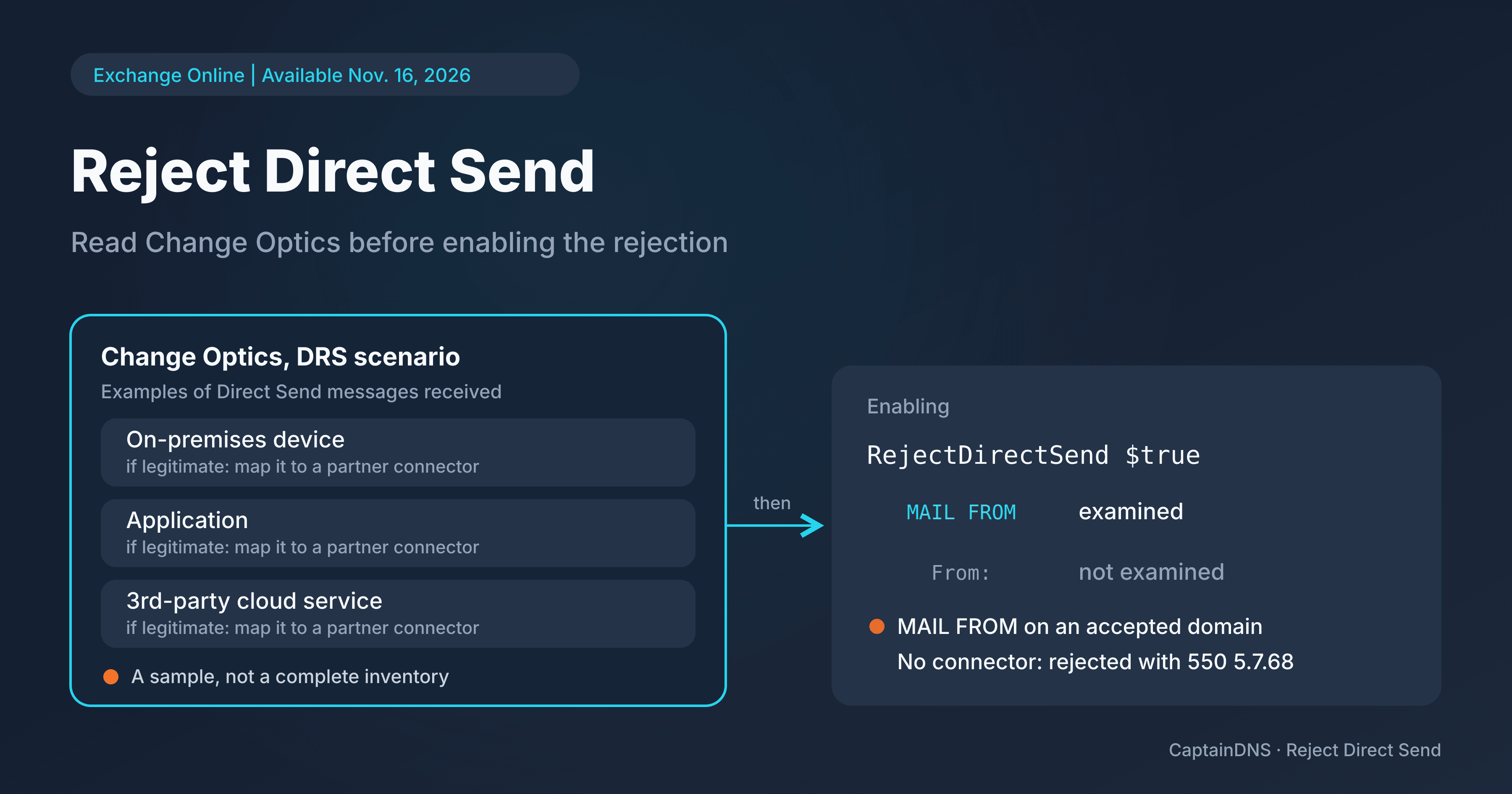
On November 16, 2026, Microsoft's Exchange team announced the general availability of Reject Direct Send in Exchange Online, in public preview since April 2025. The setting blocks anonymous messages that use one of your accepted domains as the envelope sender. The announcement changes its status and its rollout, not its scope: it doesn't cover every form of spoofing. On an existing tenant, the first step happens in the Change Optics report, not in PowerShell.
- Reject Direct Send is generally available for Exchange Online tenants in the worldwide environment. It stays off by default on existing tenants; for new tenants, default enablement with no way to turn it off is rolling out.
- The check only looks at the envelope sender (
MAIL FROM), not the visibleFrom:, wherever your MX points. - Before you enable it, read the DRS scenario in Change Optics, a sample rather than a complete inventory, then tie each legitimate sender to a partner connector.
General availability and new tenants
Microsoft's announcement opens the setting to Exchange Online tenants in the worldwide environment and distinguishes two cases.
In its November 16, 2026 announcement, Microsoft says it is rolling out default enablement of Reject Direct Send for new Exchange Online tenants, with no option to turn it off. According to Microsoft, this rollout is in progress as of the announcement's publication date, and no completion date is given. On a new tenant where enablement applies, the setting can't be turned off: an application that sends to it via Direct Send will have to go through a partner connector.
For existing tenants, the setting stays off by default and enabling it remains optional. Microsoft states that it isn't available for now in the GCC High and DoD environments.
MAIL FROM only, wherever the MX points
For Microsoft, Direct Send means sending to the hosted mailboxes of an Exchange Online organization, from on-premises devices, applications or third-party cloud services, with one of that organization's accepted domains. No authentication is required: apart from its sender domain, the message looks like anonymous mail from the internet.
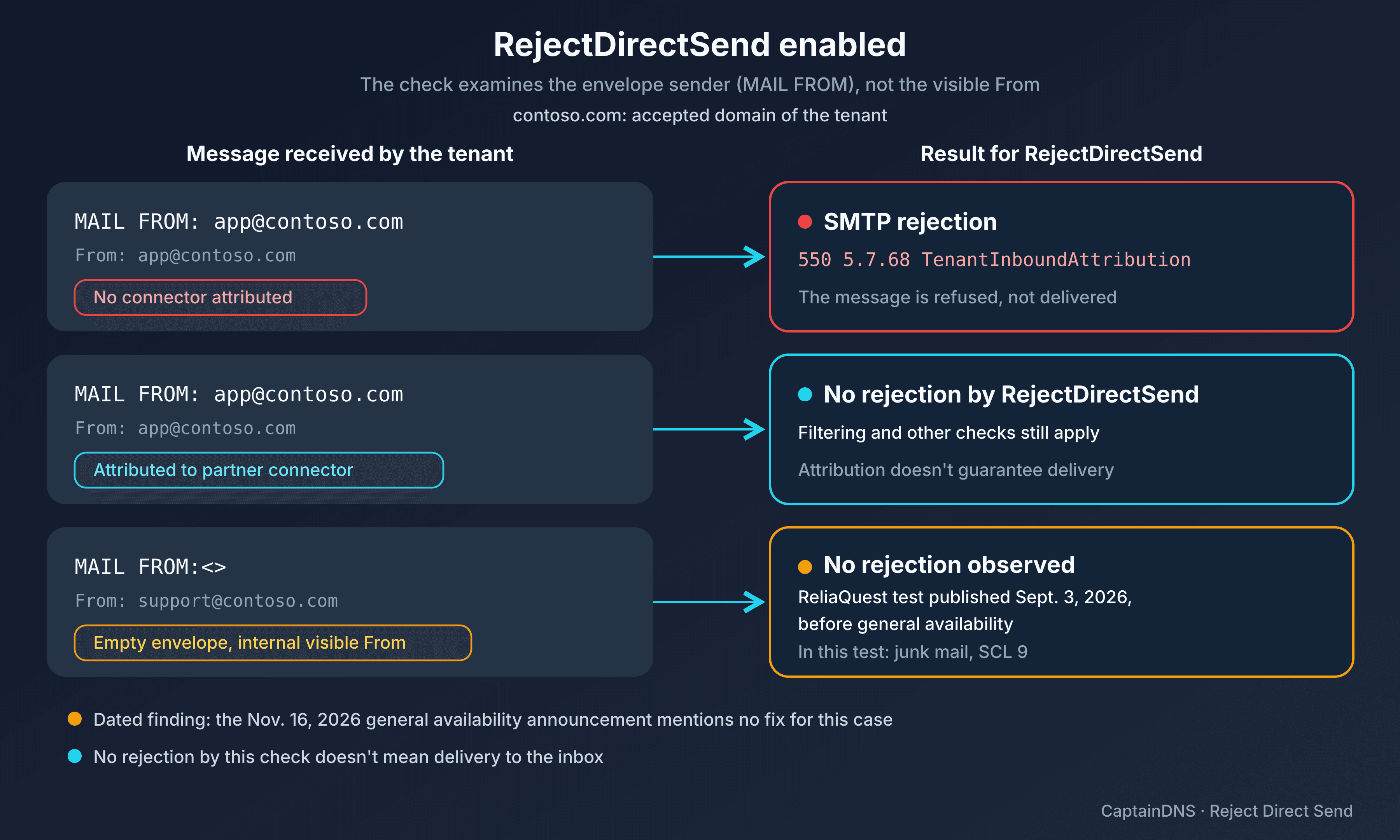
Once enabled, Reject Direct Send blocks these anonymous messages. The rules Microsoft spells out:
- Only the
P1 MAIL FROMaddress, the envelope sender, is evaluated. TheP2 Fromheader, the one the recipient reads, isn't checked. - "Anonymous" means the message isn't attributed to any mail flow connector.
- Subdomains are included if the accepted domain has the "Accept mail for all subdomains" option (
MatchSubDomains = True). - The check works regardless of where your MX record points.
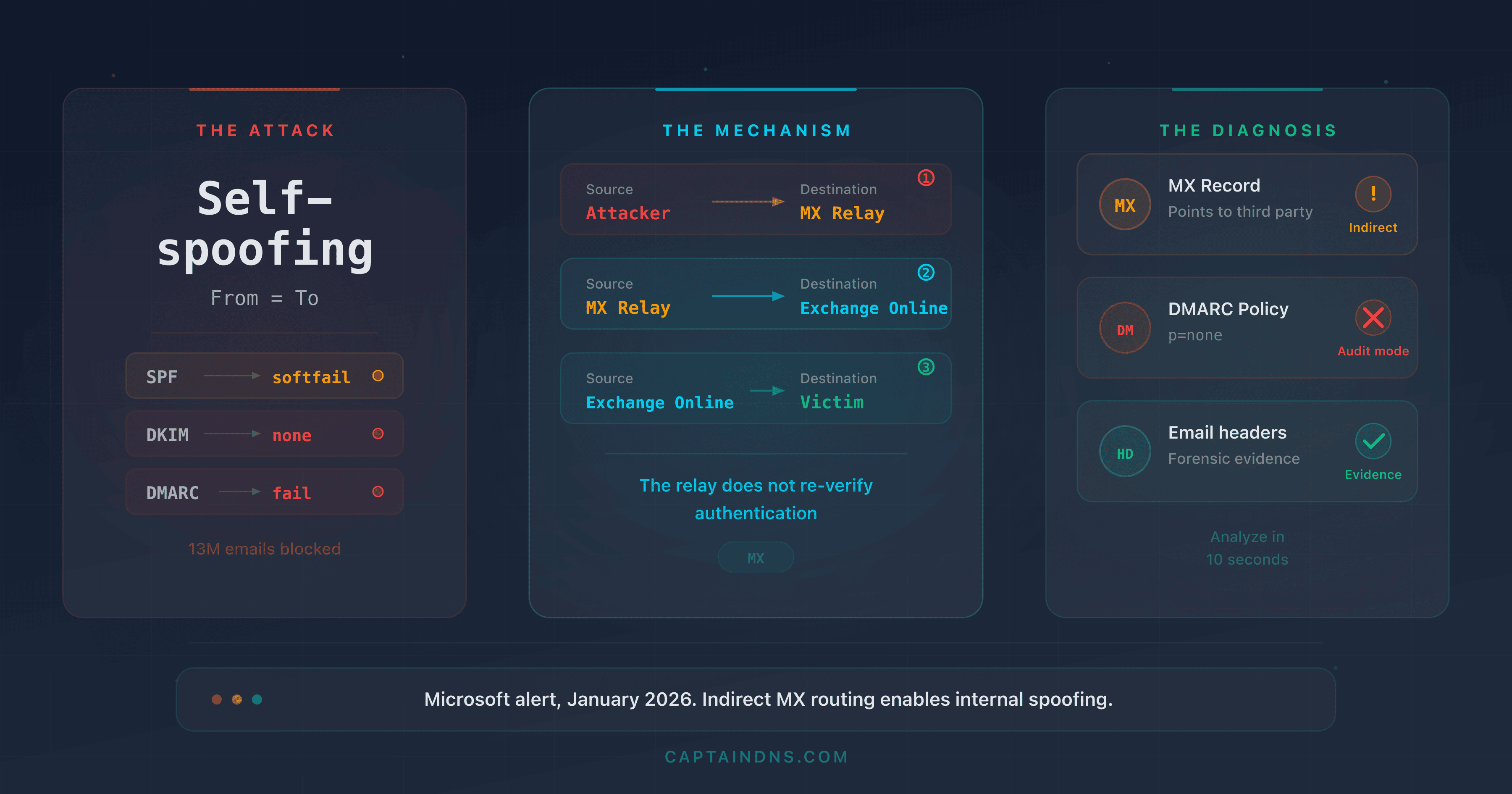
An MX pointing to a third-party gateway therefore doesn't change these criteria: the check examines the MAIL FROM domain and whether the message is attributed to a connector. Microsoft presents it as one layer of protection among others: spoofing a domain you don't own isn't Direct Send and is still handled by the existing anti-spoofing protections. This SMTP rejection is also distinct from authentication and filtering verdicts, such as Microsoft 365 composite authentication.
Before you enable it: read Change Optics and check your connectors
For an existing tenant, the announcement gives this order:
- In the Exchange admin center (EAC), open Reports > Mail flow > Change Optics Report, DRS scenario (Direct Send traffic). It shows examples of Direct Send messages received by your organization.
- Review these samples. According to the October 19, 2026 Change Optics announcement, the Details page can be exported (the export only includes the rows loaded in the table) and Message Trace gives the details of a message.
- Cross-check with your devices, applications and third-party services, and with the sources listed in your domains' SPF records, which Microsoft cites as another good starting point. An SPF record says who is authorized to send, not who actually sends, and it doesn't exempt any source from Reject Direct Send.
- For each legitimate sender, create a partner inbound connector that matches its TLS certificate (Microsoft's recommendation) or its sending IP addresses.
- Check that each partner's messages are actually attributed to the connector, for example with the command below.
Get-MessageTraceV2 -MessageId "<message ID>" | Get-MessageTraceDetailV2 | Format-List
Change Optics doesn't list everything. According to Microsoft's October 19 announcement, the report shows a sample of messages: it's meant for spotting sending patterns to investigate, not for exhaustive tracing. A DRS scenario with no problematic example doesn't prove that no legitimate flows exist, especially occasional ones: a monthly report, a rare alert.
Enabling it and understanding the 550 5.7.68 rejection
Once the legitimate senders are tied to connectors, an admin with the Organization Configuration role enables the setting:
Set-OrganizationConfig -RejectDirectSend $true
According to Microsoft, the change takes up to 30 minutes to propagate through the service. To read the current value:
Get-OrganizationConfig | Format-List RejectDirectSend
A rejected message gets this response:
550 5.7.68 TenantInboundAttribution; Direct Send not allowed for this organization from unauthorized sources
A legitimate application that gets this code is sending with one of your domains without being attributed to a connector: review its partner connector, then the attribution in Message Trace. The value True confirms that the setting is on, not that your applications get through: next, check that their messages arrive, attributed to their connector.
Forwarding without SRS and the empty-envelope limit
Microsoft flags a known issue. A member of your organization writes to a third party who forwards the message back to you; if that third party's provider doesn't support the Sender Rewriting Scheme (SRS), the message comes back with your original sender address. These messages already fail SPF. With Reject Direct Send enabled and no partner connector, they will be rejected.
In a test on its own tenant, published on September 3, 2026, ReliaQuest observed that a message with an empty envelope, MAIL FROM:<>, escaped the RejectDirectSend rejection despite an internal visible From:, while the same message with a MAIL FROM on the accepted domain was refused with 550 5.7.68. The message had been delivered to junk, with an SCL (the spam confidence level assigned by Microsoft) of 9, the highest, and a DMARC failure. ReliaQuest describes a limit in the control's scope, not a Microsoft software vulnerability.
The general availability announcement still states that only the MAIL FROM is examined and announces no fix for the empty-envelope case, so there is no basis for considering it covered.
The empty envelope is also used for non-delivery reports: ReliaQuest warns that blocking all MAIL FROM:<> messages could disrupt legitimate flows, and recommends looking for those whose From: carries one of your accepted domains. In its tests, an inbound connector restricted to approved IP addresses blocked every Direct Send attempt, whatever the envelope. That restricted connector is not the same as the standard partner connector that a legitimate source's messages are attributed to.
The visible From: falls under DMARC: align SPF or DKIM, then move to a reject policy once the legitimate flows are validated (see DMARC policy and sender alignment). ReliaQuest also advises reviewing filtering exceptions: allowed senders and domains, the Tenant Allow/Block List, mail flow rules that set the SCL. In one of the cases ReliaQuest studied, a message classified as high confidence phishing reached the inbox because the spoofed address was on the allowed senders list. Neither p=reject nor RejectDirectSend guarantees that a spoofed message will never be delivered.
Related guides
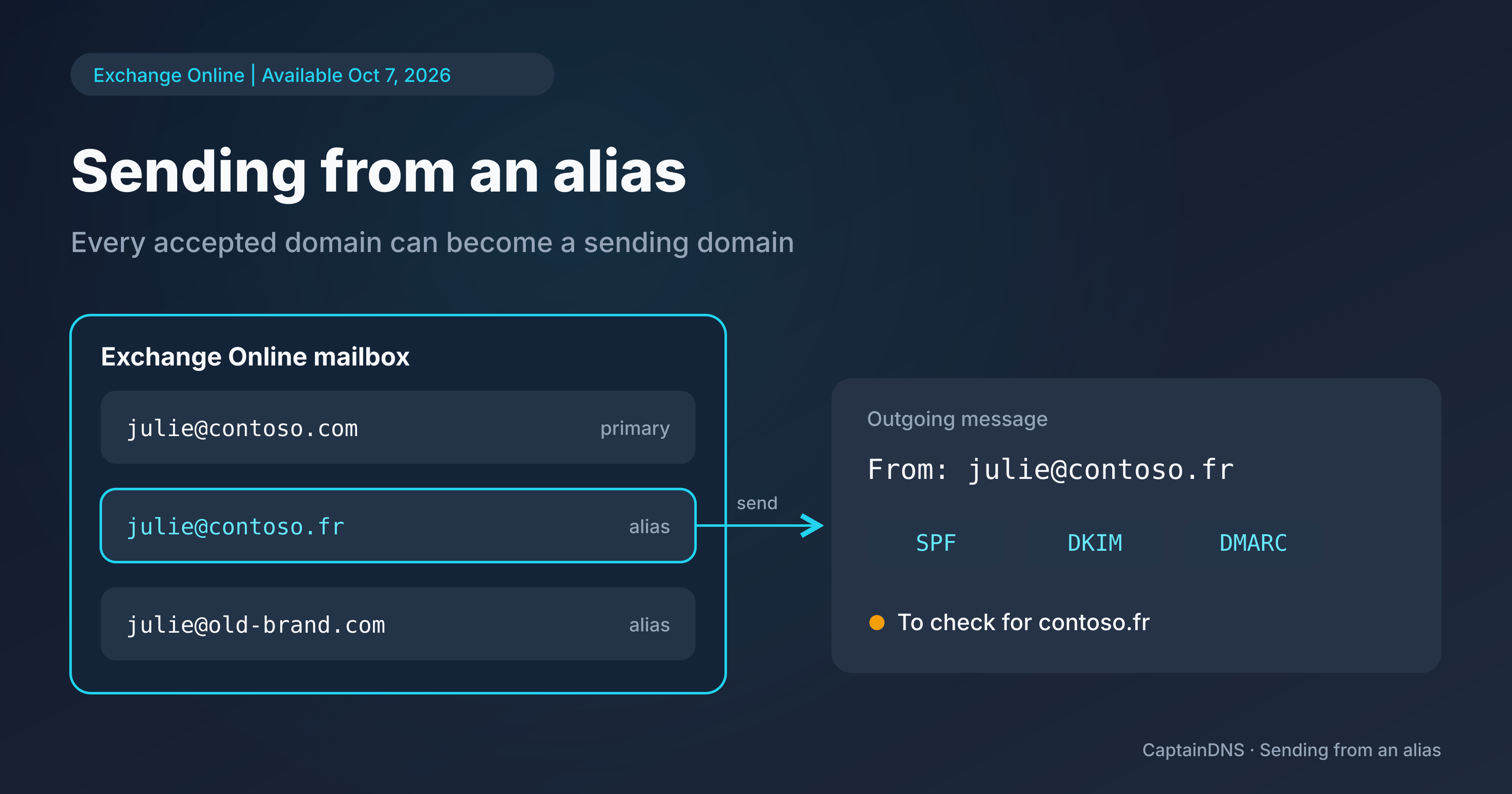
- Sending from aliases in Exchange Online: every accepted domain becomes a sending domain, another Exchange Online setting tied to accepted domains: it covers sending from aliases, not blocking anonymous inbound messages.
Sources
- Microsoft Exchange Team Blog: Reject Direct Send now Generally Available in Exchange Online (November 16, 2026)
- Microsoft Exchange Team Blog: The Change Optics Report is now Generally Available in Exchange Online (October 19, 2026)
- ReliaQuest Threat Research: Threat Spotlight: One Blank Field Bypasses Direct Send Control (September 3, 2026)