Zendesk switches on the Minimal profile: a failed SPF can block your messages to support
By CaptainDNS
Published on September 30, 2026
Updated on September 30, 2026
You wrote to a software vendor's support team and you are still waiting for a reply. Since September 23, 2026, your message may have ended up outside the ticket queue. Zendesk is moving accounts that had no sender check enabled to the "Minimal" profile. With this profile, a failed SPF without valid DKIM is enough to keep an email from ever becoming a ticket.
- Since September 23, 2026, Zendesk accounts with sender authentication disabled are gradually switching to the "Minimal" profile.
- For this profile, a failed SPF is worse than a missing SPF: without valid DKIM, the first sends the email to suspended tickets, the second lets it through with a flag.
- Check your domain's SPF and DKIM signature. If you administer Zendesk, keep an eye on the "Suspended tickets" view.
What the Minimal default changes
On June 18, 2026, Zendesk announced a new security standard for sender authentication. The official announcement, updated on September 28, 2026, describes a two-phase rollout.
Phase 1 covers new accounts. They are already created with the "Minimal" profile by default. Phase 2 targets existing accounts that have sender authentication disabled: Zendesk applies "Minimal" to them as the default profile.
The phase 2 schedule shows two end dates on the same page. The table gives a start on September 23, 2026 and an end on October 22, 2026. The text describes a staged rollout from September 23 to December 16, 2026. We cite both, because the official page does not say which one prevails. An account that is still disabled today may therefore switch over in the coming weeks, with no precise date.
The account admin stays in control. They can turn authentication off or choose a stricter profile: "Native traffic" or "Native and forwarded traffic (ARC)". One rule does not change: for emails sent by agents, authentication is always on and cannot be disabled.
Suspended, flagged or accepted: the three outcomes
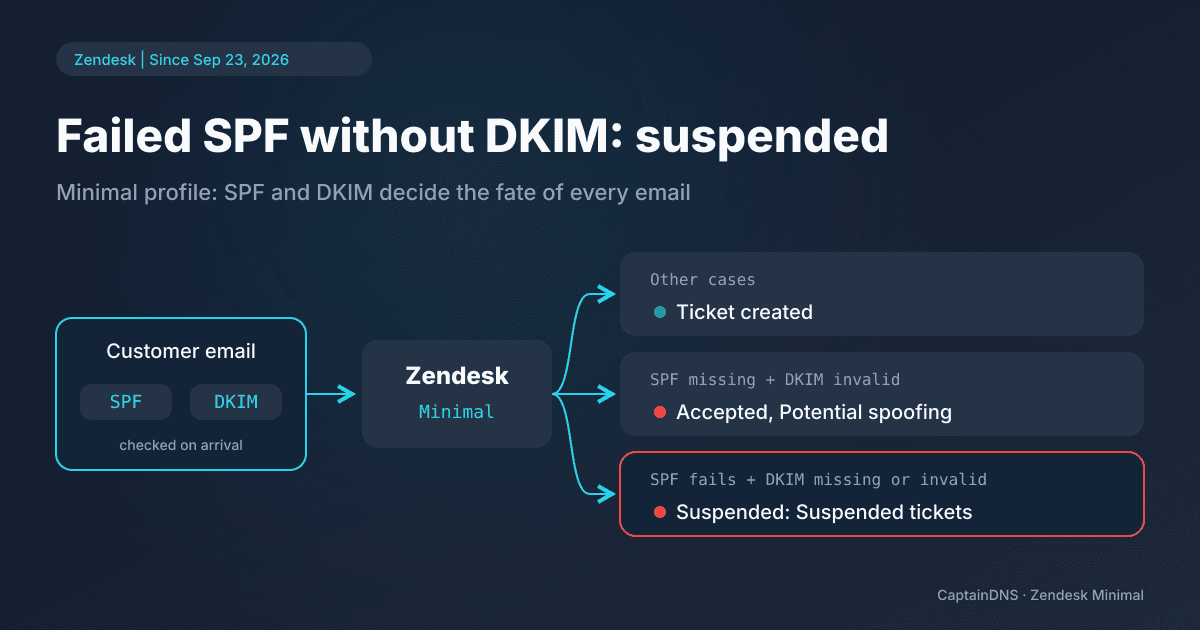
Zendesk's documentation on incoming email authentication presents "Minimal" as the least strict profile. It combines two results. SPF checks that the server sending the message appears in the list published by the sender's domain. DKIM checks a cryptographic signature added when the message is sent.
| SPF result | DKIM result | Outcome in Zendesk |
|---|---|---|
| Fails | Missing or fails | Suspended: "Suspended tickets" view, cause "Email authentication failed" |
| Not configured for the sending domain | Fails | Accepted, marked "Potential spoofing" |
| All other cases | All other cases | Accepted |
A suspended message does not become a ticket. It stays in the "Suspended tickets" view with the cause "Email authentication failed". No agent will see it in their usual queue.
The second row deserves a closer look. A domain that publishes no SPF, with a failing DKIM signature, still gets through. The agent sees a warning, but receives the ticket.
Why a failed SPF is worse than a missing SPF
Look at the situation from the customer's side, not the vendor's. You write from your domain to the support team of a software product that runs on Zendesk. Your domain publishes SPF, but the server that delivered your message is not listed in it: a new sending provider nobody added, an include removed by mistake. SPF fails. If your message has no valid DKIM signature, Zendesk suspends it. You wait for a reply; the vendor, for its part, has no ticket to handle.
The same message, sent from a domain without SPF and with the same failing DKIM, would have arrived with the "Potential spoofing" flag. For this profile, a failed SPF therefore weighs more than a missing one.
Do not conclude that you should remove your SPF record. Without it, your domain becomes easier to spoof, and DMARC loses one of the two mechanisms it relies on. The right answer is to fix SPF and sign your messages with DKIM. In the "Minimal" profile, valid DKIM is enough to avoid suspension, even when SPF fails.
Forwarding makes this point even more concrete. Many vendors publish a support address on their own domain, then forward it to Zendesk. The server that delivers your message to Zendesk is then no longer yours, and your SPF often fails even though your record is not at fault. The DKIM signature stays valid as long as the relay does not modify the message. It is the signature that carries the message through to a ticket.
What to check, first as a sender, then as a Zendesk admin
As a sender, start with SPF. List the services that send email with your domain: mailbox provider, CRM, billing, email campaign tool. Each one must be authorized by your record. The CaptainDNS SPF checker reads the published record, expands include mechanisms and tests whether a given IP address is authorized.
Next, check that every outgoing flow carries a valid DKIM signature made with your domain, not only with the provider's. A signature aligned with your domain is the one DMARC takes into account. If a recent message to a support team went unanswered, run both checks before sending it again: a new attempt under the same conditions will meet the same fate.
As a Zendesk admin, the vendor's instruction fits in one sentence: "Monitor your Suspended tickets view regularly." Zendesk adds that "Spam issues must be resolved at the source." A legitimate customer who shows up in this view with the cause "Email authentication failed" is not necessarily at fault: their SPF or DKIM may need fixing, but forwarding can also break their SPF. Check your own forwarding first, then reach them through another channel if they need to fix their domain.
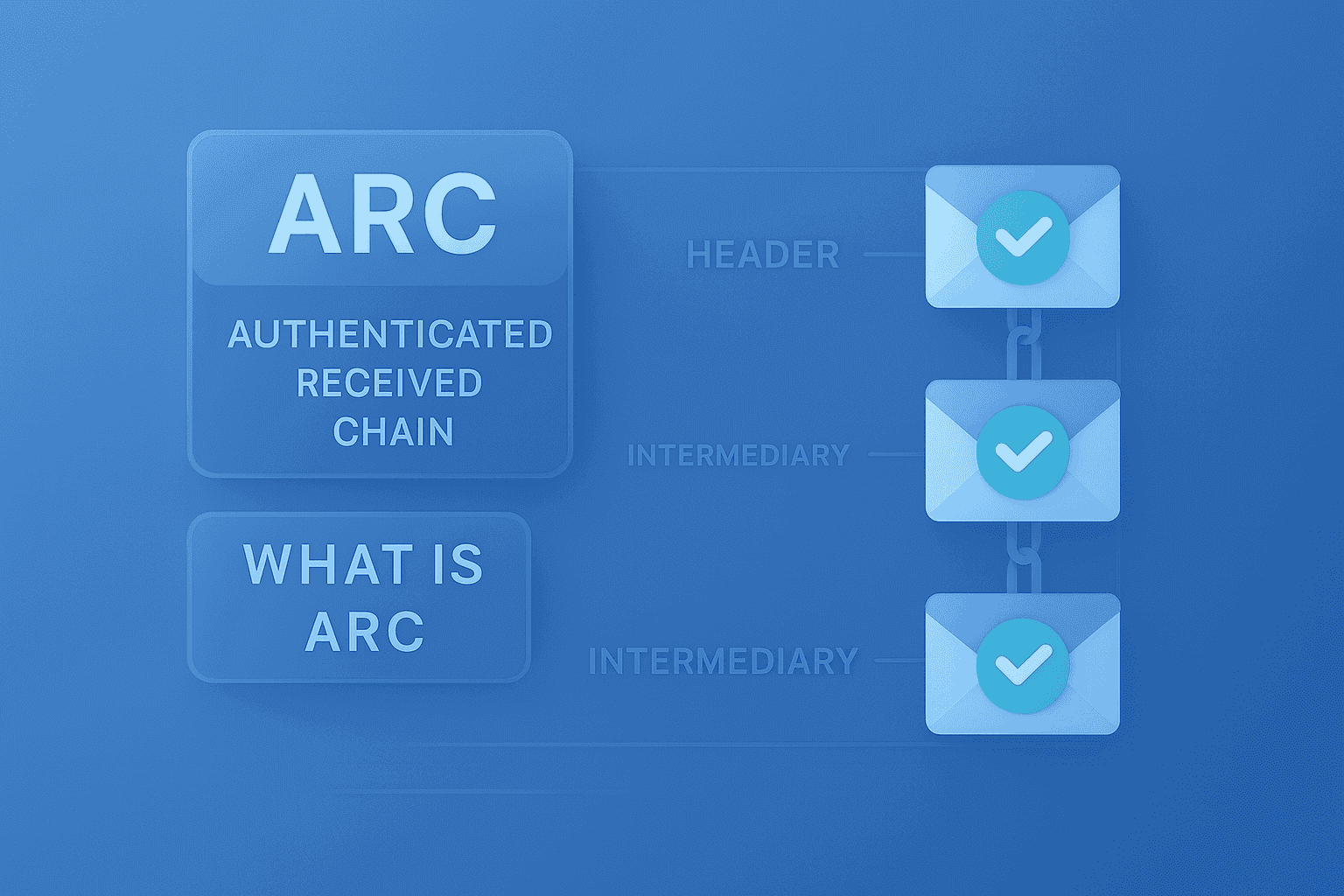
If your support address is an alias forwarded to Zendesk, also look at the "Native and forwarded traffic (ARC)" profile. It is stricter than "Minimal", but it relies on ARC, a mechanism that preserves authentication results from one relay to the next.
Check your domain's DKIM signature
Valid DKIM prevents suspension even when SPF fails. Test every selector used by your sending services.
What this article is not
This post does not detail the rules Gmail imposes on senders: our article on the stricter Gmail sending rules of November 2025 covers them separately.
It is not an SPF troubleshooting guide either. For a syntax error, a badly written mechanism or going over the 10 DNS lookups, read the SPF PermError guide. Failing signatures have their own article: DKIM fail: all causes and how to fix them.
Finally, this post does not compare the support tools on the market. It sticks to Zendesk and its "Minimal" profile, based on the two official pages cited below.
FAQ
My email to a Zendesk support team got no reply. Was it suspended?
It is possible if your domain's SPF failed and your message had no valid DKIM. It then sits in the vendor's "Suspended tickets" view, with the cause "Email authentication failed". Check your SPF and DKIM, then contact the vendor through another channel.
Why is a failed SPF blocked when a missing SPF gets through?
In the "Minimal" profile, Zendesk suspends an email when SPF fails and DKIM is missing or fails. If the domain has no SPF configured and DKIM fails, the email is accepted with the "Potential spoofing" flag. Fix your SPF rather than deleting it.
When will my Zendesk account switch to Minimal?
New accounts are already on it. For existing accounts with authentication disabled, the official page gives a start on September 23, 2026, with an end on October 22, 2026 in its table and on December 16, 2026 in its text. Zendesk does not say which one prevails.
How do I avoid suspension when an email is forwarded?
Sign your messages with valid DKIM aligned with your domain: it stays valid if the relay does not modify the message, whereas SPF often fails after forwarding. On the admin side, the "Native and forwarded traffic (ARC)" profile takes forwarded messages into account.
Sources: Zendesk announcement of the new sender authentication standard and Zendesk documentation on incoming email authentication (SPF, DKIM, DMARC and ARC).