Gmail cuts "Send as" for third-party addresses in January 2027
By CaptainDNS
Published on November 6, 2026
Updated on November 6, 2026
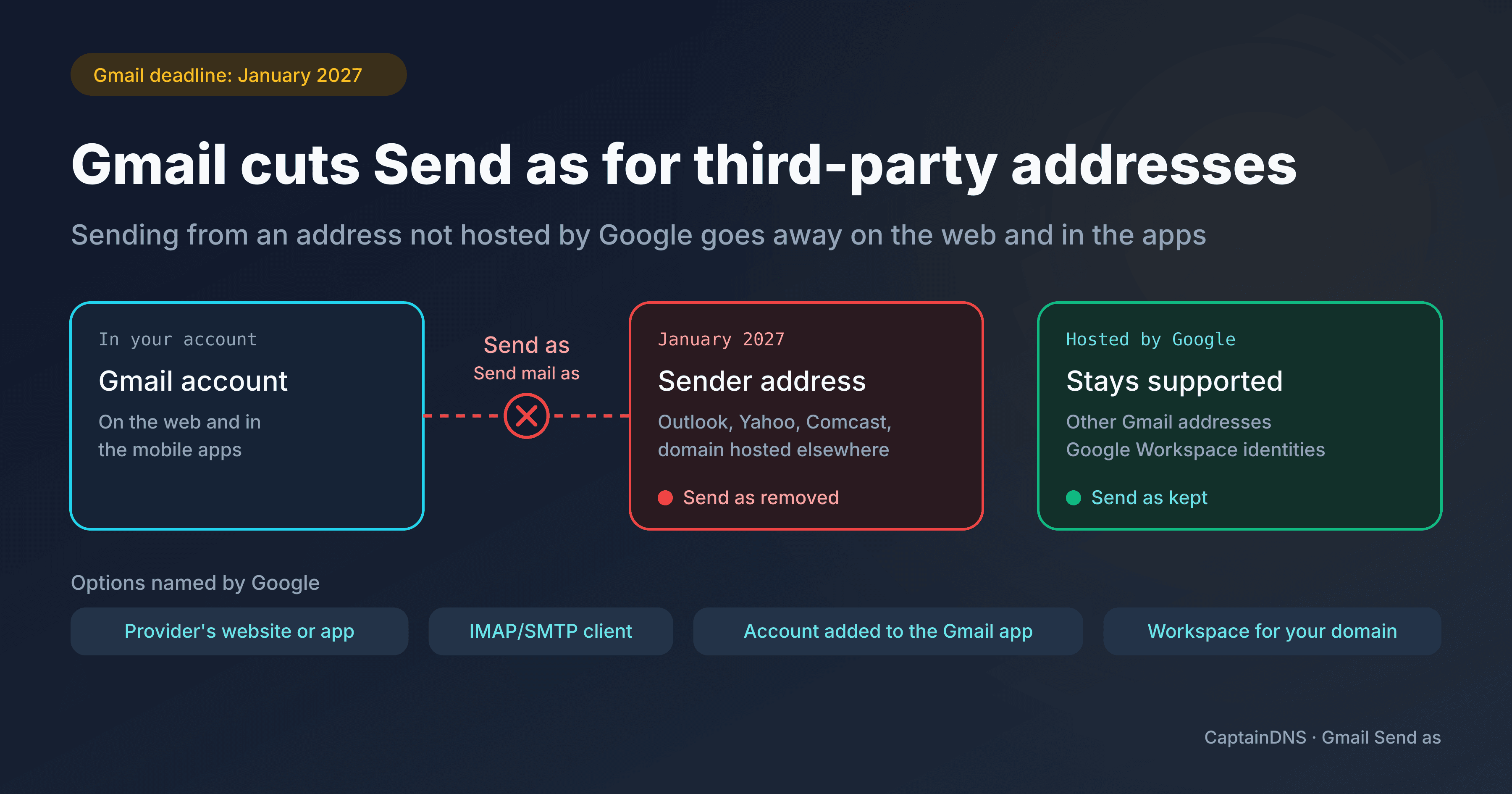
Starting in January 2027, Gmail will no longer let you send from a third-party address with the "Send as" feature, on the web or in the mobile apps. An Outlook or Yahoo address, an address from an ISP such as Comcast, or a business domain address hosted outside Google can no longer be the sender from your Gmail account. Google has not given an exact day.
- Affected: Gmail accounts that send through Send as from an address not hosted by Google, such as an individual with an Outlook, Yahoo, or Comcast address, or a small business with a free Gmail account and its domain hosted elsewhere.
- Still supported: other Gmail addresses and identities hosted by Google, including Google Workspace aliases.
- Google suggests the provider's website or app, a mail client over IMAP/SMTP, or adding the third-party account directly to the Gmail mobile app. For your own domain name, it also mentions Google Workspace.
What goes away in January 2027
Send as lets you send an email from another address you own while staying in your main Gmail account. Google writes that you will no longer be able to send from a third-party account "in Gmail on the web or in the Gmail mobile apps". It justifies the removal by saying these features take a disproportionate amount of maintenance resources.
Google's published schedule has three steps:
- In the third quarter of 2026, the announcement and the start of the notice period. Google says all affected users will receive a notification in Gmail.
- In the third and fourth quarters of 2026, the transition. Send as for third-party accounts, Gmailify, and POP keep working, but Gmail may restrict new setups.
- In January 2027, the complete removal of Send as for third-party accounts, Gmailify, and POP.
We are now in the transition period: existing setups still work, but Gmail may already limit adding new addresses.
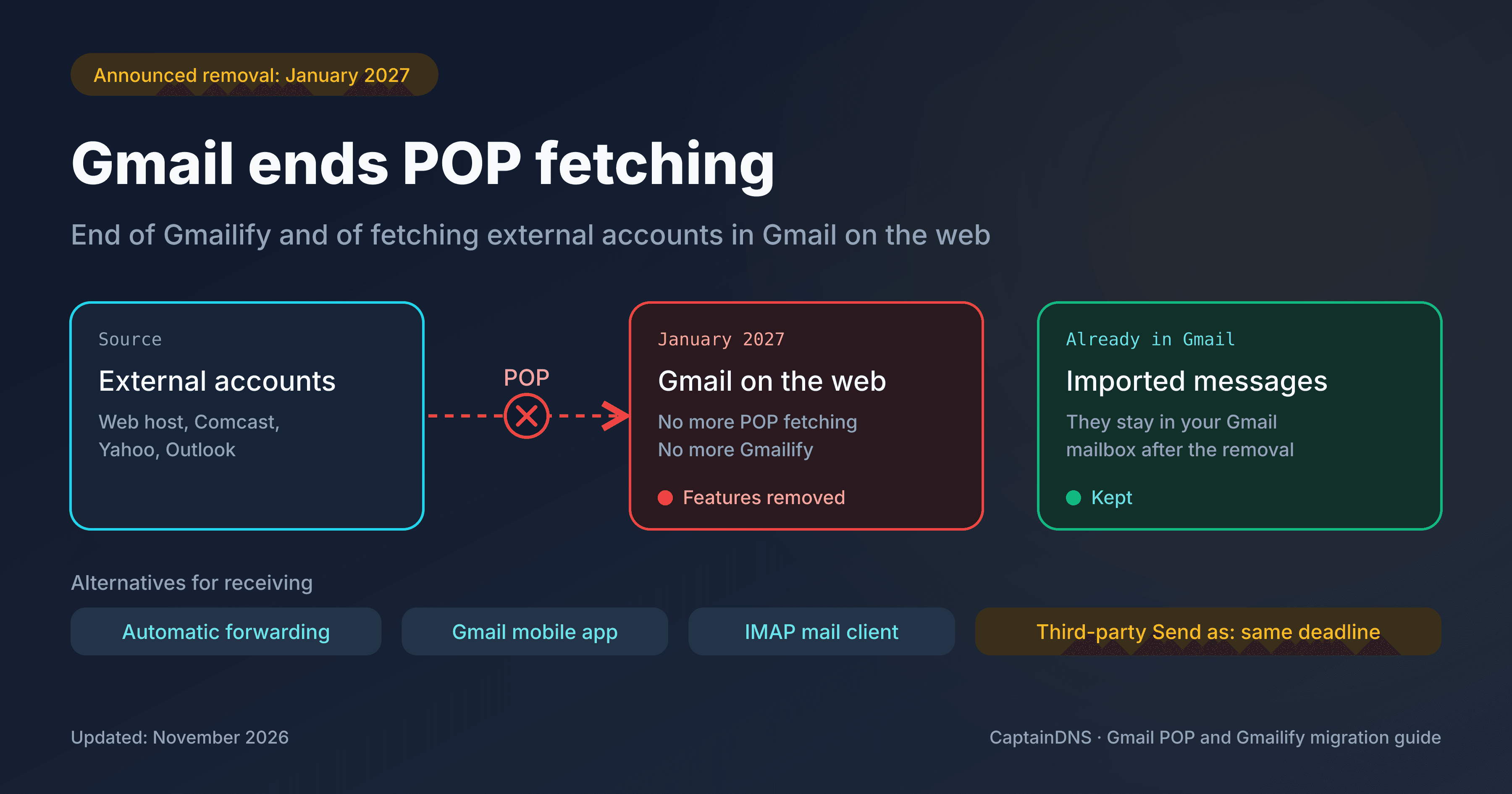
Receiving is affected on the same schedule. This post covers sending; our guide details the end of POP fetching and Gmailify and the alternatives for receiving your email. Messages already imported into Gmail stay there.
Who is affected and which addresses stay supported
You are affected if, from your Gmail account, you send with an address that is not hosted by Google. Two common cases:
- An individual reads their mail in Gmail and replies with their Outlook, Yahoo, or Comcast address.
- A small business uses a free Gmail account and sends as
contact@your-domain.com, an address on its domain hosted elsewhere, through its host's SMTP server.
Google keeps sending available from the identities it hosts:
- your other Gmail addresses;
- identities hosted by Google, such as aliases associated with a Google Workspace account.
Accessing your Gmail account from Outlook, Thunderbird, or Apple Mail, over IMAP or POP, does not change. Neither does the Gmail API.
A Workspace account does not exempt you from everything. Google preserves sending from identities it hosts and specifies that the shutdown targets non-Google third-party accounts. Its page does not separately address a Workspace account configured to send from an address hosted elsewhere: if that is your case, ask your administrator. This exception does not cover POP fetching or Gmailify: our guide on receiving details their removal.
Mobile can be confusing too. The feature that lets you send from a third-party address inside your Gmail account goes away. You can still add that third-party account separately to the Gmail app and use it there directly.
How to keep sending from your address
Google presents three official paths, and mentions a fourth for your own domain name:
- Send from your provider's website or app, for example outlook.com or mail.yahoo.com.
- Set up a desktop mail client with your third-party account: IMAP for reading, SMTP for sending. It can manage several accounts in one place, and it is what Google recommends if your business depends on Send as.
- On a phone or tablet, add the third-party account directly to the Gmail app for Android, iPhone, or iPad, then read and send from that account.
- For your own domain name, consider hosting it in Google Workspace. That is a migration of your email, not a simple subscription to add.
Our advice: if you are keeping your host, start with the mail client. You can test it right away, and no DNS change is automatically needed as long as the SMTP server stays the same. Workspace makes more sense if you were already planning to leave that host.
Be wary of tools that promise to reproduce Send as. Google urges caution with these extensions and replacement services because they often ask for your email credentials or OAuth tokens. It says it cannot guarantee their security, reliability, or data practices, and recommends its official options. Not all of these extensions are malicious, but before installing one, check the permissions it requests on your mailbox.
Your own domain: what to check after the switch
This part is for people who manage their domain. What to check depends on the sending path you choose:
- If only the interface or client changes and the message still leaves through the same SMTP server, no DNS change is automatically needed.
- If the sending server changes (new provider, Google Workspace, SMTP relay), SPF and DKIM must cover that new path. Publish what the new provider asks for.
- MX records only come into play if the hosting of your incoming mail changes too.
No DNS setting brings Send as back: Google is removing the feature on the Gmail side.
Run the check on a real message. Send an email with the setup you will actually use, then check SPF, the DKIM signature, and their alignment with the domain of the sender address (the From field): DMARC requires at least one of the two to pass while aligned. The CaptainDNS Email Tester generates a unique test address: send this message to it, and it analyzes SPF, DKIM, and DMARC. A correct result confirms the authentication of that send, not that it reached the inbox.
Managing your domain and changing your sending path?
FAQ
Can I still use my Outlook or Yahoo account in Gmail mobile?
Yes, by adding it directly as a third-party account in the Gmail app for Android, iPhone, or iPad. This access is separate from Send as, which sends from your Gmail account with a third-party address and goes away on mobile too.
Are Gmail and Google Workspace aliases being removed?
No. Google says you can keep using Send as for any identity it hosts, including your other Gmail addresses and aliases associated with your Google Workspace account.
Does forwarding to Gmail still let me reply from my third-party address?
No. Forwarding handles receiving and does not replace Send as. Your provider can still forward your messages to Gmail, but to reply with the third-party address, use its website, a mail client, or the account added to the Gmail mobile app.
Sources checked on November 6, 2026: Google, "Learn about changes to third-party email account support in Gmail" and Google, "Learn about upcoming changes to Gmailify & POP in Gmail".