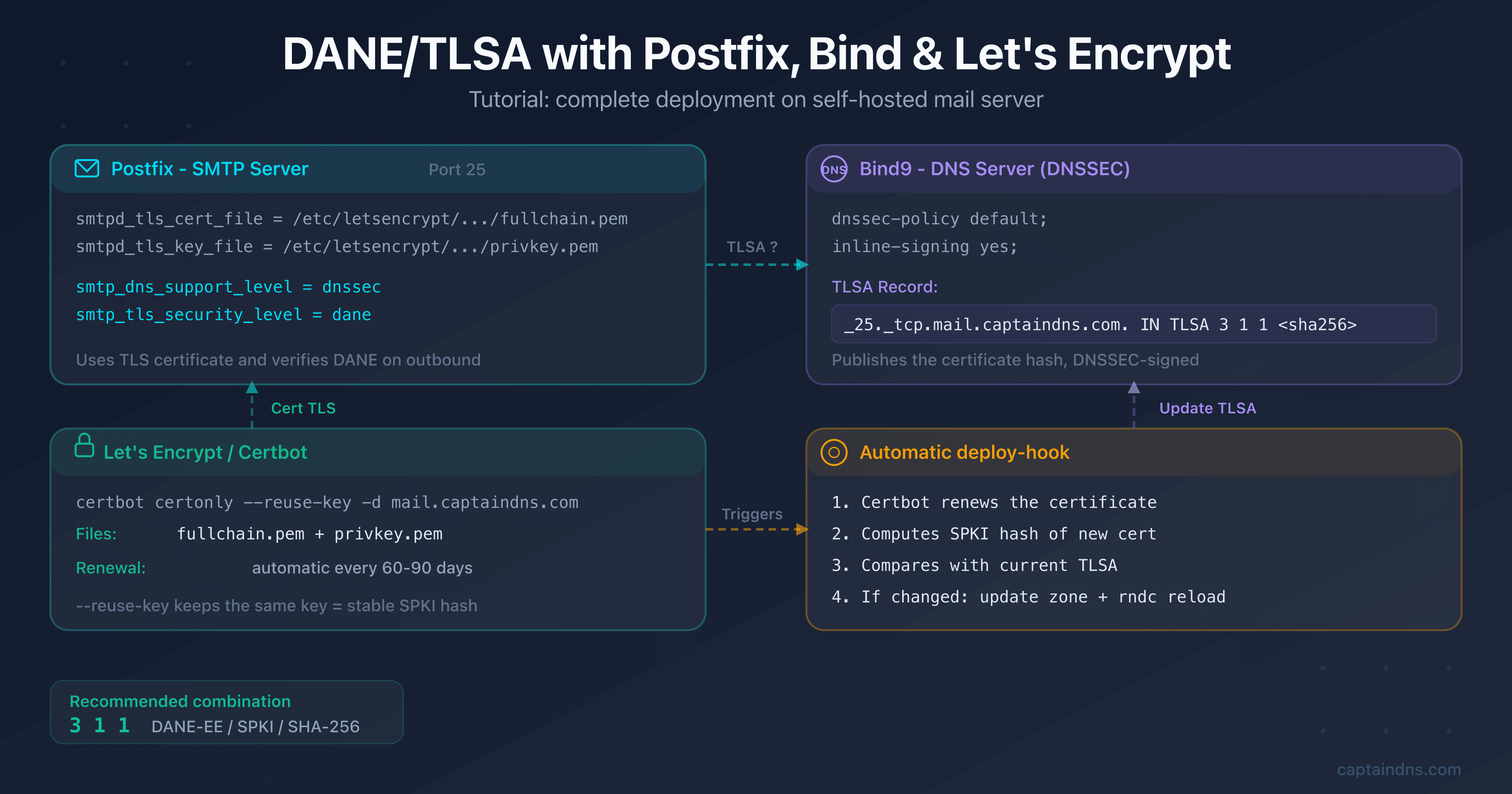
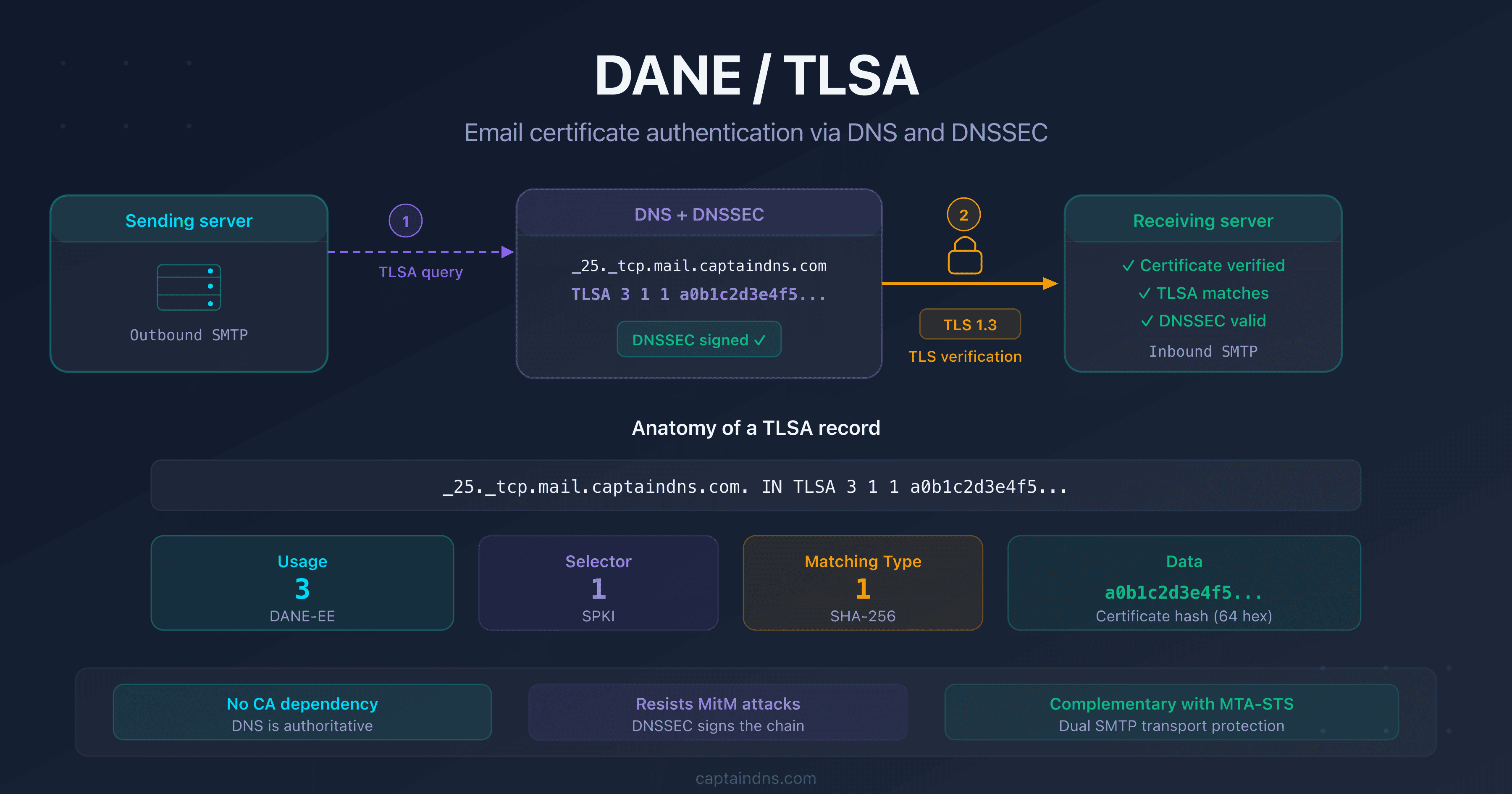
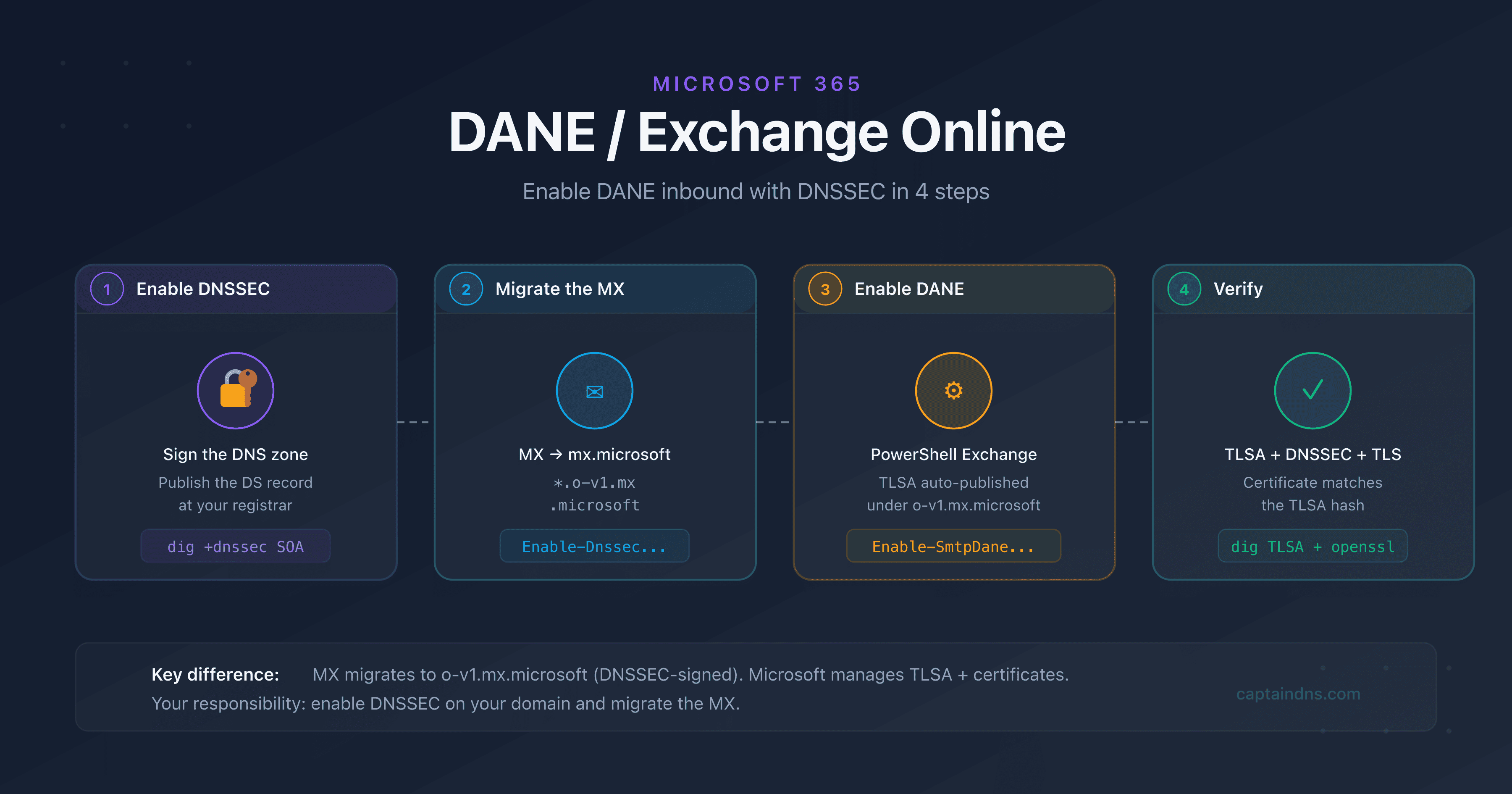
DANE/TLSA troubleshooting: diagnose and fix common errors
By CaptainDNS
Published on February 23, 2026
Updated on July 30, 2026
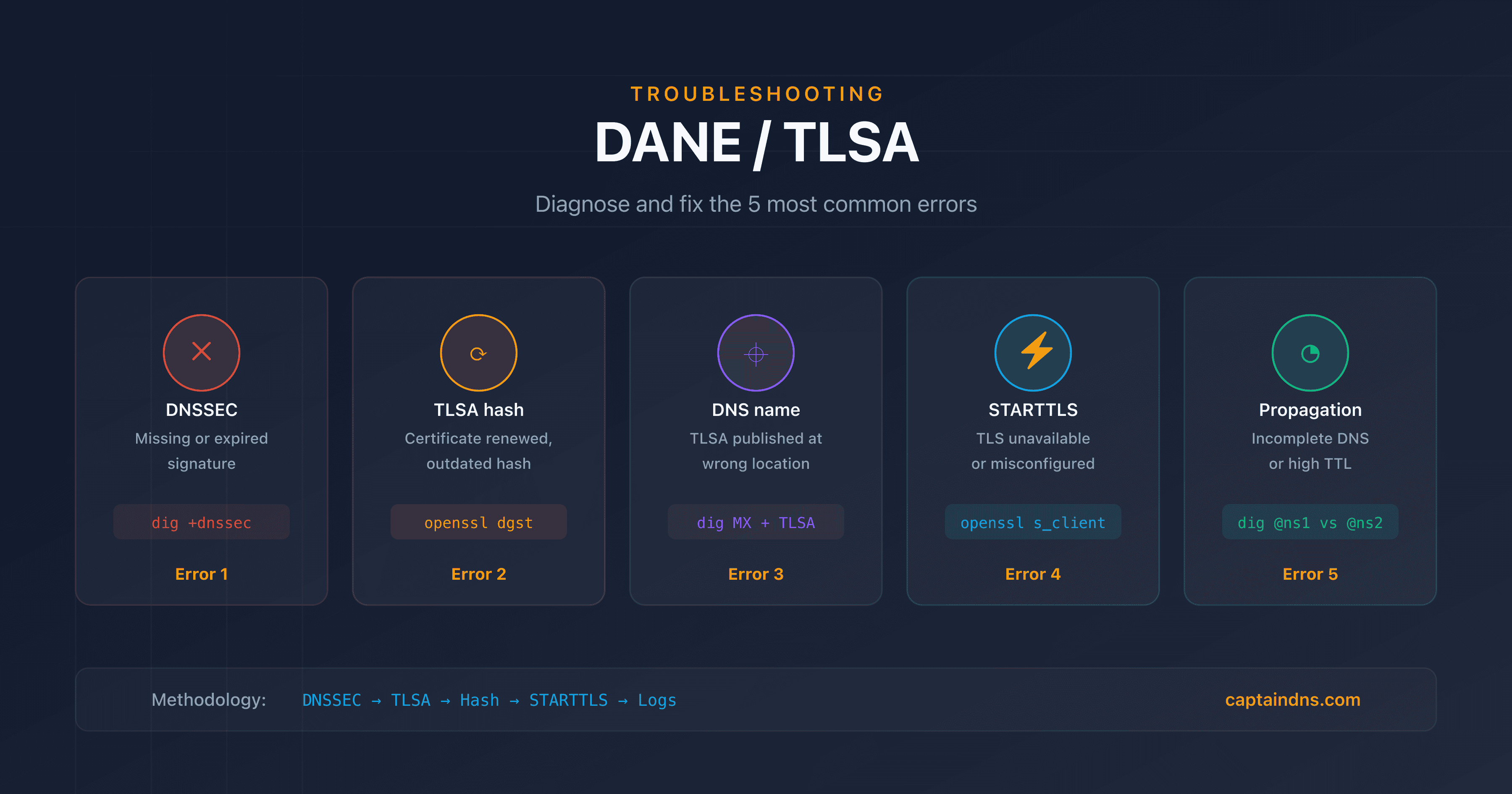
- The 5 most common DANE errors: missing DNSSEC, outdated TLSA hash, wrong DNS name, misconfigured STARTTLS, incomplete propagation
- Essential commands:
dig +dnssec,openssl s_client -starttls smtp,postfix/smtpd[]: TLSin the logs - Let's Encrypt certificate renewal is the #1 cause of DANE failures in production
- Our DANE TLSA Checker automatically identifies these issues
- TLS-RPT reports (RFC 8460) flag DANE failures before your contacts alert you
You deployed DANE/TLSA on your mail server following best practices, everything was working, then one day emails start getting rejected by certain recipients. The error message mentions "failed DANE validation" or "TLSA record not found", but the logs don't tell you exactly what changed.
DANE doesn't fail because the protocol is complex. It fails because four independent systems must stay in sync at all times. DNSSEC, TLS certificate, TLSA record, MTA configuration: a single broken link is enough to break the entire chain. And the breakage almost always happens silently, weeks after deployment, when a certificate renews or a key rotates.
So how do you pinpoint the exact cause when something goes wrong? This guide covers the 5 most common DANE/TLSA errors, each with the symptom, diagnostic commands and the fix. It's intended for system administrators and DevOps who already have a working DANE setup. If you haven't deployed DANE yet, start with the first article in this series (see "Related guides" at the bottom of this page).
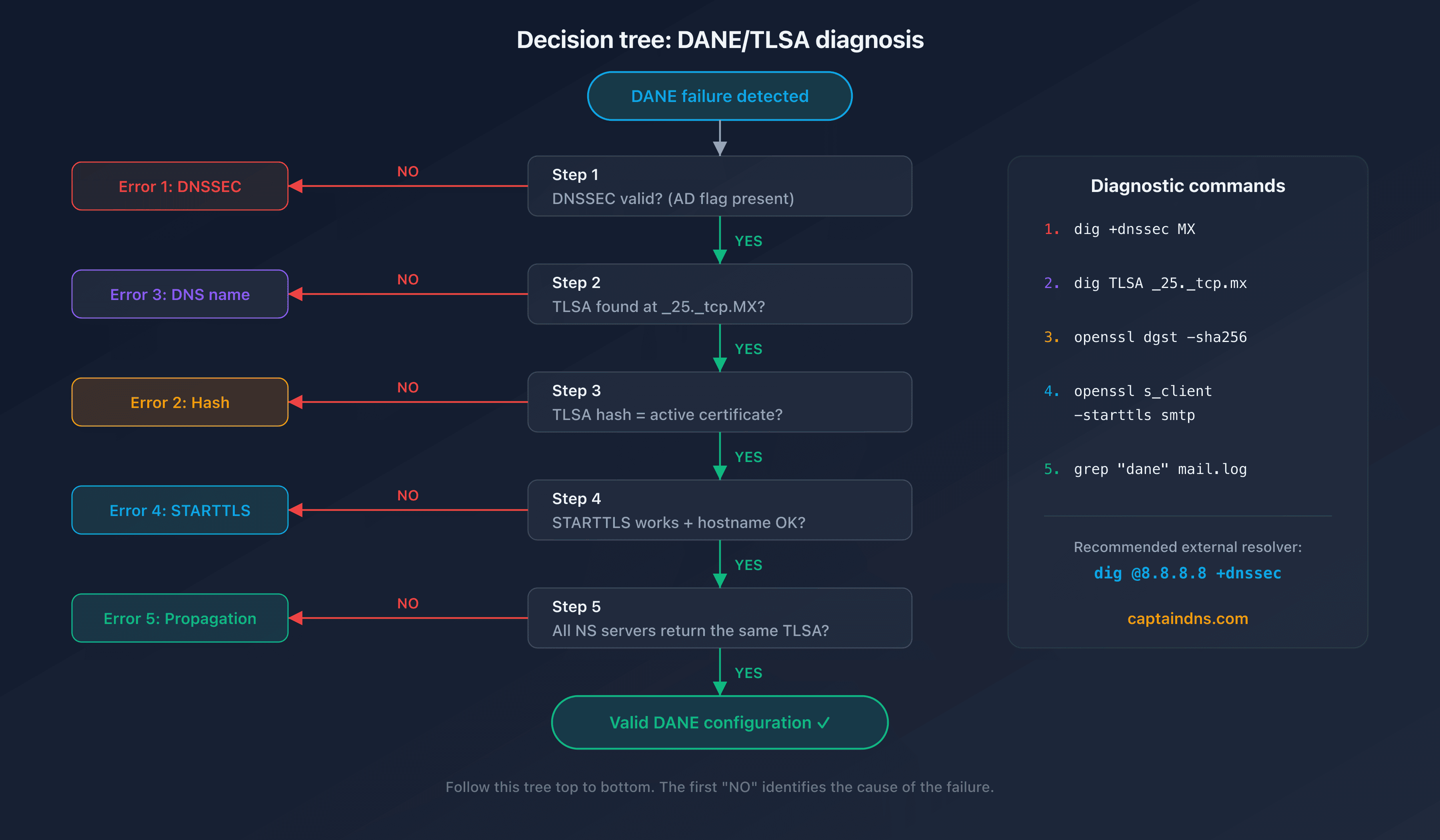
Diagnose a DANE/TLSA failure
- Step 1: verify DNSSEC resolution for the domain
Without valid DNSSEC, every TLSA record you publish is invisible. Sending servers simply ignore them. That makes DNSSEC the first thing to check. Use
digwith the+dnssecflag to verify that signatures are present and valid:dig +dnssec MX captaindns.com dig +dnssec A mail.captaindns.comThe
ad(Authenticated Data) flag in the response confirms that DNSSEC is valid. If this flag is missing, the problem is at the DNSSEC level, not at the TLSA level. Also verify that the chain of trust is complete withdelv:delv @8.8.8.8 mail.captaindns.com A +rtrace - Step 2: check the published TLSA record
A TLSA record in the wrong place is the same as no TLSA record at all. Verify that it is published at the correct location and contains the right values. The DNS name must match the MX hostname, not the domain:
dig TLSA _25._tcp.mail.captaindns.com +shortThe response should contain all 4 fields: usage, selector, matching type and hash. If the query returns nothing, the TLSA is published at the wrong DNS name or doesn't exist.
- Step 3: compare the TLSA hash to the active certificate
Retrieve the certificate presented by the server and compute its hash to compare it with the published TLSA:
# Retrieve the certificate via STARTTLS
openssl s_client -connect mail.captaindns.com:25 \
  -starttls smtp -servername mail.captaindns.com \
  2>/dev/null | openssl x509 -outform DER \
  | openssl dgst -sha256
For a TLSA with SPKI selector (1), compute the public key hash:
openssl s_client -connect mail.captaindns.com:25 \
  -starttls smtp -servername mail.captaindns.com \
  2>/dev/null | openssl x509 -pubkey -noout \
  | openssl pkey -pubin -outform DER \
  | openssl dgst -sha256
Compare the result with the hash in the TLSA. If the values differ, you've found the most common DANE failure: the certificate was renewed without updating the TLSA record.
- Step 4: test the STARTTLS connection
Verify that the server properly offers STARTTLS on port 25:
openssl s_client -connect mail.captaindns.com:25 \
  -starttls smtp -verify 5 \
  -servername mail.captaindns.com
Check that the returned certificate matches the MX hostname and that the certificate chain is complete. Here's a subtle trap: an expired certificate or incorrect hostname causes a DANE failure even if the TLSA hash is perfectly correct.
- Step 5: analyze MTA logs and TLS-RPT reports
Postfix logs contain the details of DANE failures. Filter the relevant entries:
grep "dane" /var/log/mail.log | grep -i "fail\|error\|unusable"TLS-RPT reports (if configured) flag failures seen by sending servers. Look for
failure-typefields containingdane-requiredortlsa-invalidin the JSON reports received by email.
The 5 most common DANE errors
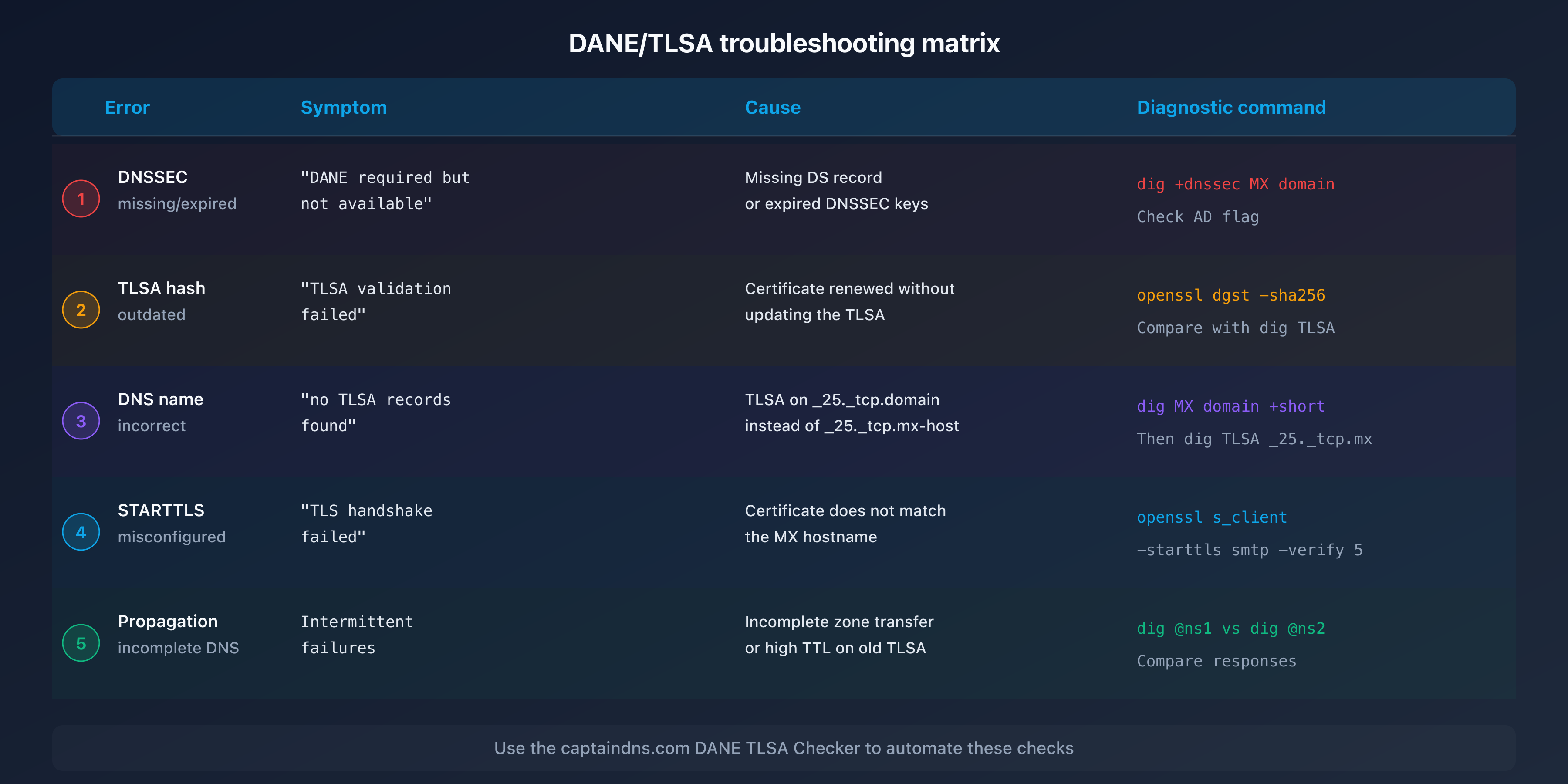
In practice, nearly every DANE failure traces back to one of 5 root causes. Each section below describes the observable symptom, the diagnostic command and the fix. Work through them in order: the most frequent causes come first.
Error 1: unsigned DNSSEC or expired signature
Symptom: sending servers report "DANE required but not available" or "no DNSSEC" in TLS-RPT reports. Emails are delivered in opportunistic mode (without DANE verification) or rejected. DNSSEC is the foundation that everything else rests on. If it breaks, your entire DANE setup becomes invisible.
Diagnosis:
# Check the AD (Authenticated Data) flag
dig +dnssec MX captaindns.com | grep flags
# Expected result: flags: qr rd ra ad

# Check RRSIG signature validity
dig +dnssec SOA captaindns.com | grep RRSIG
# The expiration date is in the RRSIG field
Common causes:
- The registrar disabled DNSSEC after a domain transfer
- DNSSEC keys (KSK/ZSK) expired without automatic rotation
- The DS record at the registrar no longer matches the active DNSKEY
Fix: verify that the DS record at your registrar matches your DNSKEY. If you use Bind9, check key expiration dates with dnssec-settime and configure automatic rotation.
Error 2: outdated TLSA hash after certificate renewal
Symptom: "TLSA validation failed" or "certificate mismatch" in the logs. This is the number one cause of DANE failures in production. It typically strikes 60 to 90 days after the initial deployment, exactly when the first Let's Encrypt renewal fires. Everything worked for weeks, so most admins don't suspect the certificate.
Diagnosis:
# Hash of the active certificate (selector 0: Full cert)
openssl s_client -connect mail.captaindns.com:25 \
  -starttls smtp 2>/dev/null \
  | openssl x509 -outform DER \
  | openssl dgst -sha256

# Hash published in DNS
dig TLSA _25._tcp.mail.captaindns.com +short
# Compare the 64 hexadecimal characters
Common causes:
- The Certbot renewal hook doesn't update the TLSA
- The selector is Full (0) instead of SPKI (1): each renewal changes the hash
- The usage is DANE-EE (3) without
--reuse-keyin Certbot
Fix:
- Quick fix: generate the new hash with our DANE TLSA Generator and update the DNS
- Long-term fix: use SPKI selector (1) with
--reuse-keyin Certbot, the default choice. If you prefer DANE-TA (2), pin the Let's Encrypt intermediate your server actually sends (R10 or R11) rather than the ISRG Root X1 root: RFC 7671 section 5.2.2 requires the pinned certificate to appear in the TLS chain presented. See our Postfix/Bind/Let's Encrypt tutorial (article 2 in this series) for the automatic renewal hook configuration
Error 3: TLSA published at the wrong DNS name
Symptom: "no TLSA records found" even though you did create the record. This is the most common error among DANE beginners, and the most frustrating, because the record exists, just not where sending servers look for it.
Diagnosis:
# Find the MX hostname
dig MX captaindns.com +short
# Result: 10 mail.captaindns.com.

# Check the TLSA at the correct location (MX hostname)
dig TLSA _25._tcp.mail.captaindns.com +short

# Typical mistake: TLSA published on the domain instead of the MX
dig TLSA _25._tcp.captaindns.com +short
# This TLSA is IGNORED by sending servers
Cause: confusion between the domain (captaindns.com) and the MX hostname (mail.captaindns.com). The TLSA must be published at _25._tcp.<MX-hostname>, as specified in RFC 7672 section 2.1.1.
Fix: publish the TLSA at _25._tcp.mail.captaindns.com (or whatever hostname your MX record returns). If your domain has multiple MX records, each hostname needs its own TLSA.
Error 4: STARTTLS unavailable or misconfigured
Symptom: DANE is configured on the DNS side but the server doesn't offer STARTTLS, or the presented certificate doesn't match the hostname. Logs show "TLS handshake failed" or "certificate hostname mismatch". DNS tells the world you support DANE, but your server can't deliver on that promise.
Diagnosis:
# Test if STARTTLS is offered
openssl s_client -connect mail.captaindns.com:25 \
  -starttls smtp -verify 5

# Check the Common Name and SANs of the certificate
openssl s_client -connect mail.captaindns.com:25 \
  -starttls smtp 2>/dev/null \
  | openssl x509 -noout -subject -ext subjectAltName
Common causes:
smtpd_tls_cert_filepoints to the wrong file in Postfix- The certificate doesn't include the MX hostname in its Subject Alternative Names
- The firewall blocks STARTTLS or port 25 is not accessible over TLS
Fix: in Postfix, verify that smtpd_tls_security_level is at least may and that the certificate paths are correct:
# /etc/postfix/main.cf
smtpd_tls_cert_file = /etc/letsencrypt/live/mail.captaindns.com/fullchain.pem
smtpd_tls_key_file = /etc/letsencrypt/live/mail.captaindns.com/privkey.pem
smtpd_tls_security_level = may
Error 5: incomplete DNS propagation
Symptom: DANE works intermittently. Some sending servers validate the TLSA, others report an error. Intermittent failures are the hardest to diagnose because the problem depends on which resolver the sender queries. The issue often appears after a recent DNS update.
Diagnosis:
# Compare responses between NS servers
dig TLSA _25._tcp.mail.captaindns.com @ns1.captaindns.com +short
dig TLSA _25._tcp.mail.captaindns.com @ns2.captaindns.com +short

# Check the remaining TTL
dig TLSA _25._tcp.mail.captaindns.com +noall +answer
Common causes:
- Incomplete zone transfer between primary and secondary DNS servers
- High TTL on the old record (DNS caches retain the old value)
- A NS server is unresponsive or returns an outdated version of the zone
Fix: verify that all your NS servers return the same TLSA value. If you just updated the TLSA, wait for the previous TTL to expire before removing the old record. For certificate rotations, publish the new TLSA 2x TTL before the actual rotation.
Monitoring DANE in production
Fixing a one-off error isn't enough. DANE is a living system: certificates rotate, keys expire, DNS zones get updated. Without monitoring, the next failure is just a renewal cycle away. The following 3 monitoring mechanisms prevent recurring incidents.
TLS-RPT: enable TLS-RPT reports (RFC 8460) to receive DANE failure notifications from sending servers. The failure-type field in the JSON report indicates the exact error type:
| failure-type TLS-RPT | Meaning | Action |
|---|---|---|
dane-required | TLSA required but absent | Check TLSA publication |
tlsa-invalid | TLSA present but invalid | Check hash and syntax |
dnssec-invalid | Invalid DNSSEC signature | Check DNSSEC keys |
certificate-expired | TLS certificate expired | Renew the certificate |
starttls-not-supported | No STARTTLS | Check Postfix config |
Certificate monitoring: set up an alert 14 days before TLS certificate expiration. Automatic renewal doesn't mean automatic DANE compliance. Let's Encrypt renews the certificate, but the TLSA hook can fail silently, leaving DNS and the server out of sync.
Automated verification: schedule a daily check with our DANE TLSA Syntax Checker or a cron script that compares the published hash to the active certificate:
#!/bin/bash
# Daily DANE verification
TLSA_HASH=$(dig TLSA _25._tcp.mail.captaindns.com +short | awk '{print $4}')
CERT_HASH=$(openssl s_client -connect mail.captaindns.com:25 \
  -starttls smtp 2>/dev/null \
  | openssl x509 -pubkey -noout \
  | openssl pkey -pubin -outform DER \
  | openssl dgst -sha256 | awk '{print $2}')

if [ "$TLSA_HASH" != "$CERT_HASH" ]; then
  echo "ALERT: TLSA hash differs from the active certificate" | \
    mail -s "DANE TLSA mismatch" admin@captaindns.com
fi
Recommended action plan
- Diagnose: use the 5-step methodology above or our DANE TLSA Checker to identify the problem
- Identify: classify the error into one of the 5 categories (DNSSEC, hash, DNS name, STARTTLS, propagation)
- Fix: apply the corresponding solution using the provided commands
- Verify: test the fix with
dig +dnssecandopenssl s_clientbefore considering the issue resolved - Prevent: set up TLS-RPT, certificate monitoring and automated verification
FAQ
Why does DANE validation fail after certificate renewal?
Renewal generates a new key pair (unless --reuse-key is enabled in Certbot). The hash in the TLSA record no longer matches the new certificate. The default fix is SPKI selector (1) with --reuse-key, which keeps the same public key across renewals. DANE-TA (2) is still an option, but RFC 7671 section 5.2.2 requires the pinned certificate to appear in the TLS chain the server serves: in that case pin the Let's Encrypt intermediate actually sent (R10 or R11), not the root.
How do you fix the 'no TLSA records found' error?
This error means the TLSA is missing from DNS or published at the wrong location. The TLSA must be published at _25._tcp.<MX-hostname>, not at _25._tcp.<domain>. Check with dig MX captaindns.com to find the MX hostname, then publish the TLSA at the correct name. If the TLSA exists, verify that DNSSEC is active because resolvers ignore TLSA records without DNSSEC.
Does DANE work if DNSSEC is signed on the domain but not on the MX hostname?
DNSSEC must be signed on the zone that contains the TLSA. If your MX hostname is mail.captaindns.com and the TLSA is in the same zone, then that zone must have DNSSEC enabled. The sender's domain zone doesn't need DNSSEC. However, if the MX points to a hostname in a different zone (shared hosting), that zone must have DNSSEC.
How do you debug DANE with Postfix logs?
Enable the TLS log level in Postfix with smtp_tls_loglevel = 2 (outgoing) or smtpd_tls_loglevel = 2 (incoming) in main.cf. Lines containing Verified TLS connection confirm success. Lines with dane and unusable or failed indicate a failure. Also search for DANE TLSA in the logs to see verification details.
What does 'DANE required but TLSA absent' mean in a TLS-RPT report?
This message indicates that the sending server detected a DANE policy (via DNSSEC on the MX zone) but couldn't find a TLSA record. Either the TLSA hasn't been published yet, it's at the wrong DNS name, or the sending server's resolver hasn't yet propagated the update. Check the publication with dig TLSA _25._tcp.mail.captaindns.com from an external resolver.
The TLSA hash is correct but validation fails, why?
Several possible causes: the selector in the TLSA (Full vs SPKI) doesn't match the hash method used, the intermediate certificate is missing from the chain presented by the server, or the matching type (SHA-256 vs SHA-512) doesn't match the published hash. Check the first 3 fields of the TLSA (usage, selector, matching type) and recalculate the hash with the correct parameters.
How do you test DANE without risking email loss?
First publish the TLSA with a low TTL (300 seconds) and verify it with dig and our DANE TLSA Checker. Test sending from a DANE-aware server (Gmail, Microsoft 365) to your domain. If validation fails, fix the TLSA. Sending servers compliant with RFC 7672 section 2.2 fall back to opportunistic mode if the TLSA is invalid, unless their policy enforces strict DANE. Increase the TTL once the configuration is validated.
📚 Related DANE/TLSA guides
- DANE/TLSA: the complete guide to authenticating email certificates via DNS: how it works, TLSA anatomy, recommended usages and comparison with MTA-STS
- Set up DANE/TLSA with Postfix, Bind and Let's Encrypt: step-by-step tutorial with copy-paste commands, renewal automation and verification
- Deploy DANE for Exchange Online and Microsoft 365
Sources
- RFC 7672 - SMTP Security via Opportunistic DANE TLS
- RFC 7671 - The DNS-Based Authentication of Named Entities (DANE) Protocol: Updates and Operational Guidance
- RFC 6698 - The DNS-Based Authentication of Named Entities (DANE) Transport Layer Security (TLS) Protocol: TLSA
- Postfix TLS README - DANE
- ISC BIND 9 DNSSEC Guide